Search packages, repositories and app categories

full_picker cover
Package detailsv2.1.5

full_picker

A Flutter package that helps you select files in different modes.

AndroidiOS
30-day downloads
142
Likes
36
Pub points
130

Install package

flutter pub add full_picker

Package Overview

Package selection guidance compiled from public package information, community data, and project usage.

Full Picker is a Flutter package designed to simplify file selection across various modes, enabling users to pick files from different sources on Android and iOS. It provides an intuitive interface for selecting single or multiple files, supporting diverse file types and offering customizable options. Built with ease of integration in mind, it enhances user experience by streamlining file handling within Flutter applications. The package is maintained by mbfakouri.ir and available via pub.dev.

Use cases

  • Selecting images and documents
  • Choosing multiple files at once
  • Integrating file selection into forms
  • Supporting file uploads
  • Enabling media picker functionality

Key features

  • Cross-platform support (Android & iOS)
  • Multiple file selection
  • Customizable file type filtering
  • Simple API integration
  • Built-in file preview

Suitable for

  • Media-heavy apps
  • Document management systems
  • User profile upload features
  • Form-based data collection
  • File-sharing applications

Considerations

  • Requires platform-specific permissions
  • Limited to Android and iOS
  • May need additional validation for file types
  • Dependent on device storage access
  • Not suitable for web platforms

Original README

Original README snapshot from the linked source repository. Visit the repository for the latest content.

logo

Full picker

pub package
A Flutter package that helps you select files in different modes

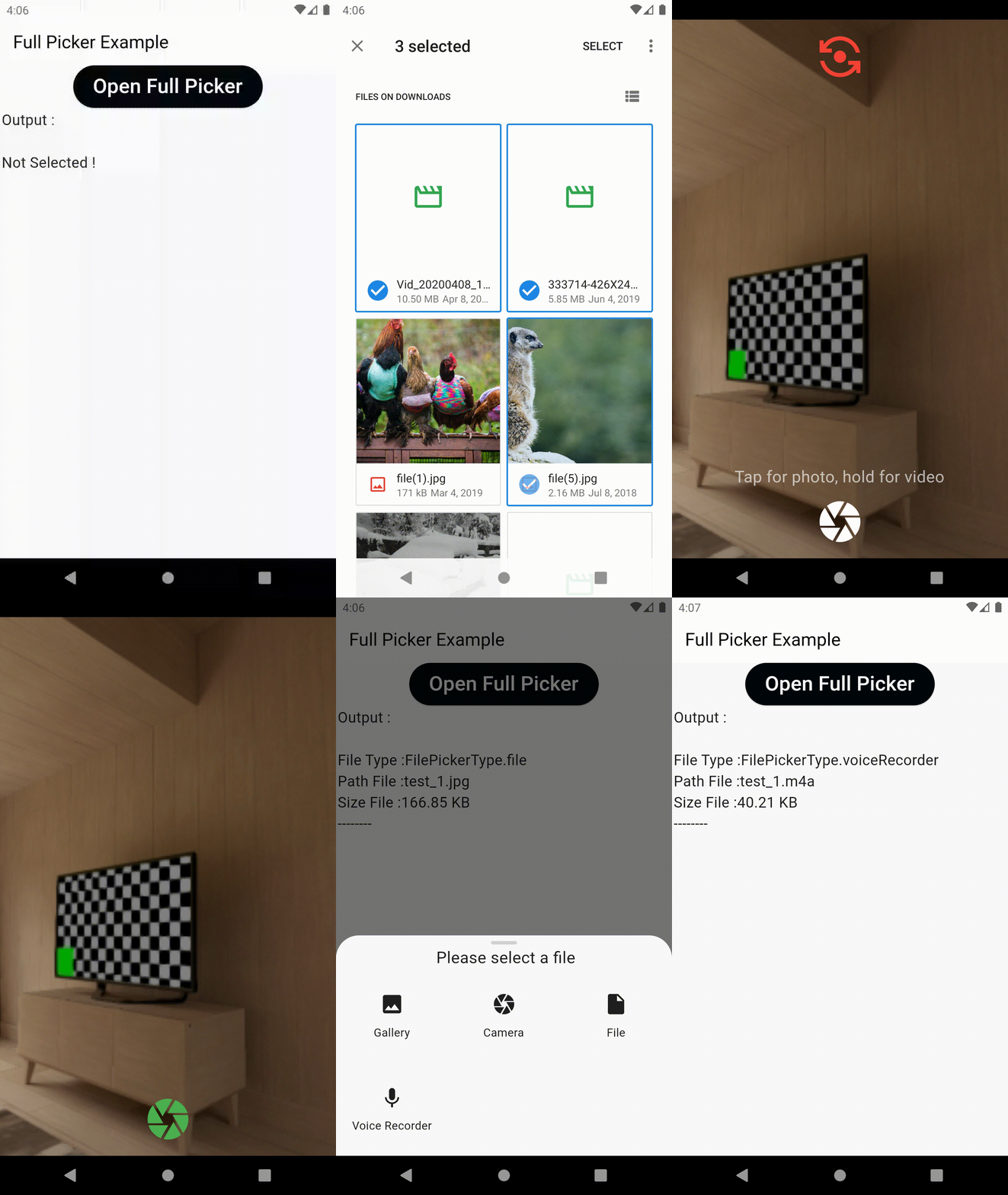
Features

  • Multi File picker
  • Video Compressor
  • Image Cropper
  • Custom Camera
  • Custom Name For Files
  • Voice recorder
  • URL picker
  • Support Material 1,2,3

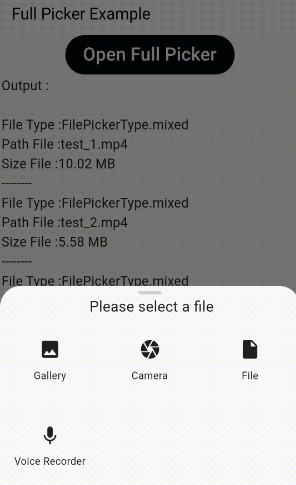
Example App

Usage

Quick simple usage example:

FullPicker(
  context: context,
  prefixName: "test",
  file: true,
  image: true,
  video: true,
  videoCamera: true,
  imageCamera: true,
  voiceRecorder: true,
  videoCompressor: false,
  imageCropper: false,
  multiFile: true,
  url: true,
  onError: (int value) {
    print(" ----  onError ----=$value");
  },
  onSelected: (value) {
    print(" ----  onSelected ----");
  },
);

and use minSdkVersion 21 in your Module-level build.gradle file

Video Compressor

If you need to compress the video (only support Android And IOS), add the following

iOS

Add the following to your Info.plist file, located in <project root>/ios/Runner/Info.plist:

<key>NSPhotoLibraryUsageDescription</key>
<string>${PRODUCT_NAME} library Usage</string>
Android

Add the following permissions in AndroidManifest.xml:

API < 29

<uses-permission android:name="android.permission.READ_EXTERNAL_STORAGE"/>
<uses-permission android:name="android.permission.WRITE_EXTERNAL_STORAGE"
android:maxSdkVersion="28"/>

API >= 29

<uses-permission android:name="android.permission.READ_EXTERNAL_STORAGE"/>

Include this in your Project-level build.gradle file:

allprojects {
    repositories {
        .
        .
        .
        maven { url 'https://jitpack.io' }
    }
}

Include this in your Module-level build.gradle file:

implementation 'com.github.AbedElazizShe:LightCompressor:1.0.0

Image Cropper

If you need to crop the image (only support Android And IOS), add the following

Android
  • Add UCropActivity into your AndroidManifest.xml
<activity
    android:name="com.yalantis.ucrop.UCropActivity"
    android:screenOrientation="portrait"
    android:theme="@style/Ucrop.CropTheme"/>
iOS
  • No configuration required

Voice Recorder

If you need to voice recorder, add the following

Android
<uses-permission android:name="android.permission.RECORD_AUDIO" />
<!-- Optional, you'll have to check this permission by yourself. -->
<uses-permission android:name="android.permission.WRITE_EXTERNAL_STORAGE" />

min SDK: 19 (maybe higher => encoder dependent)

iOS
<key>NSMicrophoneUsageDescription</key>
<string>We need to access to the microphone to record audio file</string>

min SDK: 11.0

macOS
<key>NSMicrophoneUsageDescription</key>
<string>We need to access to the microphone to record audio file</string>

Multi Language

There is a possibility of customization for different languages in this package

FullPickerLanguage language = FullPickerLanguage.copy(
    camera: S.current.camera,
    selectFile: S.current.selectFile,
    file: S.current.file,
    voiceRecorder: S.current.voiceRecorder,
    url: S.current.url,
    enterURL: S.current.enterURL,
    cancel: S.current.cancel,
    ok: S.current.ok,
    gallery: S.current.gallery,
    cropper: S.current.cropper,
    onCompressing: S.current.onCompressing,
    tapForPhotoHoldForVideo: S.current.tapForPhotoHoldForVideo,
    cameraNotFound: S.current.cameraNotFound,
    noVoiceRecorded: S.current.noVoiceRecorded,
    denyAccessPermission: S.current.denyAccessPermission);
    
FullPicker(
  ...
  language: language,
  ...
);   

S For intl Package

Getting Started

For help getting started with Flutter, view our online documentation.

For help on editing plugin code, view the documentation.

Categories

Dependencies

Dependency list 14 items

Source repository

Projects using this package

No data available yet.