

 v3.1.0
adaptive_dialog
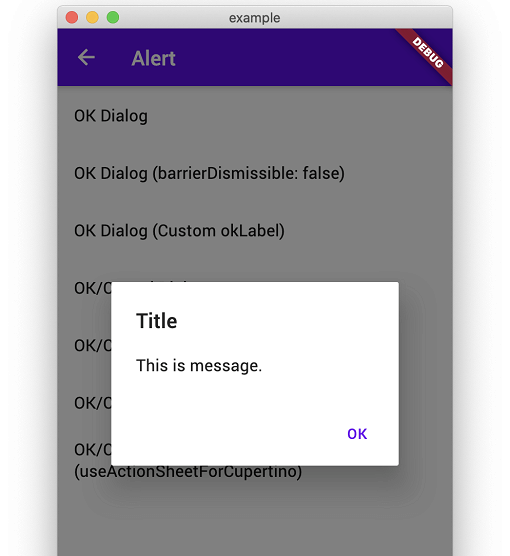
Show alert dialog or modal action sheet adaptively according to platform.
1.1KLikes 40.9K30-day downloads160Pub points
AndroidiOSWebmacOSWindowsLinux
Show alert dialog or modal action sheet adaptively according to platform.

English project snapshot. Visit GitHub for the latest content.
Show alert dialog or modal action sheet adaptively according to platform.
Web Demo: https://mono0926.com/adaptive_dialog/
Convenient wrapper of showAlertDialog.
| iOS | Android |
|---|---|
 |
 |
Convenient wrapper of showAlertDialog.
| iOS | Android |
|---|---|
 |
 |
 |
 |
Show Confirmation Dialog. For Cupertino, fallback to ActionSheet.
| iOS | Android |
|---|---|
 |
 |
| iOS | Android |
|---|---|
 |
 |
 |
 |
 |
 |
| iOS | Android |
|---|---|
 |
 |
 |
 |
Show text input dialog until answer is correct or cancelled. This is useful for preventing very destructive action is executed mistakenly.
| iOS | Android |
|---|---|
 |
 |
This packages keeps usage and UI simple like iOS official alert dialog. Therefore, if you need more flexibility than this package provides, I recommend that you build your own directly using standard APIs to meet your requirements without using this package.
modalBarrierDismissLabel was called on nulladaptive_dialog uses Cupertino-style widgets internally on iOS, so GlobalCupertinoLocalizations.delegate is required under certain conditions.
import 'package:flutter/material.dart';
import 'package:flutter_localizations/flutter_localizations.dart';

class App extends StatelessWidget {
  const App({Key key}) : super(key: key);

  @override
  Widget build(BuildContext context) {
    return MaterialApp(
      //...
      localizationsDelegates: const [
        GlobalMaterialLocalizations.delegate,
        GlobalWidgetsLocalizations.delegate,
        GlobalCupertinoLocalizations.delegate, // This is required
      ],
    );
  }
}
This fixes the problem.
import 'package:flutter/cupertino.dart';
import 'package:flutter/material.dart' hide Router;

class App extends StatelessWidget {
  const App({Key key}) : super(key: key);

  @override
  Widget build(BuildContext context) {
    return MaterialApp(
      darkTheme: ThemeData(
        cupertinoOverrideTheme: const CupertinoThemeData(
          textTheme: CupertinoTextThemeData(), // This is required
        ),
      ),
    );
  }
}
AdaptiveStyle.macOS utilizes macos_ui widgets on native macOS.
On Web platforms (both JavaScript and WASM), macos_ui is excluded to ensure Web and WASM compatibility, and dialogs configured with macOS style automatically fall back to Cupertino (iOS-style) dialogs.
Dependency list 9 items
>=2.0.3 <4.0.0^1.15.0>=1.4.0 <3.0.0{"sdk":"flutter"}^2.0.0^2.0.0^1.3.0{"sdk":"flutter"}anyStart with your use case, compare repository activity, and check the original project before adopting it.
“A repository is the most basic element of GitHub.”
GitHub Docs — About repositories ↗