

 v0.0.6+1
firebase_chat
Fully functional package for Cloud Firestore that makes easier to implement chat in your application
32Likes 1630-day downloads50Pub points
Platforms unavailable
tedcrimson/firebase_chat open-source repository details.

English project snapshot. Visit GitHub for the latest content.
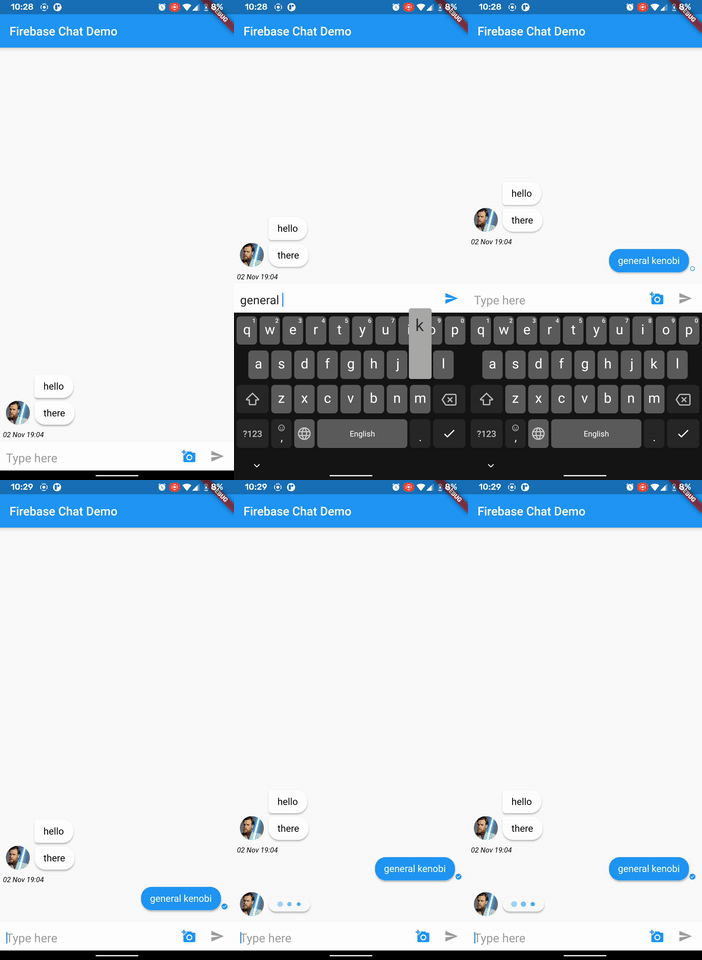
To get started with Firebase, please see the documentation available at https://firebase.flutter.dev/docs/overview
Add Firebase Chat to your project by following the instructions on the install page and start using it:
import 'package:firebase_chat/firebase_chat.dart';
class ChatPage extends BaseChat {
  ChatPage({
    @required ChatEntity entity,
  }) : super(entity);

  @override
  _ChatPageState createState() => _ChatPageState();
}

class _ChatPageState extends BaseChatState<ChatPage> {
...
You can checkout example file
Widget inputBuilder(BuildContext context, ChatInputState state);
Future editAndUpload(Uint8List data);
Future getImage();

Widget get emptyWidget;
Widget get errorWidget;
Widget get loadingWidget;
Color  get primaryColor;
Color  get secondaryColor;
id - user Idimage - user image urlname - user display namePeerUser({this.id, this.image, this.name})PeerUser.fromSnapshot(DocumentSnapshot snap)mainUser - logged in userpeers - Map of users <user ID, PeerUser>lastMessage - last sent messagetitle - name of the chat (You can name group chats, can be nullable)If you have any suggestion for including a feature or if something doesn't work, feel free to open a Github issue for us to have a discussion on it.
Dependency list 11 items
{"sdk":"flutter"}^7.0.0^7.0.0^2.0.0^1.0.3^3.0.0^0.13.1^0.17.0^0.0.2^0.0.2+1^0.0.2+1Start with your use case, compare repository activity, and check the original project before adopting it.
“A repository is the most basic element of GitHub.”
GitHub Docs — About repositories ↗