


 v2.0.4
motion_tab_bar
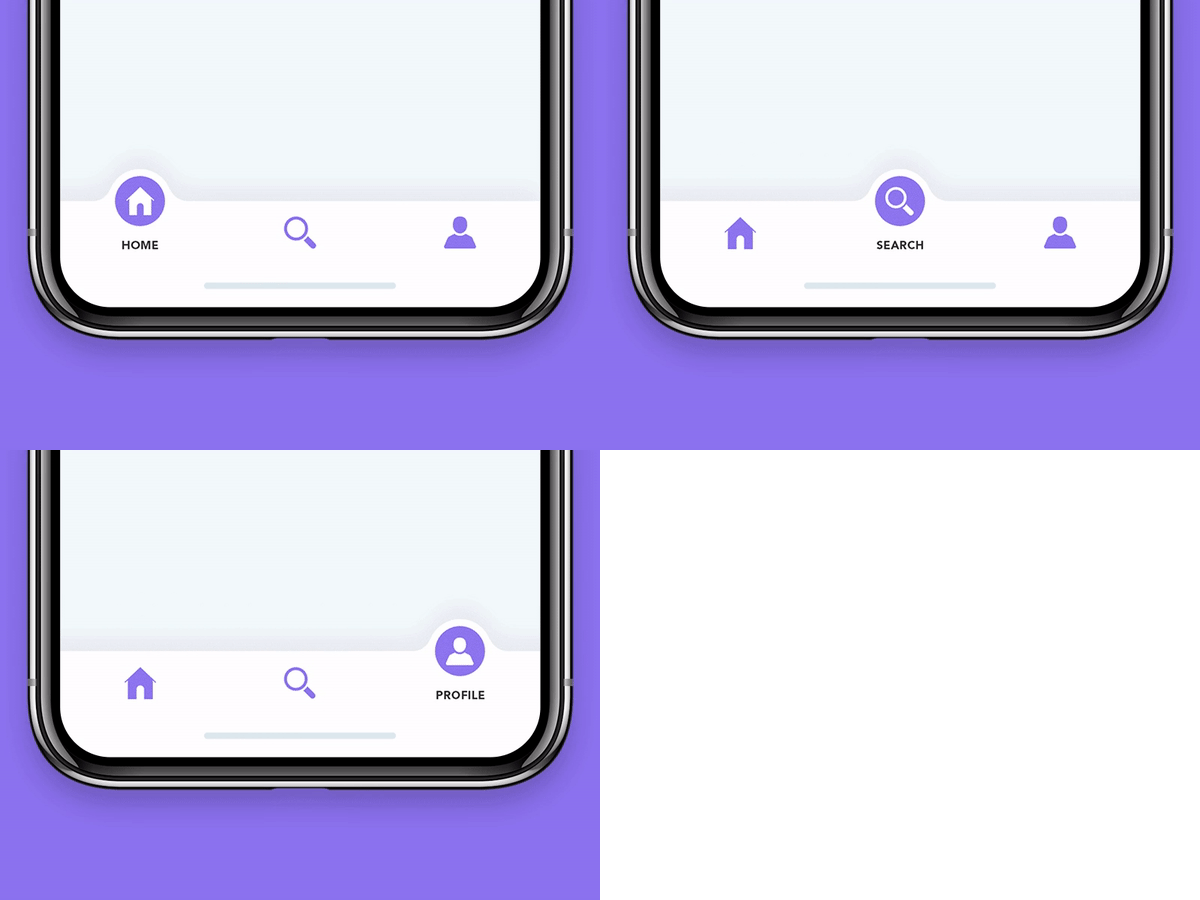
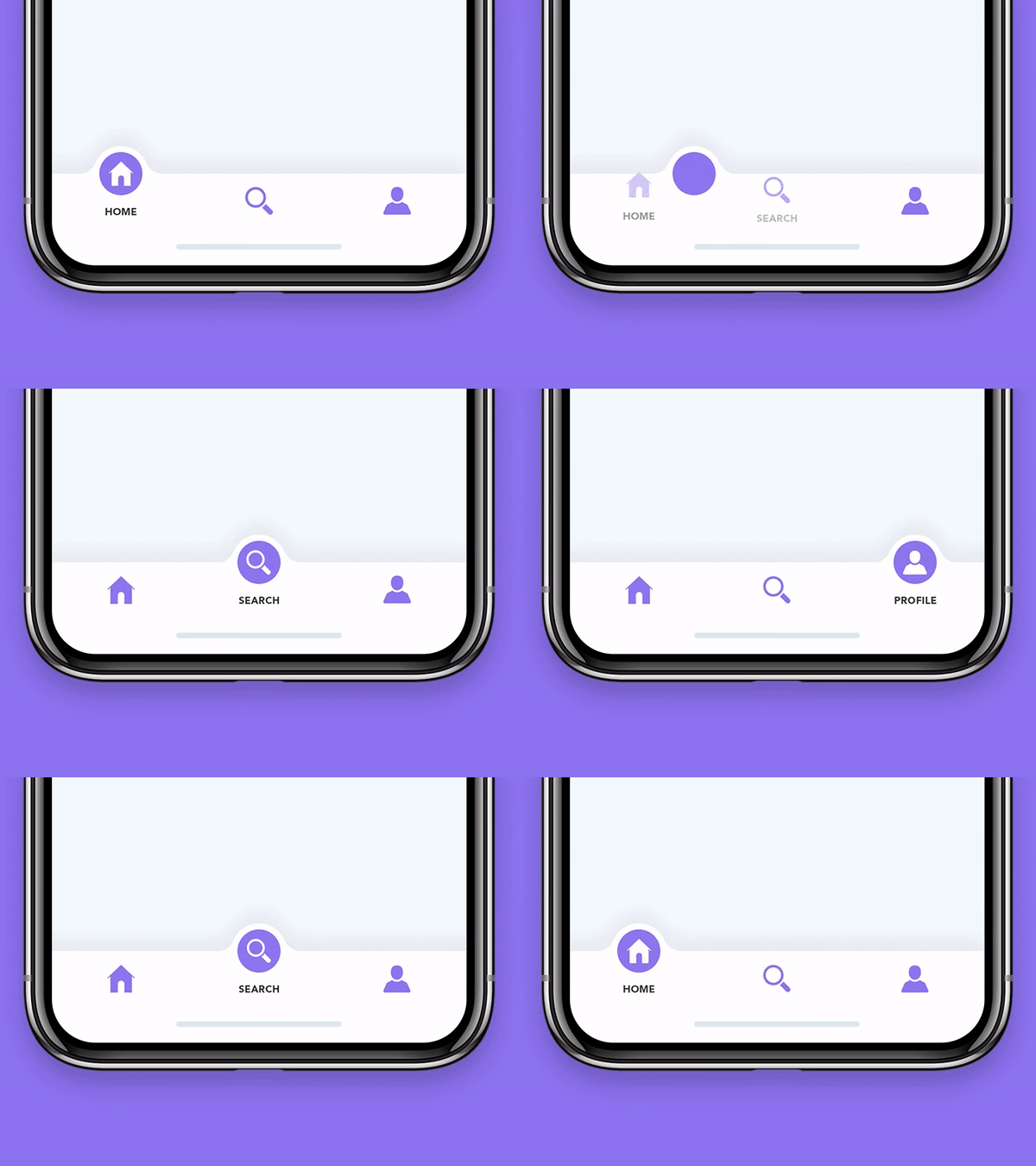
An animated Bottom Navigation Bar for Flutter apps, icon animates into place, colors are customizable.
261Likes 71830-day downloads140Pub points
AndroidiOSWebmacOSWindowsLinux
A beautiful animated flutter widget package library. The tab bar will attempt to use your current theme out of the box, however you may want to theme it.

English project snapshot. Visit GitHub for the latest content.



A beautiful animated widget for your Flutter apps
| Without Badge | With Badge |
|---|---|
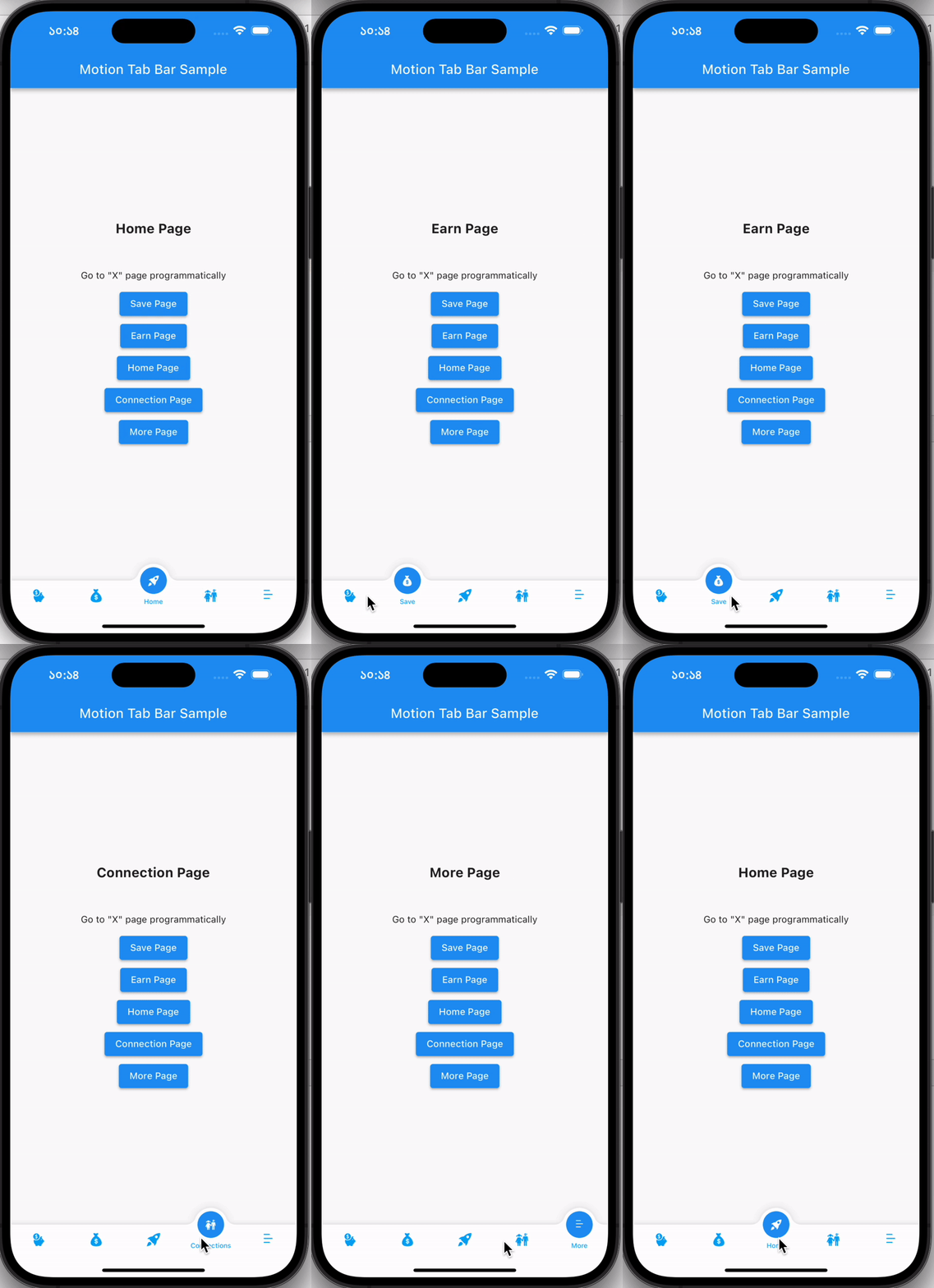 |
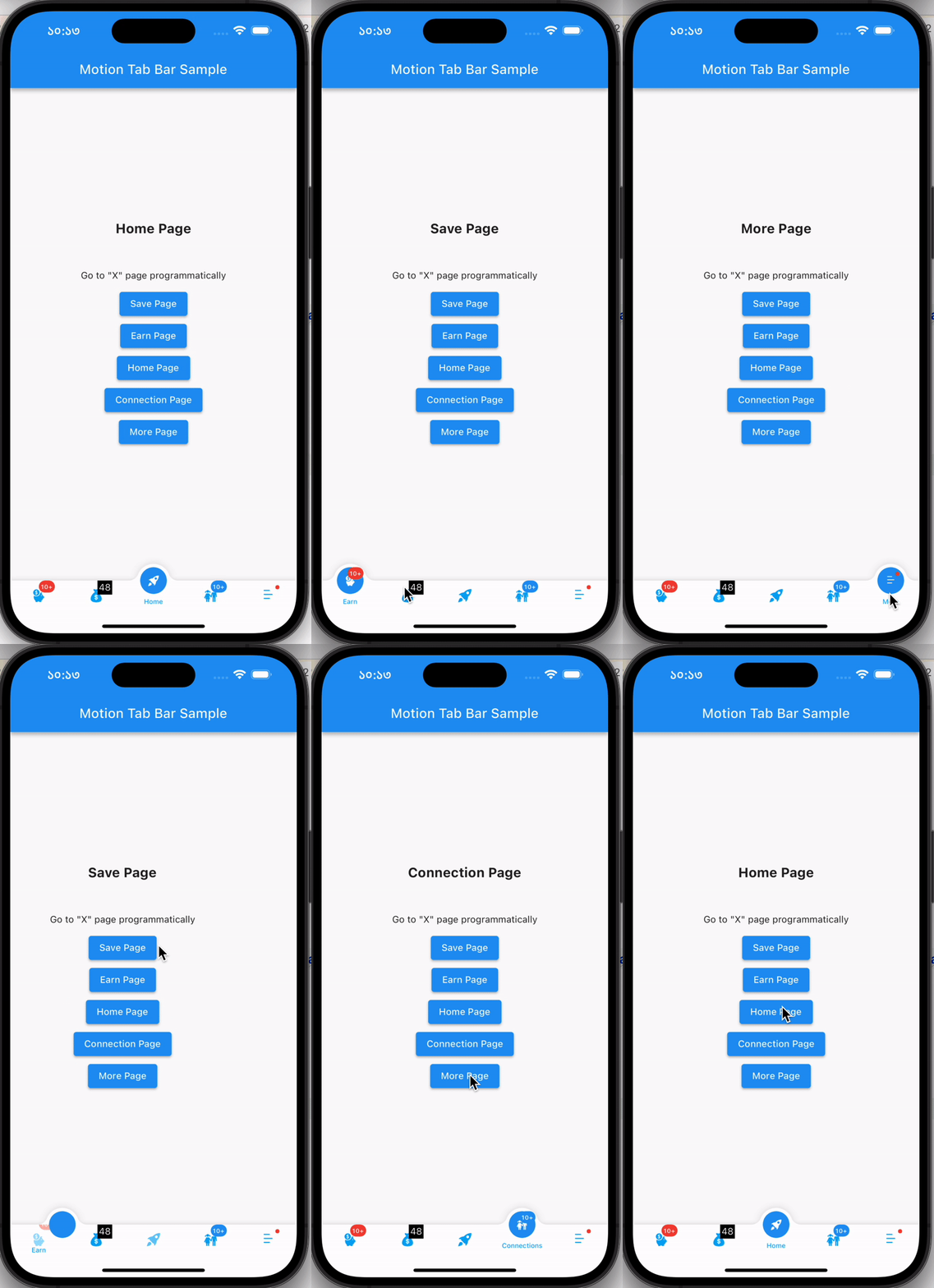 |
Add the plugin:
dependencies:
  motion_tab_bar: ^2.0.4
  // TabController _tabController;
  MotionTabBarController? _motionTabBarController;

  @override
  void initState() {
    super.initState();

    //// Use normal tab controller
    // _tabController = TabController(
    //   initialIndex: 1,
    //   length: 4,
    //   vsync: this,
    // );

    //// use "MotionTabBarController" to replace with "TabController", if you need to programmatically change the tab
    _motionTabBarController = MotionTabBarController(
      initialIndex: 1,
      length: 4,
      vsync: this,
    );
  }

  @override
  void dispose() {
    super.dispose();

    // _tabController.dispose();
    _motionTabBarController!.dispose();
  }
  bottomNavigationBar: MotionTabBar(
    controller: _motionTabBarController, // ADD THIS if you need to change your tab programmatically
    initialSelectedTab: "Home",
    labels: const ["Dashboard", "Home", "Profile", "Settings"],
    icons: const [Icons.dashboard, Icons.home, Icons.people_alt, Icons.settings],

    // optional badges, length must be same with labels
    badges: [
      // Default Motion Badge Widget
      const MotionBadgeWidget(
        text: '10+',
        textColor: Colors.white, // optional, default to Colors.white
        color: Colors.red, // optional, default to Colors.red
        size: 18, // optional, default to 18
      ),

      // custom badge Widget
      Container(
        color: Colors.black,
        padding: const EdgeInsets.all(2),
        child: const Text(
          '11',
          style: TextStyle(
            fontSize: 14,
            color: Colors.white,
          ),
        ),
      ),

      // allow null
      null,

      // Default Motion Badge Widget with indicator only
      const MotionBadgeWidget(
        isIndicator: true,
        color: Colors.blue, // optional, default to Colors.red
        size: 5, // optional, default to 5,
        show: true, // true / false
      ),
    ],
    tabSize: 50,
    tabBarHeight: 55,
    textStyle: const TextStyle(
      fontSize: 12,
      color: Colors.black,
      fontWeight: FontWeight.w500,
    ),
    tabIconColor: Colors.blue[600],
    tabIconSize: 28.0,
    tabIconSelectedSize: 26.0,
    tabSelectedColor: Colors.blue[900],
    tabIconSelectedColor: Colors.white,
    tabBarColor: Colors.white,
    onTabItemSelected: (int value) {
      setState(() {
        // _tabController!.index = value;
        _motionTabBarController!.index = value;
      });
    },
  ),
  body: TabBarView(
    physics: NeverScrollableScrollPhysics(), // swipe navigation handling is not supported
    // controller: _tabController,
    controller: _motionTabBarController,
    children: <Widget>[
      const Center(
        child: Text("Dashboard"),
      ),
      const Center(
        child: Text("Home"),
      ),
      const Center(
        child: Text("Profile"),
      ),
      const Center(
        child: Text("Settings"),
      ),
    ],
  ),
...

ElevatedButton(
  // set MotionTabBarController index to new tab index
  onPressed: () => _motionTabBarController.index = 0,
  child: const Text('Dashboard Page'),
),
ElevatedButton(
  // set MotionTabBarController index to new tab index
  onPressed: () => _motionTabBarController.index = 1,
  child: const Text('Home Page'),
),

...
Catch me up on LinkedIn @Rezaul Islam
💙 to Code👨🏽💻 Flutter Expert • Dart Kotlin Swift Node Js • Android • Full Stack Developer
Dependency list 3 items
{"sdk":"flutter"}^2.1.0{"sdk":"flutter"}Start with your use case, compare repository activity, and check the original project before adopting it.
“A repository is the most basic element of GitHub.”
GitHub Docs — About repositories ↗