Package selection guidance compiled from public package information, community data, and project usage.
Agora UIKit is a Flutter plugin that enables developers to quickly integrate real-time video calling and live video streaming into their applications with minimal code. Built by Agora.io, it provides pre-built UI components for video conferencing, making it easy to implement features like audio/video calls, screen sharing, and live broadcasts. The package simplifies complex real-time communication workflows through intuitive APIs, reducing development time significantly. It supports scalable, low-latency interactions across platforms, ideal for apps requiring seamless video connectivity.
Use cases
Video conferencing apps
Live streaming platforms
Virtual classrooms
Remote healthcare consultations
Team collaboration tools
Key features
Pre-built video call UI
Easy integration with few lines of code
Support for live streaming and group calls
Low-latency real-time communication
Customizable UI components
Suitable for
Developers seeking rapid video integration
Apps needing real-time video features
Startups building communication-heavy apps
Educational and telehealth platforms
Considerations
Requires Agora account and API key
Limited customization without additional coding
Dependent on Agora's backend infrastructure
May require platform-specific configurations for full functionality
Original README
Original README snapshot from the linked source repository. Visit the repository for the latest content.
[ARCHIVED] Agora VideoUIKit for Flutter
⚠️ This project is no longer maintained and has been archived.
Please note that this repository is now in a read-only state and will not receive any further updates or support.
We recommend migrating to the following alternatives:
Agora SDK: For developers seeking a customizable solution with full control over the user experience. Learn more
Agora App Builder: For those preferring a no-code approach to integrate real-time engagement features. Get started
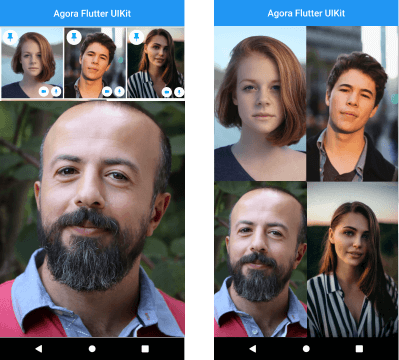
Instantly integrate Agora video calling or video streaming into your Flutter application.
NOTE: The Flutter VideoUIKit( >version 1.1.0) uses the latest version of the Agora 4.x SDK. To know more about the changes and the new features in the 4.x SDK, kindly take a look at the docs.
Getting started
Roadmap
[ ] Add Usernames
[x] More Event Callbacks
[x] Add RTM SDK
[x] Screen Sharing (Currently in Beta)
[x] Layout for One to One Video Call
[ ] Layout for Voice Calls
[ ] Re-orderable list view (Floating Layout)
[ ] Cloud recording
[ ] Promoting an audience member to a broadcaster role.
Agora Video SDK requires camera and microphone permission to start video call.
Android
Open the AndroidManifest.xml file and add the required device permissions to the file.
<manifest>
...
<uses-permissionandroid:name="android.permission.READ_PHONE_STATE"/><uses-permissionandroid:name="android.permission.INTERNET" /><uses-permissionandroid:name="android.permission.RECORD_AUDIO" /><uses-permissionandroid:name="android.permission.CAMERA" /><uses-permissionandroid:name="android.permission.MODIFY_AUDIO_SETTINGS" /><uses-permissionandroid:name="android.permission.ACCESS_NETWORK_STATE" /><!-- The Agora SDK requires Bluetooth permissions in case users are using Bluetooth devices.--><uses-permissionandroid:name="android.permission.BLUETOOTH" />
...
</manifest>
iOS
Open info.plist and add:
Privacy - Microphone Usage Description, and add a note in the Value column.
Privacy - Camera Usage Description, and add a note in the Value column.
Your application can still run the voice call when it is switched to the background if the background mode is enabled. Select the app target in Xcode, click the Capabilities tab, enable Background Modes, and check Audio, AirPlay, and Picture in Picture.
The plan is to grow this library and have similar offerings across all supported platforms. There are already similar libraries for Android, iOS, React Native, and Web React, so be sure to check them out.