Search packages, repositories and app categories

Package detailsv0.0.2

animated_floating_buttons

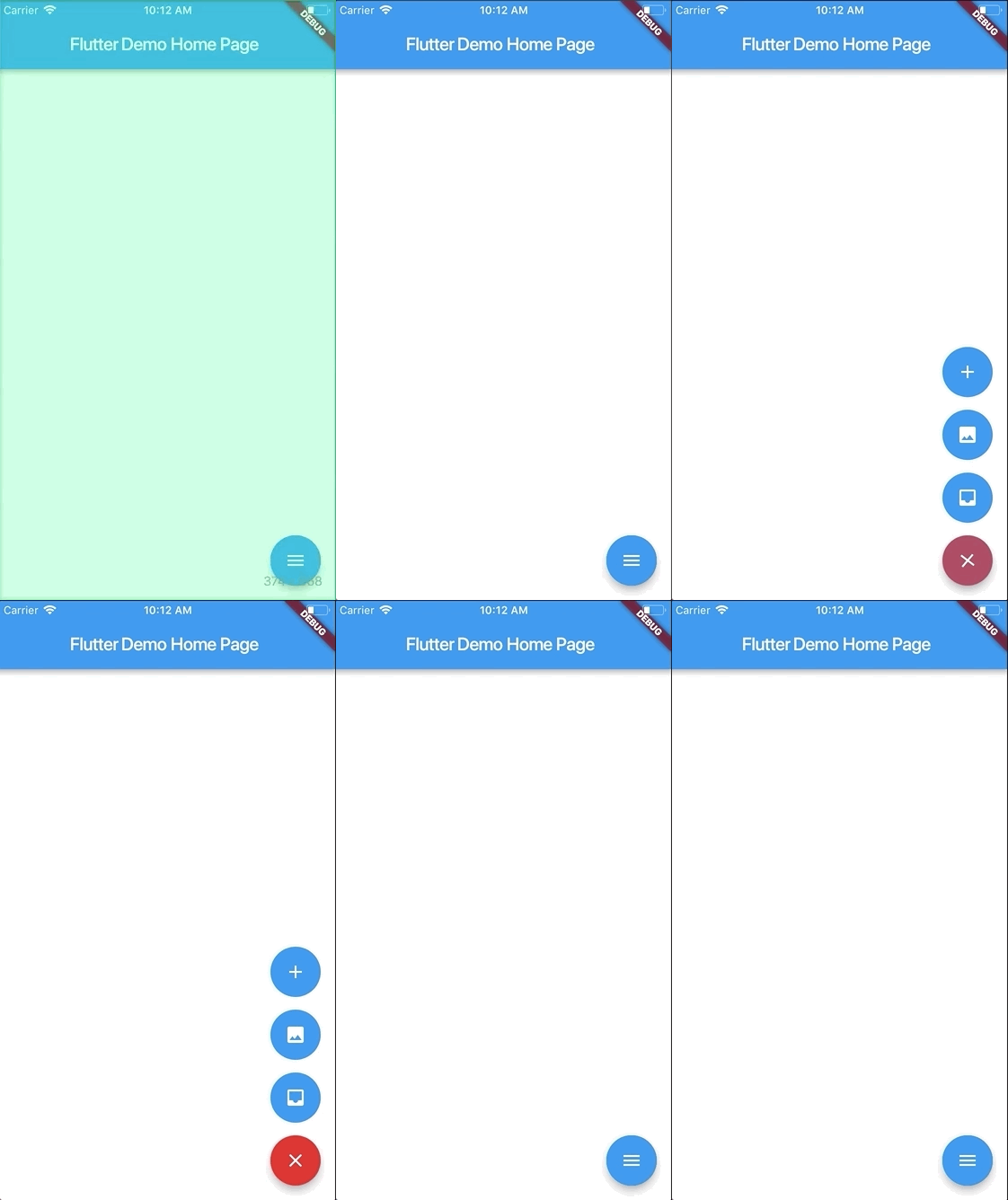
Allows you to create a collapsible list of float buttons. Based on Agung Surya's tutorial.

AndroidiOSWebmacOSWindowsLinux
30-day downloads
1.2K
Likes
118
Pub points
145

Install package

flutter pub add animated_floating_buttons

Package Overview

Package selection guidance compiled from public package information, community data, and project usage.

A Flutter package that enables the creation of collapsible floating action buttons, inspired by Agung Surya's tutorial. It provides smooth animations for expanding and collapsing a group of floating buttons, enhancing user interaction in mobile and web applications. The package supports multiple platforms including Android, iOS, Web, macOS, Windows, and Linux, making it versatile for cross-platform development. With minimal setup, developers can easily integrate animated button groups into their UIs.

Use cases

  • Creating interactive bottom navigation with expandable actions
  • Enhancing app UI with animated floating buttons
  • Designing gesture-based interfaces
  • Adding dynamic action menus to dashboards

Key features

  • Smooth expand/collapse animations
  • Support for multiple floating buttons
  • Cross-platform compatibility
  • Easy integration with existing Flutter projects
  • Customizable button layouts

Suitable for

  • Mobile and web app developers
  • UI designers seeking interactive elements
  • Projects requiring gesture-driven action panels
  • Developers using Flutter for multi-platform apps

Considerations

  • May impact performance with many buttons
  • Requires careful layout planning
  • Limited customization beyond basic animation
  • Best suited for simple, focused action groups
Original README

Original README snapshot from the linked source repository. Visit the repository for the latest content.

animated_floating_buttons

This package is based on Agung Surya's tutorial. You can visit his post for more technical information about the package. https://medium.com/@agungsurya/create-a-simple-animated-floatingactionbutton-in-flutter-2d24f37cfbcc

Getting Started

This project is a starting point for a Dart package, a library module containing code that can be shared easily across multiple Flutter or Dart projects.

For help getting started with Flutter, view our online documentation, which offers tutorials, samples, guidance on mobile development, and a full API reference.

Screenshots

Usage

To use this plugin:

In your flutter project add the dependency:

dependencies:
    ...
    animated_floating_buttons: ^0.0.1

Example

//Import package
import 'package:animated_floating_buttons/animated_floating_buttons.dart';
...
      /// when you want to close the menu you have to create 
      final GlobalKey<AnimatedFloatingActionButtonState> key =GlobalKey<AnimatedFloatingActionButtonState>();
      /// and then assign it to the our widget library
Widget float1() {
    return Container(
      child: FloatingActionButton(
        onPressed: null,
        heroTag: "btn1",
        tooltip: 'First button',
        child: Icon(Icons.add),
      ),
    );
}

Widget float2() {
    return Container(
      child: FloatingActionButton(
        onPressed: null,
        heroTag: "btn2",
        tooltip: 'Second button',
        child: Icon(Icons.add),
      ),
    );
}
...
Scaffold(
    floatingActionButton: AnimatedFloatingActionButton(
        //Fab list
        fabButtons: <Widget>[
            float1(), float2()
        ],
        key : key,
        colorStartAnimation: Colors.blue,
        colorEndAnimation: Colors.red,
        animatedIconData: AnimatedIcons.menu_close //To principal button
    ),
)

Complete example here

Issues

Be aware that you have to pass heroTag parameter to every new fab you create 
Otherwise you will get an exciption.

Categories

Source repository

Projects using this package

No data available yet.