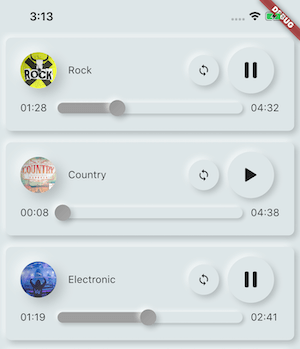
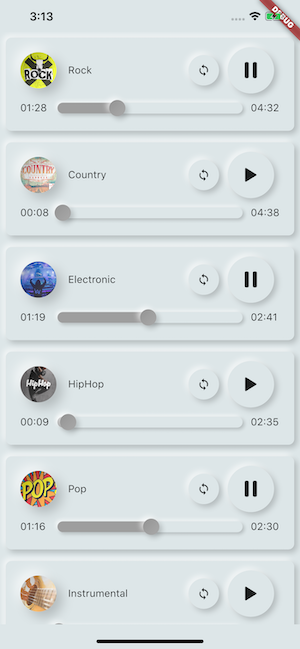
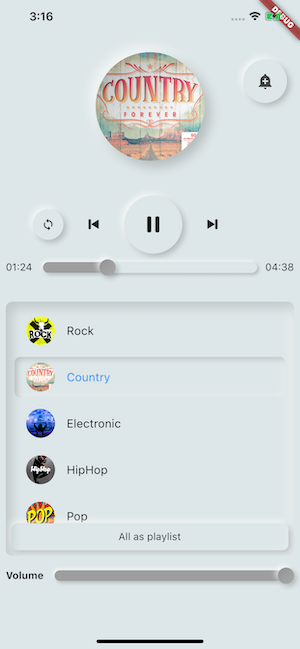
Package selection guidance compiled from public package information, community data, and project usage.
AssetsAudioPlayer is a Flutter package that enables seamless playback of audio from assets, local files, network URLs, radio streams, and live audio. It supports multiple platforms including Android, iOS, Web, and macOS, making it ideal for cross-platform audio applications. The package offers a simple API for managing playback, controlling volume, seeking, and handling events like completion or buffering. It integrates directly with Flutter’s asset system and provides robust features for both basic and advanced audio use cases.
Use cases
Playing background music in apps
Streaming live radio stations
Loading audio from app assets
Supporting offline audio playback
Integrating podcast players
Key features
Supports assets, network, and live streams
Cross-platform compatibility
Built-in event handling
Volume and playback control
Easy integration with Flutter assets
Suitable for
Mobile and web audio apps
Podcast and music player apps
Educational apps with audio content
Apps requiring offline audio access
Developers building multimedia experiences
Considerations
Requires proper asset configuration
May need additional permissions on some platforms
Large audio files may impact memory usage
Network streaming requires stable internet connection
Web support limited to modern browsers
Original README
Original README snapshot from the linked source repository. Visit the repository for the latest content.
🎧 assets_audio_player 🔊
Play music/audio stored in assets files (simultaneously) directly from Flutter (android / ios / web / macos).
You can also use play audio files from network using their url, radios/livestream and local files
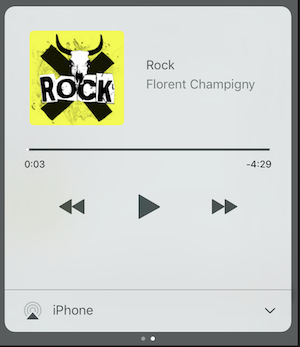
Notification can be displayed on Android & iOS, and bluetooth actions are handled
AssetsAudioPlayer.setupNotificationsOpenAction((notification) {
//custom actionreturntrue; //true : handled, does not notify others listeners//false : enable others listeners to handle it
});
Then if you want a custom action on widget
AssetsAudioPlayer.addNotificationOpenAction((notification) {
//custom actionreturnfalse; //true : handled, does not notify others listeners//false : enable others listeners to handle it
});
Custom actions
You can enable/disable a notification action
open(AUDIO,
showNotification: true,
notificationSettings: NotificationSettings(
prevEnabled: false, //disable the previous button//and have a custom next action (will disable the default action)
customNextAction: (player) {
print("next");
}
)
)
Update audio's metas / notification content
After your audio creation, just call
audio.updateMetas(
       player: _assetsAudioPlayer, //add the player if the audio is actually played
       title: "My new title",
       artist: "My new artist",
       //if I not provide a new album, it keep the old one
       image: MetasImage.network(
         //my new image url
       ),
);
You can create new AssetsAudioPlayer using AssetsAudioPlayer.newPlayer(),
which will play songs in a different native Media Player
This will enable to play two songs simultaneously
You can have as many player as you want !
///play 3 songs in parallelAssetsAudioPlayer.newPlayer().open(
Audio("assets/audios/song1.mp3")
);
AssetsAudioPlayer.newPlayer().open(
Audio("assets/audios/song2.mp3")
);
//another way, with create, open, play & dispose the player on finishAssetsAudioPlayer.playAndForget(
Audio("assets/audios/song3.mp3")
);
Each player has an unique generated id, you can retrieve or create them manually using
final player = AssetsAudioPlayer.withId(id: "MY_UNIQUE_ID");
🗄️ Playlist
assetsAudioPlayer.open(
  Playlist(
    audios: [
      Audio("assets/audios/song1.mp3"),
      Audio("assets/audios/song2.mp3")
    ]
  ),
  loopMode: LoopMode.playlist //loop the full playlist
);

assetsAudioPlayer.next();
assetsAudioPlayer.prev();
assetsAudioPlayer.playlistPlayAtIndex(1);
Audio Widget
If you want a more flutter way to play audio, try the AudioWidget !
Just remove the Audio from the tree !
Or simply keep play: false
🎧 Listeners
All listeners exposes Streams
Using RxDart, AssetsAudioPlayer exposes some listeners as ValueObservable (Observable that provides synchronous access to the last emitted item);
🎵 Current song
//The current playing audio, filled with the total song duration
assetsAudioPlayer.current //ValueObservable<PlayingAudio>//Retrieve directly the current played assetfinalPlayingAudio playing = assetsAudioPlayer.current.value;
//Listen to the current playing song
assetsAudioPlayer.current.listen((playingAudio){
final asset = playingAudio.assetAudio;
final songDuration = playingAudio.duration;
})
⌛ Current song duration
//Listen to the current playing songfinal duration = assetsAudioPlayer.current.value.duration;
⏳ Current position (in seconds)
assetsAudioPlayer.currentPosition //ValueObservable<Duration>//retrieve directly the current song positionfinalDuration position = assetsAudioPlayer.currentPosition.value;
returnStreamBuilder(
stream: assetsAudioPlayer.currentPosition,
builder: (context, asyncSnapshot) {
finalDuration duration = asyncSnapshot.data;
returnText(duration.toString());
}),
finalLoopMode loopMode = assetsAudioPlayer.loop;
// possible values// LoopMode.none : not looping// LoopMode.single : looping a single audio// LoopMode.playlist : looping the fyll playlist
assetsAudioPlayer.setLoopMode(LoopMode.single);
assetsAudioPlayer.loopMode.listen((loopMode){
//listen to loop
})
assetsAudioPlayer.toggleLoop(); //toggle the value of looping
🏃 Play Speed
assetsAudioPlayer.setPlaySpeed(1.5);
assetsAudioPlayer.playSpeed.listen((playSpeed){
//listen to playSpeed
})
//change play speed for a particular AudioAudio audio = Audio.network(
url,
playSpeed: 1.5
);
assetsAudioPlayer.open(audio);
🎙️ Pitch
assetsAudioPlayer.setPitch(1.2);
assetsAudioPlayer.pitch.listen((pitch){
//listen to pitch
})
//change pitch for a particular AudioAudio audio = Audio.network(
url,
pitch: 1.2
);
assetsAudioPlayer.open(audio);
Android only allow HTTPS calls, you will have an error if you're using HTTP,
don't forget to add INTERNET permission and seet usesCleartextTraffic="true" in your AndroidManifest.xml
iOS only allow HTTPS calls, you will have an error if you're using HTTP,
don't forget to edit your info.plist and set NSAppTransportSecurity to NSAllowsArbitraryLoads