Package selection guidance compiled from public package information, community data, and project usage.
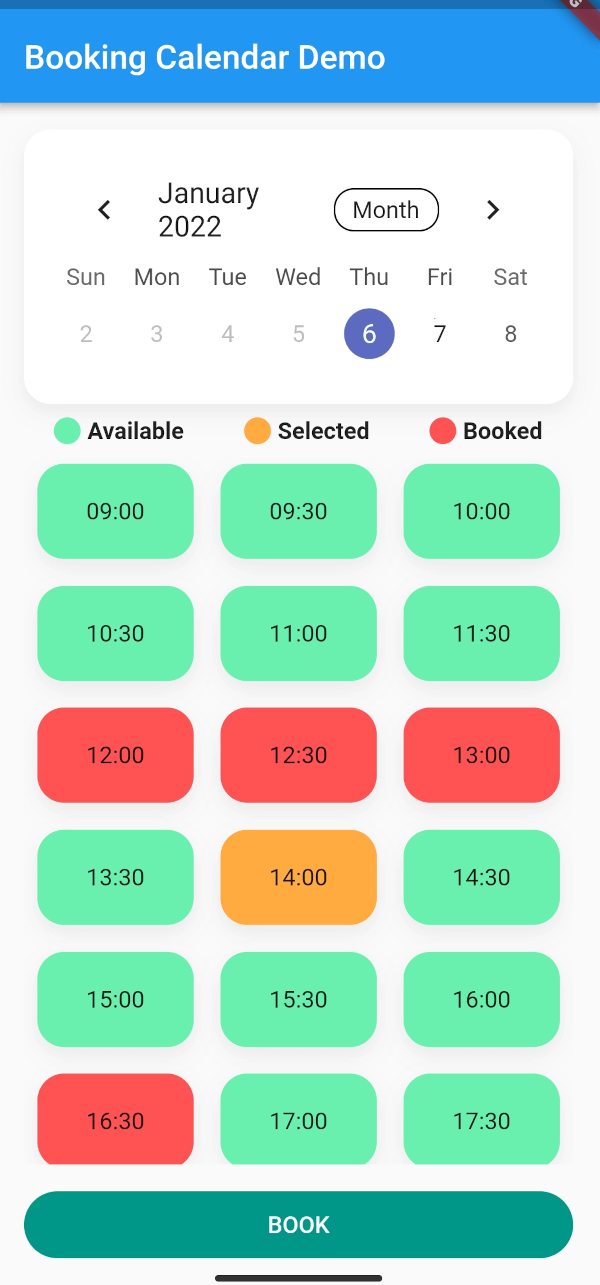
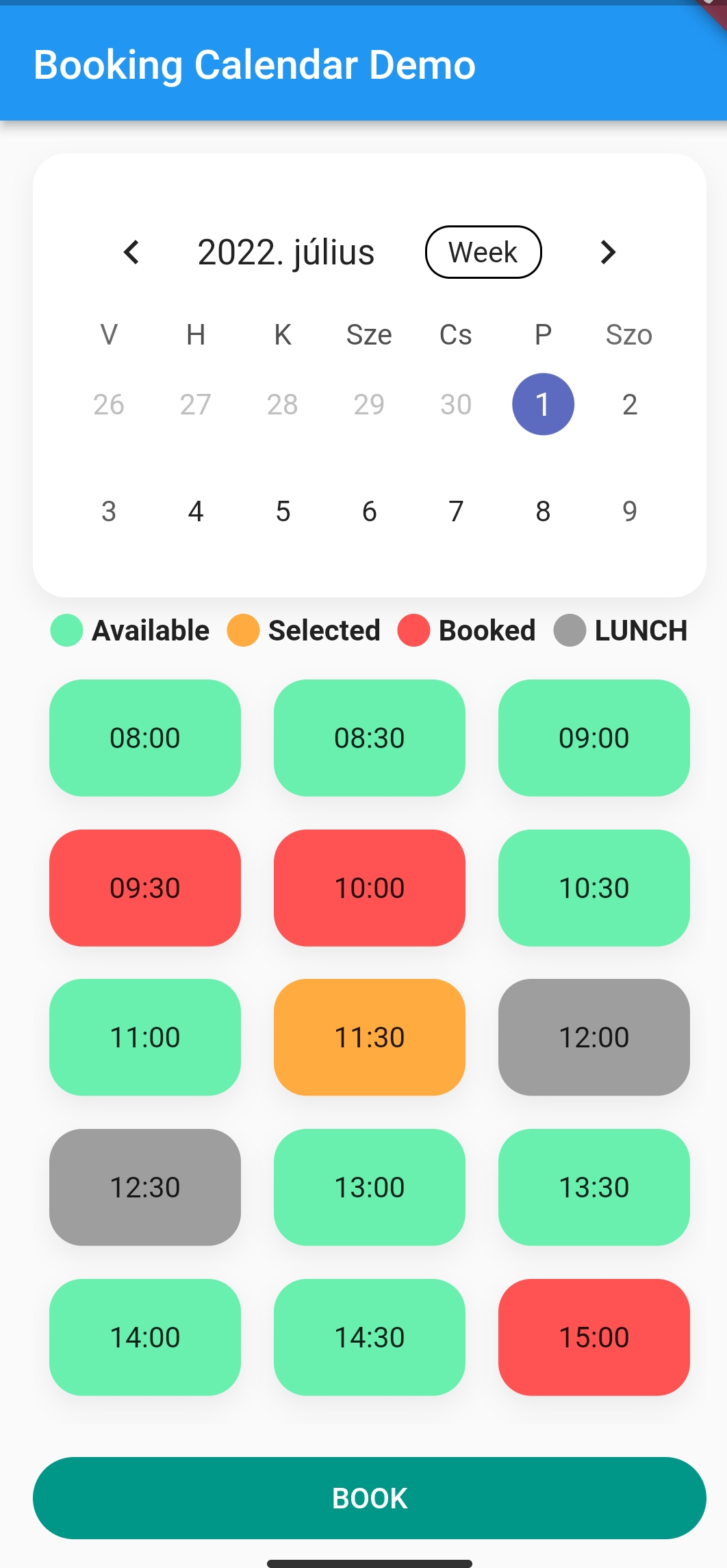
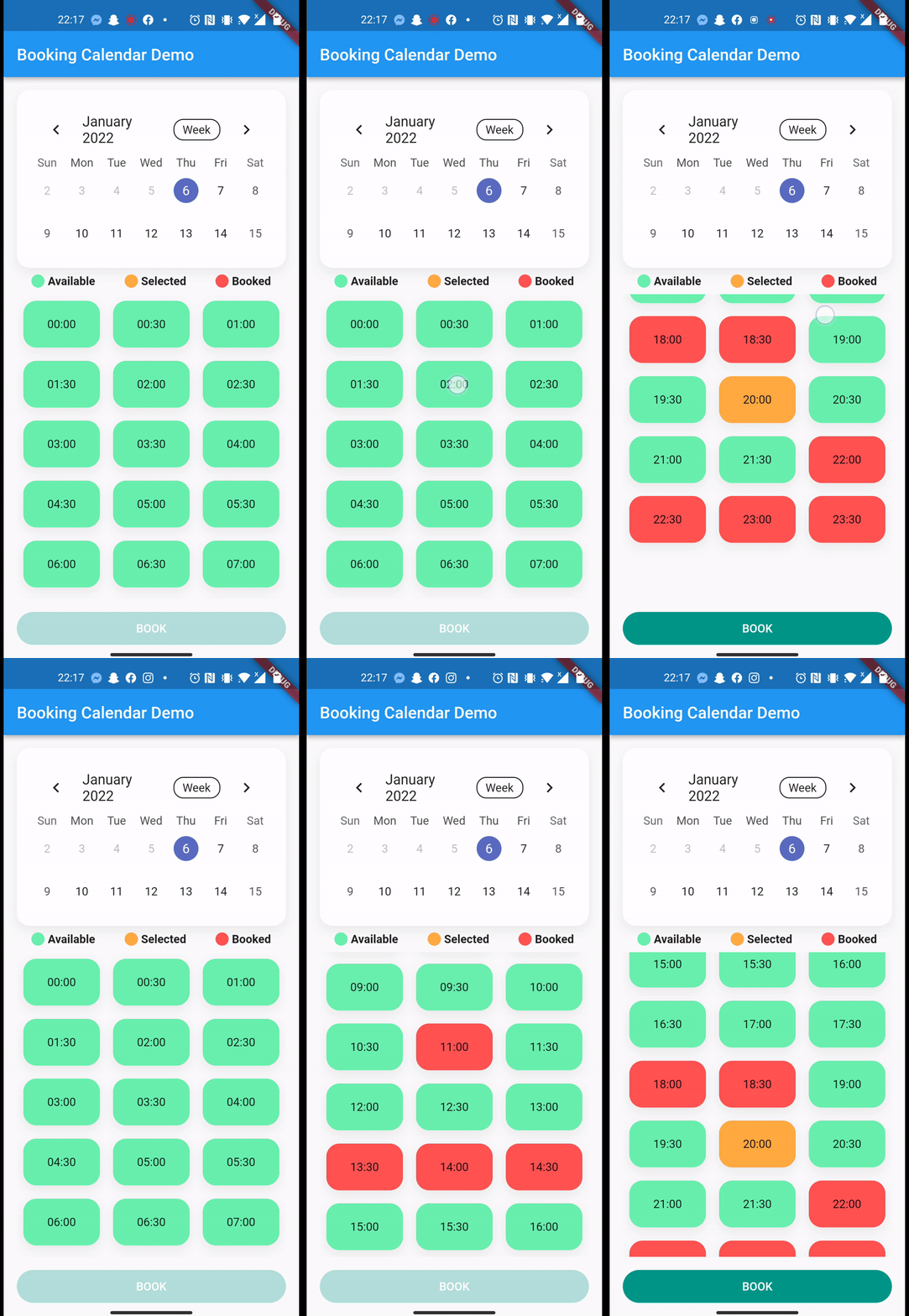
A Flutter package that enables in-app online booking functionality, designed to integrate seamlessly with real-time data sources like Firestore via streams. It provides a customizable calendar interface for managing reservations, displaying availability, and handling booking events dynamically. Ideal for applications requiring live updates and interactive scheduling, such as appointment systems, event planners, or service booking platforms. The package supports multiple platforms, ensuring consistent user experiences across devices.
Use cases
Online appointment scheduling
Event reservation systems
Service booking interfaces
Real-time availability tracking
Integration with Firestore for live updates
Key features
Stream-based real-time data support
Cross-platform compatibility
Customizable calendar UI
Dynamic booking event handling
Easy integration with Firebase Firestore
Suitable for
Developers building appointment apps
Teams using Firestore for backend data
Applications needing live booking updates
Multi-platform scheduling tools
UI-focused booking interfaces
Considerations
Requires knowledge of streams and async programming
After you successfully integrated Firebase to your app. How to setup Firebase with Flutter
In this example, we will book sporting slots, using Firebase Firestore.
Here is the model we store in the Firebase:
import'package:cloud_firestore/cloud_firestore.dart';
import'package:json_annotation/json_annotation.dart';
import'package:sport.bp/util/app_util.dart';
part'sport_booking.g.dart';
@JsonSerializable(explicitToJson: true)
classSportBooking{
/// The generated code assumes these values exist in JSON.finalString? userId;
finalString? userName;
finalString? placeId;
finalString? serviceName;
finalint? serviceDuration;
finalint? servicePrice;
//Because we are storing timestamp in Firestore, we need a converter for DateTime/* static DateTime timeStampToDateTime(Timestamp timestamp) {
return DateTime.parse(timestamp.toDate().toString());
}
static Timestamp dateTimeToTimeStamp(DateTime? dateTime) {
return Timestamp.fromDate(dateTime ?? DateTime.now()); //To TimeStamp
}*/@JsonKey(fromJson: AppUtil.timeStampToDateTime, toJson: AppUtil.dateTimeToTimeStamp)
finalDateTime? bookingStart;
@JsonKey(fromJson: AppUtil.timeStampToDateTime, toJson: AppUtil.dateTimeToTimeStamp)
finalDateTime? bookingEnd;
finalString? email;
finalString? phoneNumber;
finalString? placeAddress;
SportBooking(
{this.email,
this.phoneNumber,
this.placeAddress,
this.bookingStart,
this.bookingEnd,
this.placeId,
this.userId,
this.userName,
this.serviceName,
this.serviceDuration,
this.servicePrice});
/// Connect the generated [_$SportBookingFromJson] function to the `fromJson`/// factory.factorySportBooking.fromJson(Map<String, dynamic> json) => _$SportBookingFromJson(json);
/// Connect the generated [_$SportBookingToJson] function to the `toJson` method.Map<String, dynamic> toJson() => _$SportBookingToJson(this);
}
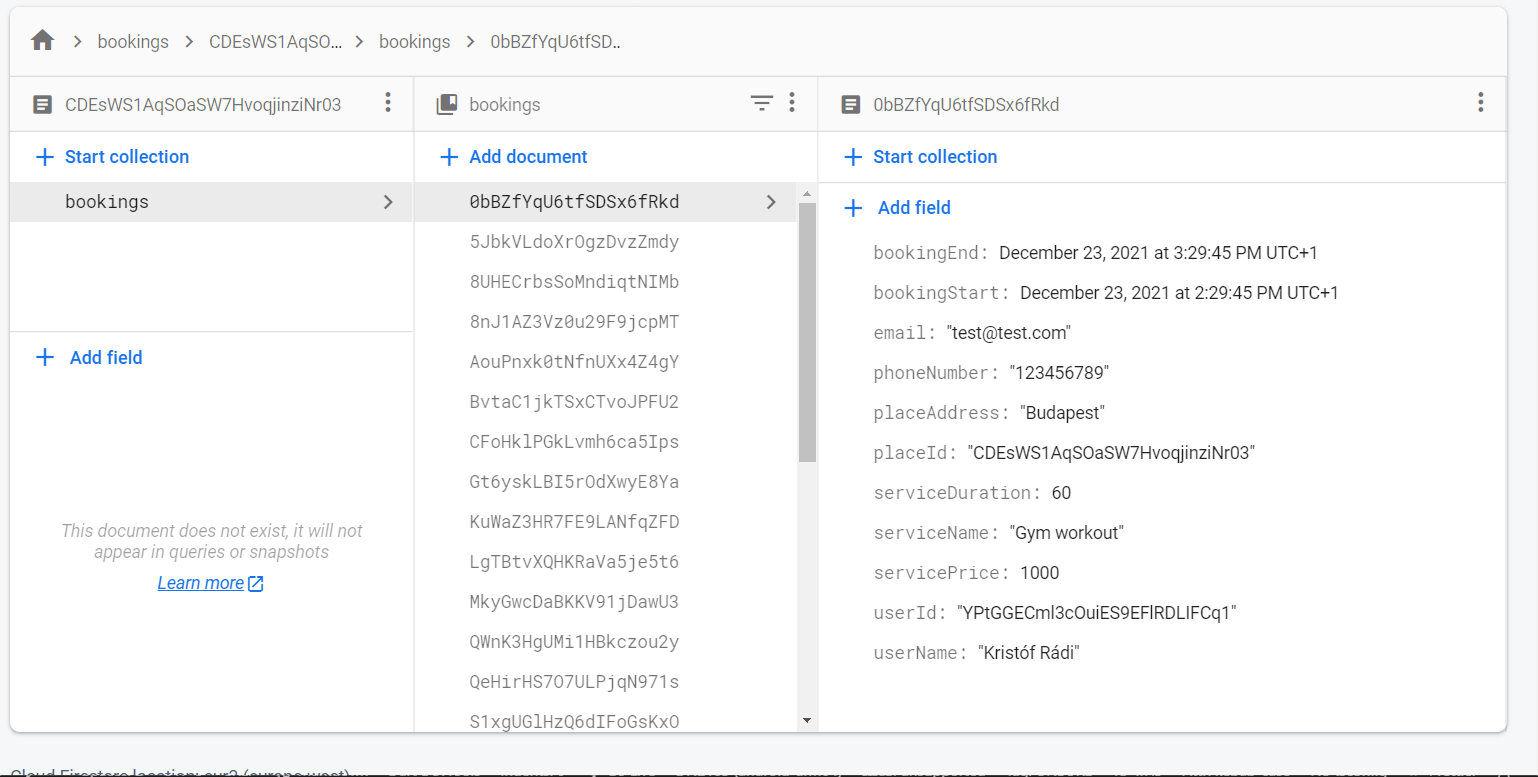
This is how the structure of the data looks like in the Firestore document:
So after the Firebase init, we can access the Firestore collection.
CollectionReference bookings = FirebaseFirestore.instance.collection('bookings');
///This is how can you get the reference to your data from the collection, and serialize the data with the help of the Firestore [withConverter]. This function would be in your repository.CollectionReference<SportBooking> getBookingStream({requiredString placeId}) {
return bookings.doc(placeId).collection('bookings').withConverter<SportBooking>(
fromFirestore: (snapshots, _) => SportBooking.fromJson(snapshots.data()!),
toFirestore: (snapshots, _) => snapshots.toJson(),
);
}
///How you actually get the stream of data from Firestore with the help of the previous function///note that this query filters are for my data structure, you need to adjust it to your solution.Stream<dynamic>? getBookingStreamFirebase(
{requiredDateTime end, requiredDateTime start}) {
returnApiRepository.
.getBookingStream(placeId: 'YOUR_DOC_ID')
.where('bookingStart', isGreaterThanOrEqualTo: start)
.where('bookingStart', isLessThanOrEqualTo: end)
.snapshots(),
}
///After you fetched the data from firestore, we only need to have a list of datetimes from the bookings:List<DateTimeRange> convertStreamResultFirebase(
{requireddynamic streamResult}) {
///here you can parse the streamresult and convert to [List<DateTimeRange>]///Note that this is dynamic, so you need to know what properties are available on your result, in our case the [SportBooking] has bookingStart and bookingEnd propertyList<DateTimeRange> converted = []
for (var i = 0; i < streamResult.size; i++) {
final item = streamResult.docs[i].data();
converted.add(DateTimeRange(start: (item.bookingStart!), end: (item.bookingEnd!)));
}
return converted;
}
///This is how you upload data to FirestoreFuture<dynamic> uploadBookingFirebase(
{requiredBookingService newBooking}) async {
await bookings
.doc('your id, or autogenerate')
.collection('bookings')
.add(newBooking.toJson())
.then((value) => print("Booking Added"))
.catchError((error) => print("Failed to add booking: $error"));
}
}
/**AFTER YOU HAVE EVERY HELPER FUNCTION YOU CAN PASS THESE TO YOUR BOOKINGCALENDAR */BookingCalendar(
bookingService: mockBookingService,
convertStreamResultToDateTimeRanges: convertStreamResultFirebase,
getBookingStream: getBookingStreamFirebase,
uploadBooking: uploadBookingFirebase,
uploadingWidget: constCircularProgressIndicator(),
//... other customisation properties
),
Additional information
Feel free to add issues, open PR-s and leave comments on the github repository.