Search packages, repositories and app categories

custom_timer cover
Package detailsv0.2.3

custom_timer

A Flutter package to create a customizable timer with controller.

AndroidiOSWebmacOSWindowsLinux
30-day downloads
1.1K
Likes
147
Pub points
150

Install package

flutter pub add custom_timer

Package Overview

Package selection guidance compiled from public package information, community data, and project usage.

A Flutter package that enables developers to create highly customizable timers with built-in controller functionality. It supports real-time updates, precise timing control, and seamless integration into Flutter apps across multiple platforms. The timer can be paused, resumed, reset, and monitored through a dedicated controller, making it ideal for countdowns, stopwatch features, or any time-based UI component. Designed for flexibility and ease of use, it works on Android, iOS, Web, macOS, Windows, and Linux.

Use cases

  • Countdown timers
  • Stopwatch applications
  • Time-limited user interactions
  • Real-time progress tracking
  • Interactive learning apps
  • Game timers

Key features

  • Customizable timer duration
  • Built-in controller for state management
  • Pause, resume, and reset functionality
  • Cross-platform compatibility
  • Real-time callback events
  • Easy integration with Flutter widgets

Suitable for

  • Developers building time-sensitive features
  • Apps requiring precise timing control
  • Educational or productivity tools
  • Gamified applications
  • UI components needing dynamic time display

Considerations

  • Requires manual handling of timer lifecycle
  • May need additional logic for complex scheduling
  • Not optimized for high-frequency updates beyond typical use cases
  • Limited built-in styling options (requires custom widget composition)

Original README

Original README snapshot from the linked source repository. Visit the repository for the latest content.

Custom Timer ⌛

A Flutter package to create a customizable timer.


🎉 Features

  • Timer controller.
  • Auto count up / down timer.
  • Custom builder.
  • Millisecond support.

📌 Usage


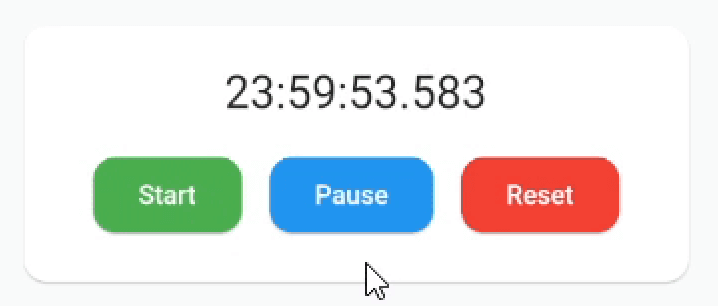
example1


Add SingleTickerProviderStateMixin to your stateful widget. 👇

class _MyAppState extends State<MyApp> with SingleTickerProviderStateMixin {

Then define a CustomTimer controller

late CustomTimerController _controller = CustomTimerController(
  vsync: this,
  begin: Duration(hours: 24),
  end: Duration(),
  initialState: CustomTimerState.reset,
  interval: CustomTimerInterval.milliseconds
);

And you are ready to use the timer:

CustomTimer(
  controller: _controller,
  builder: (state, time) {
    // Build the widget you want!🎉
    return Text(
      "${time.hours}:${time.minutes}:${time.seconds}.${time.milliseconds}",
      style: TextStyle(fontSize: 24.0)
    );
  }
)

Now you can use the controller methods:

_controller.reset();
_controller.start();
_controller.pause();
_controller.finish();

_controller.add(Duration(minutes: 30));
_controller.subtract(Duration(minutes: 30));
_controller.jumpTo(Duration(hours: 12));

You can also set the begin or end, even with the counter running:

_controller.begin = Duration();
_controller.end = Duration(hours 12);

And add listeners to state changes or just use the properties when you need them:

_controller.state.addListener(() {
  print(_controller.state.value); // 👉 CustomTimerState.paused
  print(_controller.remaining.value.hours); // 👉 12h
});

Remember to dispose when you are no longer using it.


🔧 Installation

Add this to your package's pubspec.yaml file:

dependencies:
  custom_timer: ^0.2.3

Install it:

$ flutter pub get

Import the package in your project:

import 'package:custom_timer/custom_timer.dart';

🙇 Author


Hi there 👋 This package is in development so if you find a bug or have a suggestion please let me know so we can improve it! 😃 If you want to motivate me to continue, you can give me a cup of coffee ☕ and I will get a lot of energy out of it.


Buy Me A Coffee

Categories

Source repository

Projects using this package