Package selection guidance compiled from public package information, community data, and project usage.
A Flutter package that provides native text input functionality, currently available for iOS using UITextView. It enables more accurate and performant text input by leveraging platform-specific components, improving the typing experience on iOS devices. While the package is designed to work on both Android and iOS, its current implementation is iOS-only. This allows developers to access native keyboard behaviors and input features not fully supported by Flutter's default text fields.
Use cases
Enhancing iOS text input performance
Integrating native keyboard behaviors
Improving text field responsiveness on iOS
Using advanced text input features on iOS
Building forms with native-like text entry
Key features
iOS-only native text input via UITextView
Improved typing accuracy and speed
Leverages platform-specific input methods
Supports iOS keyboard customization
Designed for high-performance text entry
Suitable for
iOS-focused Flutter apps
Apps requiring precise text input
Developers seeking native keyboard behavior
Form-heavy applications on iOS
Projects needing better text field performance
Considerations
Not yet available for Android
Limited to iOS platform currently
May require additional iOS-specific configuration
Depends on native UIKit components
Potential compatibility issues with future Flutter updates
Original README
Original README snapshot from the linked source repository. Visit the repository for the latest content.
Native Text Input for Flutter
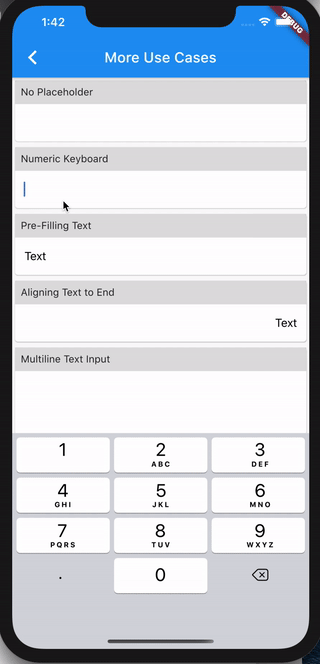
A text input widget built using the native UITextView on iOS and EditText on Android. For text view, please refer to flutter-native-text-view.
Android support is added in v2 🎉🎉🎉
For existing project(s) using v1, please refer to migration guide here.
Installation
Follow the instructions from https://pub.dev/packages/flutter_native_text_input/install
Why you should use this
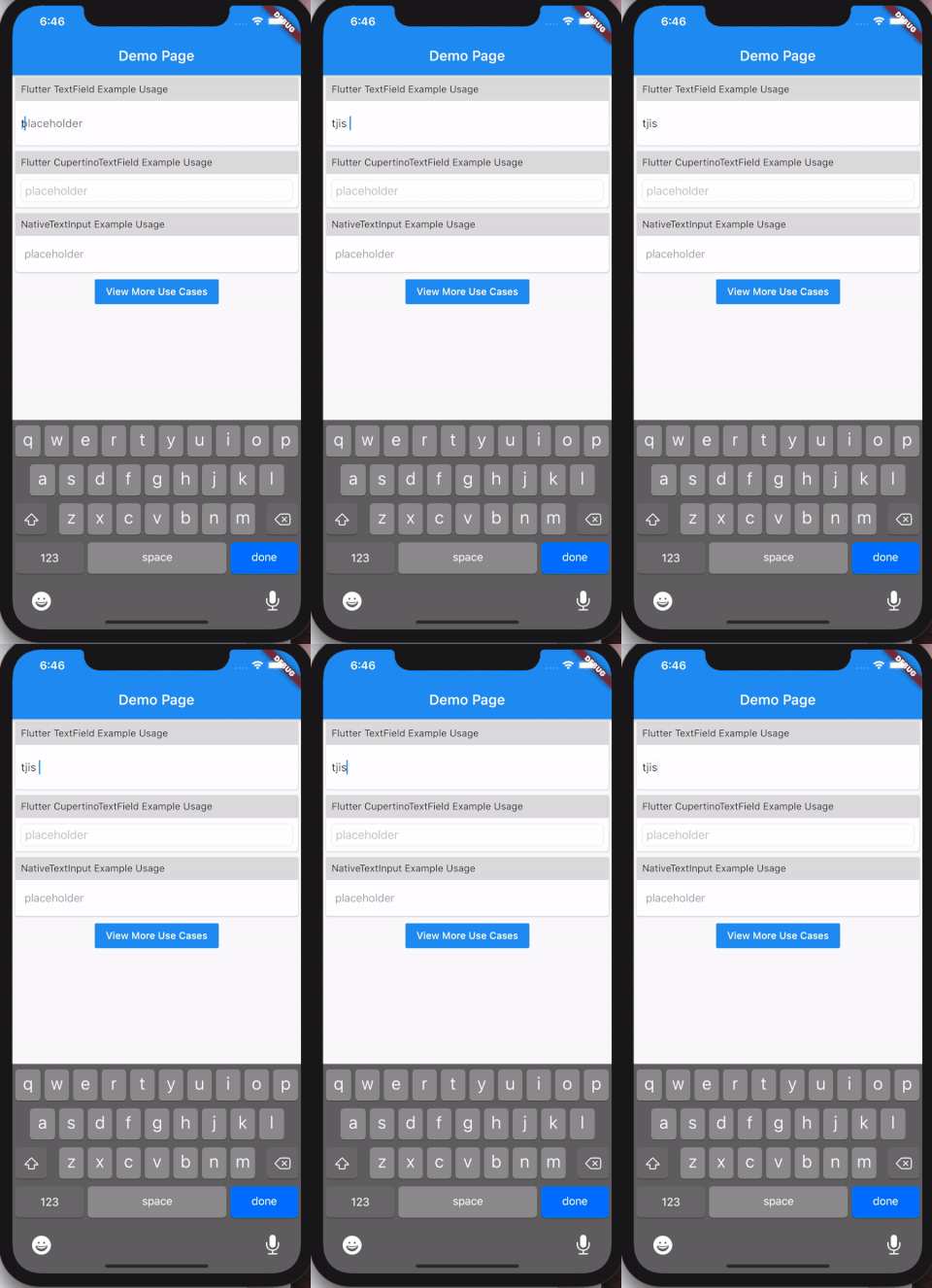
Many mobile app users are used to the subtle features provided by the native iOS or Android systems. Even though Flutter provides a lot of useful widgets, many Flutter developers will notice that TextField or CupertinoTextField provided by Flutter are not on par with their native counterpart.
The above shows just one of the missing text editing features in Flutter's TextField, when comparing to the native iOS UITextView. Features like these are especially important if you're building an app that involves a lot of text composition (messaging, editing document, and so on).
To address this, this package simply wraps the native UITextView (and EditText for Android) as a Flutter widget.
Hope you find it useful and happy coding! 🎉🎉🎉
Plugin API
Name
Type
Description
Default
controller
TextEditingController
Controlling the text being edited (https://api.flutter.dev/flutter/material/TextField/controller.html)
null
decoration
BoxDecoration
Controls the BoxDecoration of the box behind the text input (https://api.flutter.dev/flutter/cupertino/CupertinoTextField/decoration.html)
null
focusNode
FocusNode
Defines the keyboard focus for this widget (https://api.flutter.dev/flutter/material/TextField/focusNode.html)
null
iosOptions
IosOptions
iOS only options (cursorColor, keyboardAppearance)
null
keyboardType
KeyboardType
Type of keyboard to display for a given text-based view (https://developer.apple.com/documentation/uikit/uikeyboardtype)
KeyboardType.defaultType
maxLines
int
The maximum number of lines to show at one time, wrapping if necessary (https://api.flutter.dev/flutter/material/TextField/maxLines.html)
1
minHeightPadding
double
Extra vertical spacing added in addition to line height for iOS UITextView to fit well in single line mode
18.0
minLines
int
Minimum number of lines of text input widget
1
placeholder
String
Placeholder text when text entry is empty (https://api.flutter.dev/flutter/cupertino/CupertinoTextField/placeholder.html)
null
placeholderColor
Color
The text color to use for the placeholder text
null
returnKeyType
ReturnKeyType
Constants that specify the text string that displays in the Return key of a keyboard (https://developer.apple.com/documentation/uikit/uireturnkeytype)
ReturnKeyType.defaultAction
style
TextStyle
The style to use for the text being edited [Only fontSize, fontWeight, color are supported] (https://api.flutter.dev/flutter/material/TextField/style.html)
null
textAlign
TextAlign
How the text should be aligned horizontally (https://api.flutter.dev/flutter/material/TextField/textAlign.html)
TextAlign.start
textCapitalization
TextCapitalization
Configures how the platform keyboard will select an uppercase or lowercase keyboard (https://api.flutter.dev/flutter/material/TextField/textCapitalization.html)
TextCapitalization.none
textContentType
TextContentType
To identify the semantic meaning expected for a text-entry area (https://developer.apple.com/documentation/uikit/uitextcontenttype)
null
onChanged
ValueChanged<String>
Called when the user initiates a change to text entry (https://api.flutter.dev/flutter/material/TextField/onChanged.html)
null
onEditingComplete
VoidCallback?
Called when the user submits editable content (e.g., user presses the "done" button on the keyboard) (https://api.flutter.dev/flutter/material/TextField/onEditingComplete.html)
null
onSubmitted
ValueChanged<String>
Called when the user indicates that they are done editing the text in the field (https://api.flutter.dev/flutter/material/TextField/onSubmitted.html)
null
IosOptions
Name
Type
Description
Default
cursorColor
Color
The color of the cursor (https://api.flutter.dev/flutter/material/TextField/cursorColor.html)
null
keyboardAppearance
Brightness
The appearance of the keyboard (https://api.flutter.dev/flutter/material/TextField/keyboardAppearance.html)
null
placeholderStyle
TextStyle
The style to use for the placeholder text. [Only fontSize, fontWeight are supported] (https://api.flutter.dev/flutter/cupertino/CupertinoTextField/placeholderStyle.html)