Search packages, repositories and app categories

Package detailsv2.0.0

flutter_statusbar_manager

Flutter Statusbar Manager, lets you control the status bar color, style (theme), visibility, and translucent properties across iOS and Android.

30-day downloads
100
Likes
123
Pub points
40

Install package

flutter pub add flutter_statusbar_manager

Package Overview

Package selection guidance compiled from public package information, community data, and project usage.

Flutter Statusbar Manager is a cross-platform package that enables developers to customize the status bar on both iOS and Android devices. It allows control over the status bar's color, appearance (light or dark theme), visibility, and translucency. With simple APIs, it ensures consistent UI behavior across platforms, making it ideal for apps requiring immersive or branded status bar designs. The package integrates seamlessly into Flutter projects via pub.dev and is maintained with active community support.

Use cases

  • Customizing status bar color for branding
  • Creating immersive full-screen experiences
  • Adjusting status bar style based on theme
  • Managing status bar visibility in fullscreen modes
  • Ensuring consistent UI across iOS and Android
  • Enabling translucent status bars for modern design

Key features

  • Cross-platform compatibility (iOS & Android)
  • Control over status bar color
  • Toggle status bar visibility
  • Support for light/dark status bar themes
  • Translucent status bar configuration
  • Simple, intuitive API

Suitable for

  • App developers seeking status bar customization
  • Designers implementing immersive UIs
  • Projects requiring platform-specific status bar tweaks
  • Apps with dynamic theming needs
  • Developers targeting both iOS and Android

Considerations

  • Requires platform-specific permissions on some devices
  • Limited to status bar properties only
  • May conflict with other status bar plugins
  • Not suitable for complex navigation overlays
  • Best used with careful consideration of user experience

Original README

Original README snapshot from the linked source repository. Visit the repository for the latest content.

flutter_statusbar_manager

Now compatible with AndroidX thanks to https://github.com/lorenzOliveto

Flutter Statusbar Manager, lets you control the status bar color, style (theme), visibility, and translucent properties across iOS and Android. With some added bonus for Android to control the Navigation Bar.

This plugin is based on React Native's StatusBar component.

The Navigation Bar code was taken from the awesome flutter-screen-theme-plugin.

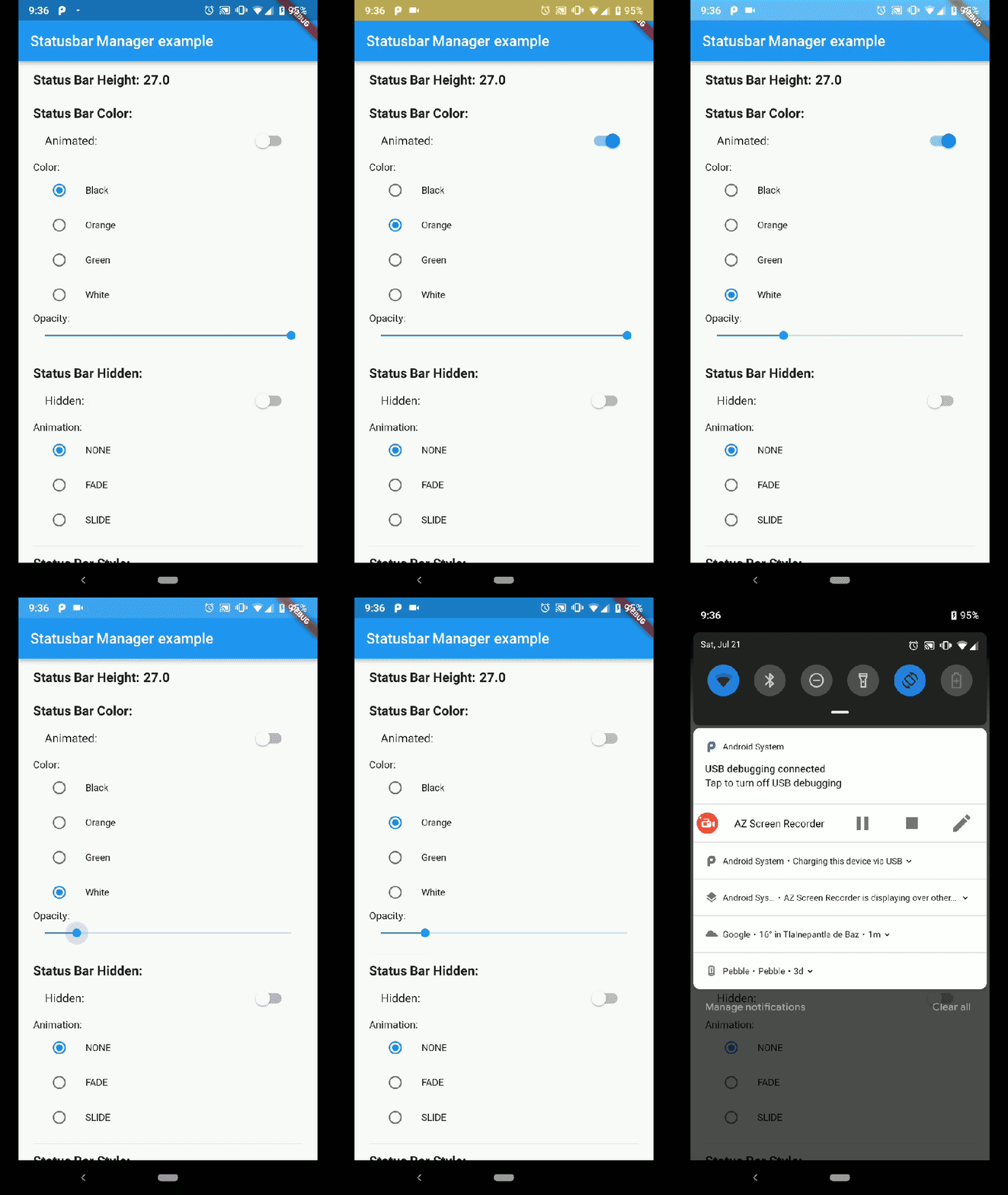
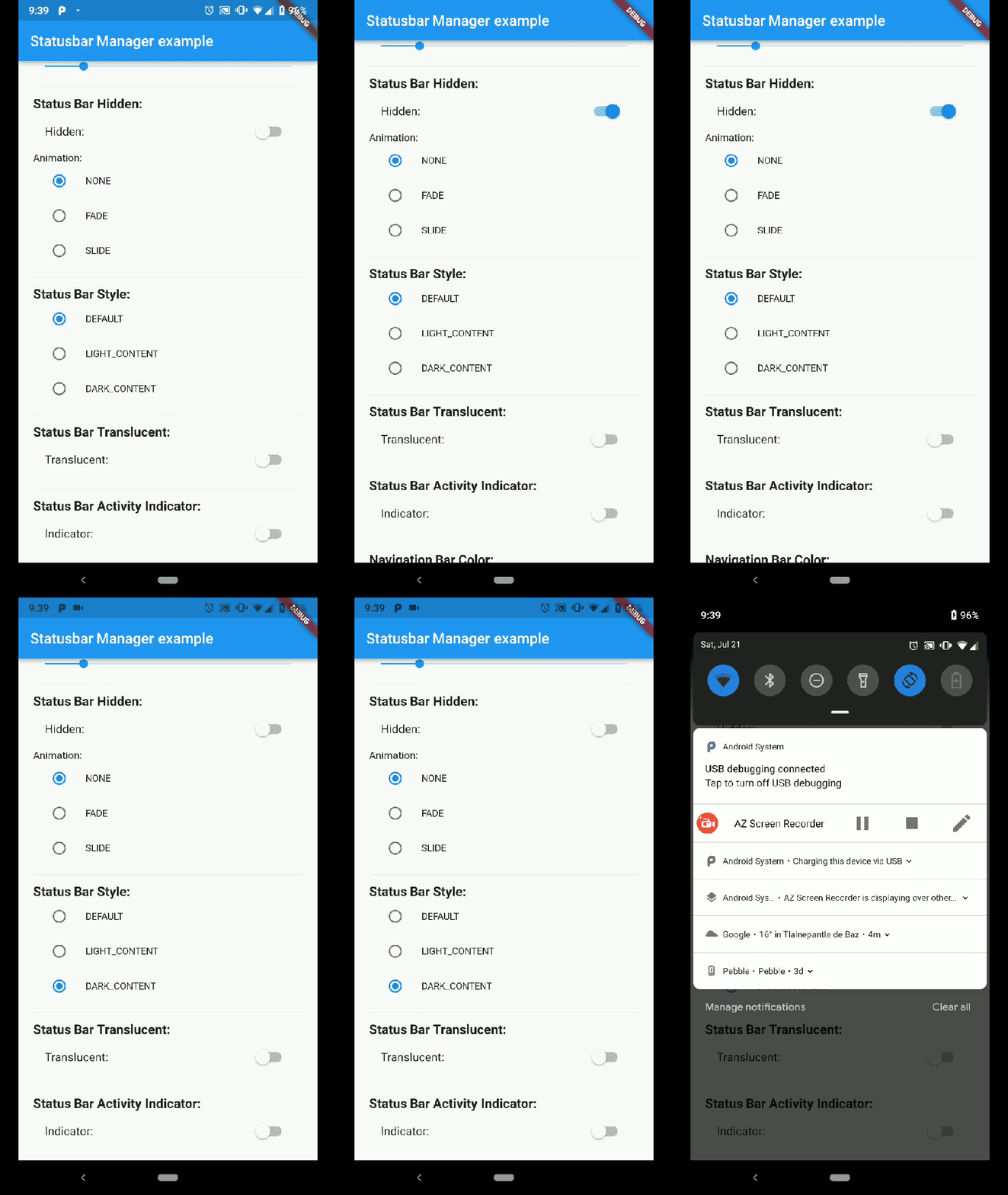
Demo App Android Status Bar

Demo App Android Status Bar hide

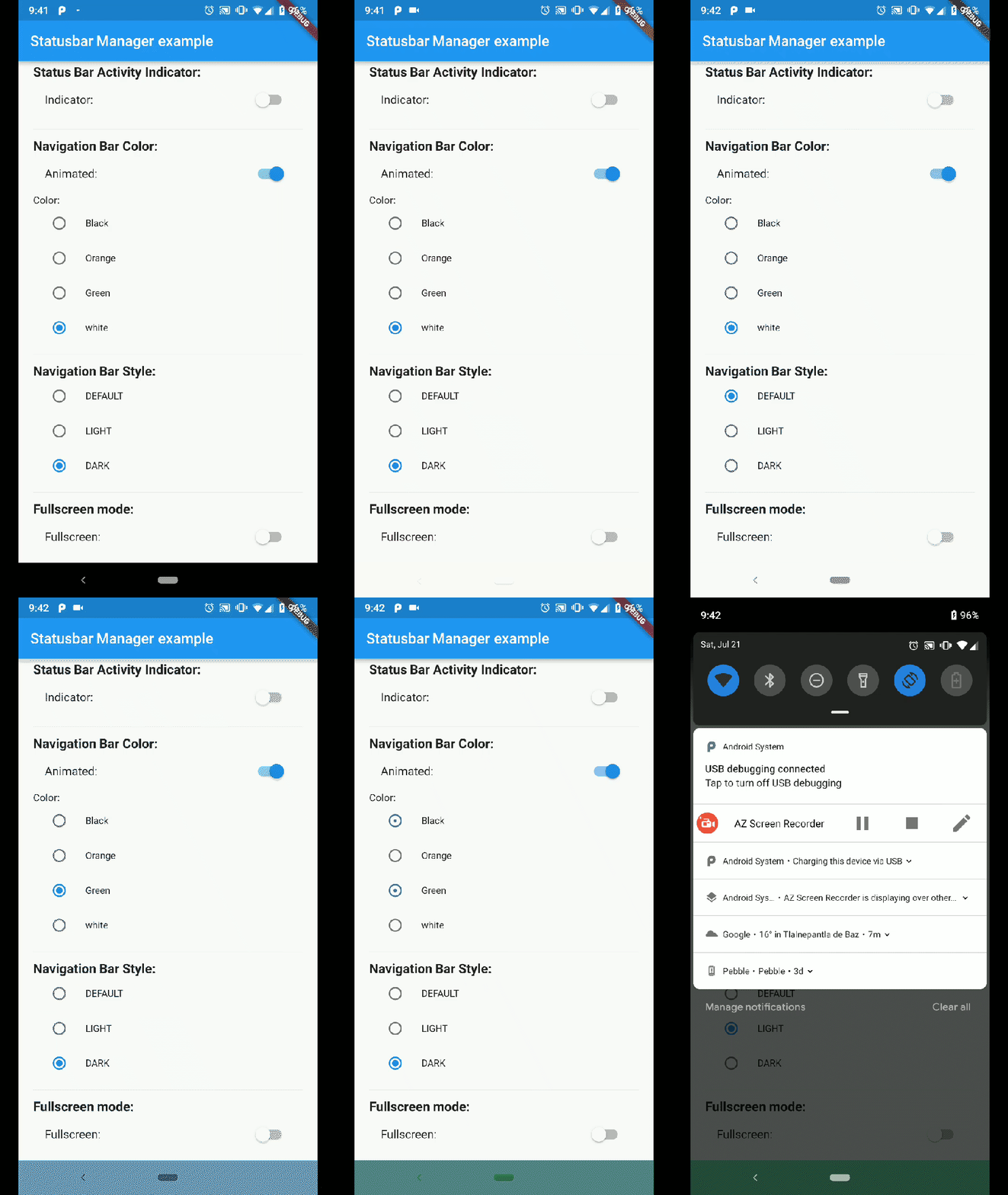
Demo App Android Nav Bar

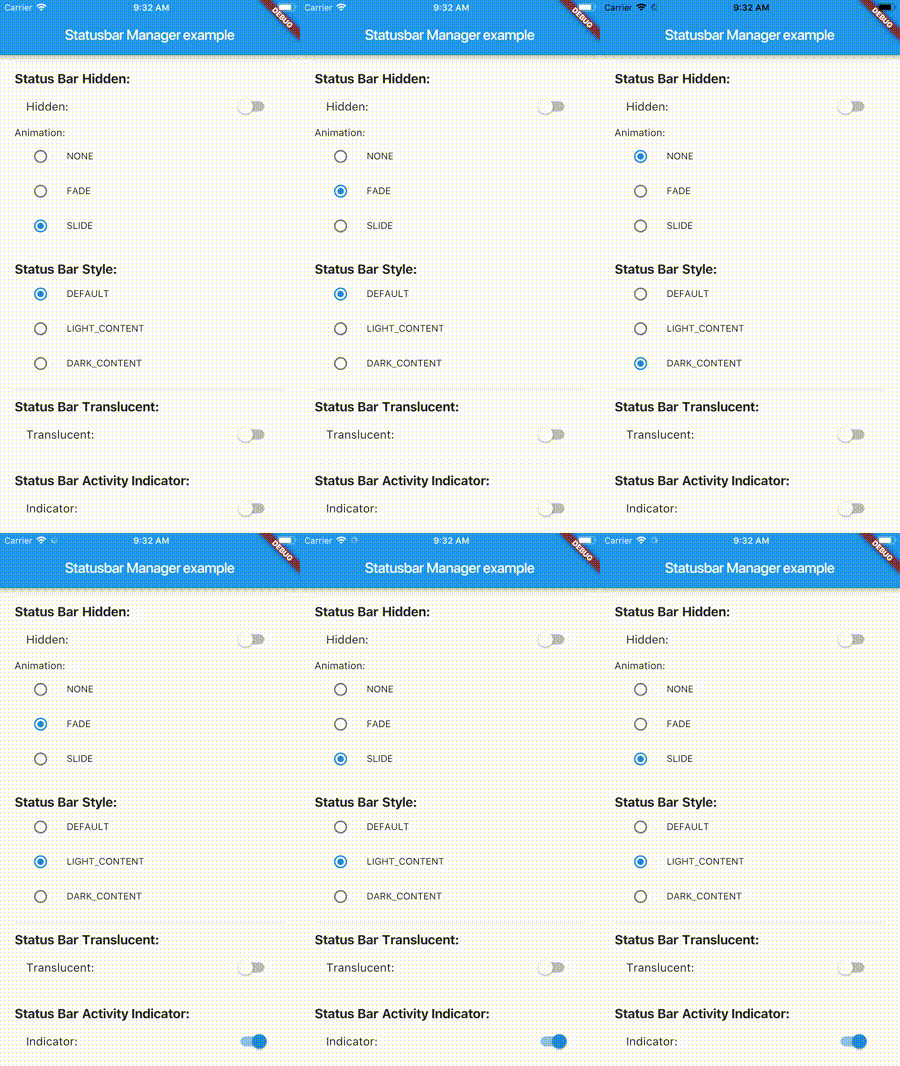
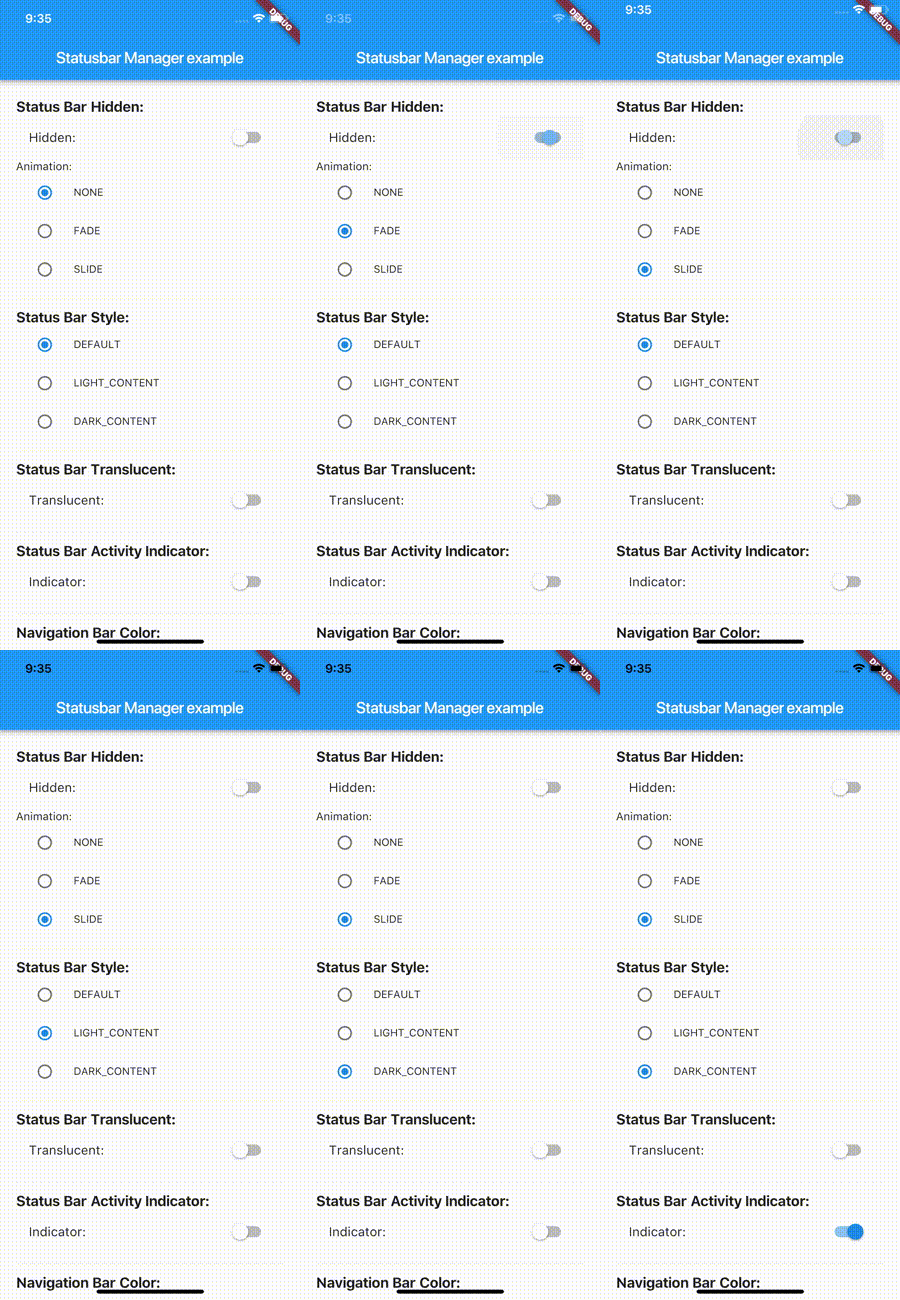
Demo App Iphone 8

Demo App Iphone X

Installation

flutter_statusbar_manager : ^lastest_version

to your pubspec.yaml ,and run

flutter packages get

in your project's root directory.

Basic Usage

Create a new project with command

flutter create myapp

On iOS add the following in your Info.plist:

<key>UIViewControllerBasedStatusBarAppearance</key>
<false/>

Import the plugin in lib/main.dart like this:

import 'package:flutter_statusbar_manager/flutter_statusbar_manager.dart';

Methods

setColor
Platforms: Android

The setColor method will set the status bar background color. On iOS the method will always return a successful Future.

Parameter Type Default Required Description
color Color none Yes The color to be set as background, can use colors with opacity.
animated bool false No Whether or not to animate the color change.
await FlutterStatusbarManager.setColor(Colors.green, animated:true);
setTranslucent
Platforms: Android

The setTranslucent method will set the status bar translucent status. On iOS the methods will always return a successful Future.

Parameter Type Default Required Description
translucent bool none Yes Whether or not the status bar will be translucent.
await FlutterStatusbarManager.setTranslucent(true);
setHidden
Platforms: Android, iOS

The setHidden will hide the status bar.

Parameter Type Default Required Description
hidden bool none Yes Whether or not to hide the status bar.
animation StatusBarAnimation StatusBarAnimation.NONE No The hiding animation to use (iOS only).
await FlutterStatusbarManager.setHidden(true, animation:StatusBarAnimation.SLIDE);
setStyle
Platforms: Android, iOS

The setStyle method will set the status bar theme.

Parameter Type Default Required Description
style StatusBarStyle none Yes The status bar theme to use for styling, can either be light, dark, default.
await FlutterStatusbarManager.setStyle(StatusBarStyle.DARK_CONTENT);
setNetworkActivityIndicatorVisible
Platforms: iOS

The setNetworkActivityIndicatorVisible method will show or hide the activity indicator, On Android the method will always return a successful Future.

Parameter Type Default Required Description
visible bool none Yes Whether or not to show the activity indicator.
await FlutterStatusbarManager.setNetworkActivityIndicatorVisible(true);
getHeight
Platforms: Android, iOS

The getHeight getter method will return the height of the status bar.

double height = await FlutterStatusbarManager.getHeight

Bonus Methods

setNavigationBarColor
Platforms: Android

The setNavigationBarColor method will set the navigation bar background color. On iOS the method will always return a successful Future.

Parameter Type Default Required Description
color Color none Yes The color to be set as background.
animated bool false No Whether or not to animate the color change.
await FlutterStatusbarManager.setNavigationBarColor(Colors.green, animated:true);
setNavigationBarStyle
Platforms: Android

The setNavigationBarStyle method will set the navigation bar theme.

Parameter Type Default Required Description
style NavigationBarStyle none Yes The navigation bar theme to use for styling, can either be light, dark, default.
await FlutterStatusbarManager.setNavigationBarStyle(NavigationBarStyle.DARK);
setFullscreen
Platforms: Android, iOS

The setFullscreen method will set the app in fullscreen mode.

Parameter Type Default Required Description
fullscreen bool none Yes Whether or not to set the app on fullscreen mode.
await FlutterStatusbarManager.setNavigationBarStyle(NavigationBarStyle.DARK);

Enums

StatusBarStyle
  • StatusBarStyle.DEFAULT
  • StatusBarStyle.LIGHT_CONTENT
  • StatusBarStyle.DARK_CONTENT
StatusBarAnimation
  • StatusBarAnimation.NONE
  • StatusBarAnimation.FADE
  • StatusBarAnimation.SLIDE
NavigationBarStyle
  • NavigationBarStyle.DEFAULT
  • NavigationBarStyle.DARK
  • NavigationBarStyle.LIGHT

Status bar

Compatibility: Android (6.0+) & iOS

On Android, it will only work with Android 6.0 (Marshmallow) and above devices.

Navigation bar

Compatibility: Android only

Android 5.0 (Lollipop) and above: color

Android 8.0 (Oreo) and above: style (dark/light)

Categories

Source repository

Projects using this package

No data available yet.