Search packages, repositories and app categories

Package detailsv0.0.4

hardware_buttons_find_flutter

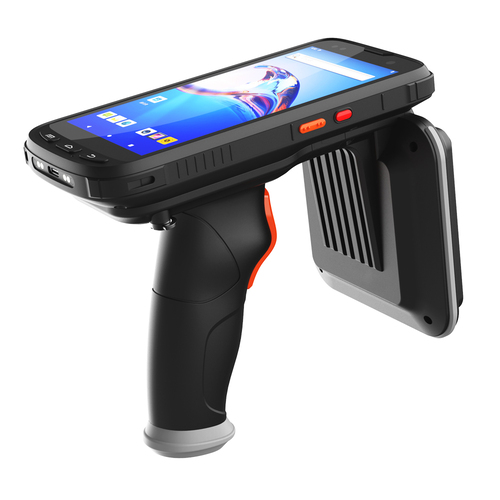
On mobile devices with different buttons on it, listening for the name of the button when the buttons are pressed.

Android
30-day downloads
14
Likes
25
Pub points
135

Install package

flutter pub add hardware_buttons_find_flutter

Package Overview

Package selection guidance compiled from public package information, community data, and project usage.

A Flutter package that enables developers to detect and respond to hardware button presses on Android devices. It provides real-time listening for specific button events, such as volume or power buttons, allowing apps to react based on the button name pressed. Ideal for customizing device behavior in response to physical inputs. The package is lightweight and integrates seamlessly into Android-focused Flutter applications.

Use cases

  • Custom handling of volume button presses
  • Detecting power button events
  • Enhancing accessibility features
  • Building media control apps
  • Creating gesture-based interactions
  • Developing app-specific hardware shortcuts

Key features

  • Real-time button event detection
  • Supports multiple Android hardware buttons
  • Simple API for button name identification
  • Lightweight and efficient
  • Platform-specific Android implementation
  • Easy integration with Flutter apps

Suitable for

  • Android-only app developers
  • Apps requiring hardware input customization
  • Accessibility-focused applications
  • Media player or control apps
  • Developers building interactive device experiences

Considerations

  • Limited to Android platform
  • Requires Android-specific permissions
  • May not work on all device models
  • No iOS support
  • Behavior may vary across different Android versions
  • Not suitable for general-purpose button handling
Original README

Original README snapshot from the linked source repository. Visit the repository for the latest content.

Hardware Buttons Find Flutter

  • [x] Android

Overview

It is necessary to learn the feedback of buttons on different types of reading devices and take steps based on it. This plugin will help you. This code, written with Stream, always listens to the native code, returning the name of the button to you when the button is pressed. Based on the answer you get, write down the functions you envision.


logo

How to use it

class _MyAppState extends State<MyApp> {
  String? _latestHardwareButtonEvent;

  StreamSubscription<String>? _buttonSubscription;

  @override
  void initState() {
    super.initState();
    _buttonSubscription = HardwareButtons.buttonEvents?.listen((event) {
      setState(() {
        _latestHardwareButtonEvent = event.toString();
      });
    });
  }

  @override
  void dispose() {
    super.dispose();
    _buttonSubscription?.cancel();
  }

  @override
  Widget build(BuildContext context) {
    return MaterialApp(
      home: Scaffold(
        appBar: AppBar(
          title: const Text('Hardware buttons find'),
        ),
        body: Center(
          child: Column(
            mainAxisSize: MainAxisSize.min,
            children: <Widget>[
              Text('Button name: $_latestHardwareButtonEvent\n'),
            ],
          ),
        ),
      ),
    );
  }
}

Categories

Dependencies

Dependency list 1 items

  • plugin_platform_interface^2.0.2

Source repository

Projects using this package

No data available yet.