Package selection guidance compiled from public package information, community data, and project usage.
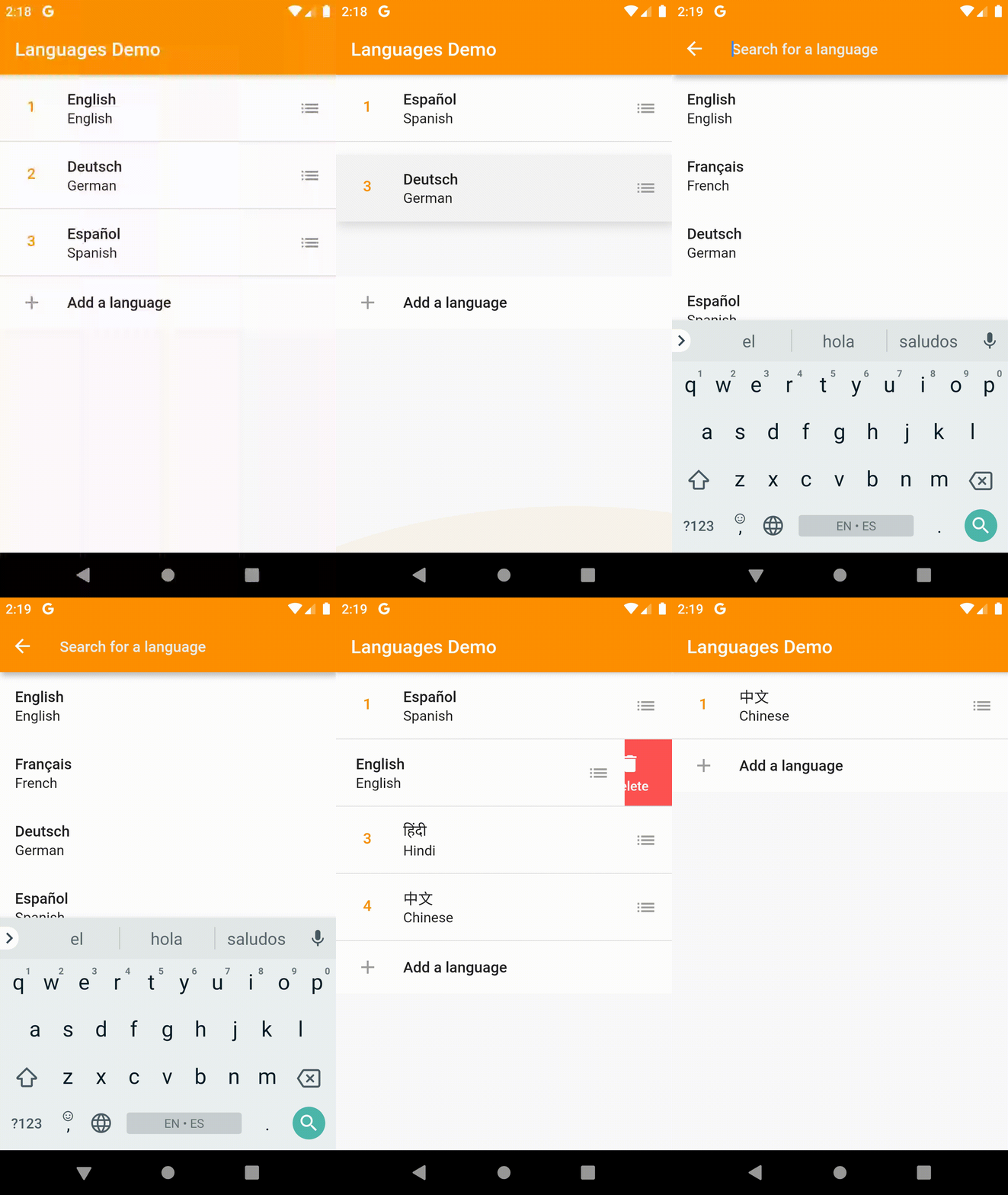
A Flutter package that provides a ListView capable of smoothly animating transitions between different lists, with built-in support for reordering items. It simplifies the implementation of dynamic list interactions by automatically handling enter, exit, and reorder animations without requiring explicit animation controllers. Ideal for apps needing fluid list updates and drag-and-drop functionality across multiple platforms.
Use cases
Drag-and-drop list reordering
Dynamic list updates with smooth transitions
Interactive task or item management
Real-time collaborative list editing
Visual feedback during list modifications
Key features
Automatic animation between list states
Built-in reorder support
No need for manual animation controllers
Cross-platform compatibility
Minimal boilerplate code
Smooth enter/exit/reorder animations
Suitable for
Developers building interactive list interfaces
Apps requiring intuitive item rearrangement
Projects targeting multiple platforms
Teams prioritizing clean, maintainable code
Users seeking out-of-the-box animation behavior
Considerations
May have performance impact with very large lists
Limited customization over individual animation curves
Depends on underlying Flutter rendering pipeline
Not suitable for complex custom animations
Requires careful state management when used with other animated widgets
Original README
Original README snapshot from the linked source repository. Visit the repository for the latest content.
Implicitly Animated Reorderable List
A Flutter ListView that implicitly calculates the changes between two lists using the MyersDiff algorithm and animates between them for you. The ImplicitlyAnimatedReorderableList adds reordering support to its items with fully custom animations.
If you like this package, consider supporting it by giving it a star on GitHub and a like on pub.dev :heart:
Usage
The package contains two ListViews: ImplicitlyAnimatedList which is the base class and offers implicit animation for item insertions, removals as well as updates, and ImplicitlyAnimatedReorderableList which extends the ImplicitlyAnimatedList and adds reordering support to its items. See examples below on how to use them.
ImplicitlyAnimatedList
ImplicitlyAnimatedList is based on AnimatedList and uses the MyersDiff algorithm to calculate the difference between two lists and calls insertItem and removeItem on the AnimatedListState for you.
Example
// Specify the generic type of the data in the list.ImplicitlyAnimatedList<MyGenericType>(
// The current items in the list.
items: items,
// Called by the DiffUtil to decide whether two object represent the same item.// For example, if your items have unique ids, this method should check their id equality.
areItemsTheSame: (a, b) => a.id == b.id,
// Called, as needed, to build list item widgets.// List items are only built when they're scrolled into view.
itemBuilder: (context, animation, item, index) {
// Specifiy a transition to be used by the ImplicitlyAnimatedList.// See the Transitions section on how to import this transition.returnSizeFadeTransition(
sizeFraction: 0.7,
curve: Curves.easeInOut,
animation: animation,
child: Text(item.name),
);
},
// An optional builder when an item was removed from the list.// If not specified, the List uses the itemBuilder with // the animation reversed.
removeItemBuilder: (context, animation, oldItem) {
returnFadeTransition(
opacity: animation,
child: Text(oldItem.name),
);
},
);
If you have a CustomScrollView you can use the SliverImplicitlyAnimatedList.
As AnimatedList doesn't support item moves, a move is handled by removing the item from the old index and inserting it at the new index.
ImplicitlyAnimatedReorderableList
ImplicitlyAnimatedReorderableList is based on ImplicitlyAnimatedList and adds reordering support to the list.
Example
ImplicitlyAnimatedReorderableList<MyGenericType>(
items: items,
areItemsTheSame: (oldItem, newItem) => oldItem.id == newItem.id,
onReorderFinished: (item, from, to, newItems) {
// Remember to update the underlying data when the list has been// reordered.setState(() {
items
..clear()
..addAll(newItems);
});
},
itemBuilder: (context, itemAnimation, item, index) {
// Each item must be wrapped in a Reorderable widget.returnReorderable(
// Each item must have an unique key.
key: ValueKey(item),
// The animation of the Reorderable builder can be used to// change to appearance of the item between dragged and normal// state. For example to add elevation when the item is being dragged.// This is not to be confused with the animation of the itemBuilder.// Implicit animations (like AnimatedContainer) are sadly not yet supported.
builder: (context, dragAnimation, inDrag) {
final t = dragAnimation.value;
final elevation = lerpDouble(0, 8, t);
final color = Color.lerp(Colors.white, Colors.white.withOpacity(0.8), t);
returnSizeFadeTransition(
sizeFraction: 0.7,
curve: Curves.easeInOut,
animation: itemAnimation,
child: Material(
color: color,
elevation: elevation,
type: MaterialType.transparency,
child: ListTile(
title: Text(item.name),
// The child of a Handle can initialize a drag/reorder.// This could for example be an Icon or the whole item itself. You can// use the delay parameter to specify the duration for how long a pointer// must press the child, until it can be dragged.
trailing: Handle(
delay: constDuration(milliseconds: 100),
child: Icon(
Icons.list,
color: Colors.grey,
),
),
),
),
);
},
);
},
// Since version 0.2.0 you can also display a widget// before the reorderable items...
header: Container(
height: 200,
color: Colors.red,
),
// ...and after. Note that this feature - as the list itself - is still in beta!
footer: Container(
height: 200,
color: Colors.green,
),
// If you want to use headers or footers, you should set shrinkWrap to true
shrinkWrap: true,
);
If you want to contribute your own custom transitions, feel free to make a pull request.
Caveats
Note that this package is still in its very early phase and not enough testing has been done to guarantee stability.
Also note that computing the diff between two very large lists may take a significant amount of time (the computation is done on a background isolate though unless spawnIsolate is set to false).
Acknowledgements
The diff algorithm that ImplicitlyAnimatedList uses was written by Dawid Bota at GitLab.