Package selection guidance compiled from public package information, community data, and project usage.
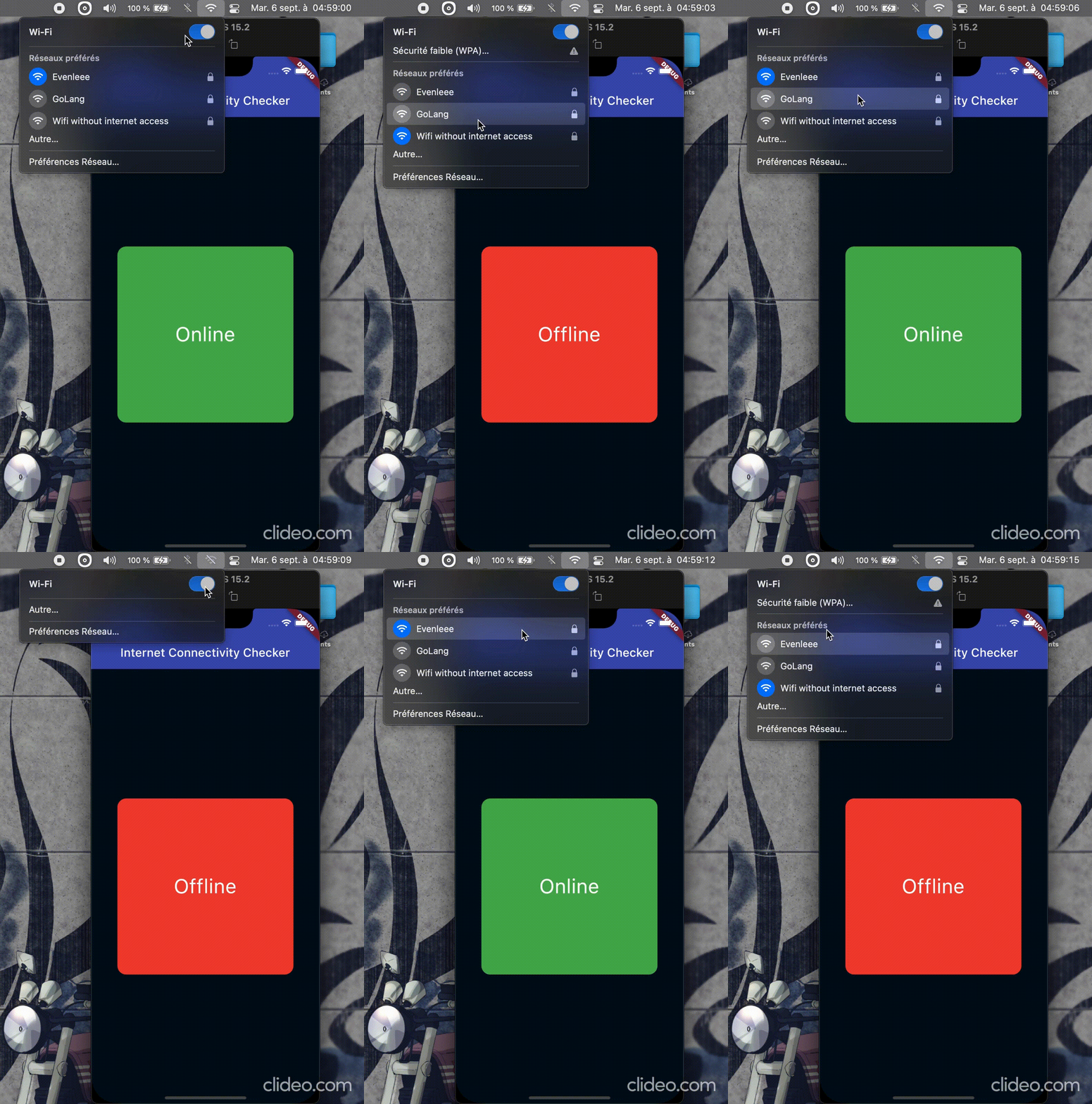
A Flutter package that enables dynamic widget management based on the device's current internet connectivity status. It provides real-time monitoring of network availability across multiple platforms, allowing developers to conditionally display content, show loading indicators, or trigger fallback UIs when offline. The package integrates seamlessly into apps requiring responsive behavior under varying network conditions. With a simple API and cross-platform support, it ensures consistent user experience regardless of connection state.
Use cases
Displaying offline banners
Conditionally rendering network-dependent widgets
Showing retry buttons when offline
Loading placeholders during connectivity loss
Handling API requests with network awareness
Updating UI based on real-time connectivity changes
Key features
Real-time connectivity monitoring
Cross-platform compatibility
Simple API for widget control
Automatic state updates
Supports all major desktop and mobile platforms
Lightweight and easy to integrate
Suitable for
Apps needing offline mode support
Network-sensitive applications
User interfaces requiring dynamic feedback
Developers building responsive network-aware features
Projects targeting Android, iOS, macOS, Windows, and Linux
Considerations
Requires proper permissions on some platforms
May need additional error handling for edge cases
Not suitable for high-frequency polling scenarios
Limited to connectivity status (not bandwidth)
Depends on system-level network detection APIs
Original README
Original README snapshot from the linked source repository. Visit the repository for the latest content.
internet_connectivity_checker
The connectivity package and other similar packages only
provides information if there is a network connection, but not if the network is connected to
the Internet. That's why the
internet_connectivity_checker package
helps you easily manage widgets dynamically based on the device's internet access.
🧑💻 Getting started
flutter pub add internet_connectivity_checker
🛠️ Usage
Simply import package:internet_connectivity_checker/internet_connectivity_checker.dart' and use
the ConnectivityBuilder widget. It takes a builder and an optional parameter, interval(Duration object)
which is the time interval to wait between each internet connectivity verification; default is 5 seconds.
MIT LicenseCopyright (c) MoustaphaNdoye (@csof3cen), 2023.
Permissionis hereby granted, free of charge, to any person obtaining a copy
of this software and associated documentation files (the "Software"), to deal
in the Software without restriction, including without limitation the rights
to use, copy, modify, merge, publish, distribute, sublicense, and/or sell
copies of the Software, and to permit persons to whom the Softwareis
furnished to do so, subject to the following conditions:
The above copyright notice and this permission notice shall be included in all
copies or substantial portions of the Software.
THE SOFTWARE IS PROVIDED "AS IS", WITHOUT WARRANTY OF ANY KIND, EXPRESS OR
IMPLIED, INCLUDING BUT NOT LIMITED TO THE WARRANTIES OF MERCHANTABILITY,
FITNESS FOR A PARTICULAR PURPOSE AND NONINFRINGEMENT. IN NO EVENT SHALL THE
AUTHORS OR COPYRIGHT HOLDERS BE LIABLE FOR ANY CLAIM, DAMAGES OR OTHER
LIABILITY, WHETHER IN AN ACTION OF CONTRACT, TORT OR OTHERWISE, ARISING FROM,
OUT OF OR IN CONNECTION WITH THE SOFTWARE OR THE USE OR OTHER DEALINGS IN THE
SOFTWARE.