Package selection guidance compiled from public package information, community data, and project usage.
A Flutter widget designed to enable users to select media files from their device storage. It can be placed anywhere within the widget tree, offering flexibility in UI integration. The widget handles file selection with minimal boilerplate, supporting various media types such as images and videos. It provides a clean, reusable interface for picking media without requiring deep platform-specific knowledge. Ideal for apps needing media input functionality in a simple, consistent way.
Use cases
Integrating media selection into forms
Allowing users to upload photos or videos
Building content creation tools
Adding media pickers to profile editing screens
Creating gallery or album interfaces
Key features
Reusable across the widget tree
Simple integration with minimal setup
Supports multiple media types
Lightweight and focused on core functionality
Works without platform-specific code
Suitable for
Developers building media-heavy apps
Apps requiring user-uploaded content
UI components needing flexible media selection
Projects prioritizing simplicity and reusability
Considerations
Does not include media processing features
Limited to basic file selection
No built-in preview or cropping
Requires manual handling of file paths
Depends on underlying platform permissions
Original README
Original README snapshot from the linked source repository. Visit the repository for the latest content.
media_picker_widget
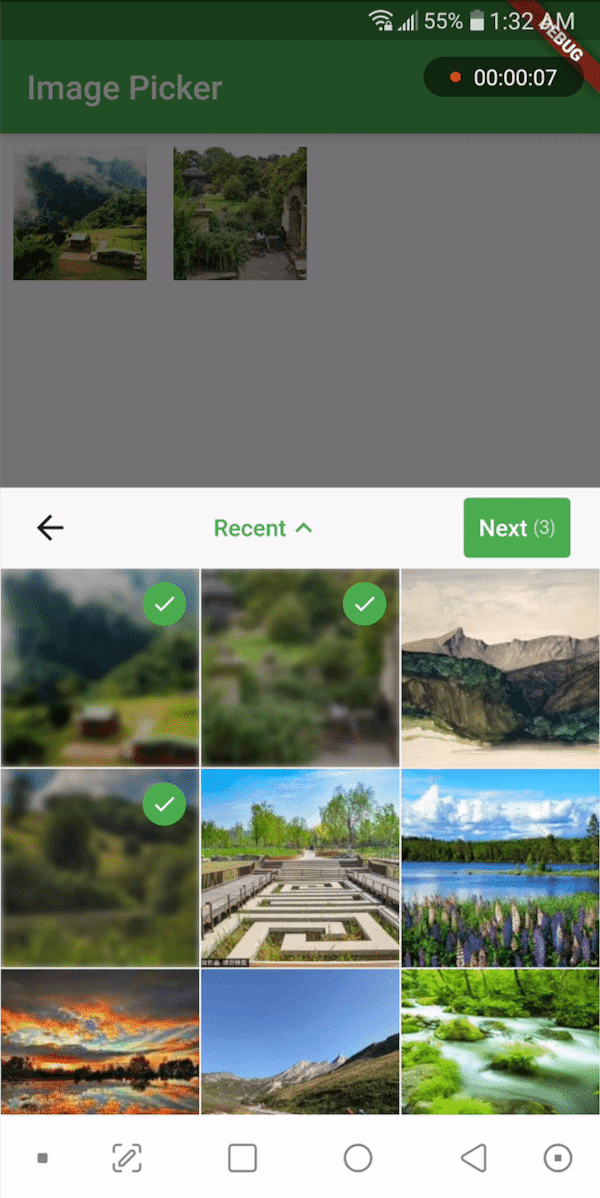
A widget that picks media files from storage and allows you to place it anywhere in the widget tree. You can use this widget in a dialog, bottom sheet, or anywhere else as you wish. It supports picking single or multiple images or videos. Use the PickerDecoration class to decorate the UI.
If you find this widget useful, consider supporting the developer by buying them a coffee.
Installation
Add the following line to your pubspec.yaml file:
media_picker_widget:$latest_version
The latest version of the package is
Android
To use this widget on Android, you need to add the following permissions to your AndroidManifest.xml file, located in <project root>/android/app/src/main/AndroidManifest.xml:
Starting with version 0.8.1 the iOS implementation uses PHPicker to pick (multiple) images on iOS 14 or higher.
As a result of implementing PHPicker it becomes impossible to pick HEIC images on the iOS simulator in iOS 14+. This is a known issue. Please test this on a real device, or test with non-HEIC images until Apple solves this issue. 63426347 - Apple known issue
Add the following keys to your Info.plist file, located in <project root>/ios/Runner/Info.plist:
NSPhotoLibraryUsageDescription - describe why your app needs permission for the photo library. This is called Privacy - Photo Library Usage Description in the visual editor.
NSCameraUsageDescription - describe why your app needs access to the camera. This is called Privacy - Camera Usage Description in the visual editor.
NSMicrophoneUsageDescription - describe why your app needs access to the microphone, if you intend to record videos. This is called Privacy - Microphone Usage Description in the visual editor.
To use the media_picker_widget, follow these steps:
Make sure your app's minSdkVersion is set to 21 in the app/build.gradle file.
Within your Flutter widget tree, simply add the MediaPicker widget, which extends StatefulWidget. Here's an example:
MediaPicker(
  mediaList: mediaList, //let MediaPicker know which medias are already selected by passing the previous mediaList
  onPicked: (selectedList){
    print('Got Media ${selectedList.length}');
  },
  onCancel: ()=> print('Canceled'),
  mediaCount: MediaCount.single,
  mediaType: MediaType.image,
  decoration: PickerDecoration(),
)
Customization
Customize the widget as needed. You can use the PickerDecoration class to decorate the UI.
Custom Header
New header customization have been added. MediaPicker widget has HeaderBuilder property. You can pass a HeaderBuilder to customize the header. HeaderBuilder is a function that returns a Widget. You can use HeaderBuilder to customize the header as you wish. You can use MediaPickerHeader class to get the default header. MediaPickerHeader class has a MediaPickerHeaderProps class that takes MediaPicker properties as parameters. You can use MediaPickerHeaderProps class to customize the header.
Like this,