Search packages, repositories and app categories

one_clock cover
Package detailsv2.0.3

one_clock

Flutter analog and digital clock plugin. This plugin can be used to draw beautiful analog as well as digital clock for your flutter application

AndroidiOSWebmacOSWindowsLinux
30-day downloads
953
Likes
55
Pub points
140

Install package

flutter pub add one_clock

Package Overview

Package selection guidance compiled from public package information, community data, and project usage.

One Clock is a Flutter plugin that enables developers to easily integrate both analog and digital clocks into their applications. With customizable designs and smooth animations, it offers a visually appealing way to display time across multiple platforms. The plugin supports Android, iOS, Web, macOS, Windows, and Linux, making it ideal for cross-platform apps. It's lightweight and straightforward to implement, perfect for apps requiring real-time time display with aesthetic appeal.

Use cases

  • Displaying real-time time in apps
  • Adding elegant clock widgets to dashboards
  • Creating time-tracking or scheduling applications
  • Enhancing user interfaces with dynamic time elements
  • Building home screen widgets or lock screens

Key features

  • Supports analog and digital clock types
  • Cross-platform compatibility
  • Customizable styling and colors
  • Smooth time animations
  • Easy integration with Flutter UI

Suitable for

  • Developers building productivity apps
  • Design-focused app creators
  • Cross-platform mobile and desktop apps
  • Apps needing real-time time displays
  • UI/UX designers seeking animated time components

Considerations

  • May require additional styling for complex layouts
  • Performance impact on low-end devices with frequent updates
  • Limited customization beyond basic appearance
  • Not optimized for high-frequency time updates
  • No built-in alarm or timer functionality

Original README

Original README snapshot from the linked source repository. Visit the repository for the latest content.

Flutter One Clock Widget

pub package

Clean and fully customizable clock widget.

Note: This package is inspired from the analog_clock package which is for showing analog clock only. You can check that package here analog_clock folder.

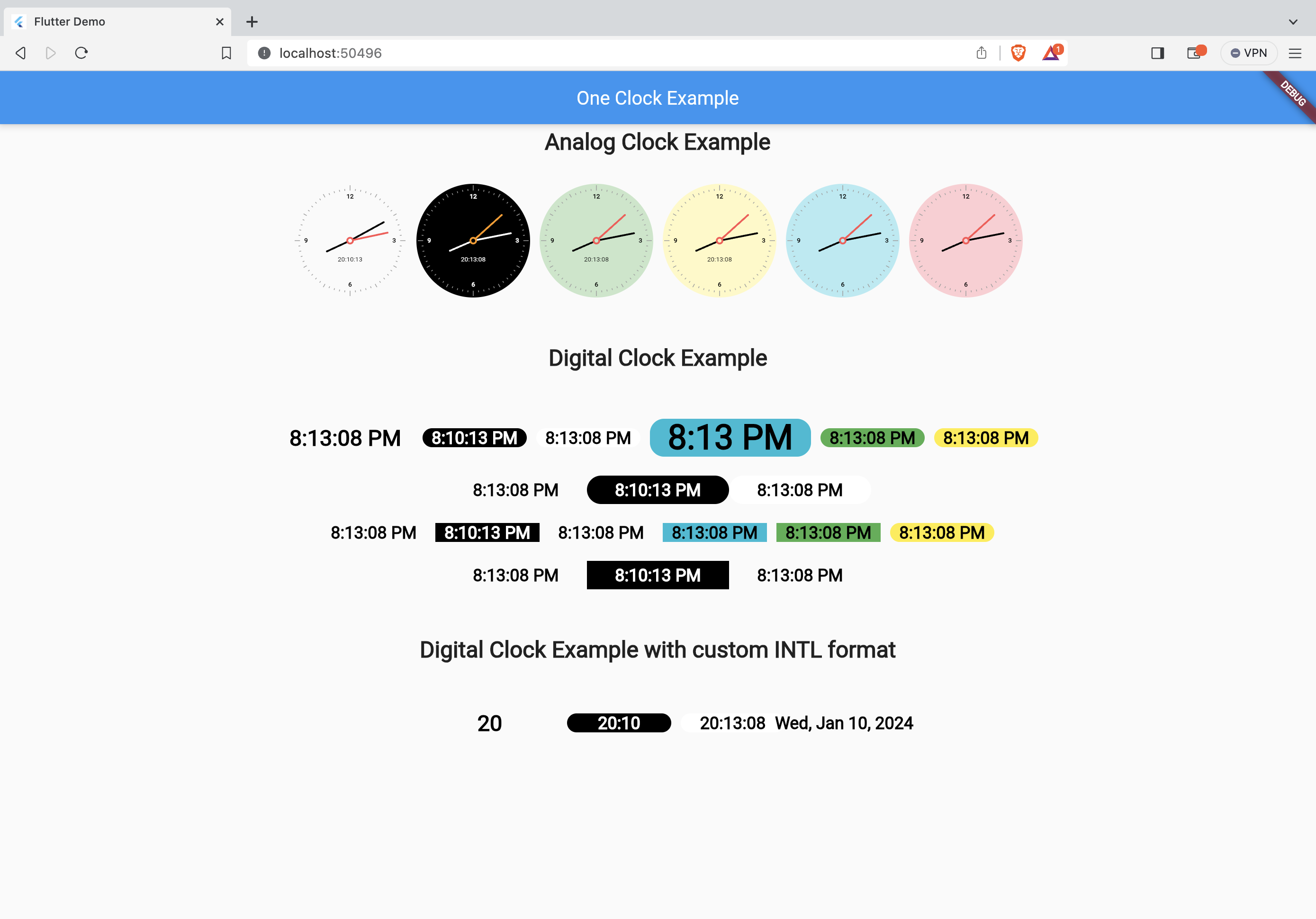
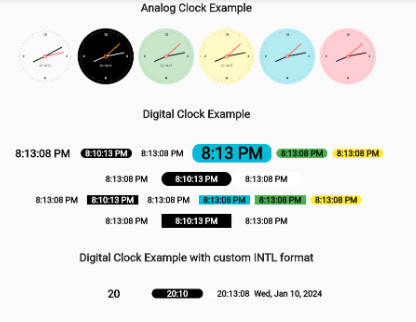
Analog/Digital Clock Screenshot

Installation

In your pubspec.yaml file within your Flutter Project:

dependencies:
  one_clock: ^2.0.2

Features

  • Modern and clean analog as well as digital clock interface.
  • Customize as per your need.
  • Live clock.

Usage

import 'package:one_clock/one_clock.dart';


 AnalogClock(
	decoration: BoxDecoration(
	    border: Border.all(width: 2.0, color: Colors.black),
	    color: Colors.transparent,
	    shape: BoxShape.circle),
	width: 150.0,
	isLive: true,
	hourHandColor: Colors.black,
	minuteHandColor: Colors.black,
	showSecondHand: false,
	numberColor: Colors.black87,
	showNumbers: true,
	showAllNumbers: false,
	textScaleFactor: 1.4,
	showTicks: false,
	showDigitalClock: false,
	datetime: DateTime(2019, 1, 1, 9, 12, 15),
	);

DigitalClock(
	showSeconds: false,
	isLive:false,
	digitalClockColor: Colors.black,
	decoration: const BoxDecoration(
		color: Colors.yellow,
		shape: BoxShape.rectangle,
		borderRadius: BorderRadius.all(Radius.circular(15))),
		datetime: DateTime.now())

Parameters

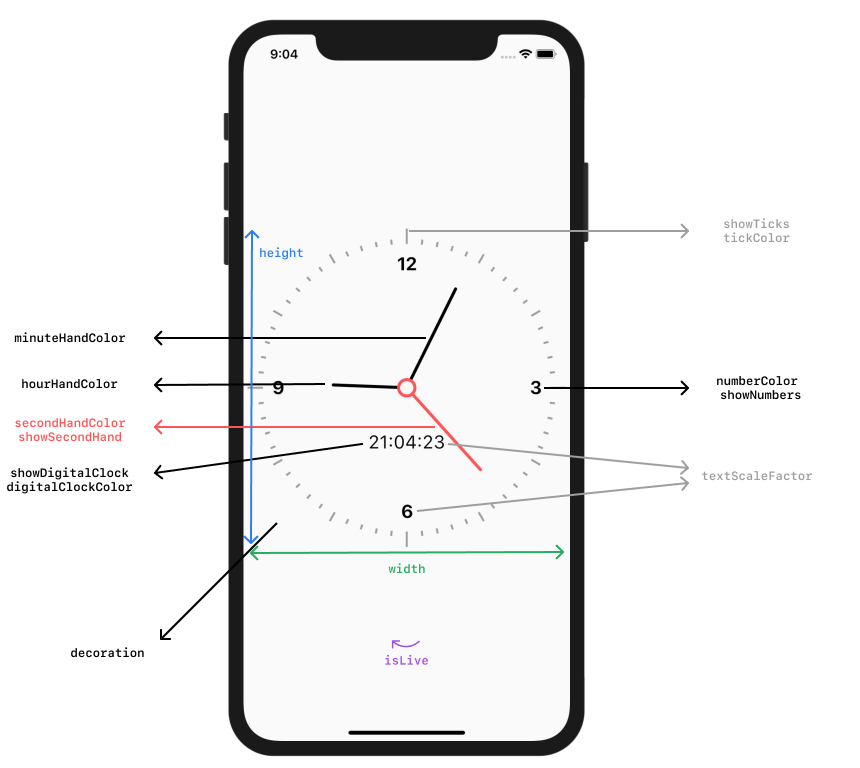
Flutter Analog Clock Parameters

Categories

Dependencies

Dependency list 1 items

Source repository

Projects using this package

No data available yet.