Package selection guidance compiled from public package information, community data, and project usage.
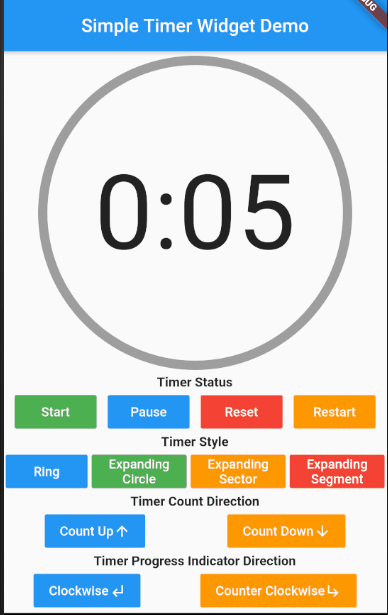
A Flutter package that provides a simple, customizable timer widget for displaying countdown or stopwatch progress. It supports various visual and functional customizations, such as text style, color, and animation options. Ideal for apps requiring real-time time tracking with minimal setup. The widget is lightweight and easy to integrate into existing UIs. It works seamlessly across platforms without additional configuration.
Use cases
Countdown timers in fitness apps
Stopwatch functionality in productivity tools
Timer displays in educational quizzes
Real-time progress indicators in games
Time-based reminders in task managers
Key features
Customizable timer appearance
Smooth progress animations
Support for countdown and stopwatch modes
Easy integration with Flutter widgets
Configurable text and color themes
Suitable for
Developers building time-tracking features
UI designers needing clean timer components
Apps requiring minimal timer complexity
Beginner Flutter developers learning state management
Considerations
Limited to basic timer functionality
No built-in persistence for ongoing timers
Does not support multiple concurrent timers
Platform-specific behaviors may vary
Requires manual handling of timer lifecycle
Original README
Original README snapshot from the linked source repository. Visit the repository for the latest content.
SimpleTimer
A Simple Timer Widget that displays the timer progress with various customizable options.
Installing
To Start using this library include simple_timer as a dependency in your puspec.yaml file.
Make sure to include the latest version.
To use the widget, import the package in your project
import'package:simple_timer/simple_timer.dart';
The timer can be controlled in two ways:
Using a TimerController (preferred) - The TimerController is a convenience wrapper (subclass) of an AnimationController and needs a TickerProvider, so be sure to extend a TickerProvider in your class. Declare and instantiate your timer controller like below: