
Overview
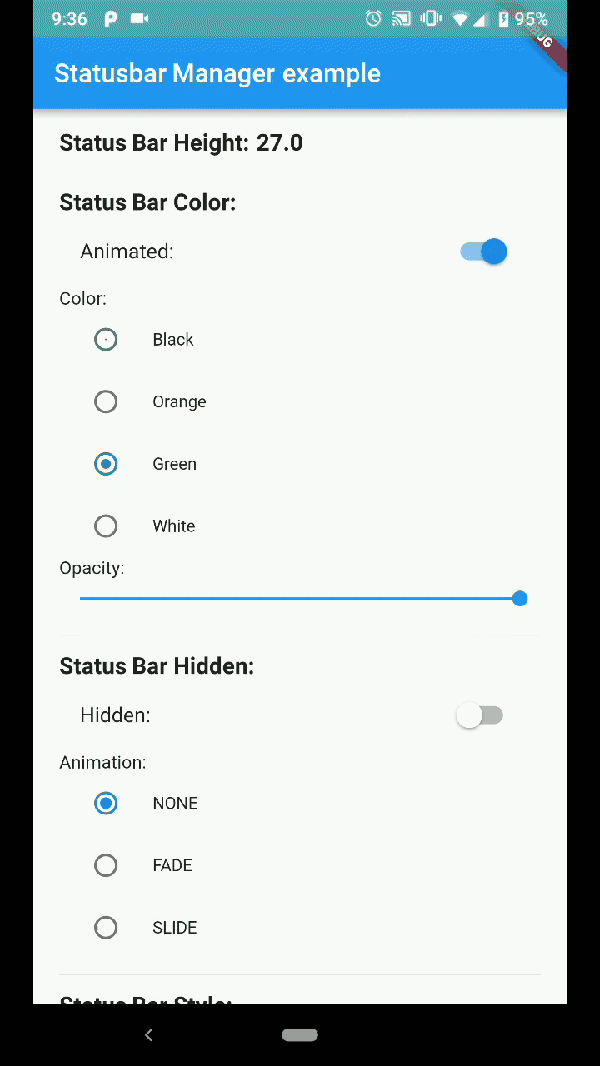
Status Bar Control is a Flutter package that enables developers to customize the status bar across both Android and iOS platforms. It allows control over the status bar's color, appearance (light or dark theme), visibility, and translucency. This package provides a simple and consistent API for managing status bar properties, ensuring a polished user interface experience. It works seamlessly with native platform features and supports both mobile operating systems. Ideal for apps requiring dynamic status bar adjustments based on context or theme changes.
Use cases
- Customizing status bar color per screen
- Adjusting status bar style for dark/light themes
- Hiding status bar temporarily
- Making status bar translucent
- Managing status bar in full-screen apps
Key features
- Cross-platform support (iOS & Android)
- Control over color, style, visibility, and translucency
- Simple and intuitive API
- Works with native platform behavior
- No additional native code required
Suitable for
- Apps needing dynamic status bar styling
- Developers building immersive UIs
- Projects with multiple themes
- Full-screen or game-like interfaces
- Apps with complex navigation states
Considerations
- Requires proper handling of platform-specific behaviors
- May need additional configuration for edge cases
- Limited to status bar customization only
- Not suitable for advanced system-level modifications
- Depends on correct usage of Flutter lifecycle events