Search packages, repositories and app categories

time_slot cover
Package detailsv1.0.2

time_slot

A new Flutter package which helps in creating time slots with given time interval or list of date times and get day part name of time.

AndroidiOSWebmacOSWindowsLinux
30-day downloads
632
Likes
32
Pub points
140

Install package

flutter pub add time_slot

Package Overview

Package selection guidance compiled from public package information, community data, and project usage.

The time_slot package is a Flutter utility designed to simplify the creation and management of time slots. It allows developers to generate time intervals based on a specified duration or a custom list of date times. The package also provides functionality to determine the day part (e.g., morning, afternoon, evening) corresponding to a given time. Ideal for scheduling apps, booking systems, or any application requiring structured time representation, it supports all major platforms including Android, iOS, Web, macOS, Windows, and Linux.

Use cases

  • Scheduling appointments
  • Booking system time selection
  • Event planning tools
  • Time-based UI components
  • Daily activity tracking

Key features

  • Generate time slots from interval or list
  • Determine day part names from time
  • Cross-platform compatibility
  • Simple API integration
  • Supports custom time ranges
  • Lightweight and fast

Suitable for

  • Calendar and booking apps
  • Time-based data visualization
  • User-facing time pickers
  • Mobile and web scheduling interfaces
  • Developers needing time slot logic

Considerations

  • Requires manual handling of time zone differences
  • Limited to time slot generation and day part detection
  • No built-in UI components
  • Does not support recurring time patterns
  • Assumes input times are valid and ordered

Original README

Original README snapshot from the linked source repository. Visit the repository for the latest content.

time_slot

A new Flutter package which helps in creating time slots with given time interval or list of date times and get day part name of time, and this package allow localization ar and en.

Pub Version

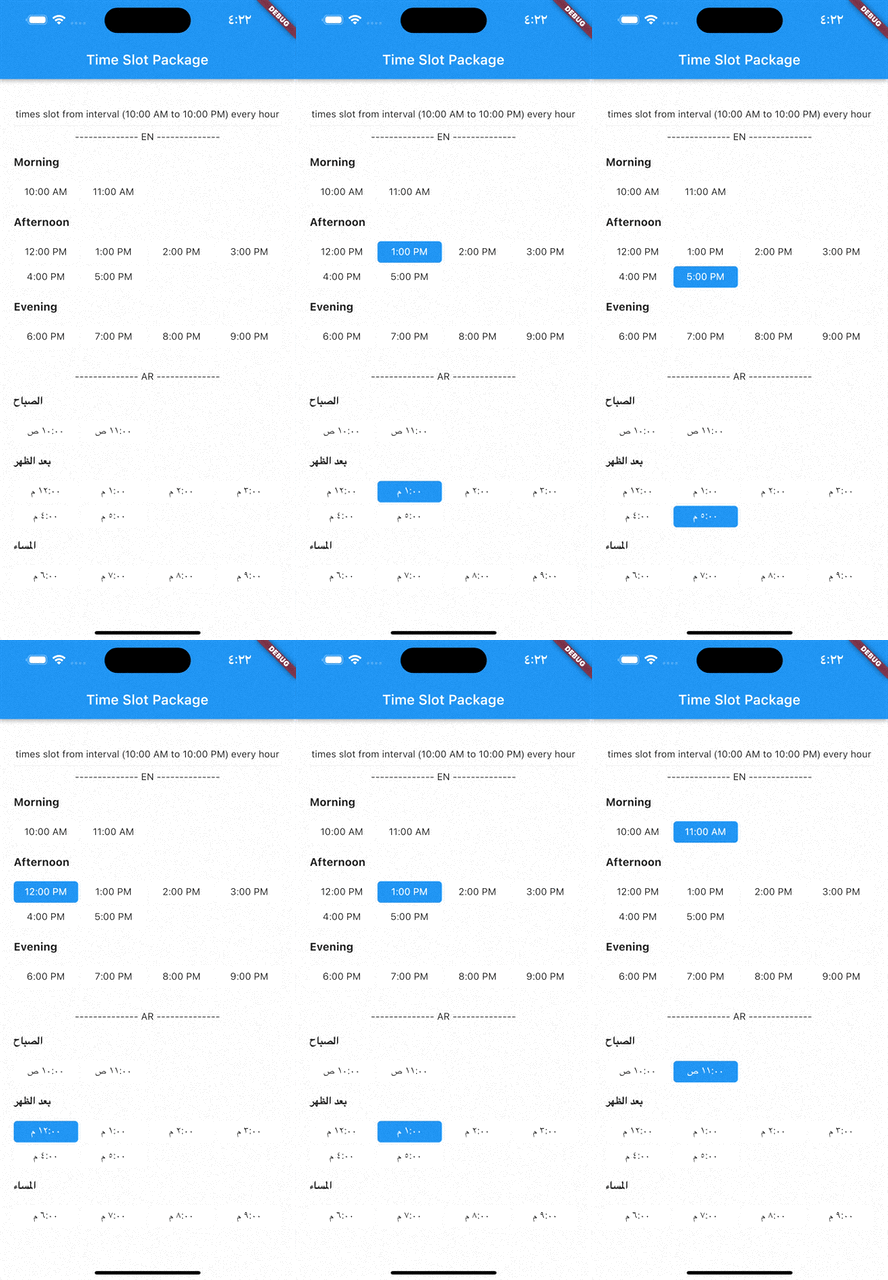
Demo gif

image

Installation

  1. Add this to your package's pubspec.yaml file:
dependencies:
  time_slot: any
  1. Get the package using your IDE's GUI or via command line with
$ pub get
  1. Import the time_slot.dart file in your app
import 'package:time_slot/time_slot.dart';

Features

  • Creating time slots with given time interval
  • Creating time slots with given list date times
  • Get day part name of time
  • Support for multiple selection
  • Support different display options

Usage

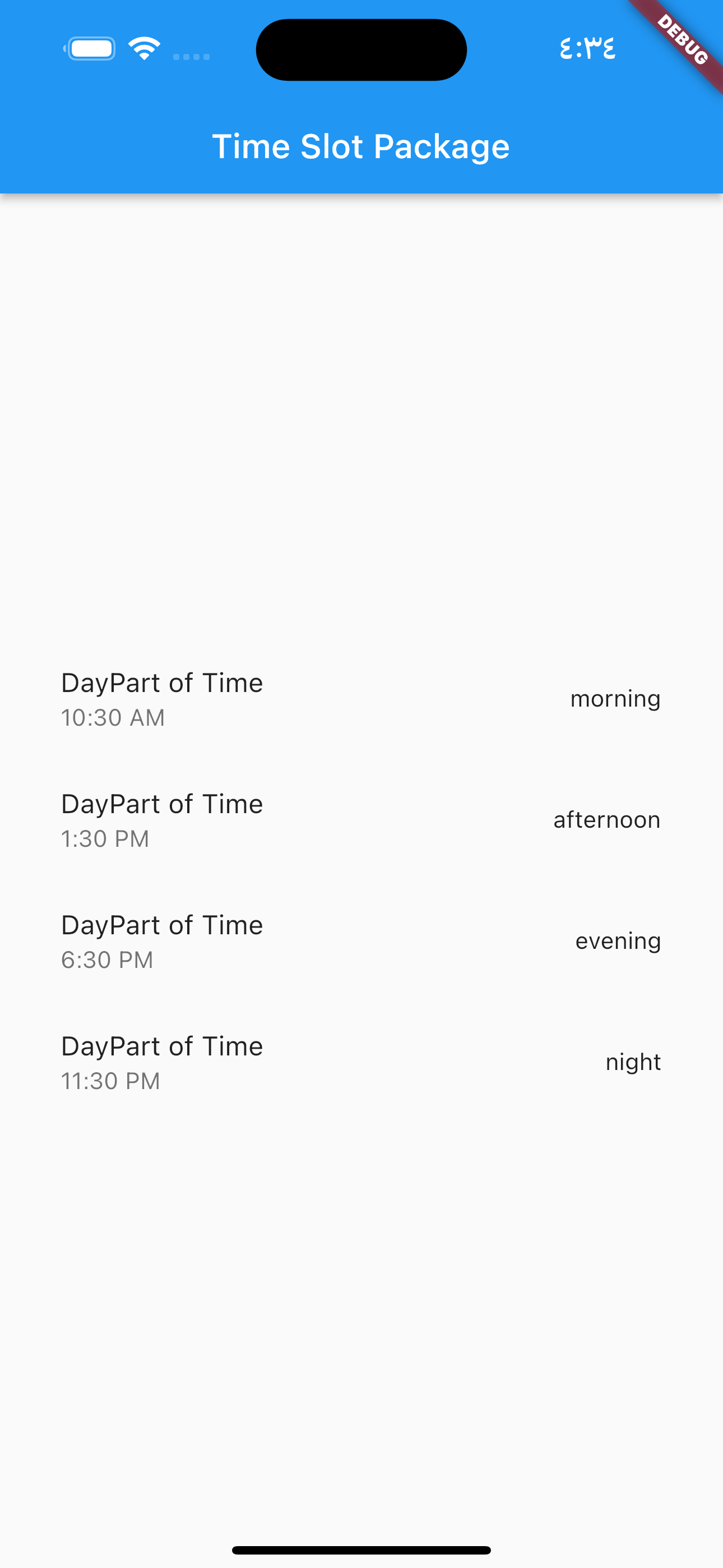
DayPartController image

  DayPartController dayPartController = DayPartController();

to get day part of time

  DayParts dayPart = dayPartController.getDayPartOfTime(
    time: DateTime(2023, 1, 1, 10, 30),
  ); ///  DayParts.morning

to get day part name from DayParts

  DayParts dayPart = dayPartController.getDayPartName(dayPart: dayPart),);
  /// morning

TimesSlotGridViewFromInterval

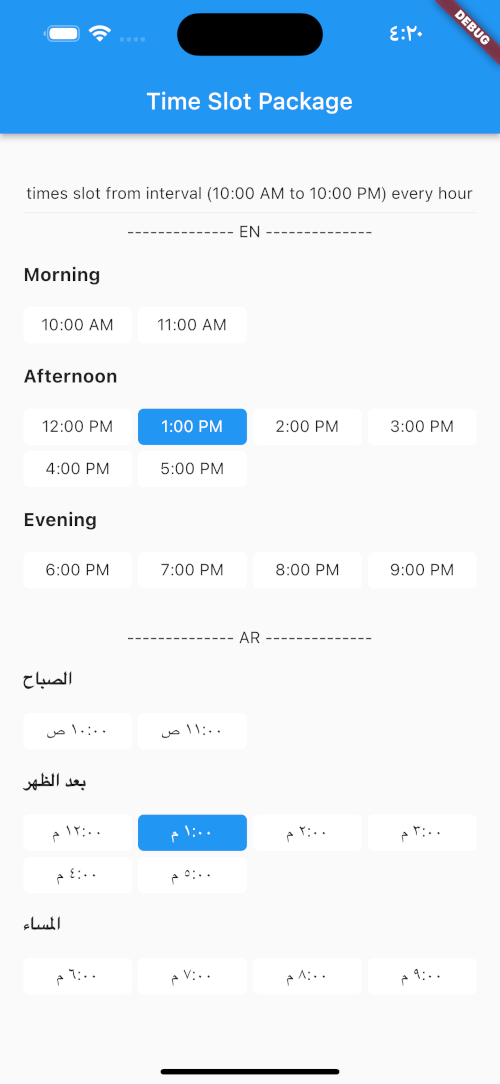
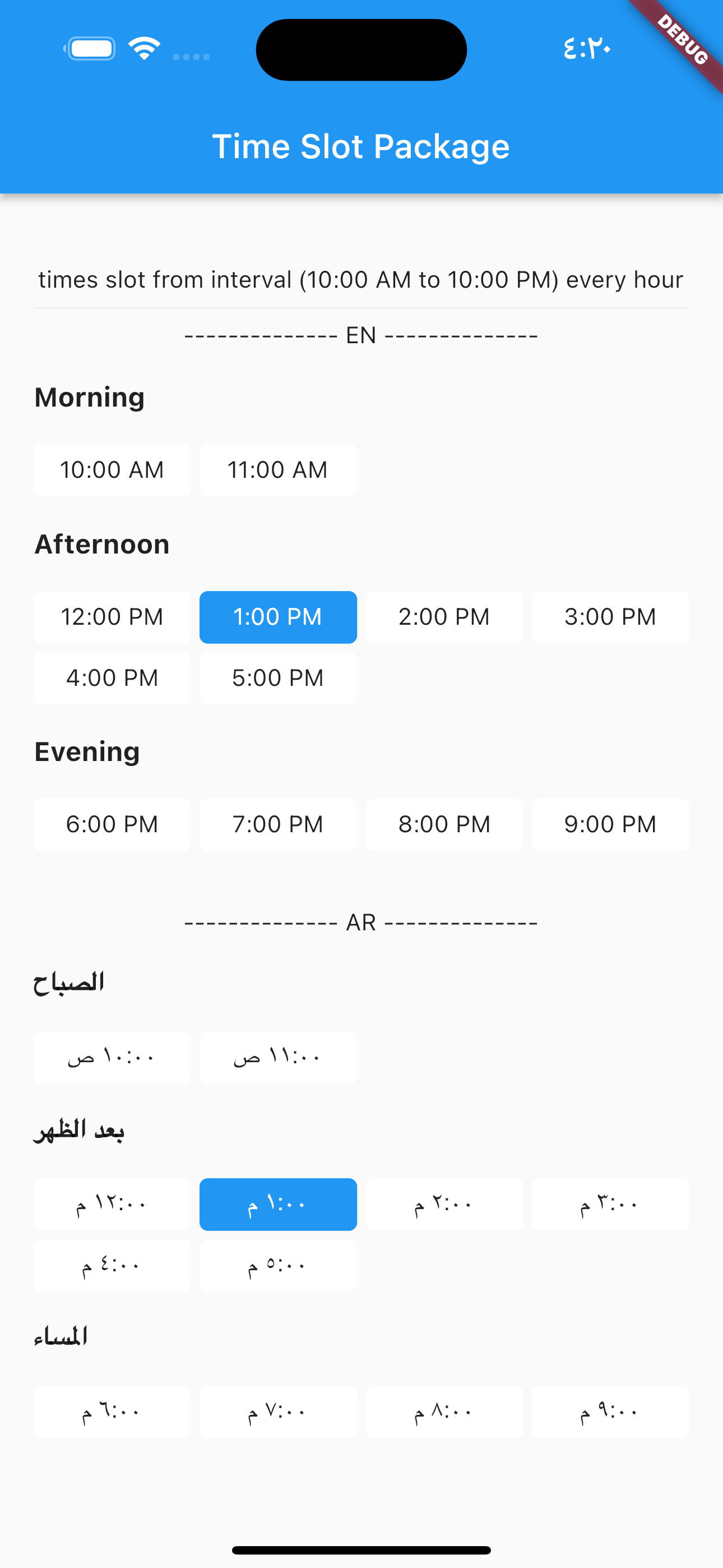
to build time slot grid view from interval (10:00 AM to 10:00 PM) every hour

image

            TimesSlotGridViewFromInterval(
                locale: "en",
                initTime: selectTime,
                crossAxisCount: 4,
                timeSlotInterval: const TimeSlotInterval(
                  start: TimeOfDay(hour: 10, minute: 00),
                  end: TimeOfDay(hour: 22, minute: 0),
                  interval: Duration(hours: 1, minutes: 0),
                ),
                onChange: (value) {
                  setState(() {
                    selectTime = value;
                  });
                },
              ),

locale = "ar",

                TimesSlotGridViewFromInterval(
                locale: "ar",
                initTime: selectTime,
                crossAxisCount: 4,
                timeSlotInterval: const TimeSlotInterval(
                  start: TimeOfDay(hour: 10, minute: 00),
                  end: TimeOfDay(hour: 22, minute: 0),
                  interval: Duration(hours: 1, minutes: 0),
                ),
                onChange: (value) {
                  setState(() {
                    selectTime = value;
                  });
                },
              ),

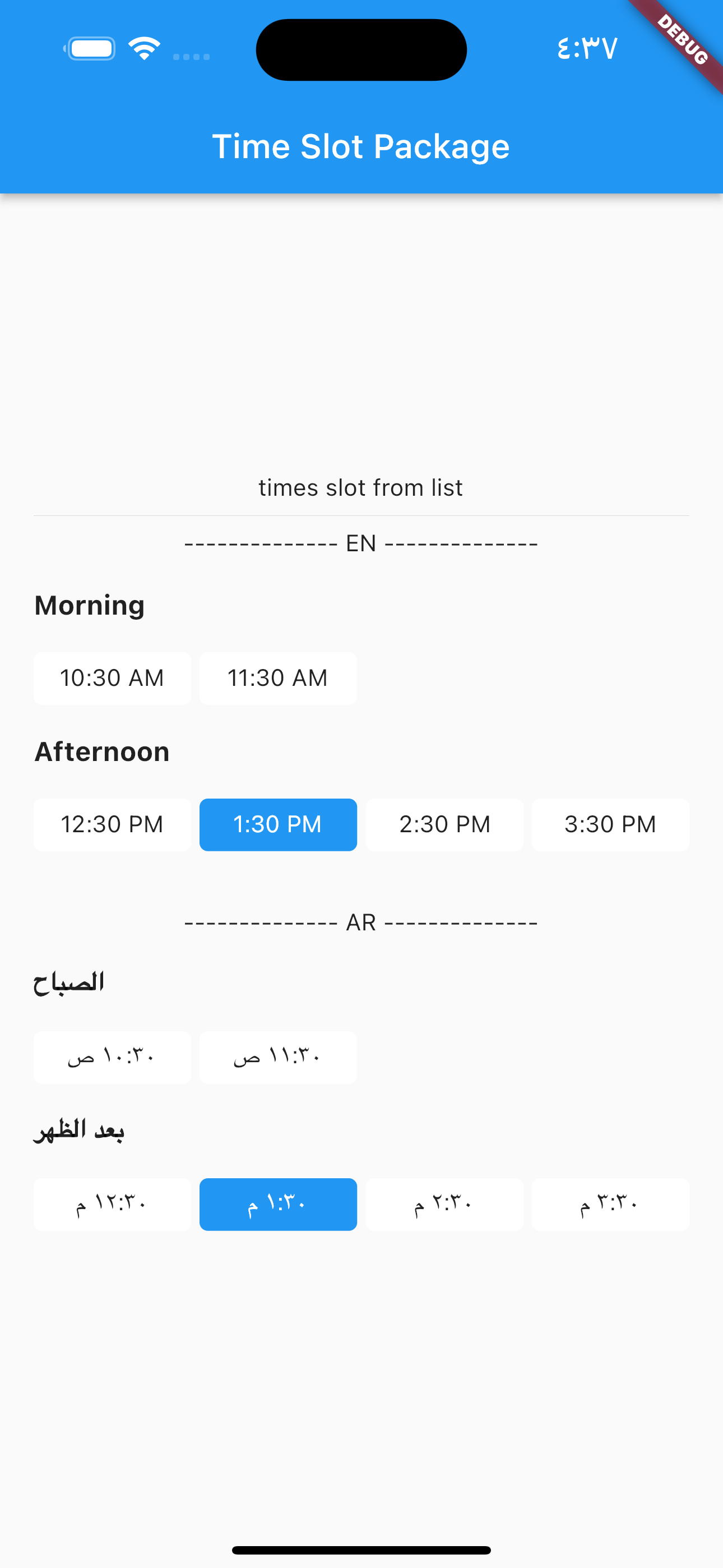
TimesSlotGridViewFromList

to build time slot grid view from list date.

image

            TimesSlotGridViewFromList(
                locale: "en",
                initTime: selectTime,
                crossAxisCount: 4,
                listDates: [
                  DateTime(2023, 1, 1, 10, 30),
                  DateTime(2023, 1, 1, 11, 30),
                  DateTime(2023, 1, 1, 12, 30),
                  DateTime(2023, 1, 1, 13, 30),
                  DateTime(2023, 1, 1, 14, 30),
                  DateTime(2023, 1, 1, 15, 30)
                ],
                onChange: (value) {
                  setState(() {
                    selectTime = value;
                  });
                },
              ),

locale = "ar",

                TimesSlotGridViewFromList(
                locale: "ar",
                initTime: selectTime,
                crossAxisCount: 4,
                listDates: [
                  DateTime(2023, 1, 1, 10, 30),
                  DateTime(2023, 1, 1, 11, 30),
                  DateTime(2023, 1, 1, 12, 30),
                  DateTime(2023, 1, 1, 13, 30),
                  DateTime(2023, 1, 1, 14, 30),
                  DateTime(2023, 1, 1, 15, 30)
                ],
                onChange: (value) {
                  setState(() {
                    selectTime = value;
                  });
                },
              ),

Categories

Dependencies

Dependency list 1 items

Source repository

Projects using this package

No data available yet.