Search packages, repositories and app categories

transformable_list_view cover
Package detailsv0.8.0

transformable_list_view

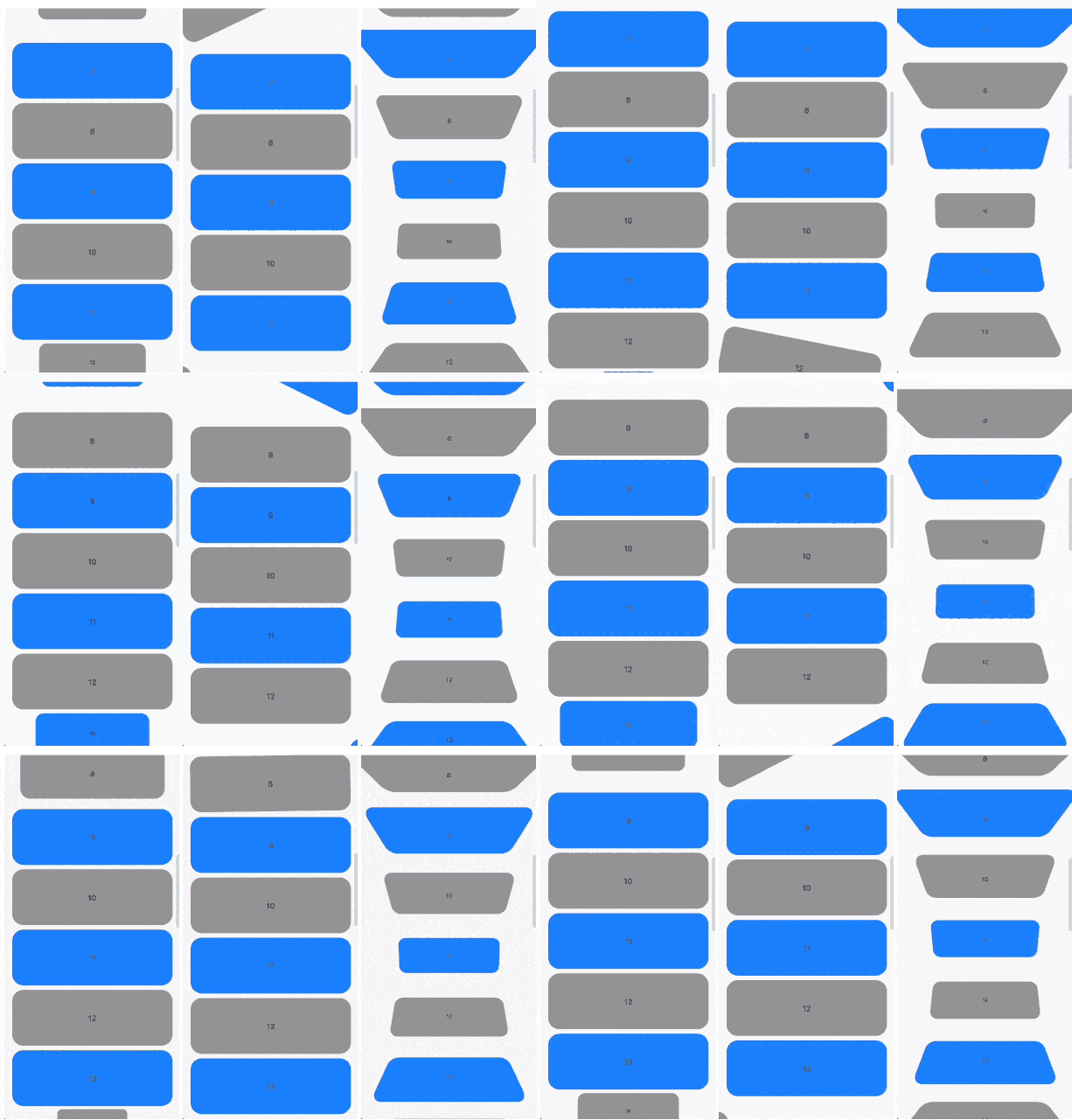
Widget that extends the default ListView with ability to add item transform animations according to it's scroll position

AndroidiOSWebmacOSWindowsLinux
30-day downloads
212
Likes
133
Pub points
150

Install package

flutter pub add transformable_list_view

Package Overview

Package selection guidance compiled from public package information, community data, and project usage.

A Flutter widget extending ListView to enable smooth transform animations for list items based on their scroll position. It allows developers to create dynamic, interactive lists with visual effects such as scaling, rotating, or fading as items enter or exit the viewport. Ideal for enhancing user experience in scroll-heavy interfaces. The package supports all major platforms including Android, iOS, Web, macOS, Windows, and Linux.

Use cases

  • Creating animated scrolling lists
  • Enhancing UI with scroll-triggered transformations
  • Building engaging product carousels
  • Designing immersive content feeds
  • Implementing parallax-like effects
  • Adding visual feedback during scrolling

Key features

  • Scroll-position-based item transformations
  • Smooth animation transitions
  • Cross-platform compatibility
  • Easy integration with existing ListView code
  • Support for scale, rotate, and opacity changes
  • Customizable animation curves and timing

Suitable for

  • UI designers seeking interactive elements
  • Developers building scroll-driven animations
  • Apps requiring engaging list interactions
  • Projects targeting multiple platforms
  • Teams focused on polished user experiences

Considerations

  • May impact performance with large datasets
  • Requires careful tuning of animation parameters
  • Best suited for moderate list sizes
  • Not ideal for highly complex animations
  • Needs testing across different devices and platforms

Original README

Original README snapshot from the linked source repository. Visit the repository for the latest content.

Scrollable widgets with easily customizable transform animations.

Features

The package contains 3 widgets:

  • TransformableListView that extends ListView
  • TransformableSliverList that extends SliverList
  • TransformableSliver that extends SliverToBoxAdapter

Each of then has getTransformMatrix callback. In the callback you need to return Matrix4 that represetns transormation of the child at the current moment. If you don't need any transformations you can simply return Matrix4.identity().

In getTransformMatrix callback you receive TransformableListItem with the data about list item:

  • Offset offset is main axis offset of the child. By default (with vertical, non reversed scroll view) offset.dx is always 0 while offset.dy is the distance between top edge of the child and top edge of the viewport.
  • Size size is the child size received from its RenderBox.
  • SliverConstraints constraints describes the current scroll state of the viewport from the point of view of the sliver receiving the constraints.
  • int? index is the index of the child. Will be null when using TransformableSliver.
  • TransformableListItemPosition position is child position on the main axis viewport. Can be .topEdge, .middle or .bottomEdge.
  • double visibleExtent is currently visible portion of item. For example, if item is hidden it will be 0 while it's completely displayed will equal to size.height or size.width depending on axis.

Usage

First you need to add TransformableListView where you need transformations

TransformableListView.builder(
  getTransformMatrix: getTransformMatrix,
  itemBuilder: (context, index) {
    return Container(
      height: 100,
      margin: const EdgeInsets.symmetric(
        horizontal: 16,
        vertical: 4,
      ),
      decoration: BoxDecoration(
        color: index.isEven ? Colors.grey : Colors.blueAccent,
        borderRadius: BorderRadius.circular(20),
      ),
      alignment: Alignment.center,
      child: Text(index.toString()),
    );
  },
  itemCount: 30,
),

Second you need to implement getTransformMatrix callback

Matrix4 getTransformMatrix(TransformableListItem item) {
  /// final scale of child when the animation is completed
  const endScaleBound = 0.3;

  /// 0 when animation completed and [scale] == [endScaleBound]
  /// 1 when animation starts and [scale] == 1
  final animationProgress = item.visibleExtent / item.size.height;

  /// result matrix
  final paintTransform = Matrix4.identity();

  /// animate only if item is on edge
  if (item.position != TransformableListItemPosition.middle) {
    final scale = endScaleBound + ((1 - endScaleBound) * animationProgress);

    paintTransform
      ..translate(item.size.width / 2)
      ..scale(scale)
      ..translate(-item.size.width / 2);
  }

  return paintTransform;
}

You can implement your own callback or check more at /example folder.

Additional information

You can read more about matrix transfomations in Flutter here. Any feedback and PRs are welcome.

Developed by TBR Group.

Categories

Source repository

Projects using this package

No data available yet.