Package selection guidance compiled from public package information, community data, and project usage.
A Flutter package designed for trimming videos within mobile applications. It enables users to retrieve video files, trim them between custom start and end times, and save the resulting clips to the device's file system. The package supports both Android and iOS platforms, offering a seamless experience for multimedia editing directly in apps. It is ideal for applications requiring basic video manipulation without relying on external services.
Use cases
Trimming user-uploaded videos
Creating short video clips from longer recordings
Integrating video editing into social media apps
Preparing video content for sharing
Editing tutorial or demo videos
Saving trimmed videos locally
Key features
Retrieve videos from device storage
Trim videos with precise time selection
Save trimmed videos to file system
Supports Android and iOS
Simple API for integration
Preserves original video quality
Suitable for
Mobile apps needing video trimming
Social media or content creation tools
Educational or tutorial apps
Apps that process user-generated video content
Developers building multimedia editors
Considerations
Requires file system permissions on Android and iOS
Large video files may impact performance
Limited to basic trimming (no advanced editing)
May require handling of large file sizes
Depends on native platform capabilities for video processing
Original README
Original README snapshot from the linked source repository. Visit the repository for the latest content.
A Flutter package for trimming videos
Features
Customizable video trimmer.
Supports two types of trim viewer, fixed length and scrollable.
Video playback control.
Retrieving and storing video file.
Also, supports conversion to GIF.
NOTE: Versions 5.0.0 and above uses a native video trimmer without the overhead of FFmpeg. Have a look at the Changelog for breaking changes if you are below version 5.0.0.
Following image shows the structure of the TrimViewer. It consists of the Duration on top (displaying the start, end, and scrubber time), TrimArea consisting of the thumbnails, and TrimEditor which is an overlay that let's you select a portion from the video.
Example
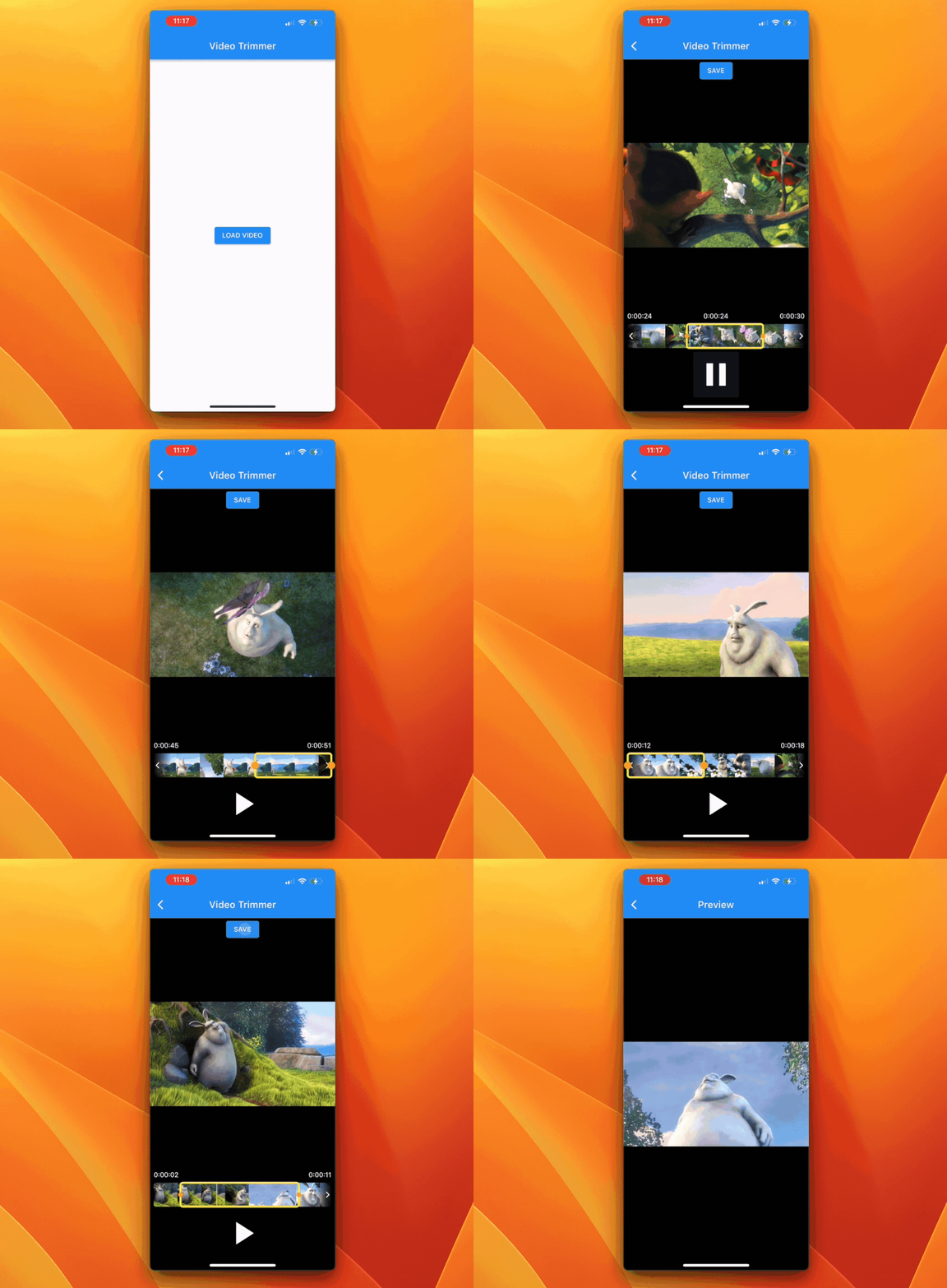
The example app running on an iPhone 13 Pro device:
Usage
Add the dependency video_trimmer to your pubspec.yaml file:
For using main version of FFmpeg package:
dependencies:video_trimmer:^5.0.0
Android configuration
No additional configuration is needed for using on Android platform. You are good to go!
iOS configuration
Add the following keys to your Info.plist file, located in <project root>/ios/Runner/Info.plist:
<key>NSCameraUsageDescription</key>
<string>Used to demonstrate image picker plugin</string><key>NSMicrophoneUsageDescription</key><string>Used to capture audio for image picker plugin</string><key>NSPhotoLibraryUsageDescription</key><string>Used to demonstrate image picker plugin</string>
Permission is hereby granted, free of charge, to any person obtaining a copy
of this software and associated documentation files (the "Software"), to deal
in the Software without restriction, including without limitation the rights
to use, copy, modify, merge, publish, distribute, sublicense, and/or sell
copies of the Software, and to permit persons to whom the Software is
furnished to do so, subject to the following conditions:
The above copyright notice and this permission notice shall be included in all
copies or substantial portions of the Software.
THE SOFTWARE IS PROVIDED "AS IS", WITHOUT WARRANTY OF ANY KIND, EXPRESS OR
IMPLIED, INCLUDING BUT NOT LIMITED TO THE WARRANTIES OF MERCHANTABILITY,
FITNESS FOR A PARTICULAR PURPOSE AND NONINFRINGEMENT. IN NO EVENT SHALL THE
AUTHORS OR COPYRIGHT HOLDERS BE LIABLE FOR ANY CLAIM, DAMAGES OR OTHER
LIABILITY, WHETHER IN AN ACTION OF CONTRACT, TORT OR OTHERWISE, ARISING FROM,
OUT OF OR IN CONNECTION WITH THE SOFTWARE OR THE USE OR OTHER DEALINGS IN THE
SOFTWARE.