
 v0.0.5
parent_child_checkbox
父子复选框是一种可以建立复选框层级关系的复选框类型
41喜欢 44近 30 天下载150Pub 分数
AndroidiOSWebmacOSWindowsLinux
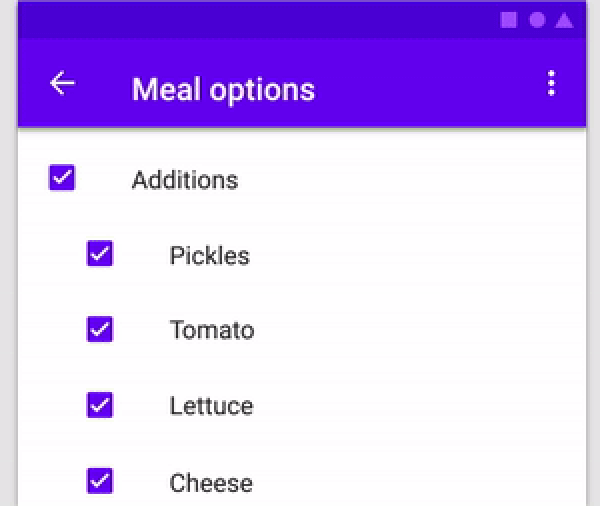
父级子级复选框是一种可以在复选框之间建立层级关系的复选框类型。

{"sdk":"flutter"}{"sdk":"flutter"}以下为英文项目原文快照,最新内容请访问 GitHub。
alt text
| Parameter Name | Parameter Type | Description |
|---|---|---|
| parent | Text | Text Widget to specify the Parent checkbox |
| children | List<Text> | List<Text> Widgets to specify the Children checkboxes |
| parentCheckboxColor | Color | Color of Parent CheckBox Defaults to [ThemeData.toggleableActiveColor] |
| childrenCheckboxColor | Text Widget | Text Widget to specify the Parent checkbox |
| parentCheckboxScale | double | Scale of the Parent CheckBox. Defaults to [1.0] |
| childrenCheckboxScale | double | Scale of the Children CheckBox. Defaults to [1.0] |
| gap | double | Gap between the Parent and Children CheckBox. Defaults to [10.0] |
| onCheckedChild | void Function(int index)? | Function that will be executed if a child will be selected |
| onCheckedParent | void Function()? | Function that will be executed if the parent will be selected |
| isParentSelected | Getter | Getter to get whether particular parent is selected or not. Example: {'Parent 1' : true, 'Parent 2' : false} where Parent 1 and Parent 2 will be 2 separate parents if you are using multiple ParentChildCheckbox in your code. Default value will be false for all specified parents |
| selectedChildrens | Getter | Getter to get which childrens are selected for a particular parent. Example: {'Parent 1' : ['Children 1.1','Children 1.2'], 'Parent 2' : []} where Parent 1 and Parent 2 will be 2 separate parents if you are using multiple ParentChildCheckbox in your code. Default value is {'Parent 1' : [], 'Parent 2' : []} |
import 'dart:developer';
import 'package:flutter/material.dart';
import 'package:parent_child_checkbox/parent_child_checkbox.dart';

void main() => runApp(MyApp());

class MyApp extends StatelessWidget {
  @override
  Widget build(BuildContext context) {
    return MaterialApp(
      title: 'Material App',
      home: Scaffold(
        appBar: AppBar(title: Text('Parent Child Checkox')),
        body: Column(
          children: [
            ParentChildCheckbox(
              parent: Text('Parent 1'),
              children: [
                Text('Children 1.1'),
                Text('Children 1.2'),
                Text('Children 1.3'),
                Text('Children 1.4'),
              ],
              parentCheckboxColor: Colors.orange,
              childrenCheckboxColor: Colors.red,
            ),
            ParentChildCheckbox(
              parent: Text('Parent 2'),
              children: [
                Text('Children 2.1'),
                Text('Children 2.2'),
                Text('Children 2.3'),
                Text('Children 2.4'),
              ],
            ),
            ElevatedButton(
              child: Text('Get Data'),
              onPressed: () {
                log(ParentChildCheckbox.isParentSelected.toString());
                log(ParentChildCheckbox.selectedChildrens.toString());
              },
            ),
          ],
        ),
      ),
    );
  }
}