搜索插件、代码仓与 APP 分类

parent_child_checkbox 封面
插件详情v0.0.5

parent_child_checkbox

父子复选框是一种可以建立复选框层级关系的复选框类型

AndroidiOSWebmacOSWindowsLinux
近 30 天下载
49
喜欢数
41
Pub 分数
150

安装插件

flutter pub add parent_child_checkbox

插件介绍

基于插件公开信息、社区数据与项目使用情况整理的选型参考。

Parent Child Checkbox 是一个 Flutter 包,可实现层级复选框结构,允许用户创建嵌套的复选清单,其中父级复选框控制其子级复选框的状态。它支持跨层级的直观选择和取消选择,非常适合用于表单、任务列表或具有分组选项的设置。该包轻量级,易于集成,并可在所有主要平台(包括 Android、iOS、Web、macOS、Windows 和 Linux)上运行。

适合场景

  • 任务管理系统
  • 带有分组选项的表单输入
  • 带有嵌套类别的设置
  • 分层数据选择
  • 用户偏好配置

主要特点

  • 嵌套复选框层级
  • 自动子状态传播
  • 跨平台兼容性
  • 简单的 API 集成
  • 支持部分选中状态

适合对象

  • 开发复杂表单的开发者
  • 需要结构化清单的UI设计师
  • 需要分组选择的应用
  • 面向多个平台的项目
  • 寻求层级复选框最小化设置的用户

使用建议

  • 可能需要自定义样式以满足高级UI需求
  • 有限的内置验证
  • 不适用于非层级复选框使用场景
  • 在大型树结构中,状态管理可能需要外部处理
  • 文档可以扩展以涵盖边缘情况

原始 README

以下为关联源码仓库的 README 原文快照,最新内容请访问源码仓库。

parent_child_checkbox

Parent Child Checkbox is a type of checkbox where we can establish hierarchy in Checkboxes.

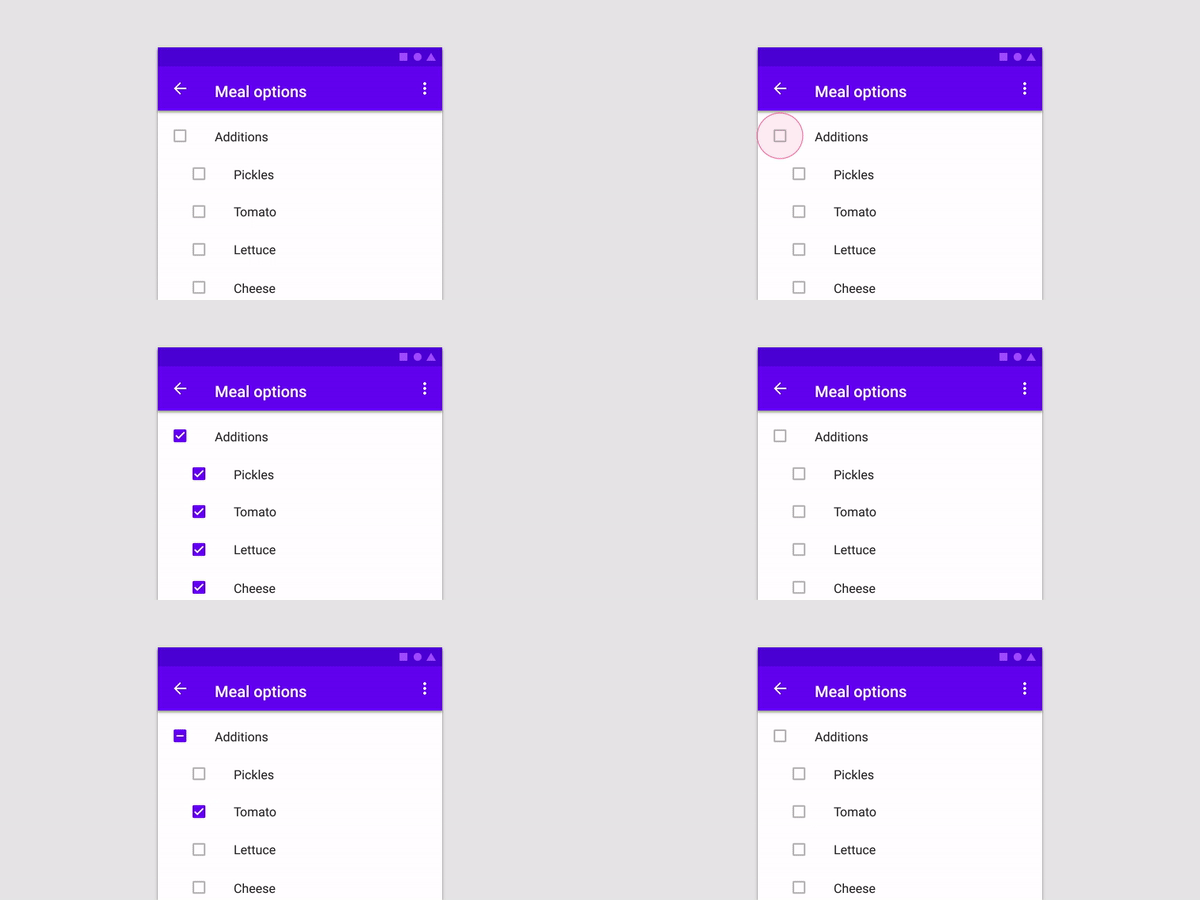
You can create a Parent Checkbox which has multiple checkboxes as their children! The value of parent checkbox depends on the value of children checkboxes and vice-versa.
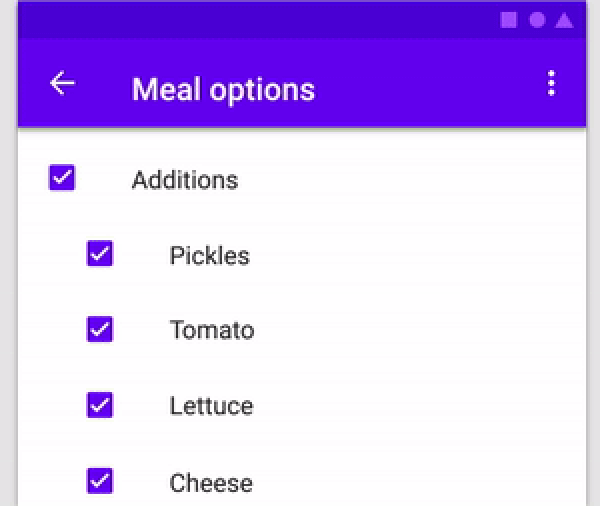
If we clicked on Parent Checkbox, all children checkboxes will be selected too.

alt text

Properties available:

Parameter Name Parameter Type Description
parent Text Text Widget to specify the Parent checkbox
children List<Text> List<Text> Widgets to specify the Children checkboxes
parentCheckboxColor Color Color of Parent CheckBox
Defaults to [ThemeData.toggleableActiveColor]
childrenCheckboxColor Text Widget Text Widget to specify the Parent checkbox
parentCheckboxScale double Scale of the Parent CheckBox. Defaults to [1.0]
childrenCheckboxScale double Scale of the Children CheckBox. Defaults to [1.0]
gap double Gap between the Parent and Children CheckBox. Defaults to [10.0]
onCheckedChild void Function(int index)? Function that will be executed if a child will be selected
onCheckedParent void Function()? Function that will be executed if the parent will be selected
isParentSelected Getter Getter to get whether particular parent is selected or not.

Example: {'Parent 1' : true, 'Parent 2' : false} where Parent 1 and Parent 2 will be 2 separate parents if you are using multiple ParentChildCheckbox in your code.

Default value will be false for all specified parents
selectedChildrens Getter Getter to get which childrens are selected for a particular parent.

Example: {'Parent 1' : ['Children 1.1','Children 1.2'], 'Parent 2' : []} where Parent 1 and Parent 2 will be 2 separate parents if you are using multiple ParentChildCheckbox in your code.

Default value is {'Parent 1' : [], 'Parent 2' : []}

Example:


import 'dart:developer';
import 'package:flutter/material.dart';
import 'package:parent_child_checkbox/parent_child_checkbox.dart';

void main() => runApp(MyApp());

class MyApp extends StatelessWidget {
  @override
  Widget build(BuildContext context) {
    return MaterialApp(
      title: 'Material App',
      home: Scaffold(
        appBar: AppBar(title: Text('Parent Child Checkox')),
        body: Column(
          children: [
            ParentChildCheckbox(
              parent: Text('Parent 1'),
              children: [
                Text('Children 1.1'),
                Text('Children 1.2'),
                Text('Children 1.3'),
                Text('Children 1.4'),
              ],
              parentCheckboxColor: Colors.orange,
              childrenCheckboxColor: Colors.red,
            ),
            ParentChildCheckbox(
              parent: Text('Parent 2'),
              children: [
                Text('Children 2.1'),
                Text('Children 2.2'),
                Text('Children 2.3'),
                Text('Children 2.4'),
              ],
            ),
            ElevatedButton(
              child: Text('Get Data'),
              onPressed: () {
                log(ParentChildCheckbox.isParentSelected.toString());
                log(ParentChildCheckbox.selectedChildrens.toString());
              },
            ),
          ],
        ),
      ),
    );
  }
}


所属分类

源码仓库

使用此插件的项目

暂无相关数据。