

 v1.2.0
direct_select_flutter
受 https://dribbble.com/shots/3876250-DirectSelect-Dropdown-ux 启发的直接选择小部件实现
321喜欢 440近 30 天下载160Pub 分数
AndroidiOSWebmacOSWindowsLinux
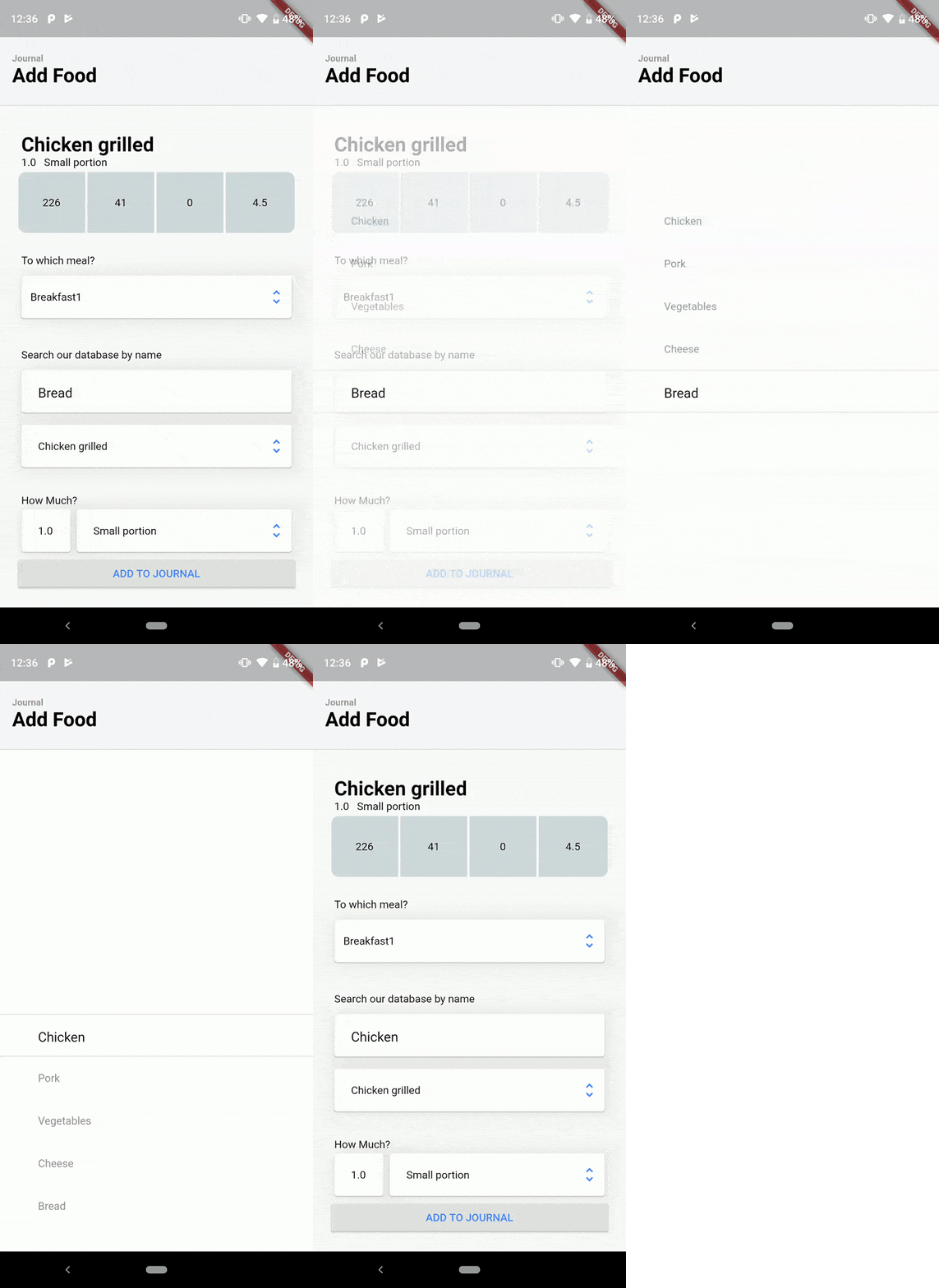
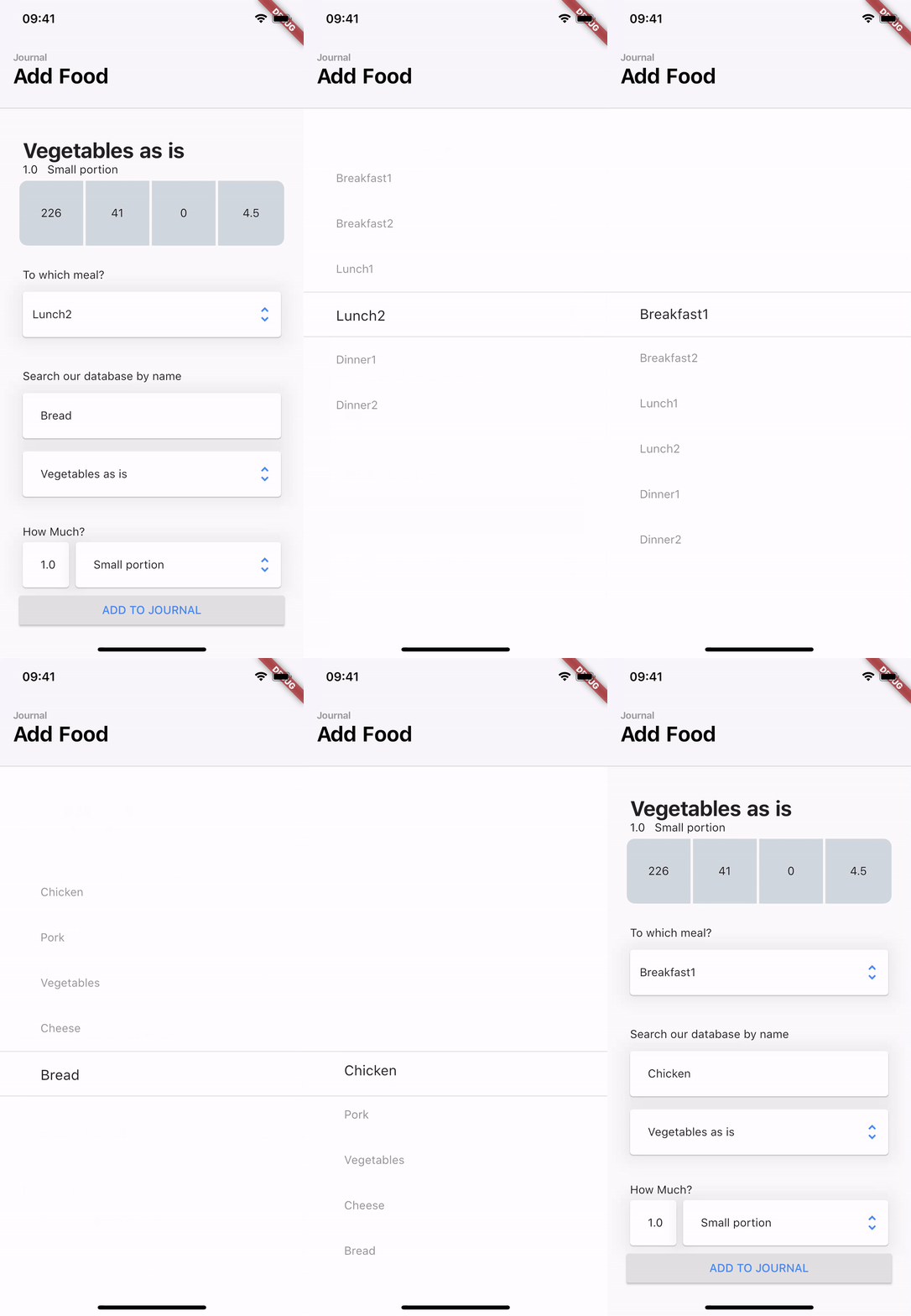
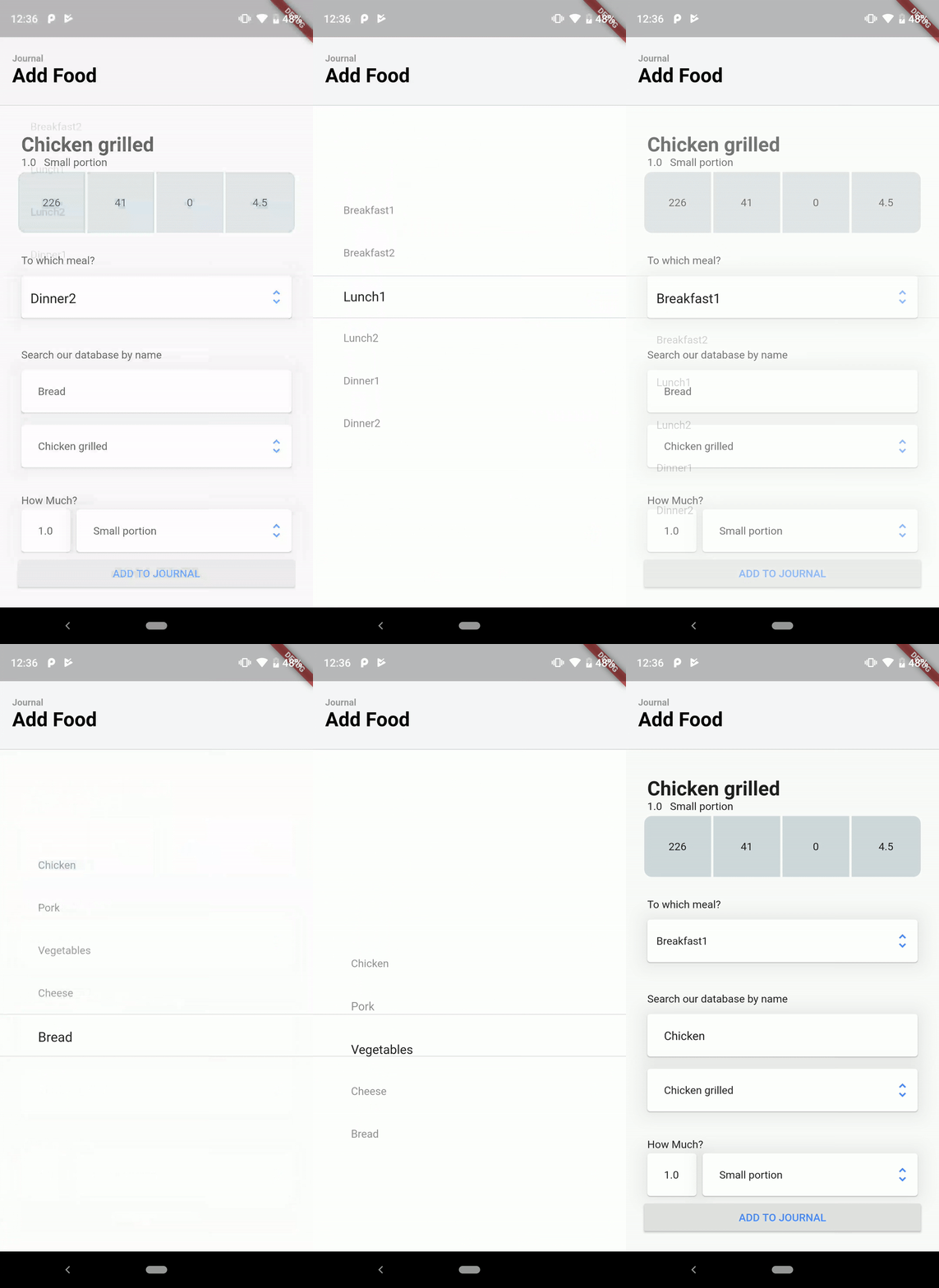
DirectSelect 是一个选择控件,当与该控件交互时,会显示一个空灵的全屏模态弹出窗口,展示所有可用选项。https://dribbble.com/shots/3876250-DirectSelect-Dropdown-ux

以下为英文项目原文快照,最新内容请访问 GitHub。
DirectSelect is a selection widget with an ethereal, full-screen modal popup displaying the available choices when the widget is interact with. Inspired by dribble shot.
Made in lanars.com.


Create DirectSelectList and fill it with items using itemBuilder
    final dsl = DirectSelectList<String>(
        values: _cities,
        defaultItemIndex: 3,
        itemBuilder: (String value) => getDropDownMenuItem(value),
        focusedItemDecoration: _getDslDecoration(),
        onItemSelectedListener: (item, index, context) {
          Scaffold.of(context).showSnackBar(SnackBar(content: Text(item)));
        });
Create items like this
  DirectSelectItem<String> getDropDownMenuItem(String value) {
    return DirectSelectItem<String>(
        itemHeight: 56,
        value: value,
        itemBuilder: (context, value) {
          return Text(value);
        });
  }
Create decorations for focused items
  _getDslDecoration() {
   return BoxDecoration(
     border: BorderDirectional(
       bottom: BorderSide(width: 1, color: Colors.black12),
       top: BorderSide(width: 1, color: Colors.black12),
     ),
   );
 }
Create DirectSelectContainer and fill it with your data
Scaffold(
      appBar: appBar,
      body: DirectSelectContainer(
        child: Padding(
          padding: const EdgeInsets.all(16.0),
          child: Column(
            mainAxisSize: MainAxisSize.min,
            verticalDirection: VerticalDirection.down,
            children: <Widget>[
              SizedBox(height: 150.0),
              Padding(
                padding: const EdgeInsets.all(8.0),
                child: Column(
                  children: <Widget>[
                    Container(
                      alignment: AlignmentDirectional.centerStart,
                      margin: EdgeInsets.only(left: 4),
                      child: Text("City"),
                    ),
                    Padding(
                      padding: const EdgeInsets.fromLTRB(0, 8, 0, 0),
                      child: Card(
                        child: Row(
                          mainAxisSize: MainAxisSize.max,
                          children: <Widget>[
                            Expanded(
                                child: Padding(
                                    child: DirectSelectList<String>(
                                                     values: _cities,
                                                     defaultItemIndex: 3,
                                                     itemBuilder: (String value) => getDropDownMenuItem(value),
                                                     focusedItemDecoration: _getDslDecoration(),
                                                     onItemSelectedListener: (item, index, context) {
                                                       Scaffold.of(context).showSnackBar(SnackBar(content: Text(item)));
                                                     }),
                                    padding: EdgeInsets.only(left: 12))),
                            Padding(
                              padding: EdgeInsets.only(right: 8),
                              child: Icon(
                                Icons.unfold_more,
                                color: Colors.black38,
                              ),
                            )
                          ],
                        ),
                         ),
                    ),
                  ],
                ),
              ),
            ],
          ),
        ),
      ),
    );
依赖清单 2 项
{"sdk":"flutter"}{"sdk":"flutter"}先按使用场景筛选,再比较项目活跃情况,最后到原始仓库核对使用要求。
“A repository is the most basic element of GitHub.”
GitHub Docs — About repositories ↗