

 v1.1.0
checkout_screen_ui
一个预构建的 UI,代表结账屏幕,旨在与您自己的逻辑结合使用。
45喜欢 118近 30 天下载160Pub 分数
AndroidiOSWebmacOSWindowsLinux
OfficialFlutterButter/checkout_screen_ui open-source repository details.

以下为英文项目原文快照,最新内容请访问 GitHub。
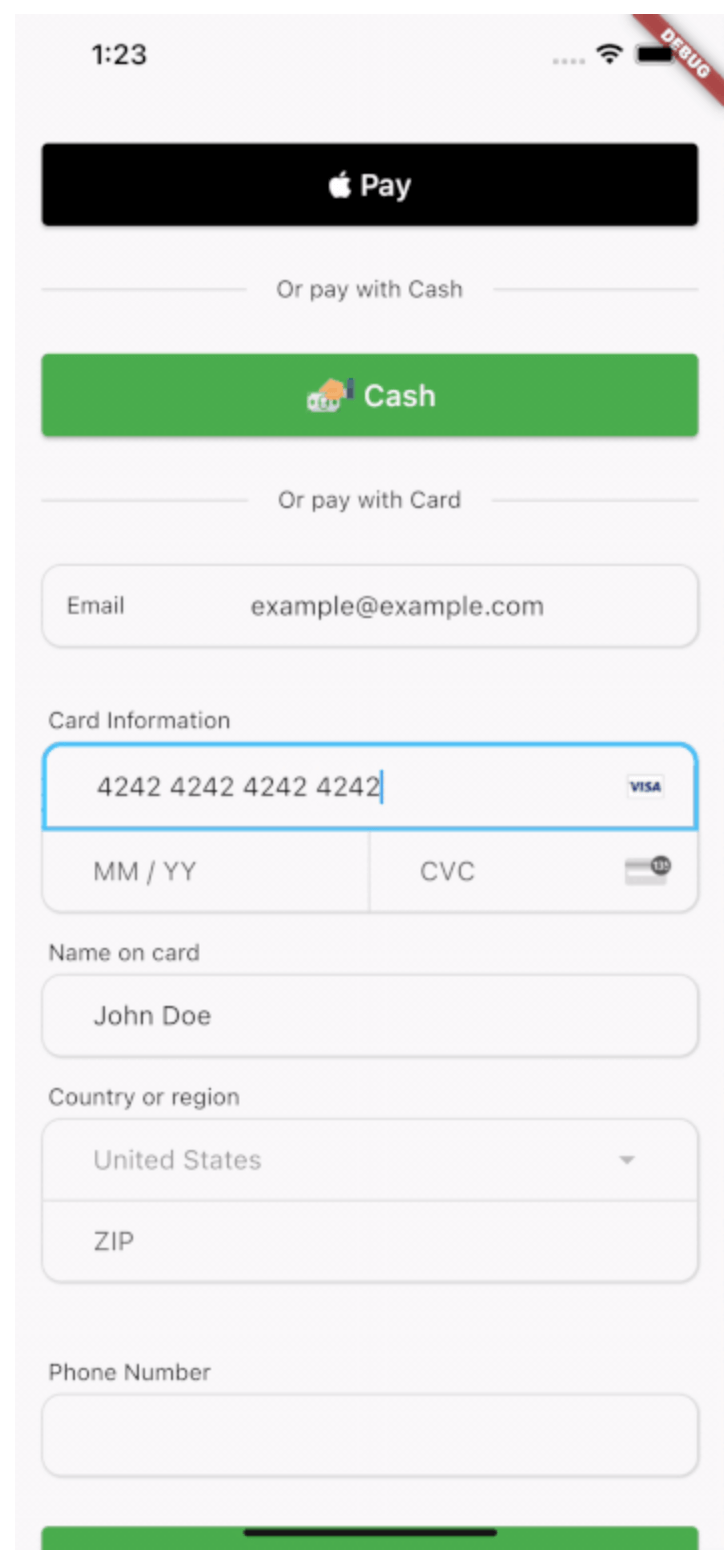
A Widget representing a checkout screen that accepts native and credit card payments along with a button for cash payments if your system has 'in person' payments. This is a UI only widget and is meant to compliment whatever third party transaction api system you are using.
Includes a CreditCardForm widget that allows you to utilize only the credit card form without the rest of the checkout screen if desired.
This package is UI only. Card data exists in memory inside Flutter text controllers while the user types. Never log CardFormResults or raw PAN/CVC in production. In release and profile builds, CardFormResults.toString() is redacted; in debug builds it includes full values for developer convenience—still do not persist it or ship debug logs that contain card data. Send card data only to your PCI-compliant processor (for example Stripe) over TLS, following their integration guidance.
In the pubspec.yaml of your Flutter project, add:
dependencies:
  checkout_screen_ui: ^1.1.0
Import the barrel (recommended) or specific libraries:
import 'package:checkout_screen_ui/checkout_screen_ui.dart';
// or
import 'package:checkout_screen_ui/checkout_ui.dart';
The main entry point is CheckoutPage with a CheckoutData object:
final List<PriceItem> priceItems = [
  PriceItem(name: 'Product A', quantity: 1, itemCostCents: 5200),
  PriceItem(name: 'Product B', quantity: 2, itemCostCents: 8599),
];

CheckoutPage(
  data: CheckoutData(
    priceItems: priceItems,
    payToName: 'Vendor Name',
    taxRate: 0.07,
    displayNativePay: true,
    isApple: Platform.isIOS,
    onNativePay: (result) { /* ... */ },
    onCashPay: (result) { /* ... */ },
    onCardPay: (card, result) {
      // card: CardFormResults — never log in production
      // result: CheckOutResult — items, subtotal, tax, total in cents
    },
    onBack: () => Navigator.of(context).pop(),
  ),
  footer: CheckoutPageFooter(
    termsLink: 'https://example.com/terms',
    privacyLink: 'https://example.com/privacy',
  ),
);
Optional theming:
MaterialApp(
  theme: ThemeData(
    extensions: const [
      CheckoutTheme(
        chargeAmountColor: Colors.teal,
        nativePayBackgroundColor: Colors.black,
        nativePayForegroundColor: Colors.white,
      ),
    ],
  ),
  // ...
);
If a feature is missing (the Dart language is always evolving) or you'd like an easier or better way to do something, consider opening a pull request. You can always file an issue, but generally speaking feature requests will be on a best-effort basis.
依赖清单 6 项
{"sdk":"flutter"}^1.0.0^6.3.2^2.4.2{"sdk":"flutter"}^6.0.0先按使用场景筛选,再比较项目活跃情况,最后到原始仓库核对使用要求。
“A repository is the most basic element of GitHub.”
GitHub Docs — About repositories ↗