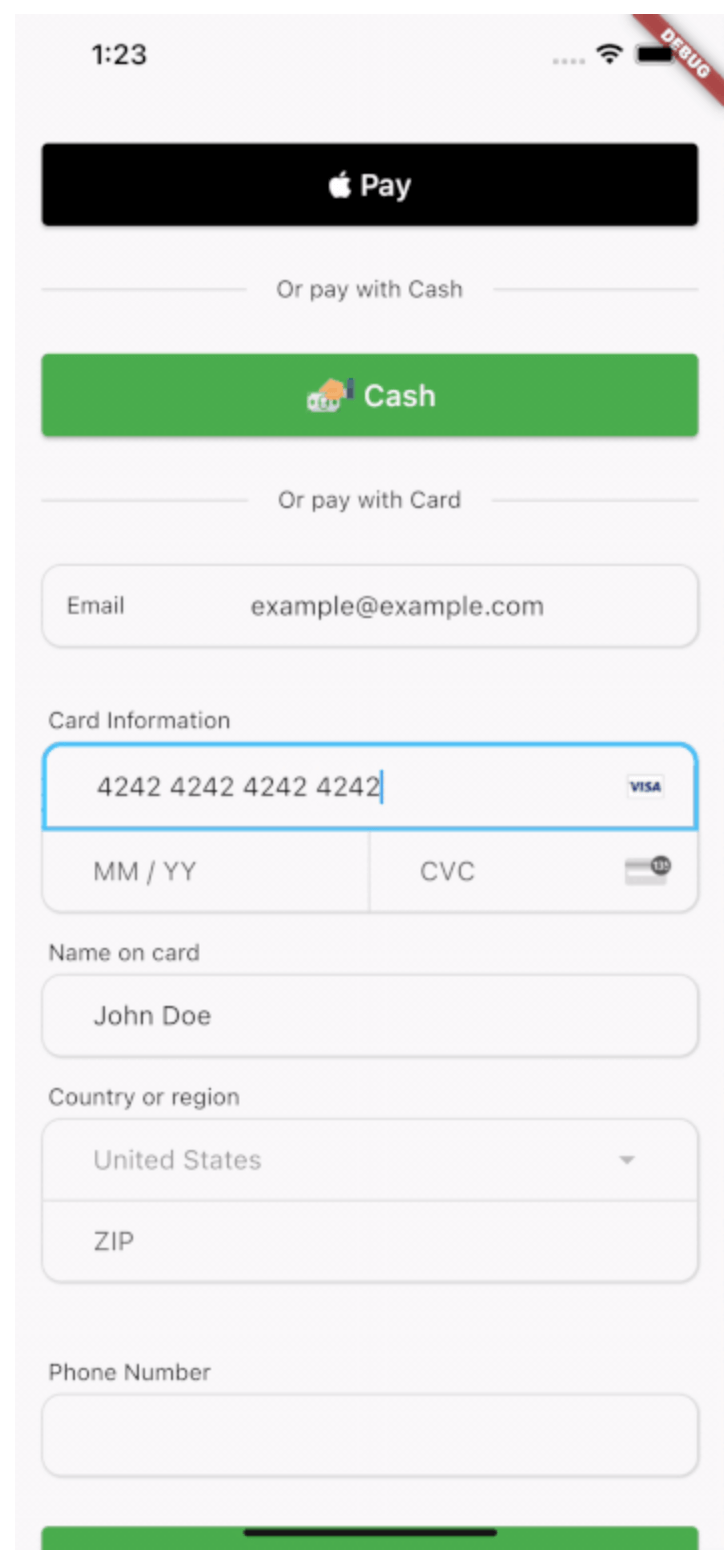
A Widget representing a checkout screen that accepts native and credit card payments along with a button for cash payments if your system has 'in person' payments. This is a UI only widget and is meant to compliment whatever third party transaction api system you are using.
Includes a CreditCardForm widget that allows you to utilize only the credit card form without the rest of the checkout screen if desired.
Security and PCI scope
This package is UI only. Card data exists in memory inside Flutter text controllers while the user types. Never log CardFormResults or raw PAN/CVC in production. In release and profile builds, CardFormResults.toString() is redacted; in debug builds it includes full values for developer convenience—still do not persist it or ship debug logs that contain card data. Send card data only to your PCI-compliant processor (for example Stripe) over TLS, following their integration guidance.
Installation
In the pubspec.yaml of your Flutter project, add:
dependencies:
  checkout_screen_ui: ^1.1.0
Import the barrel (recommended) or specific libraries:
import 'package:checkout_screen_ui/checkout_screen_ui.dart';
import 'package:checkout_screen_ui/checkout_ui.dart';
Usage
The main entry point is CheckoutPage with a CheckoutData object:
final List<PriceItem> priceItems = [
PriceItem(name: 'Product A', quantity: 1, itemCostCents: 5200),
PriceItem(name: 'Product B', quantity: 2, itemCostCents: 8599),
];
CheckoutPage(
data: CheckoutData(
priceItems: priceItems,
payToName: 'Vendor Name',
taxRate: 0.07,
displayNativePay: true,
isApple: Platform.isIOS,
onNativePay: (result) { },
onCashPay: (result) { },
onCardPay: (card, result) {
},
onBack: () => Navigator.of(context).pop(),
),
footer: CheckoutPageFooter(
termsLink: 'https://example.com/terms',
privacyLink: 'https://example.com/privacy',
),
);
Optional theming:
MaterialApp(
theme: ThemeData(
extensions: const [
CheckoutTheme(
chargeAmountColor: Colors.teal,
nativePayBackgroundColor: Colors.black,
nativePayForegroundColor: Colors.white,
),
],
),
);
Additional information
If a feature is missing (the Dart language is always evolving) or you'd like an
easier or better way to do something, consider opening a pull request.
You can always file an issue, but generally speaking feature requests
will be on a best-effort basis.