
 v3.3.1
radio_group_v2
一个将单选按钮分组的控件,使它们能够协同工作,为用户提供在应用中进行选择时的良好体验。
32喜欢 621近 30 天下载70Pub 分数
平台暂无数据
一个将单选按钮分组的控件,使它们能够协同工作,为用户提供在应用中进行选择时的良好体验。

{"sdk":"flutter"}^5.0.0{"sdk":"flutter"}^5.1.1以下为英文项目原文快照,最新内容请访问 GitHub。
A widget that groups radio buttons so they can work together to give the user a pleasant experience when making selections within the app.
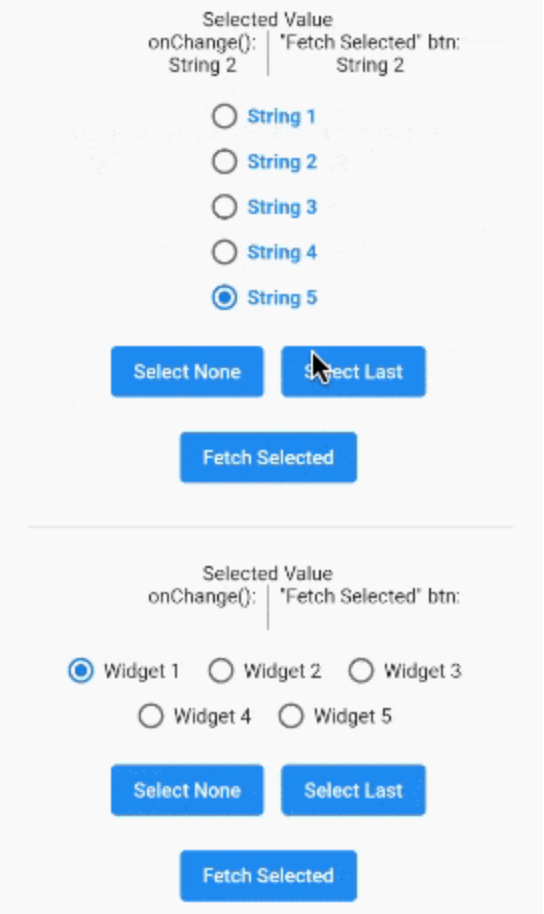
A gif demonstrating the radio group in action.
In the pubspec.yaml of your flutter project, add the following dependency:
dependencies:
  radio_group_v2: ^3.3.1
Import it to each file you use it in:
import 'package:radio_group_v2/radio_group_v2.dart';
This example is a very basic, vertical radio group.
RadioGroupController myController = RadioGroupController();

RadioGroup(
  controller: myController,
  values: ["Choice1", "Choice2", "Choice3"],
)
This example is a horizontal radio group with some decoration, and it starts with the first button selected.
RadioGroupController myController = RadioGroupController();

RadioGroup(
  controller: myController,
  values: ["Choice1", "Choice2", "Choice3"],
  indexOfDefault: 0,
  orientation: RadioGroupOrientation.Horizontal,
  decoration: RadioGroupDecoration(
    spacing: 10.0,
    labelStyle: TextStyle(
      color: Colors.blue,
    ),
    activeColor: Colors.amber,
  ),
)
This example shows how to programmatically select an item using two different methods.
RadioGroupController myController = RadioGroupController();

List<String> items = ["Choice1", "Choice2", "Choice3"];

RadioGroup(
  controller: myController,
  values: items,
)

// Method 1 - Selects a specific item from the list.
myController.value = items[1]; // Selects Choice2

// Method 2 - Selects whatever item is at the given
//            index in the list.
myController.selectAt(2); // Selects Choice3
This example shows how to programmatically select an item using two different silent methods. This means, when the new value in is selected in the list, the onChanged method will not be called.
RadioGroupController myController = RadioGroupController();

List<String> items = ["Choice1", "Choice2", "Choice3"];

RadioGroup(
  controller: myController,
  values: items,
)

// Method 1 - Selects a specific item from the list.
myController.setValueSilently(items[1]); // Selects Choice2

// Method 2 - Selects whatever item is at the given
//            index in the list.
myController.selectSilentlyAt(2); // Selects Choice3
This example shows how to retrieve the selected value.
RadioGroupController myController = RadioGroupController();

RadioGroup(
  controller: myController,
  values: ["Choice1", "Choice2", "Choice3"],
)

String selected = myController.value.toString();