

 v0.4.4
flutter_cached_pdfview
一个用于在 iOS 和 Android 上显示原生 PDF 视图的包,支持从路径、资源或 URL 打开并缓存。
501喜欢 5.2万近 30 天下载140Pub 分数
AndroidiOS
Flutter 的增强型 PDF 查看器。

以下为英文项目原文快照,最新内容请访问 GitHub。








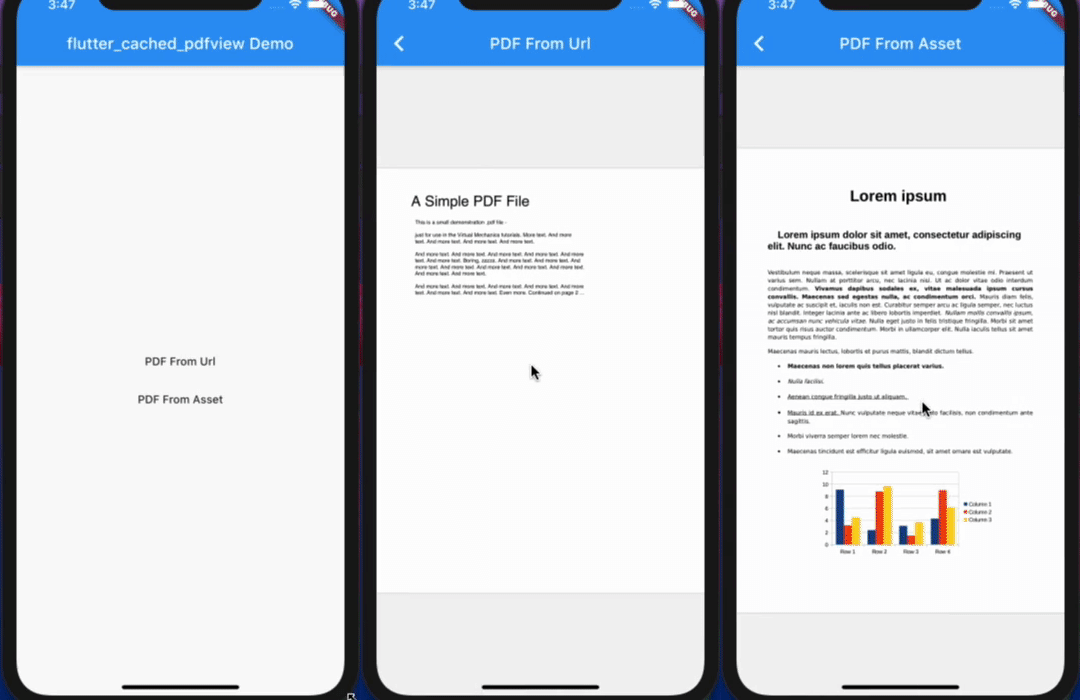
A package to show Native PDF View for iOS and Android, support Open from a different resource like Path, Asset or Url and Cache it.
📖 Read the case study — how this package is built and maintained — and the step-by-step usage guide by the author.
Opt-in to the embedded views preview by adding a boolean property to the app's Info.plist file
with the key io.flutter.embedded_views_preview and the value YES.
iOS (only support> 11.0) you need to add this line in your ios/Podfile
platform :ios, '11.0'
ready-made in the Example
Now in your Dart code, you can use:
import 'package:flutter_cached_pdfview/flutter_cached_pdfview.dart';
| Name | Android | iOS | Default |
|---|---|---|---|
| defaultPage | ✅ | ✅ | 0 |
| onViewCreated | ✅ | ✅ | null |
| onRender | ✅ | ✅ | null |
| onPageChanged | ✅ | ✅ | null |
| onError | ✅ | ✅ | null |
| onPageError | ✅ | ❌ | null |
| onLinkHandle | ✅ | ✅ | null |
| gestureRecognizers | ✅ | ✅ | null |
| filePath | ✅ | ✅ | |
| fitPolicy | ✅ | ❌ | FitPolicy.WIDTH |
| enableSwipe | ✅ | ✅ | true |
| swipeHorizontal | ✅ | ✅ | false |
| password | ✅ | ✅ | null |
| nightMode | ✅ | ❌ | false |
| autoSpacing | ✅ | ✅ | true |
| pageFling | ✅ | ✅ | true |
| pageSnap | ✅ | ❌ | true |
| preventLinkNavigation | ✅ | ✅ | false |
| bockgroundColor | ✅ | ✅ | null |
| Name | Description | Parameters | Return |
|---|---|---|---|
| getPageCount | Get total page count | - | Future<int> |
| getCurrentPage | Get current page | - | Future<int> |
| setPage | Go to/Set page | int page |
Future<bool> |
       PDF(
        enableSwipe: true,
        swipeHorizontal: true,
        autoSpacing: false,
        pageFling: false,
        backgroundColor: Colors.grey,
        onError: (error) {
          print(error.toString());
        },
        onPageError: (page, error) {
          print('$page: ${error.toString()}');
        },
        onPageChanged: (int page, int total) {
          print('page change: $page/$total');
        },
      ).fromAsset('assets/pdf/file-example.pdf'),
      PDF(
        swipeHorizontal: true,
      ).cachedFromUrl('https://ontheline.trincoll.edu/images/bookdown/sample-local-pdf.pdf'),
      PDF().cachedFromUrl(
             'https://ontheline.trincoll.edu/images/bookdown/sample-local-pdf.pdf',
             placeholder: (progress) => Center(child: Text('$progress %')),
             errorWidget: (error) => Center(child: Text(error.toString())),
           )
If you use proguard, you should include this line [ready-made in the Example].
-keep class com.shockwave.**


依赖清单 6 项
{"sdk":"flutter"}>=1.0.0 <2.0.0>=3.0.0 <4.0.0>=2.0.0 <3.0.0>=1.0.0 <2.0.0{"sdk":"flutter"}先按使用场景筛选,再比较项目活跃情况,最后到原始仓库核对使用要求。
“A repository is the most basic element of GitHub.”
GitHub Docs — About repositories ↗