
v0.3.8
scrollable_positioned_list
一个带有辅助方法的列表,可编程地滚动到某个项目。
1990喜欢 66.8万近 30 天下载140Pub 分数
AndroidiOSWebmacOSWindowsLinux
一个简单的健身计时器,使用 Flutter 构建!

一个带有辅助方法的列表,可编程地滚动到某个项目。
一个用于文本转语音的 Flutter 插件。此插件支持 iOS、macOS、Android、Web 和 Windows。
 v2.1.2
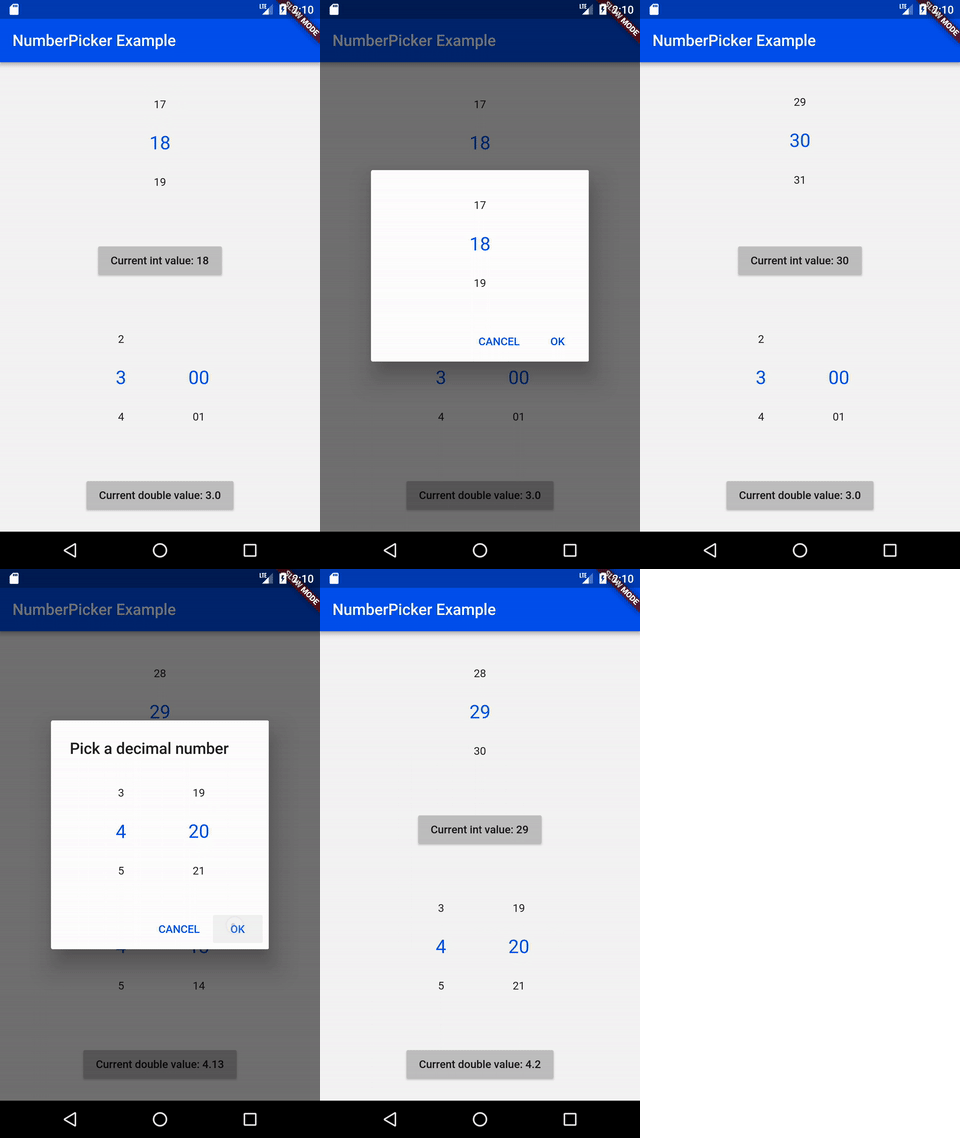
NumberPicker 是一个允许用户通过滚动旋钮选择数字的控件。
轻松从头开始重启您的应用,丢失任何先前的状态
intl_utils 是一个 Dart 库,可从 ARB 文件生成 Dart 本地化代码。生成的代码依赖于 Intl 库。
一个使用 pubspec.yaml/lock 文件生成详细且更好的开源许可证列表的工具。
用于在 Android 和 iOS 上选择和保存文件的对话框。
帮助将 Flutter/Dart 的 pubspec.yaml 依赖项按字母顺序排序。
 v3.0.0
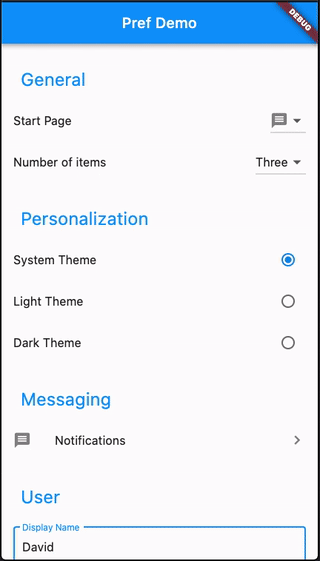
使用高级功能和子页面轻松创建首选项屏幕
一个库包,利用插件 shared_preferences 在 Android 和 iOS 平台上存储和读取应用程序的偏好设置。
^1.18.0^1.7.0{"sdk":"flutter"}^3.0.2{"sdk":"flutter"}^2.4.0^1.1.1^4.0.2^8.2.5^0.19.0^4.9.0^2.1.2^1.8.0^2.1.3^2.8.0^4.1.0+3^6.1.2^0.3.8^9.0.0^2.4.1^6.2.6^4.4.0^1.2.5^2.4.11^0.13.1^4.0.0^3.0.2^2.8.7^6.8.0^1.0.5以下为英文项目原文快照,最新内容请访问 GitHub。
Contributors Forks Stargazers Issues MIT License Übersetzungsstatus ko-fi GitHub Workflow Status (branch) GitHub release (latest SemVer) F-Droid
A simple timer for your workouts, built with Flutter!
Get it on F-Droid
Get it on GitHub
NOTE: Due to the process of releasing updates on F-Droid, the version there can be outdated for a few days. The version on GitHub will always be the latest. Keep in mind, that the F-Droid and GitHub versions are not compatible with each other. If you switch, you will loose ALL your data. You need to backup your workouts to keep them.
You can export individual workouts or create an export of all your workouts and import them later. You can also transfer them to another device.
See the open issues for a list of proposed features (and known issues).
Contributions are what make the open source community such an amazing place to learn, inspire, and create. Any contributions you make are greatly appreciated.
git checkout -b feature/AmazingFeature)git commit -m 'Add some AmazingFeature')git push origin feature/AmazingFeature)flutter pub getflutter pub global activate script_runnerscr buildflutter build apk or run using your IDEDistributed under the MIT License. See LICENSE for more information.