
 v1.1.1
quick_actions
用于在主屏幕上创建快捷方式的 Flutter 插件,也称为 iOS 上的快速操作和 Android 上的应用程序快捷方式。
1130喜欢 20.7万近 30 天下载160Pub 分数
AndroidiOS
单位转换器应用:简单、即时且跨平台
 v1.1.1
用于在主屏幕上创建快捷方式的 Flutter 插件,也称为 iOS 上的快速操作和 Android 上的应用程序快捷方式。
一个使用二进制编码的 Flutter 向量图形渲染包。
一个用于管理包含多个包(单体仓库)的 Dart 和 Flutter 仓库的工具。支持通过常规提交实现自动化版本控制。受 JavaScript 的 Lerna 包启发。
一个命令行工具,可从您的 Flutter Windows 构建文件创建 Msix 安装程序。
简单轻量的单位转换包,满足您的所有需求。
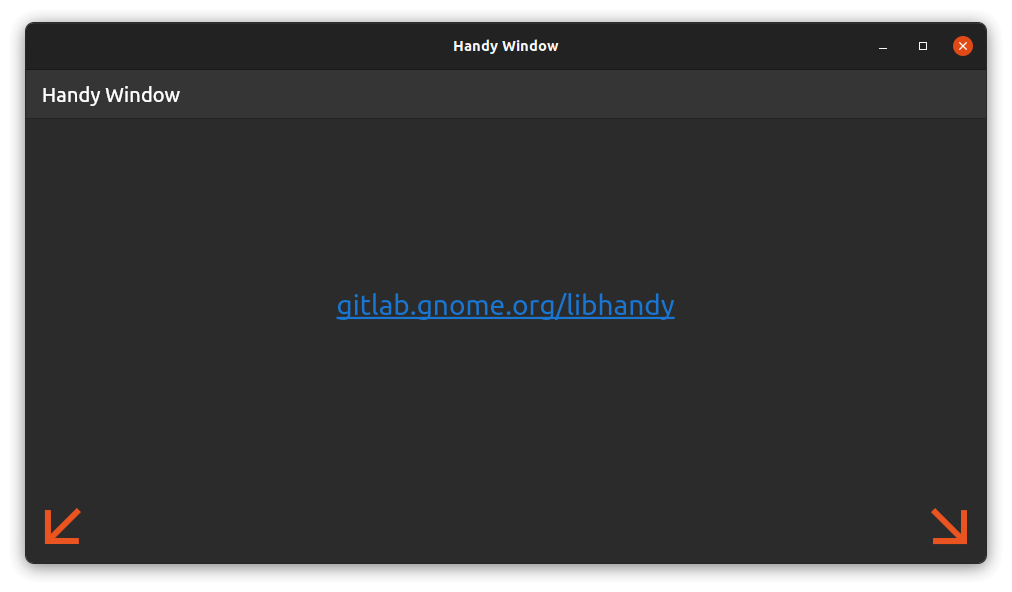 v0.4.2
此包通过提供带有圆角底部的现代感十足的 Handy 窗口,增强了 Flutter 应用程序在 Linux 上的外观。
{"sdk":"flutter"}{"sdk":"flutter"}^1.19.1^2.1.0^12.0.0^3.4.2^2.3.0^17.5.0^0.4.2^1.6.0^0.20.3^1.0.0^10.2.1^2.1.6^1.1.0^13.3.0^2.5.5^3.3.1^6.3.2^1.2.3{"git":{"url":"https://github.com/google/flutter-desktop-embedding","ref":"eb3964990cf19629c89ff8cb4a37640c7b3d5601","path":"plugins/window_size"}}{"path":"packages/calculator_widget"}{"path":"packages/translations"}^6.0.0{"sdk":"flutter"}{"sdk":"flutter"}^8.3.0^3.18.0^1.31.1以下为英文项目原文快照,最新内容请访问 GitHub。
Tired of complicated, cluttered, and ad-filled unit converters? Converter NOW is your perfect solution! A few years ago, we realized that most unit converters were not only visually unappealing but also lacked functionality, privacy, and ease of use. So, we created Converter NOW to change that!
🚀 Fast & Intuitive: Experience lightning-fast, real-time conversions as soon as you start typing. No more navigating through confusing menus – just instant results with all measurement units!
🛠️ Fully Customizable: Tailor your experience by reorganizing units based on your preferences and priorities. Make Converter NOW truly yours!
🔢 Built-in Calculator: Perform complex calculations effortlessly on any page. No need to switch between apps – it's all integrated seamlessly.
💱 Daily Currency Exchange Updates: Stay up-to-date with accurate, real-time currency conversions updated daily, perfect for travelers and global professionals.
🎨 Personalize Your Style: Choose your favorite accent color, matching your device's theme or your unique style preferences.
⚫⚪ Light & Dark Modes: Switch between dark and light themes for a comfortable experience, day or night.
📱🖥️ Cross-Platform Support: Enjoy Converter NOW on Android, Web, Linux, and Windows. Whether you're on your phone or desktop, we've got you covered!
💯 Completely Free: No ads, no data collection, and no intrusive permissions (just internet access for currency updates). Best of all, it's 100% open source!
Run the following command:
winget install -e 9P0Q79HWJH72
You can easily self-host the Converter NOW web app on your own machine using either Docker or Podman. Simply run one of the commands below, depending on your containerization tool of choice:
docker run -d -p 8080:80 ghcr.io/ferraridamiano/converternow:latest
podman run -d -p 8080:80 ghcr.io/ferraridamiano/converternow:latest
After running the command, the web app will be accessible in your web browser at
http://localhost:8080.
First you need to
install flutter and all the
tooling for your target platform (e.g. Android Studio for Android, etc.). Then
you have to install melos in order to do some pre-compiling task:
dart pub global activate melos
Then, run melos bootstrap in the root of the project in order to get all the
dependencies, generate the translation files and optimize the svg icons. Then
follow the instructions for the platform you want to target.
On Android you should first disable the signing option in
android/app/build.gradle.kts
Then you can type flutter build apk --split-per-abi to compile the code. You
can find the output in build/app/outputs/flutter-apk folder.
Type flutter build linux to build the Linux app. You can find the output in
build/linux/x64/release/bundle.
Type flutter build windows to build the Windows app. You can find the output
in build/windows/runner/Release.
Type flutter build web to build the Web app. You can find the output in
build/web.
Note: if you deploy it not on the base path, add --base-href=/path/ to the command above, change /path/ with your path.
You can build the Docker image of Converter NOW in your environment with the following command:
docker buildx build -t converternow .
Then, run the docker container:
docker run -d -p 80:80 converternow
You can access it via browser at localhost:80
The app is not tested against iOS and MacOS, but you should be able to compile it even for these platforms. You first need to generate the platform specific code and then compile them.