
persist_theme
Persist Theme - 一个用于持久化主题数据的 Flutter 插件。支持深色模式。维护者 @rodydavis

- 星标
- 69
- 复刻
- 12
- 最近推送(UTC)
- 2021年9月27日
- 项目状态
- 未归档
原始 README
以下为英文项目原文快照,最新内容请访问 GitHub。


persist_theme
A Flutter plugin for persisting and dynamically changing the theme.
Online Demo: https://fluttercommunity.github.io/persist_theme/
import 'package:flutter/material.dart';

import 'package:persist_theme/persist_theme.dart';
import 'package:provider/provider.dart';
import 'package:scoped_model/scoped_model.dart';

import 'dart:io' show Platform;
import 'package:flutter/foundation.dart';

/// main is entry point of Flutter application
void main() {
  // Desktop platforms aren't a valid platform.
  _setTargetPlatformForDesktop();

  return runApp(MyApp());
}

/// If the current platform is desktop, override the default platform to
/// a supported platform (iOS for macOS, Android for Linux and Windows).
/// Otherwise, do nothing.
void _setTargetPlatformForDesktop() {
  TargetPlatform targetPlatform;
  if (Platform.isMacOS) {
    targetPlatform = TargetPlatform.iOS;
  } else if (Platform.isLinux || Platform.isWindows) {
    targetPlatform = TargetPlatform.android;
  }
  if (targetPlatform != null) {
    debugDefaultTargetPlatformOverride = targetPlatform;
  }
}

final _model = ThemeModel();

class MyApp extends StatelessWidget {
  @override
  Widget build(BuildContext context) {
    return ListenableProvider<ThemeModel>(
      create: (_) => _model..init(),
      child: Consumer<ThemeModel>(
        builder: (context, model, child) {
          return MaterialApp(
            theme: model.theme,
            home: HomeScreen(),
          );
        },
      ),
    );
  }
}

class HomeScreen extends StatelessWidget {
  @override
  Widget build(BuildContext context) {
    final _theme = Provider.of<ThemeModel>(context);
    return Scaffold(
      appBar: AppBar(
        title: const Text('Persist Theme'),
      ),
      body: ListView(
        children: MediaQuery.of(context).size.width >= 480
            ? <Widget>[
                Flex(
                  direction: Axis.horizontal,
                  children: <Widget>[
                    Flexible(child: DarkModeSwitch()),
                    Flexible(child: TrueBlackSwitch()),
                  ],
                ),
                CustomThemeSwitch(),
                Flex(
                  direction: Axis.horizontal,
                  children: <Widget>[
                    Flexible(child: PrimaryColorPicker()),
                    Flexible(child: AccentColorPicker()),
                  ],
                ),
                DarkAccentColorPicker(),
              ]
            : <Widget>[
                DarkModeSwitch(),
                TrueBlackSwitch(),
                CustomThemeSwitch(),
                PrimaryColorPicker(),
                AccentColorPicker(),
                DarkAccentColorPicker(),
              ],
      ),
      floatingActionButton: FloatingActionButton(
        backgroundColor: _theme.accentColor,
        child: Icon(Icons.add),
        onPressed: () {},
      ),
    );
  }
}
Customization
- There are widgets provided but can be fully customized.
- By default hide elements based on the theme.
- The only requirement is that the material app is wrapped in a scoped model like shown above.
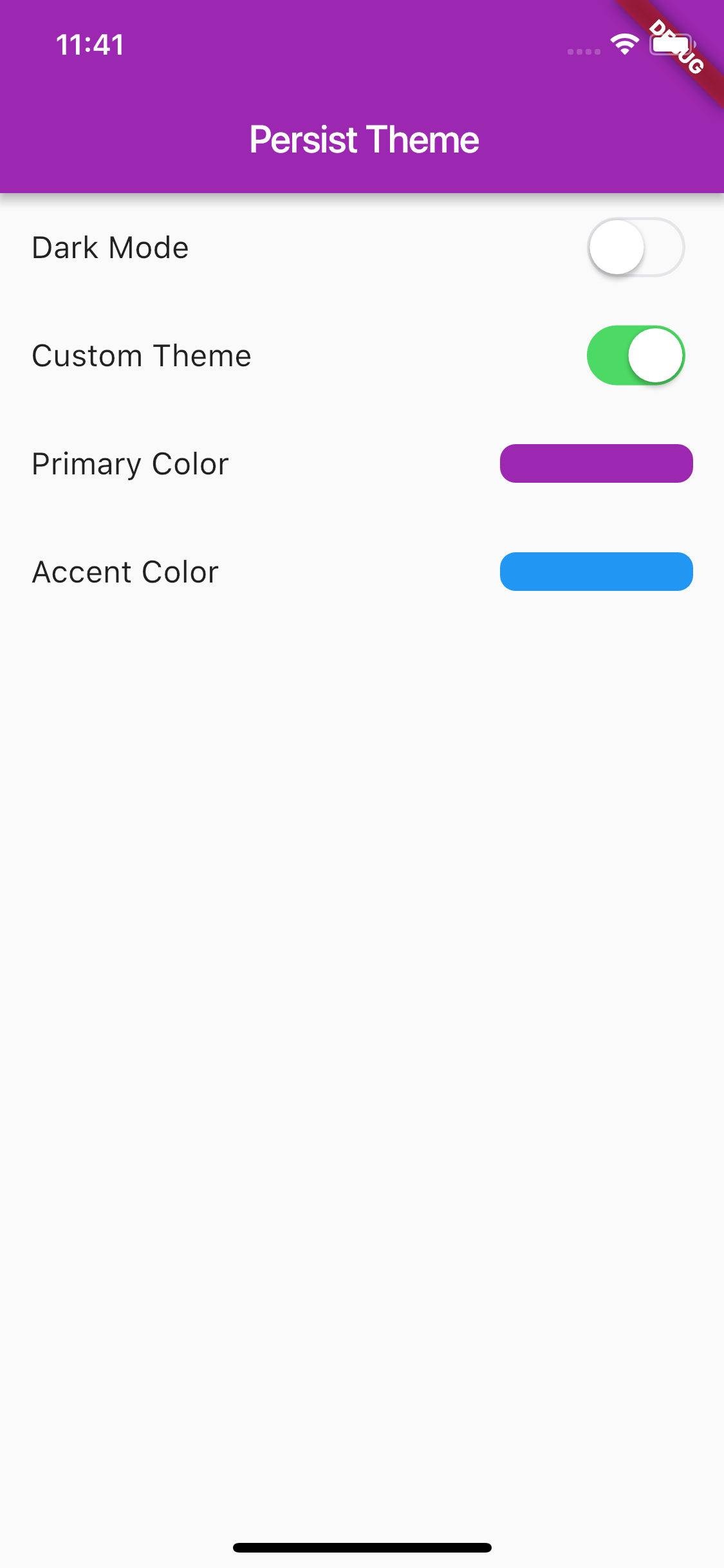
Screenshots
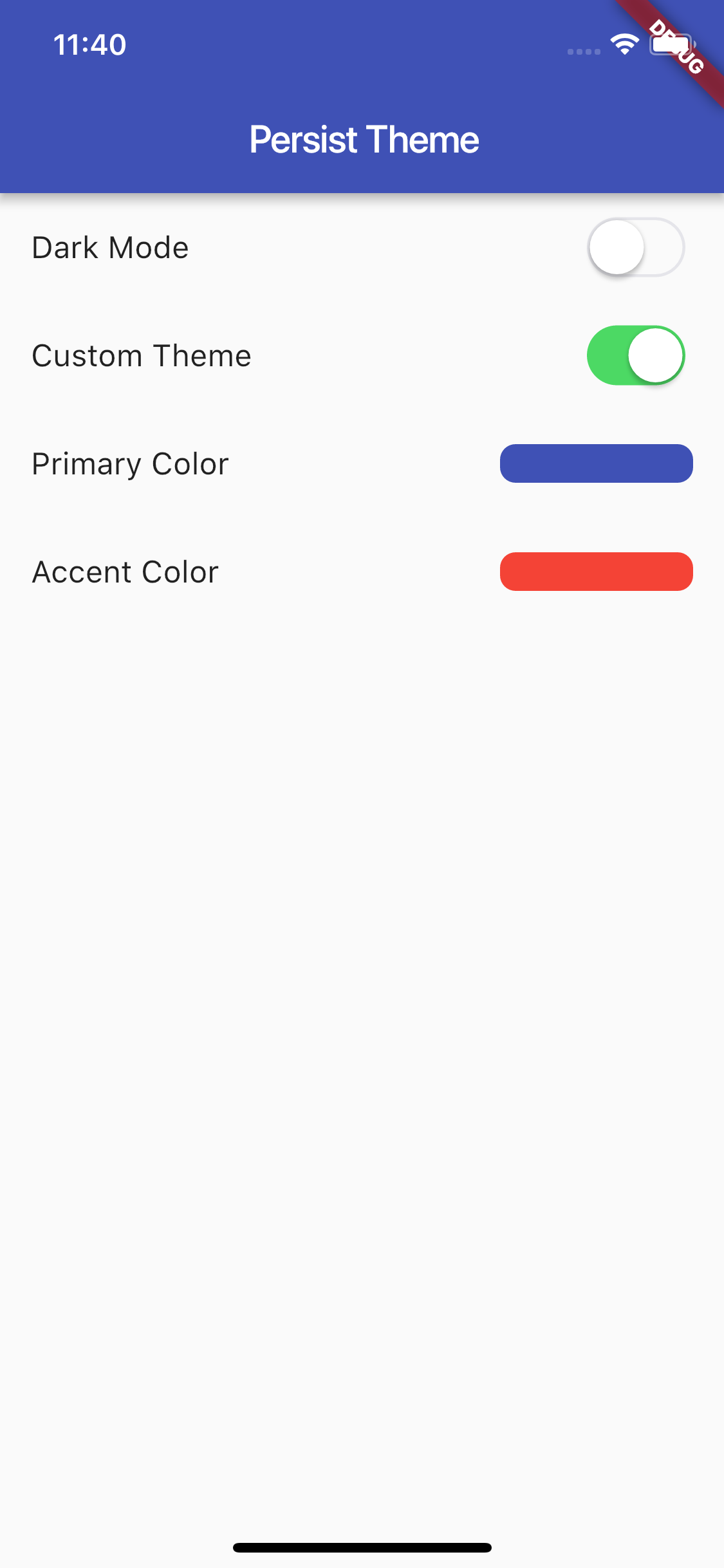
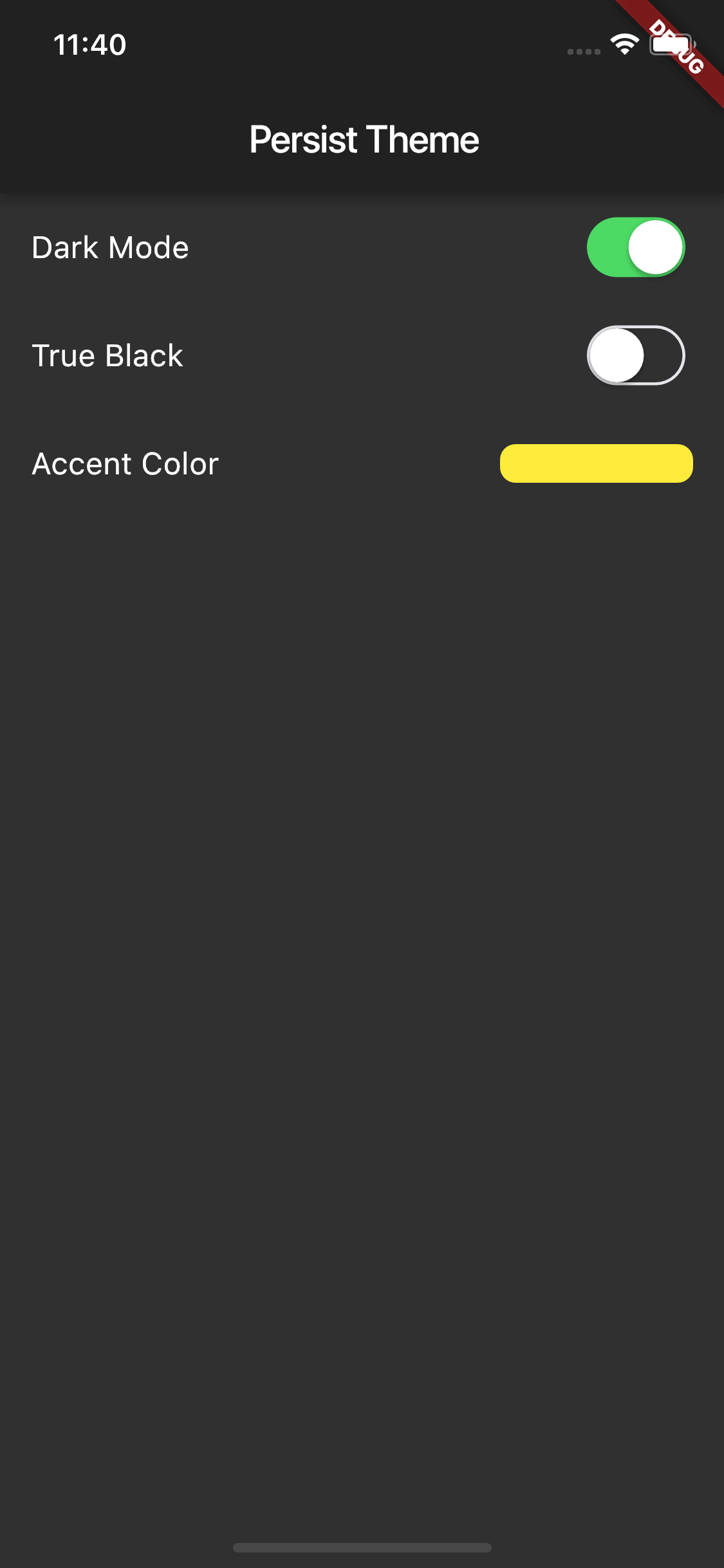
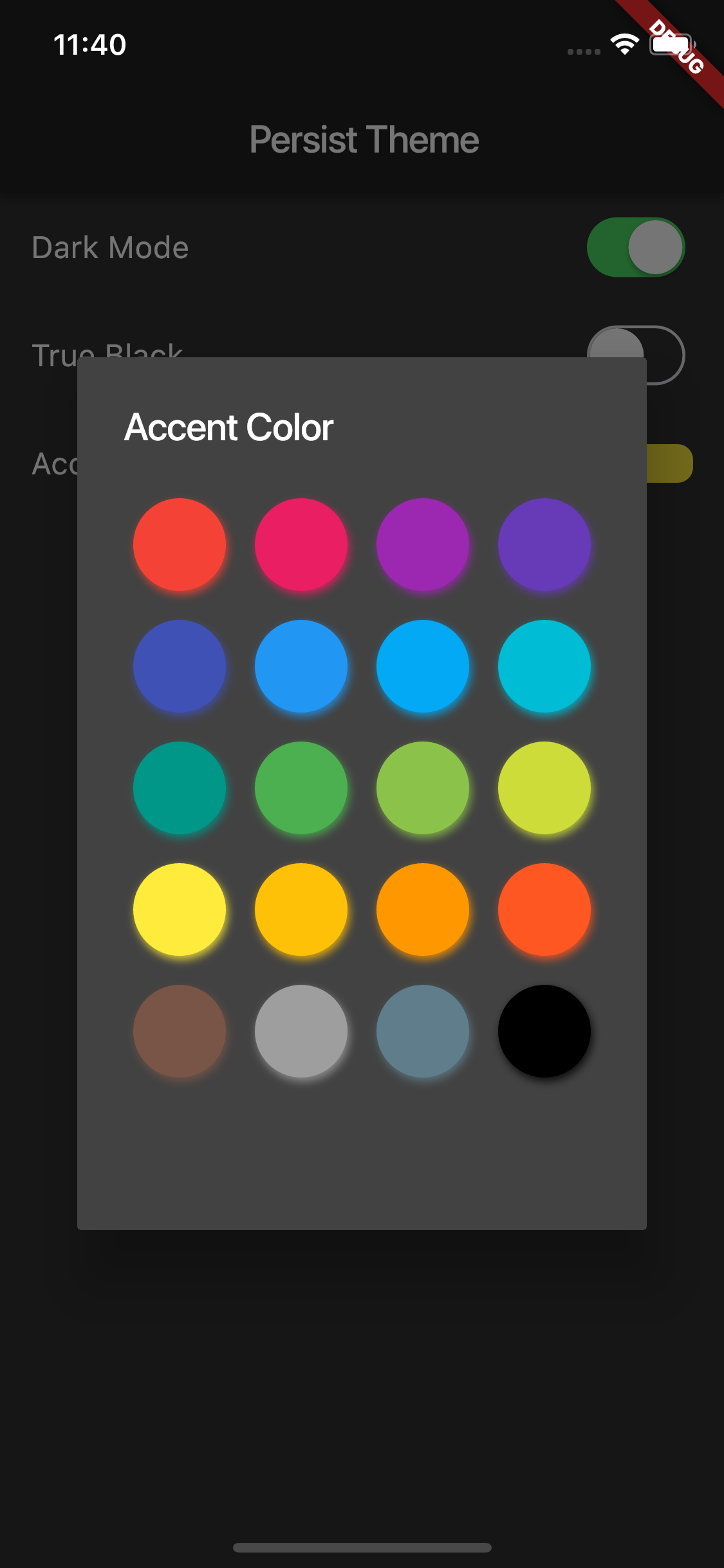
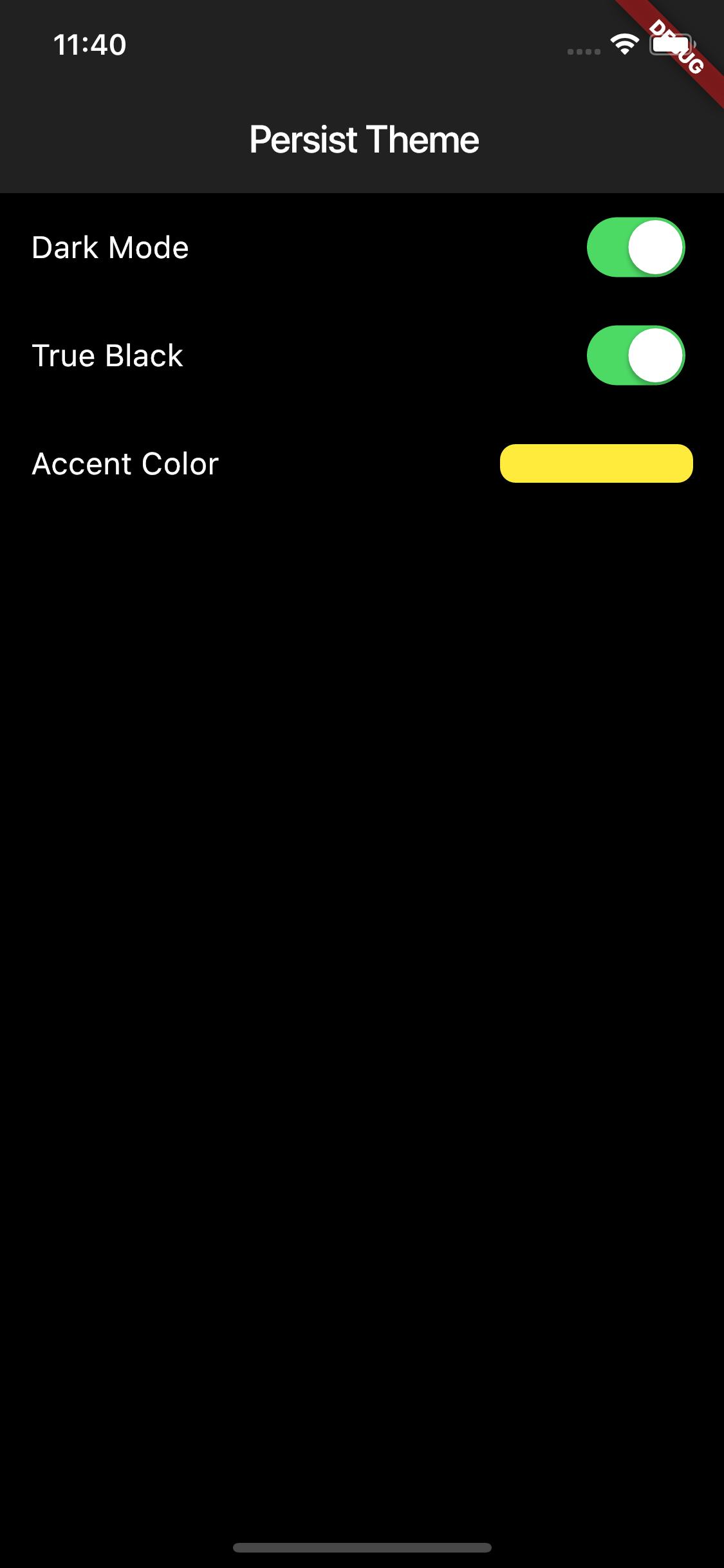

GitHub 作者
Flutter Community ↗
语言DartRubyMakefileC++SwiftHTMLShellKotlinObjective-C
分类
使用的依赖
依赖清单 5 项
- flutter
{"sdk":"flutter"} - provider
^4.0.2 - flutter_material_color_picker
^1.0.5 - shared_preferences
^0.5.7+3 - flutter_test开发依赖
{"sdk":"flutter"}
如何选择适合项目的代码仓?
先按使用场景筛选,再比较项目活跃情况,最后到原始仓库核对使用要求。
- 通过仓库名、作者或描述搜索,再按技术分类缩小范围。
- 结合星标、复刻与最近推送比较项目;星标反映社区关注,不代表质量保证。
- 使用前在 GitHub 核对 README、许可证与 Issues。
来源与维护
“A repository is the most basic element of GitHub.”
GitHub Docs — About repositories ↗