

v0.1.2
google_gemini
适用于 Flutter 的 Google Gemini SDK。此软件包在您的 Flutter 应用程序与 Google 革命性的 Gemini AI 之间提供了一个强大的桥梁。
69喜欢 154近 30 天下载160Pub 分数
AndroidiOSmacOSWindowsLinux
ged-flod/google_gemini open-source repository details.

以下为英文项目原文快照,最新内容请访问 GitHub。
Google Gemini is a set of cutting-edge large language models (LLMs) designed to be the driving force behind Google's future AI initiatives.

This package provides a powerful bridge between your Flutter application and Google's revolutionary Gemini AI. It empowers you to seamlessly integrate Gemini's capabilities into your app, unlocking a world of possibilities for building innovative, intelligent, and engaging experiences that redefine user interaction.
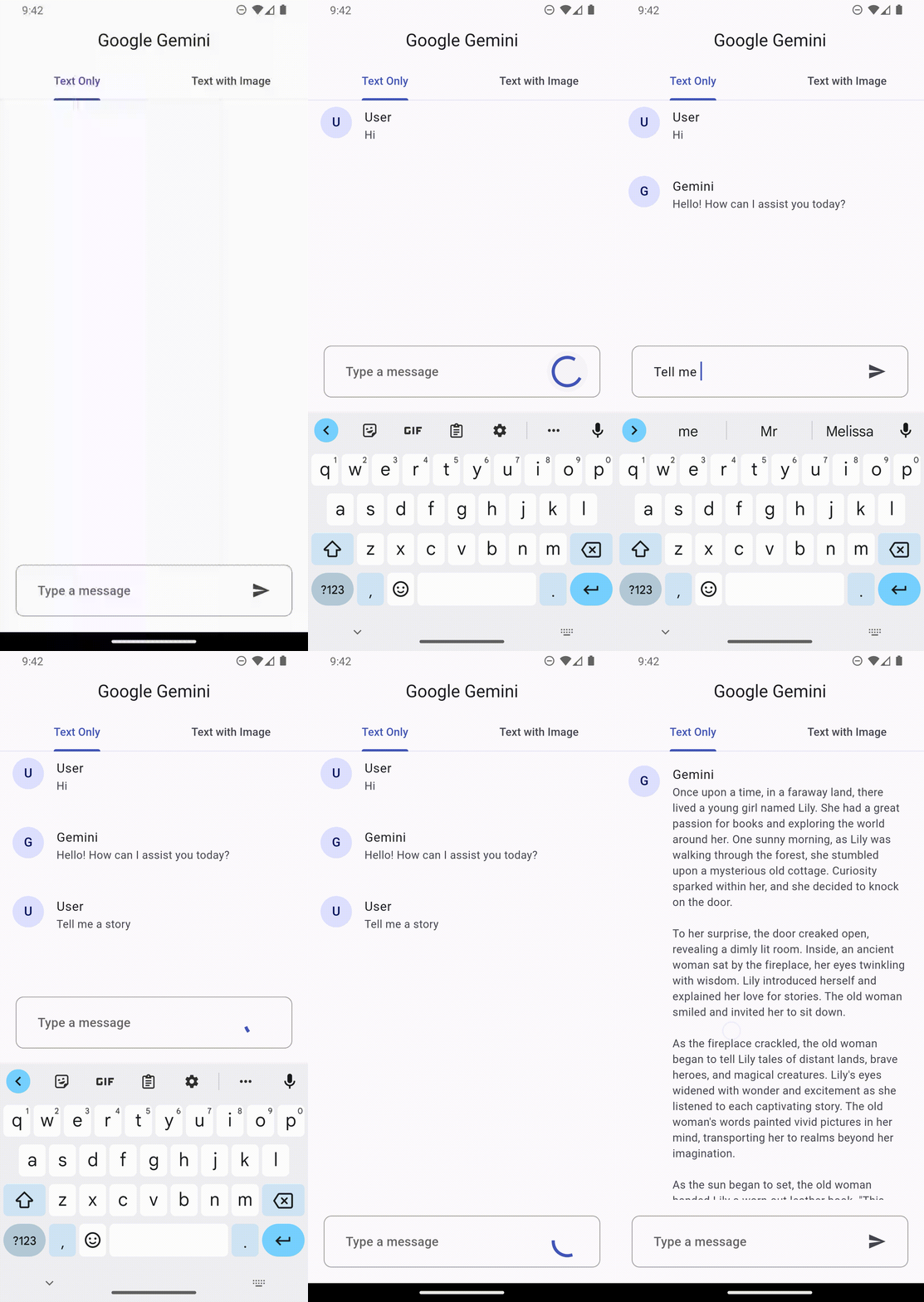
|
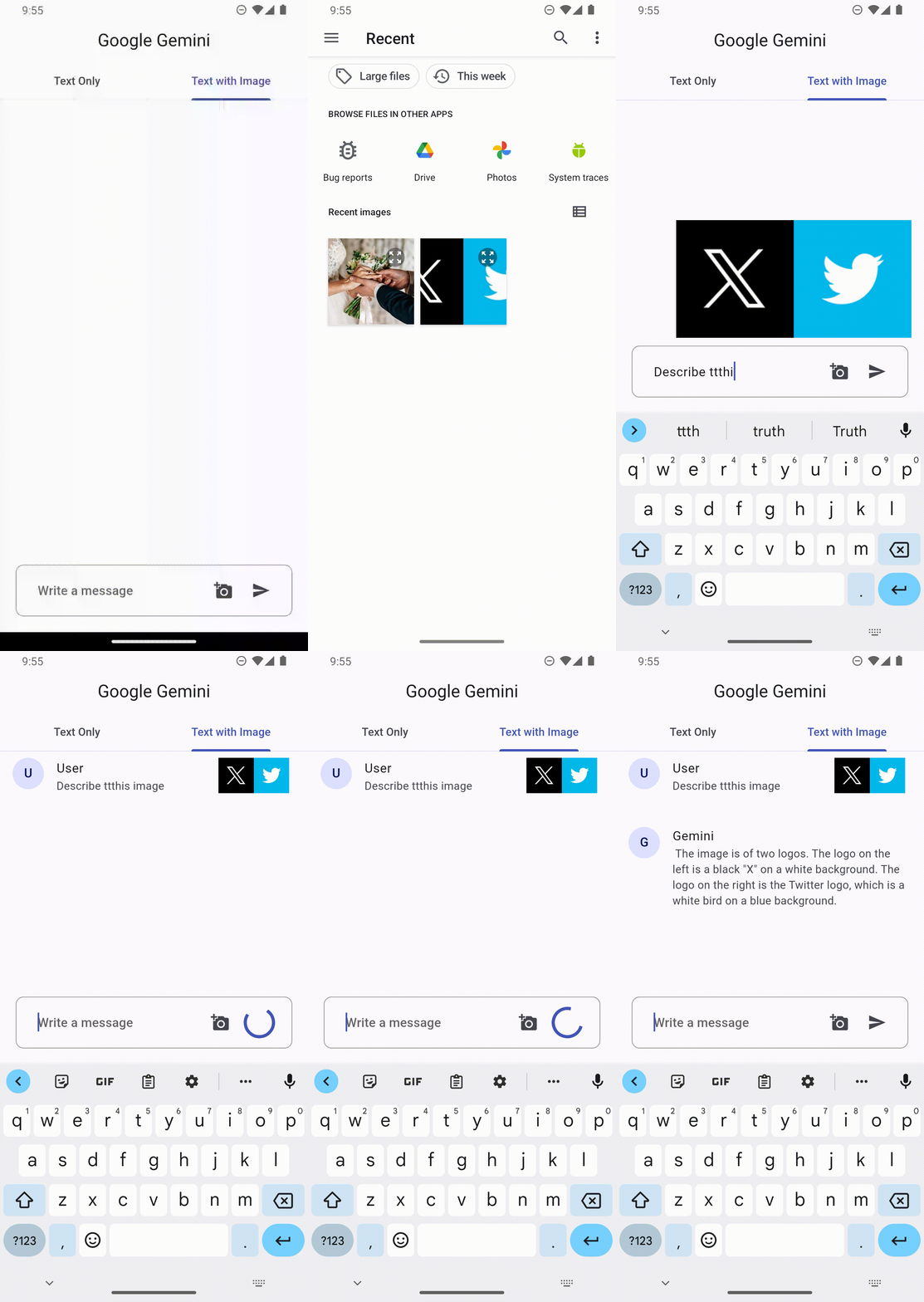
|
[x] Get Stated
[ ] Generate content
[ ] Gemini Response
[ ] Gemini Methods
To get the API key you have to create a Gemini account on the ai.google.dev. Once you have to Gemini API key, you are ready to start building.
final gemini = GoogleGemini(
  apiKey: "--- Your Gemini Api Key --- ",
);
With Gemini you use both text and image data for prompting, depending on what model variation you use.
For example, you can generate text using text prompt with the gemini-pro model and use both text and image data to prompt the gemini-pro-vision model
This feature lets you perform natural language processing (NLP) tasks such as text completion and summarization.
gemini.generateFromText("Tell me a story")
.then((value) => print(value.text))
.catchError((e) => print(e));
You can send a text prompt with an image to the gemini-pro-vision model to perform a vision related task. For example, captioning an image or identifying what's in an image.
File image = File("assets/images.png")

gemini.generateFromTextAndImages(
  query: "What is this picture?",
  image: image
)
.then((value) => print(value.text))
.catchError((e) => print(e));
Every prompt you send to the model includes parameter values that control how the model generates a response. The model can generate different results for different parameter values.
The most common model parameters are:
Max output tokens: Specifies the maximum number of tokens that can be generated in the response. A token is approximately four characters. 100 tokens correspond to roughly 60-80 words.
Temperature: The temperature controls the degree of randomness in token selection. Lower temperatures are good for prompts that require a more deterministic or less open-ended response, while higher temperatures can lead to more diverse or creative results.
topK: The topK parameter changes how the model selects tokens for output.
topP: The topP parameter changes how the model selects tokens for output.
stop_sequences: Set a stop sequence to tell the model to stop generating content. A stop sequence can be any sequence of characters. Try to avoid using a sequence of characters that may appear in the generated content.
Example
// Generation Configuration
final config = GenerationConfig(
    temperature: 0.5,
    maxOutputTokens: 100,
    topP: 1.0,
    topK: 40,
    stopSequences: []
);

// Gemini Instance
final gemini = GoogleGemini(
    apiKey: "--- Your Gemini Api Key ---",
    config: config // pass the config here
);
Safety settings are part of the request you send to the text service. It can be adjusted for each request you make to the API.
These categories cover various kinds of harms that developers may wish to adjust.
HARM_CATEGORY_UNSPECIFIED
HARM_CATEGORY_DEROGATORY
HARM_CATEGORY_TOXICITY
HARM_CATEGORY_VIOLENCE
HARM_CATEGORY_SEXUAL
HARM_CATEGORY_MEDICAL
HARM_CATEGORY_DANGEROUS
HARM_CATEGORY_HARASSMENT
HARM_CATEGORY_HATE_SPEECH
HARM_CATEGORY_SEXUALLY_EXPLICIT
HARM_CATEGORY_DANGEROUS_CONTENT
Block at and beyond a specified harm probability.
HARM_BLOCK_THRESHOLD_UNSPECIFIED
BLOCK_LOW_AND_ABOVE
BLOCK_MEDIUM_AND_ABOVE
BLOCK_ONLY_HIGH
BLOCK_NONE
Example
// Safety Settings
final safety1 = SafetySettings(
  category: SafetyCategory.HARM_CATEGORY_DANGEROUS_CONTENT,
  threshold: SafetyThreshold.BLOCK_ONLY_HIGH
);


//  Gemini Instance
final gemini = GoogleGemini(
  apiKey:"--- Your Gemini Api Key ---",
  safetySettings: [
    safety1,
    // safety2
  ]
);
// In progress
// In progress
// In progress
// In progress
依赖清单 3 项
^1.1.2{"sdk":"flutter"}^2.0.0先按使用场景筛选,再比较项目活跃情况,最后到原始仓库核对使用要求。
“A repository is the most basic element of GitHub.”
GitHub Docs — About repositories ↗