
 v2.0.0
flutter_share
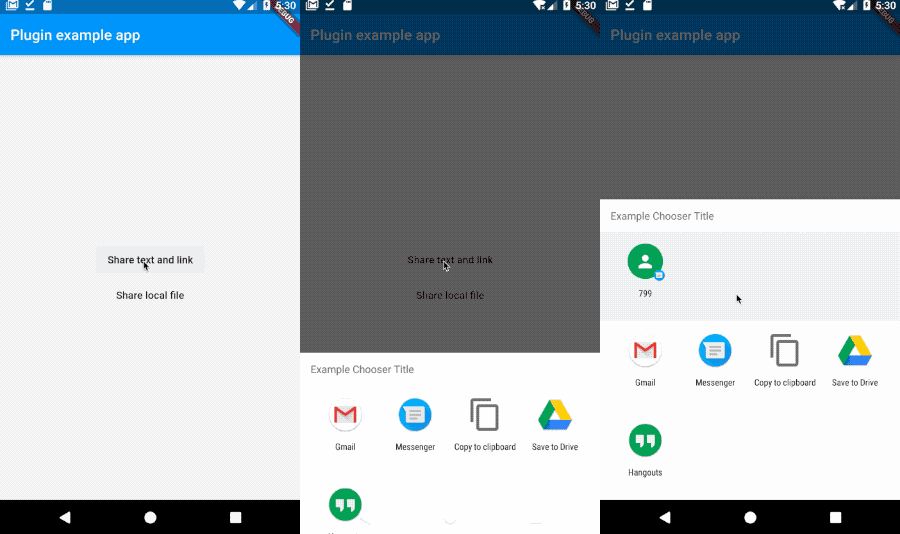
在您的 Flutter 应用中,简单地在 Android 和 iOS 上分享消息、链接或文件(按 Enter 查看一些 GIF 动图)。
306喜欢 2770近 30 天下载150Pub 分数
AndroidiOS
一个适用于 iOS 和 Android 的 Flutter 插件,提供了一种简单的方式来分享消息、链接或本地文件。
以下为英文项目原文快照,最新内容请访问 GitHub。

A Flutter plugin for IOS and Android providing a simple way to share a message, link or local files.
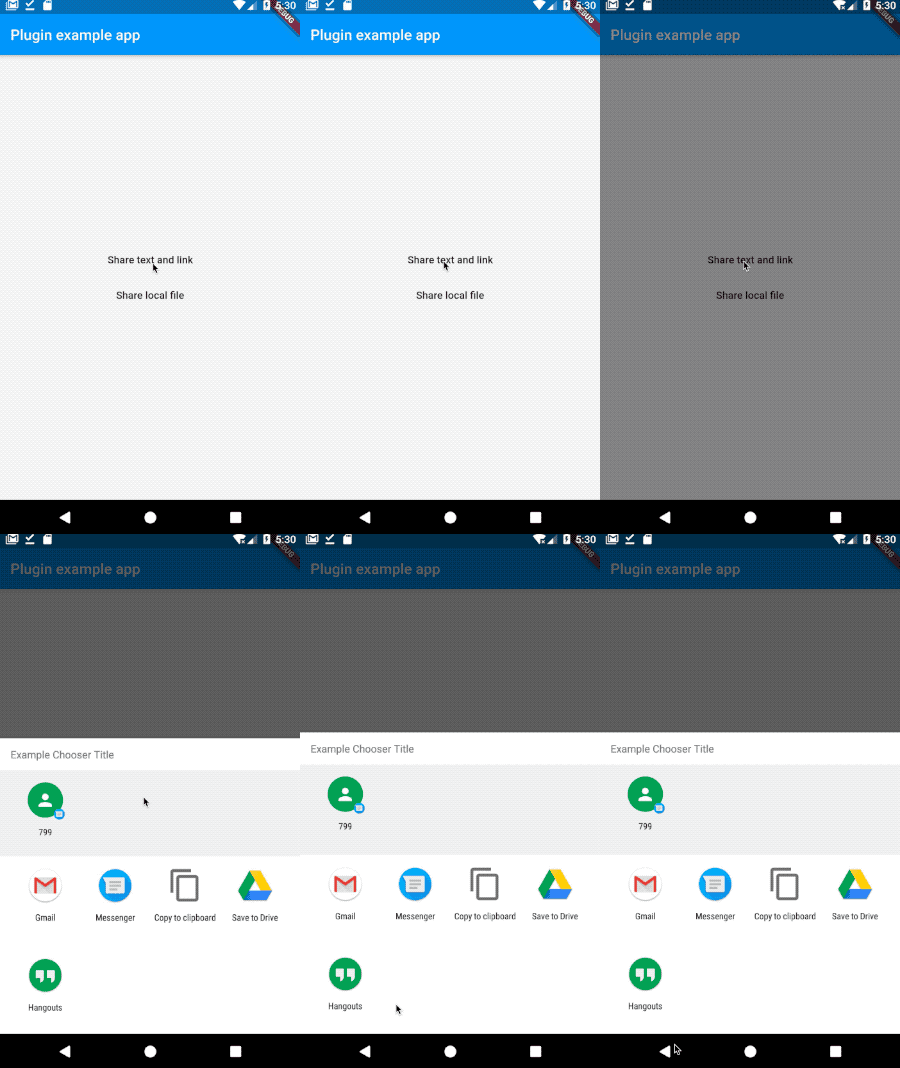
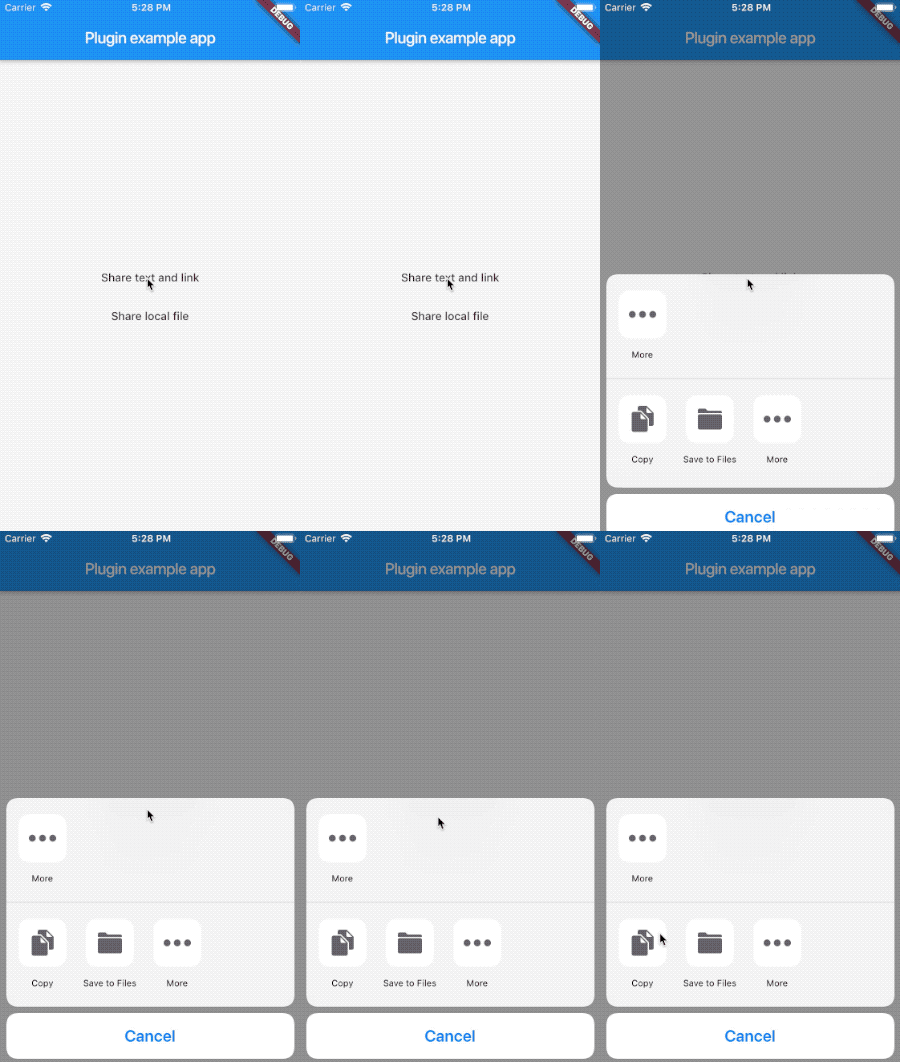
First, add flutter_share as a dependency in your pubspec.yaml file.
Add if not exists one row to the ios/podfile after target runner:
...

target 'Runner' do
    use_frameworks!

...
If you pretends to use the file share, you need to configure the file provider, this will give access to the files turning possible to share with other applications.
Add to AndroidManifest.xml:
<application>
...
<provider
    android:name="androidx.core.content.FileProvider"
    android:authorities="${applicationId}.provider"
    android:exported="false"
    android:grantUriPermissions="true">
    <meta-data
        android:name="android.support.FILE_PROVIDER_PATHS"
        android:resource="@xml/provider_paths"/>
</provider>
</application>
Obs: You can change the android:name if you have an extension of file provider.
Add res/xml/provider_paths.xml:
<?xml version="1.0" encoding="utf-8"?>
<paths xmlns:android="http://schemas.android.com/apk/res/android">
    <external-path name="external_files" path="."/>
</paths>
If you want to learn more about file provider you can access:
Here is an example flutter app displaying the two shares methods. (I'm using documents_picker just to get a local file you don't need to use.)
import 'package:flutter/material.dart';
import 'dart:async';

import 'package:flutter/services.dart';
import 'package:flutter_share/flutter_share.dart';
import 'package:documents_picker/documents_picker.dart';

void main() => runApp(MyApp());

class MyApp extends StatelessWidget {
  Future<void> share() async {
    await FlutterShare.share(
      title: 'Example share',
      text: 'Example share text',
      linkUrl: 'https://flutter.dev/',
      chooserTitle: 'Example Chooser Title'
    );
  }

  Future<void> shareFile() async {
    List<dynamic> docs = await DocumentsPicker.pickDocuments;
    if (docs == null || docs.isEmpty) return null;

    await FlutterShare.shareFile(
      title: 'Example share',
      text: 'Example share text',
      filePath: docs[0] as String,
    );
  }

  @override
  Widget build(BuildContext context) {
    return MaterialApp(
      home: Scaffold(
        appBar: AppBar(
          title: const Text('Plugin example app'),
        ),
        body: Center(
          child: Column(
            crossAxisAlignment: CrossAxisAlignment.center,
            mainAxisAlignment: MainAxisAlignment.center,
            children: <Widget>[
              FlatButton(
                child: Text('Share text and link'),
                onPressed: share,
              ),
              FlatButton(
                child: Text('Share local file'),
                onPressed: shareFile,
              ),
            ],
          ),
        ),
      ),
    );
  }
}
Feedback welcome and Pull Requests are most welcome!

依赖清单 3 项
{"sdk":"flutter"}{"sdk":"flutter"}^1.11.0先按使用场景筛选,再比较项目活跃情况,最后到原始仓库核对使用要求。
“A repository is the most basic element of GitHub.”
GitHub Docs — About repositories ↗