
 v1.0.4
advanced_graphview
高级图视图使用户能够通过简单设置创建树、图、拓扑UI。此包可用于显示不同的流程。
29喜欢 85近 30 天下载150Pub 分数
AndroidiOSWebmacOSWindowsLinux
nikhilishwarkulal/advanced_graphview open-source repository details.

{"sdk":"flutter"}^1.14.0{"sdk":"flutter"}^3.0.1以下为英文项目原文快照,最新内容请访问 GitHub。
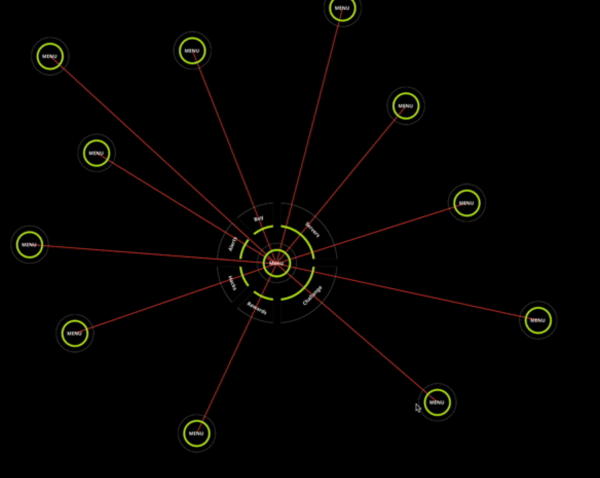
Advanced Graphview enables user to create Tree, Graph, Topology Ui with simple Setup. https://luckyapp.in/assets/asstes/advanced_graphview1.gif https://luckyapp.in/assets/asstes/advanced_graphview2.gif https://luckyapp.in/assets/asstes/advanced_graphview3.gif
Advanced Graphview can create Tree, Graph, Topology Ui with simple Setup..
Add the package in pubspec.yaml and then use the widget AdvancedGraphview.
Widget exampleWidget(){
  TestGraphNode getExampleNode() {
    return TestGraphNode(
      id: '1',
      value: "Advanced Graphview",
      graphNodes: [
      ],
    );
  }

 return AdvancedGraphview(
    nodePadding: 50,
    nodeSize: 200,
    isDebug: false,
    graphNode: getExampleNode(),
    backgroundColor: Colors.black,
    pixelRatio: 10,
    onNodeTap: (graphNode) {
      ScaffoldMessenger.of(context).showSnackBar(SnackBar(
        content: Text("Tap Event detected ${graphNode.id}"),
      ));
    },
    advancedGraphviewController: advancedGraphviewController,
    onDrawLine: (lineFrom, lineTwo) {
      return Paint()
        ..color = Colors.blue
        ..strokeWidth = 1;
    },
    builder: (GraphNode graphNode) {
      return Container(
        width: 200,
        height: 200,
        child: const Center(
          child: Text("Hello"),
        ),
      );
    },
  );
}

class TestGraphNode extends GraphNode {
  @override
  final String id;

  final String value;

  @override
  final List<GraphNode> graphNodes;
  TestGraphNode({
    required this.id,
    required this.graphNodes,
    required this.value,
  });
}
For additional information contact us at nikhilishwar2@gmail.com or sharathkkotian@gmail.com. We welcome more contributors on this project.