v9.2.1
bloc
一个可预测的状态管理库,有助于实现 BLoC(业务逻辑组件)设计模式。
3220喜欢 245万近 30 天下载160Pub 分数
AndroidiOSWebmacOSWindowsLinux
跨平台网络分析和监控工具

以下为英文项目原文快照,最新内容请访问 GitHub。
Vernet - Check Your Connection


Vernet helps you spot possible connection and security concerns. It does not replace a professional security audit, but it gives you useful findings to review, such as devices and services that are reachable on your network.
| Vernet | Home | Connected Devices | Security Findings |
|---|---|---|---|
 |
 |
 |
 |
| Ping | DNS | Speed test | Settings |
 |
 |
 |
 |
| Android | iOS | macOS | Linux | Windows |
|---|---|---|---|---|
  |
Works on emulator |  |
|
|
Note: macOS build hasn't been notarized yet.
net-tools package for arp command, otherwise app will not run.Write us at fs0c19ty@protonmail.com
You can follow this guide to publish your app to f-droid - https://op3nsoc13ty.blogspot.com/2021/06/publish-your-first-flutter-app-to-fdroid.html
Support this project by becoming stargazer of this project.
Rate our app on Playstore
Buy me a coffee.
| Librepay |
|---|
 |
Support me on Ko-Fi

一个可预测的状态管理库,有助于实现 BLoC(业务逻辑组件)设计模式。
Drift 是一个反应式库,用于在 Dart 和 Flutter 应用程序中存储关系型数据。
适用于 drift 的开发依赖项。包含生成器和开发工具。
在 Flutter 应用中轻松跨平台设置 drift 数据库。
Flutter 的首选非商业地图客户端:易于使用、功能多样、无供应商依赖、完全跨平台,且 100% 纯 Flutter
用于发现网络信息(例如 WiFi 详细信息)的 Flutter 插件。
Flutter 仪表库包含线性仪表和圆形仪表(又称环形仪表),用于创建现代、交互式、动画化的仪表和环形滑块。
一个简单直接的服务定位器,允许将接口与具体实现解耦,并从应用程序的任何位置访问具体实现。
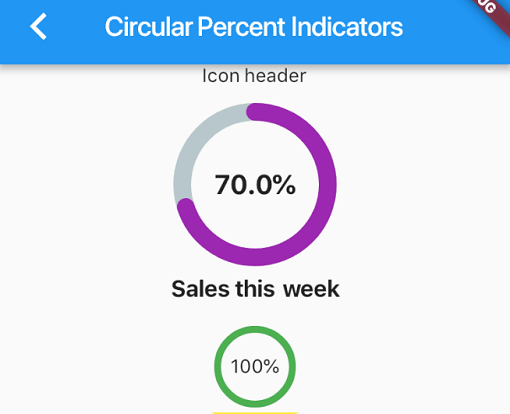
一个允许您根据百分比显示进度控件的库,可以是圆形或线性,您还可以根据需要进行自定义。
一个 Dart 模拟库,通过支持空安全,简化了模拟操作,无需手动创建模拟或代码生成。
Injectable 是一个方便的代码生成器,用于 get_it。它受到 Angular DI、Guice DI 和 inject.dart 的启发。
Injectable 是一个方便的代码生成器,用于 get_it。它受到 Angular DI、Guice DI 和 inject.dart 的启发。
依赖清单 47 项
^3.0.0^9.2.1^1.0.9^9.0.1^2.34.3^0.3.1^4.0.4{"sdk":"flutter"}^9.1.1^22.3.0^8.3.1^1.4.2^2.4.8^4.0.1^5.1.0^3.1.0^9.2.1^1.6.0^2.0.12^3.0.0^4.1.0^4.12.0^0.9.1^8.2.1^3.0.4^10.2.1^1.9.1^2.1.6^4.2.5^13.0.1^6.1.5^0.26.0^2.5.5{"git":{"url":"https://github.com/git-elliot/speed_test_dart.git","ref":"master"}}^1.2.2^34.2.3^0.11.1^6.3.2^2.16.0^2.34.5{"sdk":"flutter"}^4.0.0-dev.3^3.1.1{"sdk":"flutter"}^6.13.1^2.8.0^1.0.5先按使用场景筛选,再比较项目活跃情况,最后到原始仓库核对使用要求。
“A repository is the most basic element of GitHub.”
GitHub Docs — About repositories ↗