搜索插件、代码仓与 APP 分类

插件详情v4.0.4

external_app_launcher

一个 Flutter 插件,可帮助您从您的应用中打开另一个应用

AndroidiOS
近 30 天下载
8.7万
喜欢数
372
Pub 分数
150

安装插件

flutter pub add external_app_launcher

插件介绍

基于插件公开信息、社区数据与项目使用情况整理的选型参考。

external_app_launcher 包是一个 Flutter 插件,可让应用在 Android 和 iOS 设备上打开其他已安装的应用程序。它通过应用程序的包名或 URL 简化了外部应用的启动,支持深度链接和特定应用意图。这在与地图、消息传递或社交平台等原生应用集成时特别有用。该插件可在两大主流移动平台上无缝运行,非常适合用于分享内容或将用户重定向到第三方服务。它需要极少的设置,并提供可靠的跨平台功能。

适合场景

  • 从位置数据打开地图应用
  • 重定向用户到消息应用
  • 启动社交媒体应用以分享
  • 与支付或电子邮件应用集成
  • 启用指向特定应用屏幕的深度链接

主要特点

  • 支持 Android 和 iOS 平台
  • 用于启动外部应用程序的简单 API
  • 处理包名称和URL
  • 启用深度链接
  • 跨平台兼容性

适合对象

  • 需要应用重定向的应用
  • 共享或集成功能
  • 导航到第三方服务
  • 开发实用工具的开发者
  • 需要意图处理的项目

使用建议

  • 需要正确的包名称或URL
  • 如果目标应用未安装,可能会失败
  • 对启动的应用程序行为控制有限
  • 某些设备可能需要权限
  • 依赖于平台特定的实现

原始 README

以下为关联源码仓库的 README 原文快照,最新内容请访问源码仓库。

Overview

A Flutter plugin which helps you to open another app from your app. The package asks you for four parameters out of which two are mandatory.

Getting Started

1. Add package to your project

Complete description to add this package to your project can be found here.

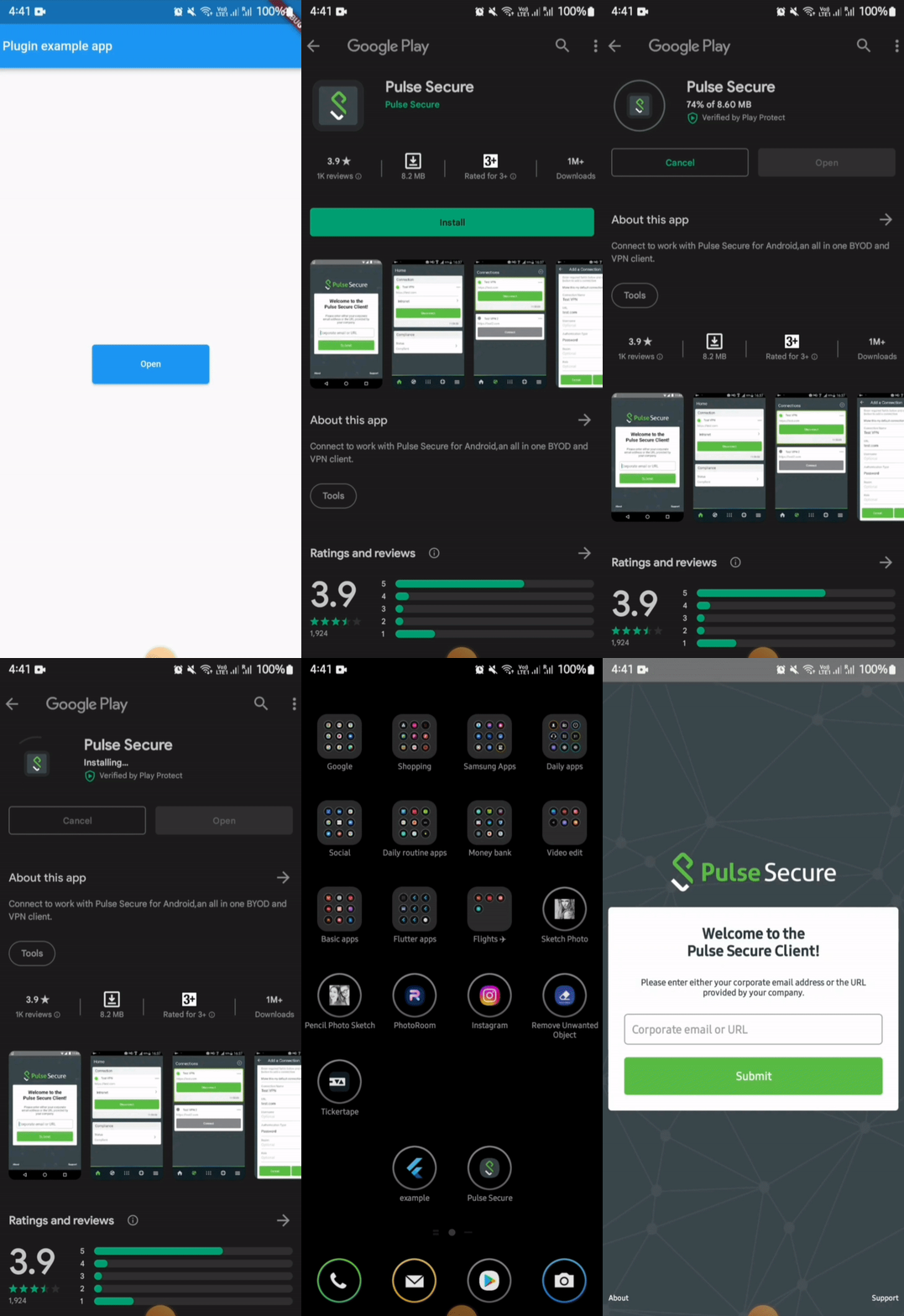
2. To setup native performance for the application in order to launch external apps

For opening apps in android

For opening an external app from your app in android, you need provide packageName of the app.

If the plugin finds the app in the device, it will be launched. But if the app is not installed in the device then it leads the user to playstore link of the app.

⚠️ Android 11+ Package Visibility (Required)

On Android 11 (API 30) and above, the OS restricts which packages your app can query. If you do not declare the target package in your AndroidManifest.xml, both isAppInstalled() and openApp() will silently behave as if the app is not installed — even if it is.

You must add a <queries> block above the <application> tag in your android/app/src/main/AndroidManifest.xml for every package you want to interact with:

<manifest xmlns:android="http://schemas.android.com/apk/res/android">

    <queries>
        <!-- Declare every package you want to check or launch -->
        <package android:name="net.pulsesecure.pulsesecure" />
        <package android:name="us.zoom.videomeetings" />
        <package android:name="com.instagram.android" />
        <!-- Add more packages as needed -->
    </queries>

    <application ...>
        ...
    </application>

</manifest>

Note: Without this declaration, isAppInstalled('us.zoom.videomeetings') will always return false on Android 11+ even if Zoom is installed.

Tip: If you want to query all apps (not recommended for privacy), you can use the QUERY_ALL_PACKAGES permission instead, but this requires justification when publishing to the Play Store.

⚠️ Android 10+ Background Activity Start Limits

On Android 10 (API 29) and above, the OS restricts apps from starting activities from the background (e.g. from background services, background broadcast receivers, or background notifications). Attempting to do so will result in a SecurityException being caught and a descriptive error message being returned.

If you need to launch external apps from background states, please review Android's guide on allowed exceptions for background starts.

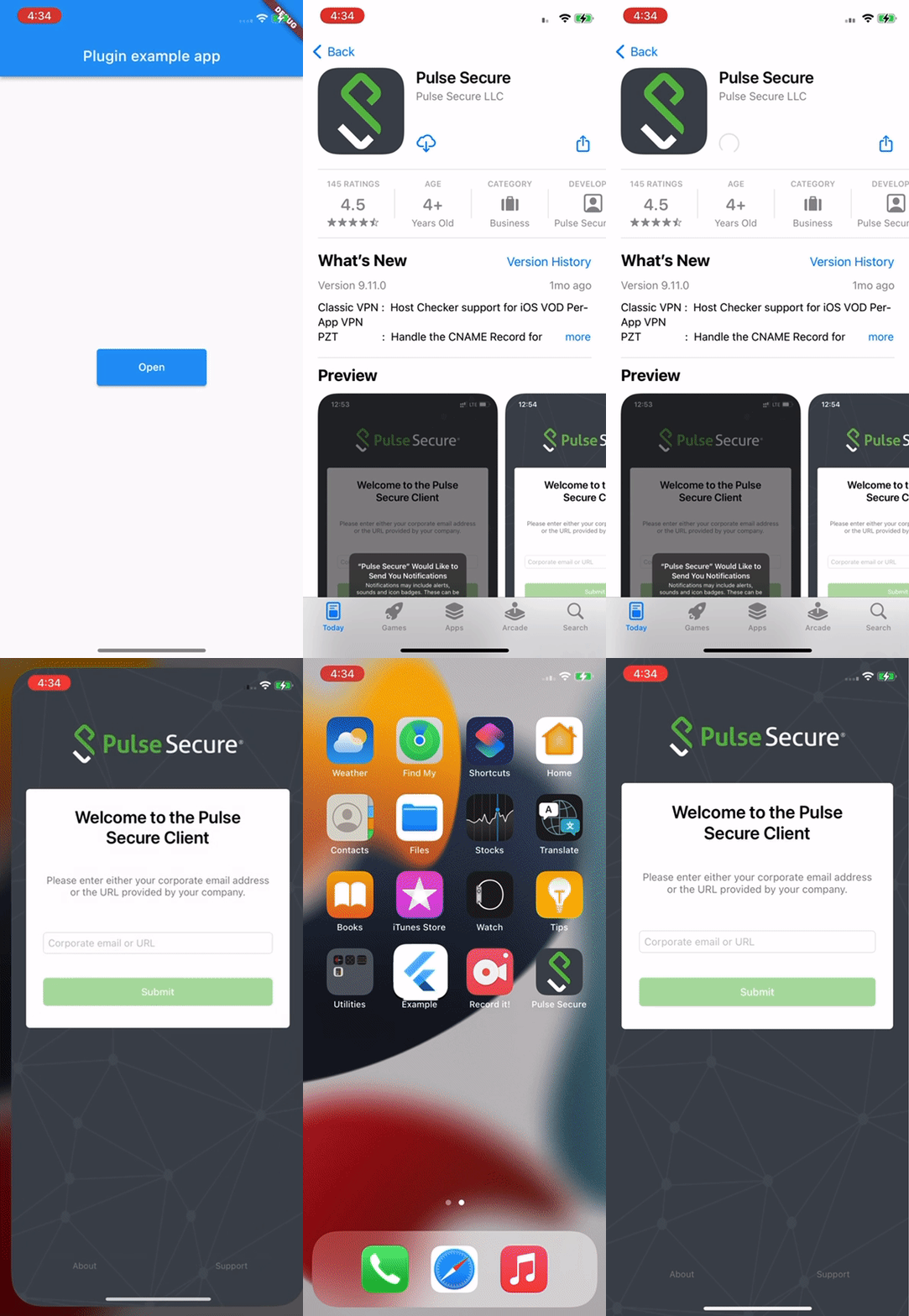
Demo

In iOS, for opening an external app from your app, you need to provide the URL scheme of the target app.

⚠️ iOS Platform Limitation: URL Schemes Required

Due to iOS security sandboxing, it is impossible to launch or query external apps using package names/bundle IDs or without a registered custom URL scheme (e.g., instagram://).

  • You must obtain the target app's custom URL scheme.
  • If your app's deployment target is iOS 9 or above, you must also whitelist the scheme in your Info.plist under LSApplicationQueriesSchemes (see below).

To know more about URLScheme refer to this Link

Alternatively, you can launch Safari directly to open a website by calling:

await LaunchApp.openSafari(url: 'https://www.apple.com');

Or by passing the web URL directly to the iosUrlScheme parameter in openApp.

To open a URL in Google Chrome on both platforms:

await LaunchApp.openUrlInChrome(url: 'https://www.example.com');

On Android this targets the com.android.chrome package. On iOS it converts https:// → googlechromes://.

To target any specific browser on Android, or use a custom iOS scheme:

await LaunchApp.openUrlInBrowser(
  url: 'https://www.example.com',
  androidBrowserPackage: 'org.mozilla.firefox', // Firefox on Android
  iosUrlScheme: 'firefox://open-url?url=https://www.example.com', // Firefox on iOS
);

If the specified browser is not installed on Android, the system default browser is used as fallback.

If your deployment target is greater than or equal to 9, then you also need to update external app information in Info.plist.

<key>LSApplicationQueriesSchemes</key>
<array>
  <string>pulsesecure</string> // url scheme name of the app
</array>

But unlike in Android, it will not navigate to store (appStore) if app is not found in the device.

For doing so you need to provide the iTunes link of the app.

Demo

Implementation

Apart from opening an external app, this package can also be used to check whether an app is installed in the device or not.

This can done by simply calling the function isAppInstalled

await LaunchApp.isAppInstalled(
  androidPackageName: 'net.pulsesecure.pulsesecure'
  iosUrlScheme: 'pulsesecure://'
);

This returns true and false based on the fact whether app is installed or not.

Code Illustration

import 'package:flutter/material.dart';
import 'package:external_app_launcher/external_app_launcher.dart';

void main() {
  runApp(MyApp());
}

class MyApp extends StatefulWidget {
  @override
  _MyAppState createState() => _MyAppState();
}

class _MyAppState extends State<MyApp> {
  @override
  void initState() {
    super.initState();
  }

  Color containerColor = Colors.red;

  @override
  Widget build(BuildContext context) {
    return MaterialApp(
      home: Scaffold(
        appBar: AppBar(
          title: const Text('Plugin example app'),
        ),
        body: Center(
          child: Container(
            height: 50,
            width: 150,
            child: RaisedButton(
              color: Colors.blue,
              onPressed: () async {
                await LaunchApp.openApp(
                  androidPackageName: 'net.pulsesecure.pulsesecure',
                  iosUrlScheme: 'pulsesecure://',
                  appStoreLink: 'itms-apps://itunes.apple.com/us/app/pulse-secure/id945832041',
                  // openStore: false
                );

                // Enter the package name of the App you want to open and for iOS add the URLscheme to the Info.plist file.
                // The `openStore` argument decides whether the app redirects to PlayStore or AppStore.
                // For testing purpose you can enter com.instagram.android
              },
              child: Container(
                child: Center(
                  child: Text("Open",
                    textAlign: TextAlign.center,
                  ),
                ))),
          ),
        ),
      ),
    );
  }
}

所属分类

源码仓库

使用此插件的项目