
v4.7.3
get
使用 GetX 轻松实现无需上下文即可打开屏幕、snackbars、对话框,轻松管理状态并注入依赖项。
1.6万喜欢 76.3万近 30 天下载140Pub 分数
AndroidiOSWebmacOSWindowsLinux
一个跨平台(Flutter)的电子邮件阅读应用程序,使用 JMAP 协议,在您喜爱的设备上读取您的邮件!

使用 GetX 轻松实现无需上下文即可打开屏幕、snackbars、对话框,轻松管理状态并注入依赖项。
Firebase Core 的 Flutter 插件,支持连接到多个 Firebase 应用。
适用于 Firebase 云消息传递的 Flutter 插件,一种跨平台的消息解决方案,可让您在 Android 和 iOS 上可靠地传递消息。
 v0.10.1+3
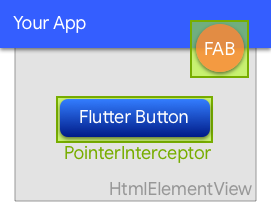
一个用于防止点击事件被网页上的底层 HtmlElementView 吞噬的部件。
Hive 的扩展。自动为任何类生成 TypeAdapters 以存储数据。
 v0.7.0
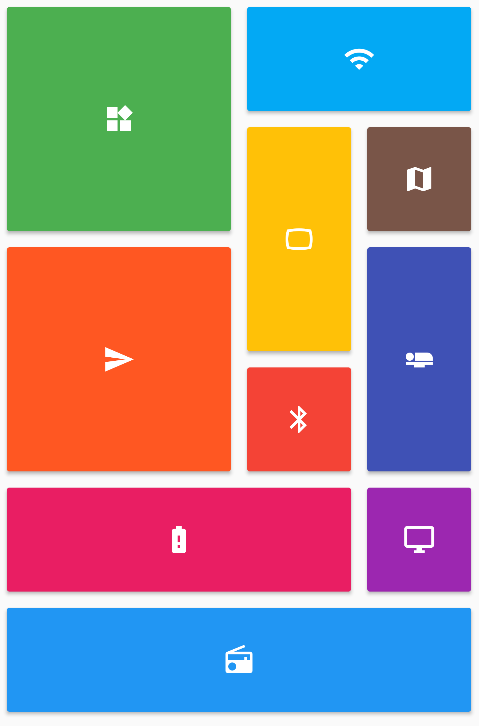
提供了一组 Flutter 网格布局(错落、马赛克、拼花、编织等)。
一个功能强大的多平台端到端UI测试框架,适用于Flutter应用,能够克服integration_test的局限性,处理原生交互。
在 flutter_test 之上的简化、高级 API。
 v5.3.0
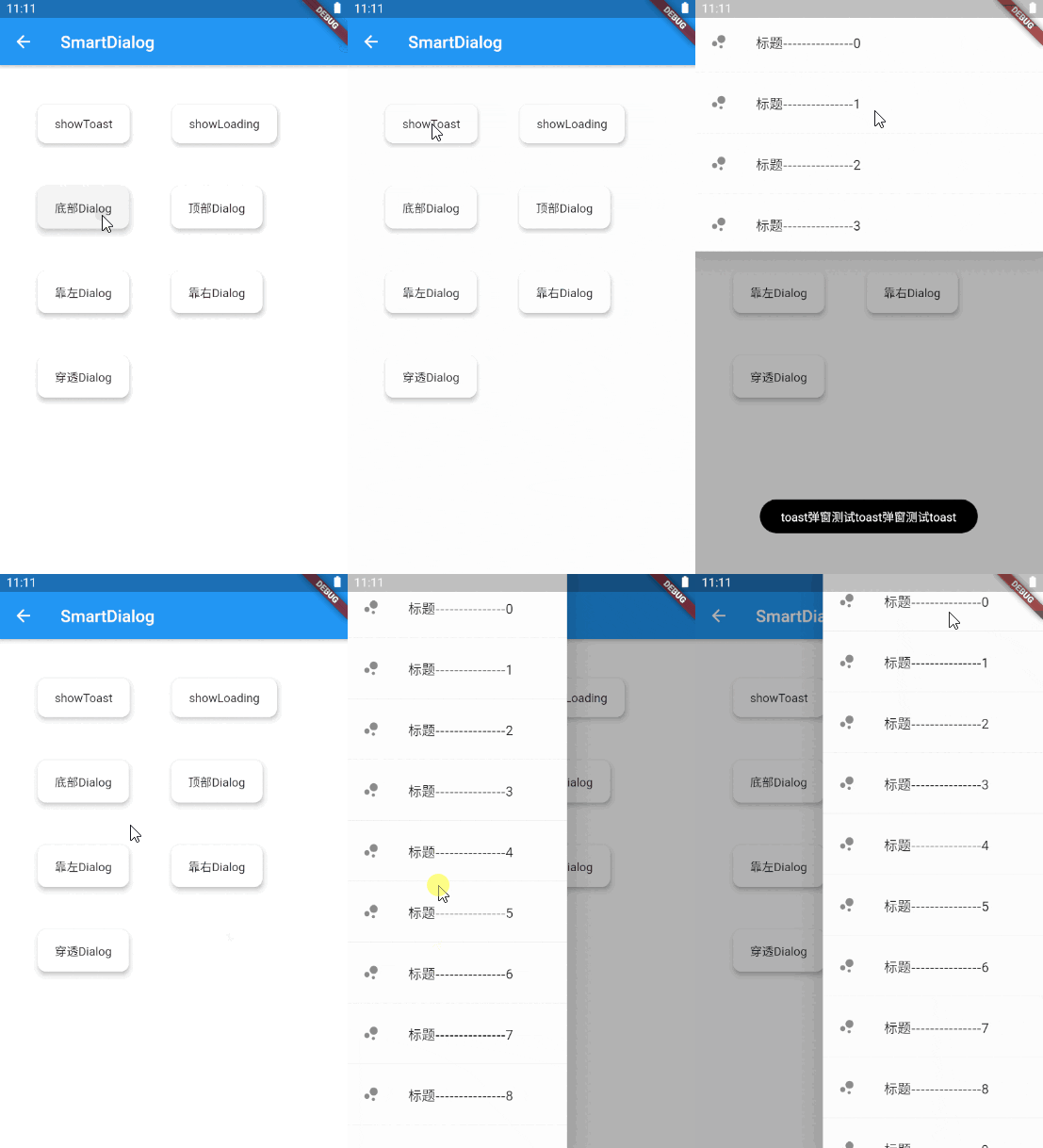
一个优雅的 Flutter 对话框解决方案,轻松实现 Toast、Loading 和自定义对话框,让对话框的使用更加简单!
一个跨平台的包,用于解析和序列化HTTP格式。
WebSockets 的 StreamChannel 包装器。提供跨平台的 WebSocketChannel API,以及基于底层 StreamChannel 通信的跨平台 API 实现。
一个为 Dio 包添加性能跟踪支持的集成。
{"sdk":"flutter"}{"sdk":"flutter"}{"path":"core"}{"path":"model"}{"path":"contact"}{"path":"rule_filter"}{"path":"forward"}{"path":"fcm"}{"path":"email_recovery"}{"path":"server_settings"}{"path":"cozy"}{"path":"scribe"}{"path":"labels"}{"path":"workplace"}{"git":{"url":"https://github.com/linagora/rich-text-composer.git","ref":"main"}}{"git":{"url":"https://github.com/linagora/html-editor-enhanced.git","ref":"main"}}—{"git":{"url":"https://github.com/linagora/flutter_contacts.git","ref":"master"}}{"git":{"url":"https://github.com/linagora/receive_sharing_intent.git","ref":"main"}}{"git":{"url":"https://github.com/linagora/flutter_appauth_web.git","ref":"upgrade-flutter-appauth"}}{"git":{"url":"https://github.com/linagora/flutter-date-range-picker.git","ref":"main"}}——1.1.00.3.84.0.31.0.64.6.62.1.05.2.02.0.52.5.30.10.15.0.25.1.12.0.24.0.21.19.12.0.13.0.72.2.02.1.59.0.112.0.17.2.12.16.00.10.1+20.27.74.0.02.0.00.6.21.1.33.7.13.5.119.0.14.2.27.2.92.13.00.15.31.2.41.3.0^4.9.06.3.14.8.016.2.117.2.24.1.11.2.03.1.0+12.2.42.0.09.0.00.20.25.0.26.0.02.0.76.0.03.1.20.2.02.1.01.0.0+12.1.07.0.08.0.01.0.40.4.40.3.010.2.05.1.13.0.34.1.06.3.24.0.34.9.8+51.0.03.0.2{"git":{"url":"https://github.com/linagora/twake-previewer-flutter.git","ref":"main"}}0.1.21.2.19.8.09.8.0^3.3.1^4.0.2{"sdk":"flutter"}^2.15.04.0.4-dev.3^3.1.35.6.41.11.22.0.12.2.180.12.06.3.0^6.11.30.4.24.5.00.8.03.2.02.1.8^3.2.1以下为英文项目原文快照,最新内容请访问 GitHub。
Contributors Issues Documentation Android application Ios application Web Mail Gitter
This project aims at providing a multi-platform mobile email application, running the JMAP protocol and will also deliver additional features to the Twake Mail back-end.
Twake Mail is developed with love by Linagora.
Here is how Twake Mail looks like on a phone:
Screenshots Mobile
Here is how Twake Mail looks like on a tablet:
Screenshot Tablet
Screenshot_Web
scripts/prebuild.sh script/bin/bash scripts/prebuild.sh
flutter build ios
flutter build apk
change SERVER_URL in env.file with your JMAP server
SERVER_URL=http://your-jmap-server.domain
then run:
flutter build web
or you can find our images in: https://hub.docker.com/r/linagora/tmail-web
Yet IMAP had been designed in another age, which resulted in a chatty patchwork of extensions. IMAP lacks decent synchronization primitives to address real-time challenges modern mobile fleet requires, it consumes a lot of bandwidth, requires a lot of round trips which means high latency.
We are not alone to say this! Big players of the field started their own proprietary protocols to address IMAP flaws, and inter-operable standard was yet to be found...
This, is where JMAP comes to play! JMAP builds on decades of experience, and beautifully addresses these challenges using HTTP and JSON standards. Not only does it make applications easier to develop, we also strongly believes it results in an improved experience for the end user.
Yes, you can use the Twake Mail application with any JMAP server and benefits from Twake Mail's ease of use.
We plan on writing a user documentation, helping you navigating around the application, and detailing the few configurations you have to perform.
If what you are looking for is not in the user guide then ask us directly in the issues first, we would be glad to help. But also glad to improve our documentation and maybe tweak slightly our UI (user interface).
Then, we plan on introducing a desktop application.
This versatility is enabled by the use of the Flutter framework.
We are also planning active work on drag and drops and other user experience / productivity enhancements.
We do not currently plan working on desktop applications, on websockets for push on top of TeamMail web but such contributions would be appreciated. We also welcome feedback and pull requests regarding Team-Mail portability (running TeamMail on top of third party mail servers).
First, we plan to write a simple, multi-platform JMAP email client. This includes reading your mails and mailboxes, managing them, sending emails, searching your emails. This will likely keep us busy by the end of 2021.
Then, we have plan for multiple features including:
No we do not plan to support such extensions, that are currently not standardized as RFCs, nor implemented on the Twake Mail backend.
The web-app needs to include an environment file though (here you can see the dummy env.file at the root of the project),
with a SERVER_URL parameter, so it knows to which backend it needs to connect to.
For this to run it locally for example, 2 ways:
Edit the env.file by replacing the default value of SERVER_URL to the one pointing to your JMAP backend server.
Then build your docker image:
docker build -t tmail-web:latest .
Then you can just simply run your web-app like this:
docker run -d -ti -p 8080:80 --name web tmail-web:latest
Then go to http://localhost:8080 and you should be able to login against your JMAP backend using the Twake Mail web-app.
You can use our official image linagora/tmail-web or just build the docker image locally without any prior changes:
docker build -t tmail-web:latest .
From then, create at the root of the project an environment file (like env.dev.file) where you put the SERVER_URL
you want to connect to. Then, to mount it and override the default one while running the container:
docker run -d -ti -p 8080:80 --mount type=bind,source="$(pwd)"/env.dev.file,target=/usr/share/nginx/html/assets/env.file --name web tmail-web:latest
Then go to http://localhost:8080 and you should be able to login against your JMAP backend using the TMail web-app.
We also include a docker-compose.yaml file so you can get a testing environment up quickly. This use our tmail-backend image for the JMAP server.
Here are the steps to setup:
tmail-backend:openssl genpkey -algorithm rsa -pkeyopt rsa_keygen_bits:4096 -out jwt_privatekey
openssl rsa -in jwt_privatekey -pubout -out jwt_publickey
env.file and set SERVER_URL to http://localhost/ (with the trailing slash)docker compose up -d to bring up both the frontend and the backend.docker compose exec tmail-backend /root/provisioning/provisioning.sh to provision some demo accounts (you don't have to let it run all the way).http://localhost:8080. The credentials for demo accounts are:User: alice@localhost
Password: aliceSecret
User: bob@localhost
Password: bobSecret
User: empty@localhost
Password: emptrySecret
- [Enable and customize the Application grid](docs/configuration/app_grid_configuration.md)
- [Change logos](docs/configuration/tmail-web-logo.md)
There are many ways to help us, and amongst them:
You would be pleased to know we contributes a JMAP Dart client that you can reuse to write your own applications. Feels free to open pull requests and enrich it!
Everyone can contribute at their own level, even if they only give a few minutes of their time. Whatever you do, your help is very valuable.