

 v4.1.0
inview_notifier_list
一个构建 ListView 并在小部件出现在屏幕上来通知的 Flutter 包。
501喜欢 4550近 30 天下载160Pub 分数
AndroidiOSWebmacOSWindowsLinux
一个 Flutter 包,用于构建列表视图并在小部件在屏幕上时发出通知。

以下为英文项目原文快照,最新内容请访问 GitHub。


A Flutter package that builds a ListView or CustomScrollView and notifies when the widgets are on screen within a provided area.
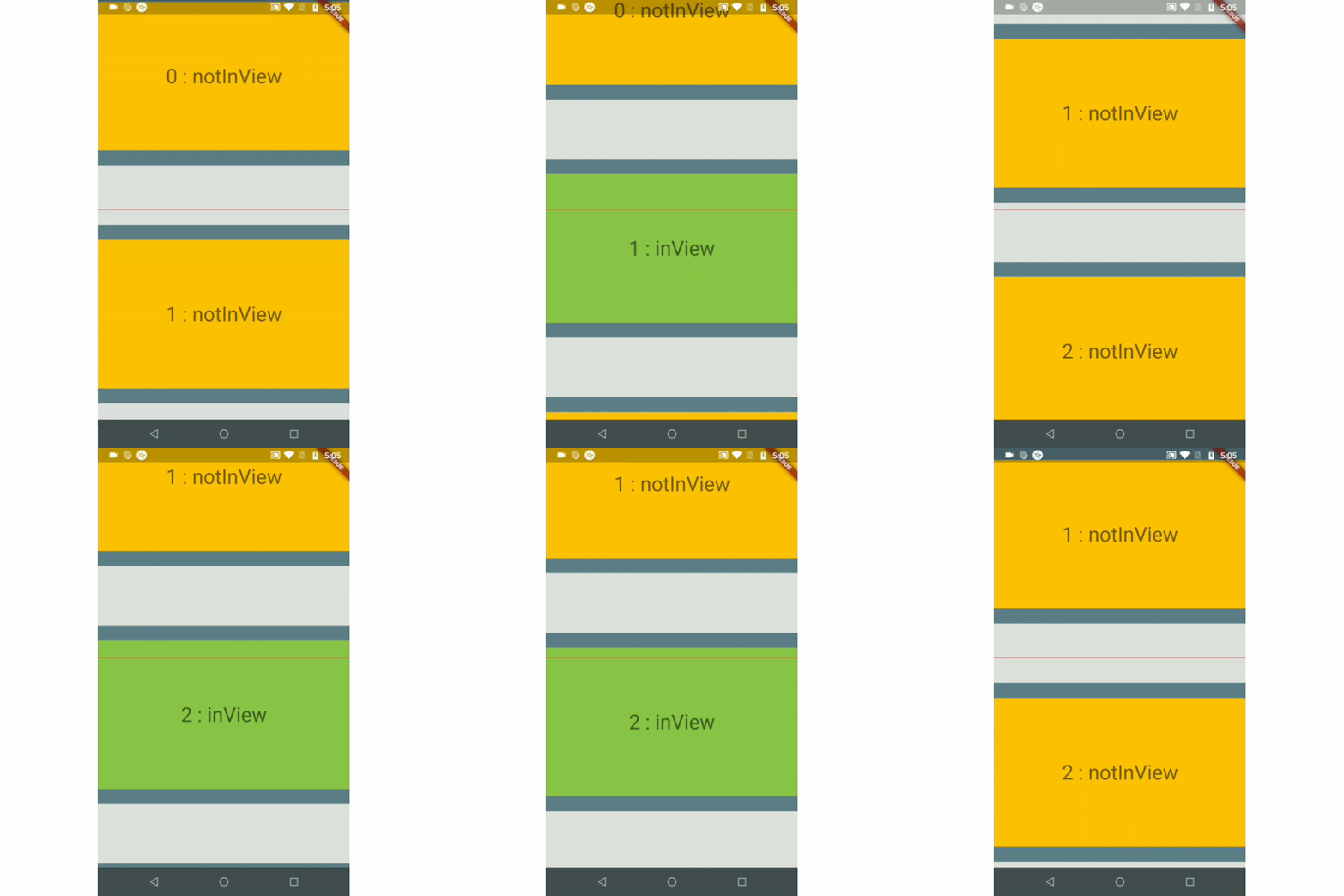
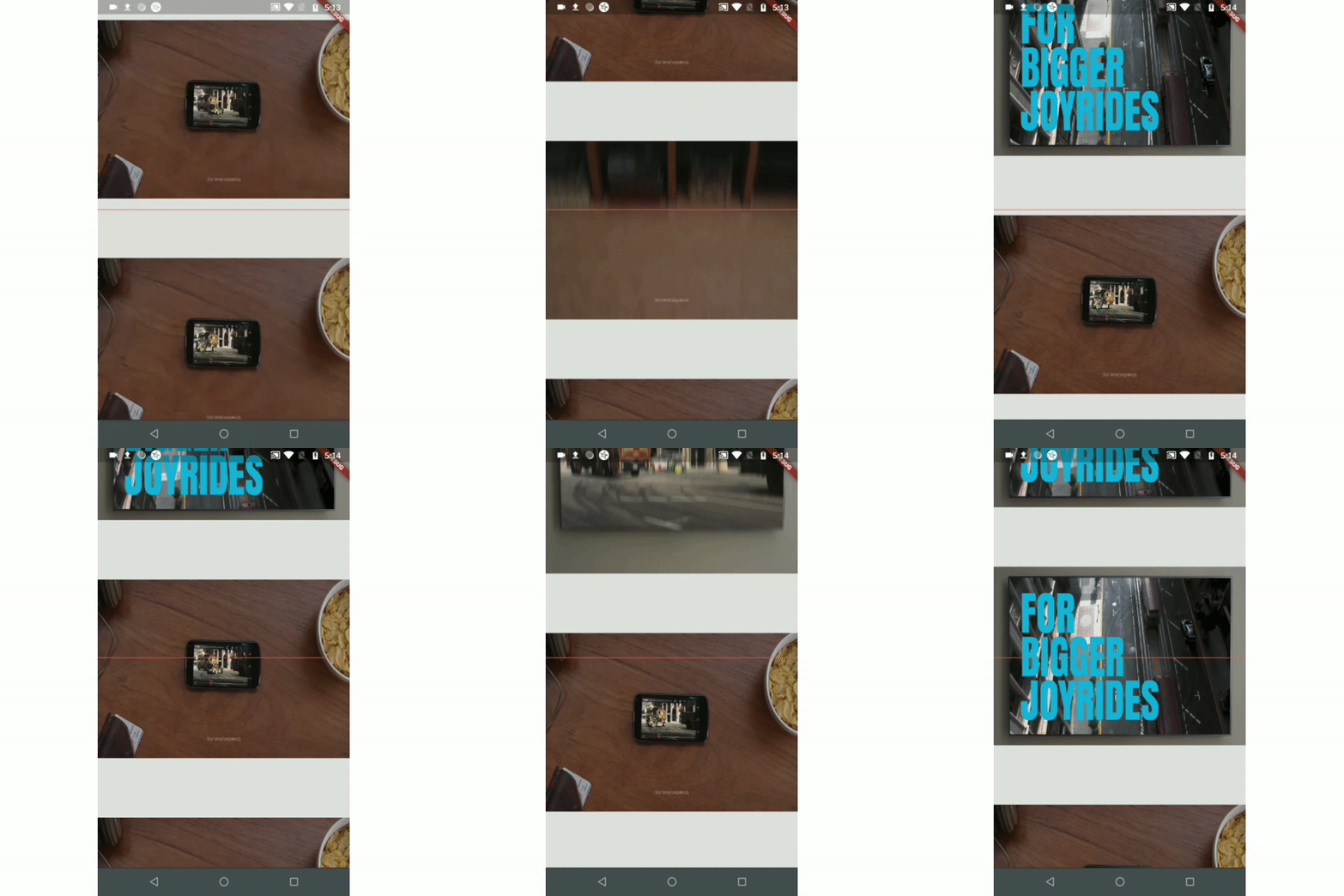
| Example 1 | Example 2 | Example 3(Auto-play video) |
|---|---|---|
 |
 |
 |
| Example 4(Custom Scroll View) | ||
 |
To auto-play a video when a user scrolls.
To add real-time update listeners from database to the posts/content only within an area visible to the user.
Note: If you have other use cases please update this section and create a PR.
Just add the package to your dependencies in the pubspec.yaml file:
dependencies:
  inview_notifier_list: ^4.1.0
Add the InViewNotifierList to your widget tree
import 'package:flutter/material.dart';
import 'package:inview_notifier_list/inview_notifier_list.dart';

class MyApp extends StatelessWidget {
  @override
  Widget build(BuildContext context) {
    return Scaffold(
      body: InViewNotifierList(
		...
      ),
    );
  }
}
Add the required property isInViewPortCondition to the InViewNotifierList widget. This is the function that defines the area which the widgets overlap should be notified as currently in-view.
typedef IsInViewPortCondition = bool Function(
  double deltaTop,
  double deltaBottom,
  double viewPortDimension,
);
It takes 3 parameters:
deltaTop: It is the distance from top of the widget to be notified in the list view to top of the viewport(0.0).
deltaBottom: It is the distance from bottom of the widget to be notified in the list view to top of the viewport(0.0).
viewPortDimension: The height or width of the viewport depending on the srollDirection property provided. The image below showcases the values if the srollDirection is Axis.vertical.

Here is an example that returns true only when the widget's top is above the halfway of the viewport and the widget's bottom is below the halfway of the viewport. It is shown in example1.
InViewNotifierList(
  isInViewPortCondition:
      (double deltaTop, double deltaBottom, double viewPortDimension) {
    return deltaTop < (0.5 * viewPortDimension) &&
        deltaBottom > (0.5 * viewPortDimension);
  },
),
Add the IndexedWidgetBuilder , which builds the children on demand. It is just like the ListView.builder.
InViewNotifierList(
    isInViewPortCondition:(...){...},
    itemCount: 10,
    builder: (BuildContext context, int index) {
      return child;
    }

),
Use the InViewNotifierWidget to get notified if the required widget is currently in-view or not.
The InViewNotifierWidget consists of the following properties:
id: a required String property. This should be unique for every widget that wants to get notified.builder : Signature for a function that creates a widget for a given index. The function that defines and returns the widget that should be notified as inView. See InViewNotifierWidgetBuilder.child: The child widget to pass to the builder.InViewNotifierWidget(
id: 'unique-Id',
builder: (BuildContext context, bool isInView, Widget child) {
return Container(
child: Text(
isInView ? 'in view' : 'not in view',
),
);
},
)
That's it, done!
A complete code:
InViewNotifierList(
  isInViewPortCondition:
      (double deltaTop, double deltaBottom, double vpHeight) {
    return deltaTop < (0.5 * vpHeight) && deltaBottom > (0.5 * vpHeight);
  },
  itemCount: 10,
  builder: (BuildContext context, int index) {
    return InViewNotifierWidget(
      id: '$index',
      builder: (BuildContext context, bool isInView, Widget child) {
        return Container(
          height: 250.0,
          color: isInView ? Colors.green : Colors.red,
          child: Text(
            isInView ? 'Is in view' : 'Not in view',
          ),
        );
      },
    );
  },
);
Run the example app provided and check out the folder for complete code.
isInViewPortCondition: [Required] The function that defines the area within which the widgets should be notified as in-view.
initialInViewIds: The String list of unique ids of the child widgets that should be initialized as in-view when the list view is built for the first time.
endNotificationOffset: The distance from the bottom of the list where the onListEndReached should be invoked. Defaults to the end of the list i.e 0.0.
onListEndReached: The function that is invoked when the list scroll reaches the end or the endNotificationOffset if provided.
throttleDuration: The duration to be used for throttling the scroll notification. Defaults to 200 milliseconds.
scrollDirection: The axis along which the scroll view scrolls.
scrollViewWrapper: An optional callback that wraps the internal scroll view with an additional widget, such as a pull-to-refresh or shimmer wrapper, while keeping in-view detection working. It receives the fully built scroll view and must return a widget that contains it.
InViewNotifierList(
  scrollViewWrapper: (scrollView) => RefreshIndicator(
    onRefresh: _onRefresh,
    child: scrollView,
  ),
  // ...
)
Note: The wrapper must let
ScrollNotificationevents bubble up from the inner scroll view (most widgets do by default). If the wrapper provides its ownScrollController, make sure it does not conflict with the one passed toInViewNotifierList.
Thanks to Didier Boelens for the raw solution.
依赖清单 4 项
{"sdk":"flutter"}^2.0.0{"sdk":"flutter"}^5.0.0先按使用场景筛选,再比较项目活跃情况,最后到原始仓库核对使用要求。
“A repository is the most basic element of GitHub.”
GitHub Docs — About repositories ↗