

 v1.0.2-5.2.2.3
k_chart_plus_deeping
用于交易所应用中绘制K线图和深度图的图表库,拥有丰富经验的软件开发人员,欢迎通过 Telegram @sandaohaizi 联系我。
120喜欢 103近 30 天下载140Pub 分数
AndroidiOSWebmacOSWindowsLinux
sawwas/flutter_k_chat_plus open-source repository details.

以下为英文项目原文快照,最新内容请访问 GitHub。
Maybe this is the best k chart in Flutter.Support drag,scale,long press,fling.And easy to use.
| Example1 | Example2 |
|---|---|
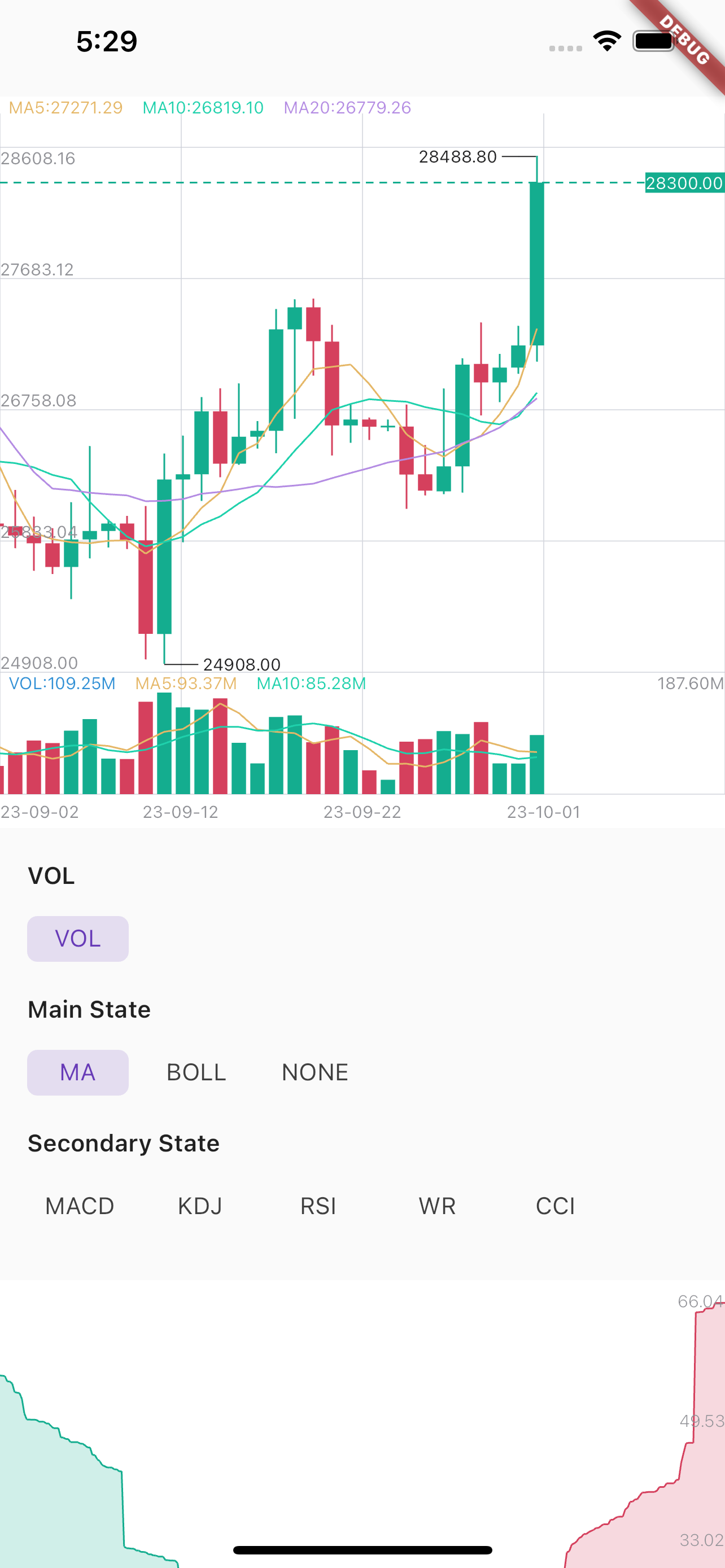 |
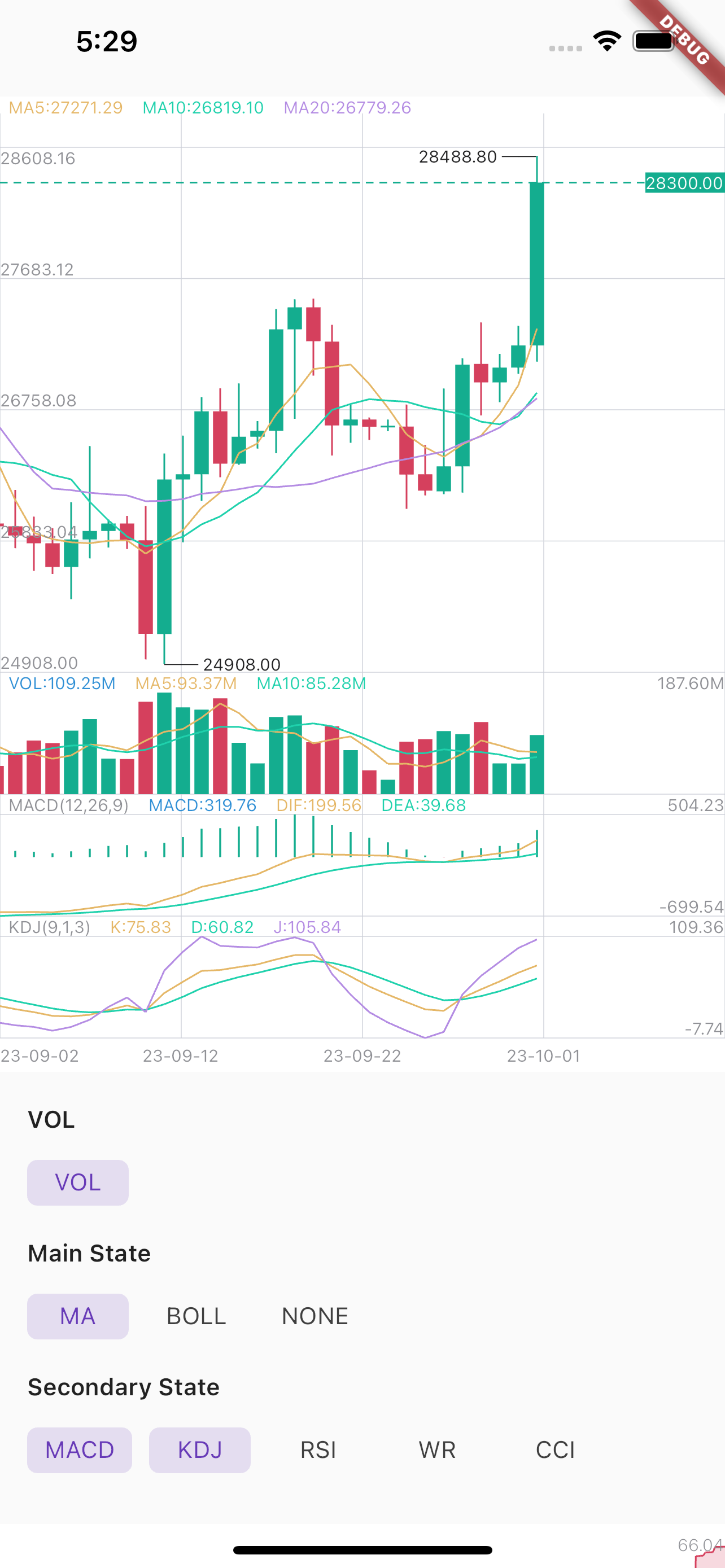 |
First, add k_chart_plus as a dependency in your pubspec.yaml file.
k_chart_plus_deeping: ^1.0.0-tomo+2
If you don't want to support selecting multiple secondary states, you need to use:
flutter_k_chat_plus:
   git:
     url: https://github.com/sawwas/flutter_k_chat_plus
     ref: single #branch name
When you change the data, you must call this:
DataUtil.calculate(datas); //This function has some optional parameters: n is BOLL N-day closing price. k is BOLL param.
KChartWidget(
    chartStyle, // Required for styling purposes
    chartColors,// Required for styling purposes
    datas,// Required,Data must be an ordered list,(history=>now)
    mBaseHeight: 360, //height of chart (not contain Vol and Secondary)
    isLine: isLine,// Decide whether it is k-line or time-sharing
    mainState: _mainState,// Decide what the main view shows
    secondaryStateLi: _secondaryStateLi,// Decide what the sub view shows
    fixedLength: 2,// Displayed decimal precision
    timeFormat: TimeFormat.YEAR_MONTH_DAY,
    onLoadMore: (bool a) {},// Called when the data scrolls to the end. When a is true, it means the user is pulled to the end of the right side of the data. When a
    // is false, it means the user is pulled to the end of the left side of the data.
    maDayList: [5,10,20],// Display of MA,This parameter must be equal to DataUtil.calculate‘s maDayList
    volHidden: false,// hide volume
    showNowPrice: true,// show now price
    isOnDrag: (isDrag){},// true is on Drag.Don't load data while Draging.
    isTrendLine: false, // You can use Trendline by long-pressing and moving your finger after setting true to isTrendLine property.
    xFrontPadding: 100 // padding in front
),
DepthChart(_bids, _asks, chartColors) //Note: Datas must be an ordered list,
ChartColor helped to set the color for the chart. You need to flexibly change according to your theme configuration to ensure UI.
If you need to apply multi theme, you need to change at least the colors related to the text, border, grid and background color
late ThemeData themeData = Theme.of(context);
late ChartColors chartColors = ChartColors(
  bgColor: themeData.colorScheme.background,
  defaultTextColor: themeData.textTheme.labelMedium?.color ?? Colors.grey,
  gridColor: themeData.dividerColor,
  hCrossColor: themeData.textTheme.bodyMedium?.color ?? Colors.white,
  vCrossColor: themeData.disabledColor.withOpacity(.1),
  crossTextColor: themeData.textTheme.bodyMedium?.color ?? Colors.white,
  selectBorderColor: themeData.textTheme.bodyMedium?.color ?? Colors.black54,
  selectFillColor: themeData.colorScheme.background,
  infoWindowTitleColor: themeData.textTheme.labelMedium?.color ?? Colors.grey,
  infoWindowNormalColor: themeData.textTheme.bodyMedium?.color ?? Colors.white,
);
Apply in k line chart:
KChartWidget(
    data,
    ChartStyle(),
    ChartColors().init(), ///custom chart color
    chartTranslations: ChartTranslations(
        date: 'Date'
        open: 'Open',
        high: 'High',
        low: 'Low',
        close: 'Close'
        changeAmount: 'Change',
        change: 'Change%',
        amount: 'Amount',
        vol: 'Volume',
    ),
    mBaseHeight: 360,
    isTrendLine: false,
    mainState: mainState,
    secondaryStateLi: secondaryStates,
    fixedLength: 2,
    timeFormat: TimeFormat.YEAR_MONTH_DAY,
);
先按使用场景筛选,再比较项目活跃情况,最后到原始仓库核对使用要求。
“A repository is the most basic element of GitHub.”
GitHub Docs — About repositories ↗