
 v2.2.2
macos_ui
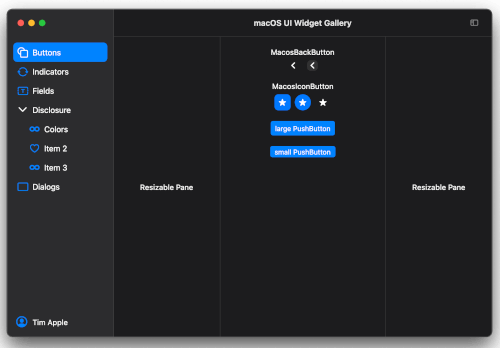
Flutter 小部件和主题,实现当前的 macOS 设计语言。
1070喜欢 3.2万近 30 天下载150Pub 分数
macOS
一个显示连续每天至少有一次提交的天数的工具。
 v2.2.2
Flutter 小部件和主题,实现当前的 macOS 设计语言。
基于时间的任务调度器,类似于 cron。在固定时间或间隔周期性地运行任务。
一个简单的包,用于使用类型安全的 API 和丰富的错误报告来解析 pubspec.yaml 文件。
 v1.0.5
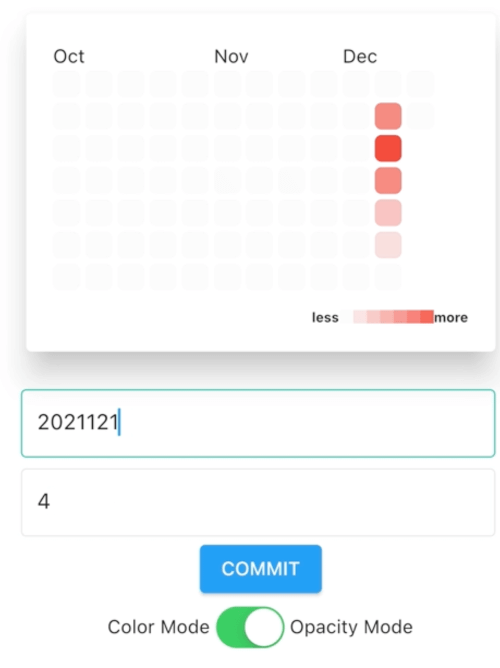
Flutter 热力图日历,灵感来自 GitHub 贡献图表,包含传统模式 / 日历模式。
^1.16.0^0.5.1^1.0.5^5.2.5{"sdk":"flutter"}^1.0.5^0.18.5+1^13.0.0^0.6.14^2.1.3^0.18.0^1.11.1^0.0.3^1.8.2^1.2.1^2.0.17^0.3.2^2.0.1{"sdk":"flutter"}^1.1.6以下为英文项目原文快照,最新内容请访问 GitHub。
A tool that shows how many days there are uninterrupted commits
This is a second tool made from a starter project created by mason using macosui_tool_starter.
It scans all git repositories below the selected directory and reads the git log to collect all commits done in last 240 days. From this data a "heatmap" and the commit streak is created. The heatmap is a color coded calendar. The darker the green color the more changes were committed on that day. The streak is the number of consecutive days with at least one commit per day.
Create your own version if you have Flutter installed on macOS anyway.
git clone github.com/schilken/git_commit_streak
flutter pub get
flutter build macos
You find the built app here: git_commit_streak/build/macos/Build/Products/Release/GitCommitStreak
In the settings, you can activate reminders at a specified time, as notifications, and as iMessage. For example, I get a notification and an iMessage at 19h if I have not yet committed anything.
On a MacBook:
https://raw.githubusercontent.com/schilken/git_commit_streak/HEAD/assets_for_readme/GitCommitStreak-Notification.pngOn the iPhone:
https://raw.githubusercontent.com/schilken/git_commit_streak/HEAD/assets_for_readme/GitCommitStreak-iPhone_640.jpgOn a Apple Watch:
https://raw.githubusercontent.com/schilken/git_commit_streak/HEAD/assets_for_readme/GitCommitStreak-Apple_Watch.jpgCurrrently there is only a release build for [macOS] (https://github.com/schilken/git_commit_streak/releases/)
The cron package can only schedule the commit checks at the specified time, when the Mac is not powered off and the app is running in der background.
By default, a new Mac is–at least in Europe–configured to power down after some delay being in sleep mode (standy 1). I use this app to remind me at 19:00, when I haven't committed anything yet. And that shall work also when the MacBook is closed. With the pmset -c command, I switch off the auto-power-off only when the Mac is connected to the power grid. Use man pmsetto look up other options, for example -a.
$ sudo pmset -c standby 0
<enter root password>

$ pmset -g
System-wide power settings:
Currently in use:
 standby              0
...
I generated a starter project using mason. If you want to create a similar tool you can generate a starter project like so:
Several ideas are taken from https://github.com/bizz84/complete-flutter-course, a great source for learning advanced Flutter created by Andrea Bizzotto (bizz84). Also, thanks to Reuben Turner (GroovinChip) for his great package at https://github.com/GroovinChip/macos_ui