
ClassNow-app
使用 Flutter、Firebase 和 Gemini 构建的 AI 驱动的大学课程管理应用

- 星标
- 2
- 复刻
- 1
- 最近推送(UTC)
- 2026年7月20日
- 项目状态
- 未归档
原始 README
以下为英文项目原文快照,最新内容请访问 GitHub。
ClassNow
AI-powered university class management app
Built with Flutter · Firebase · Gemini API




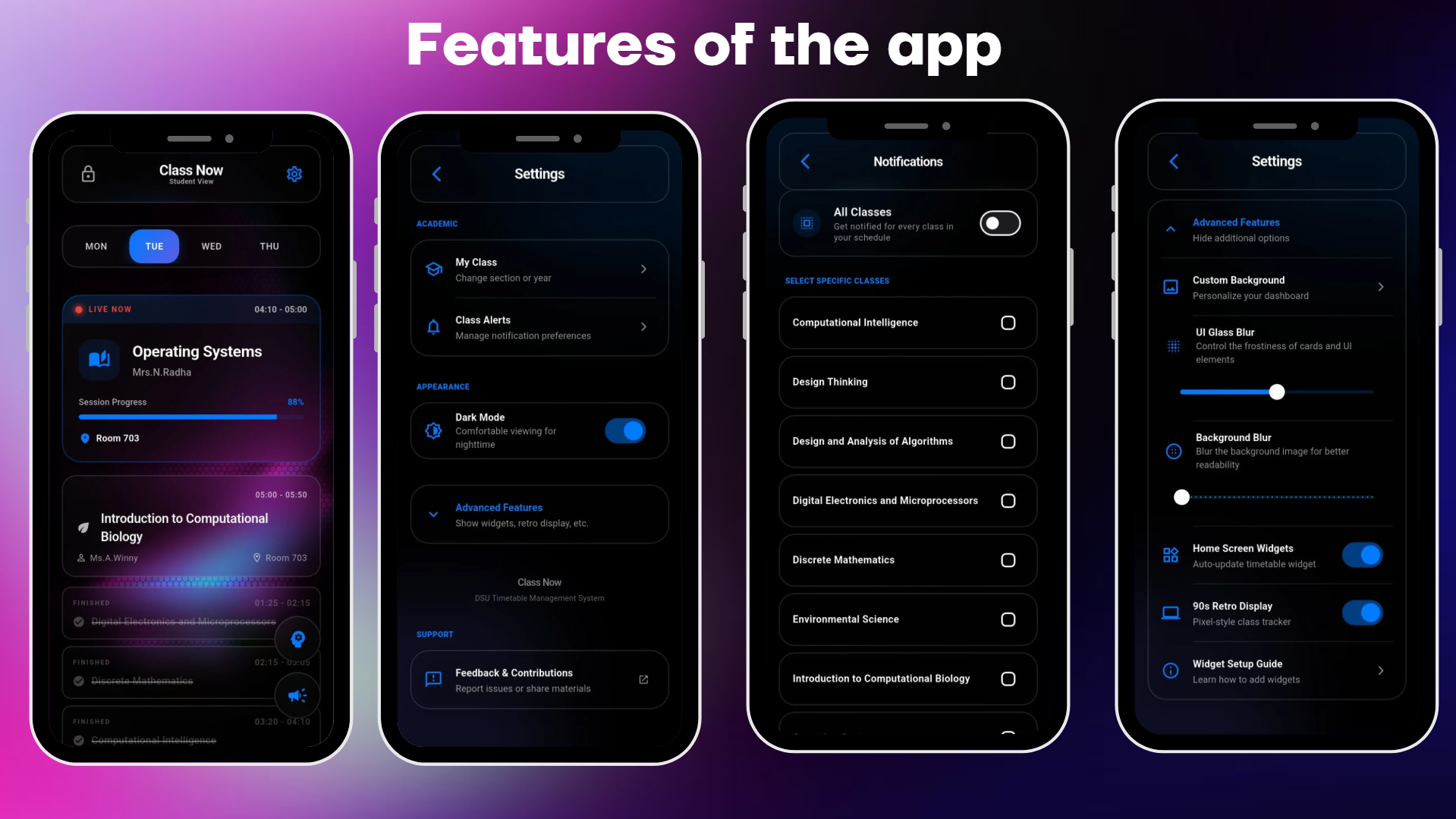
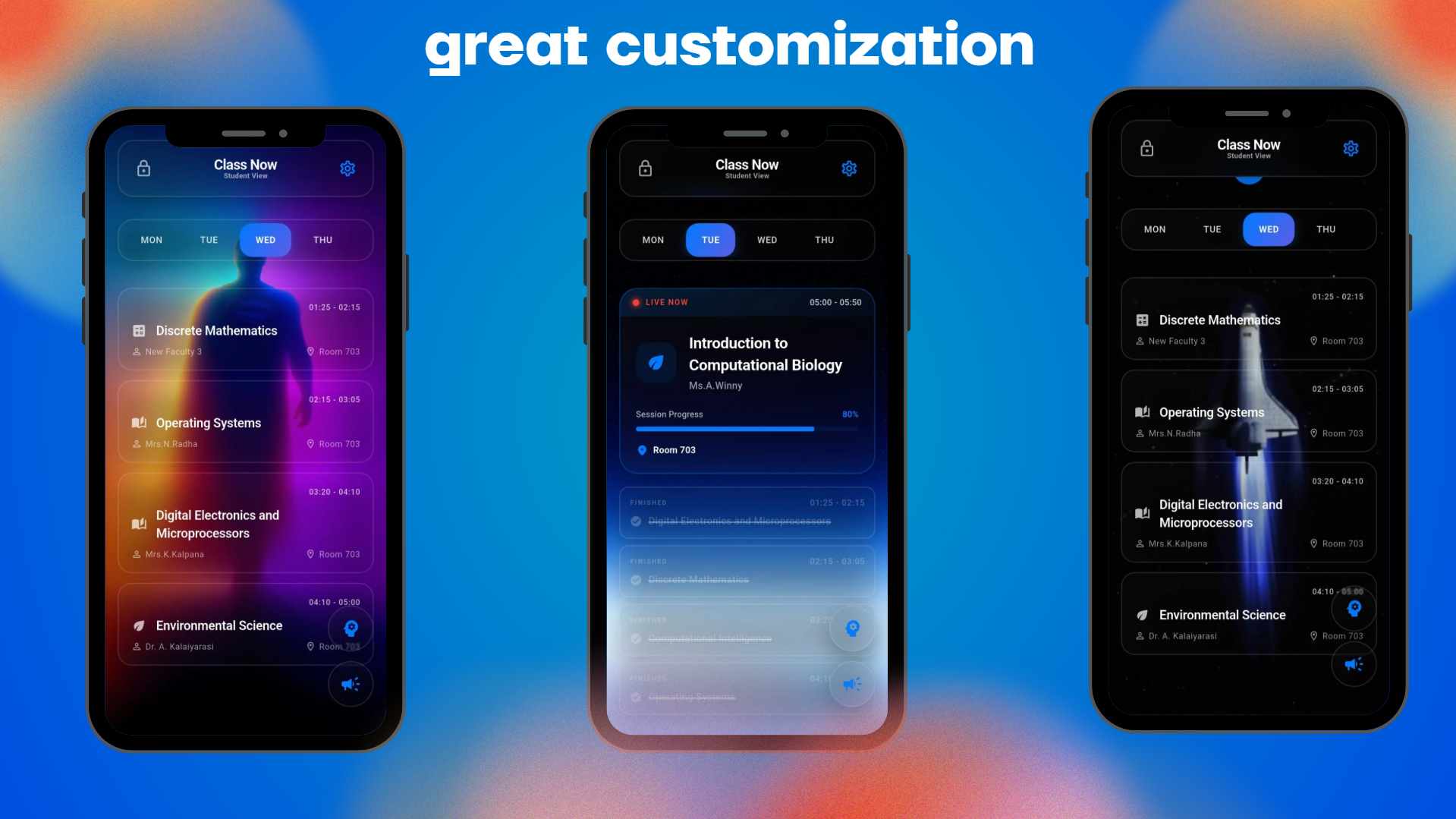
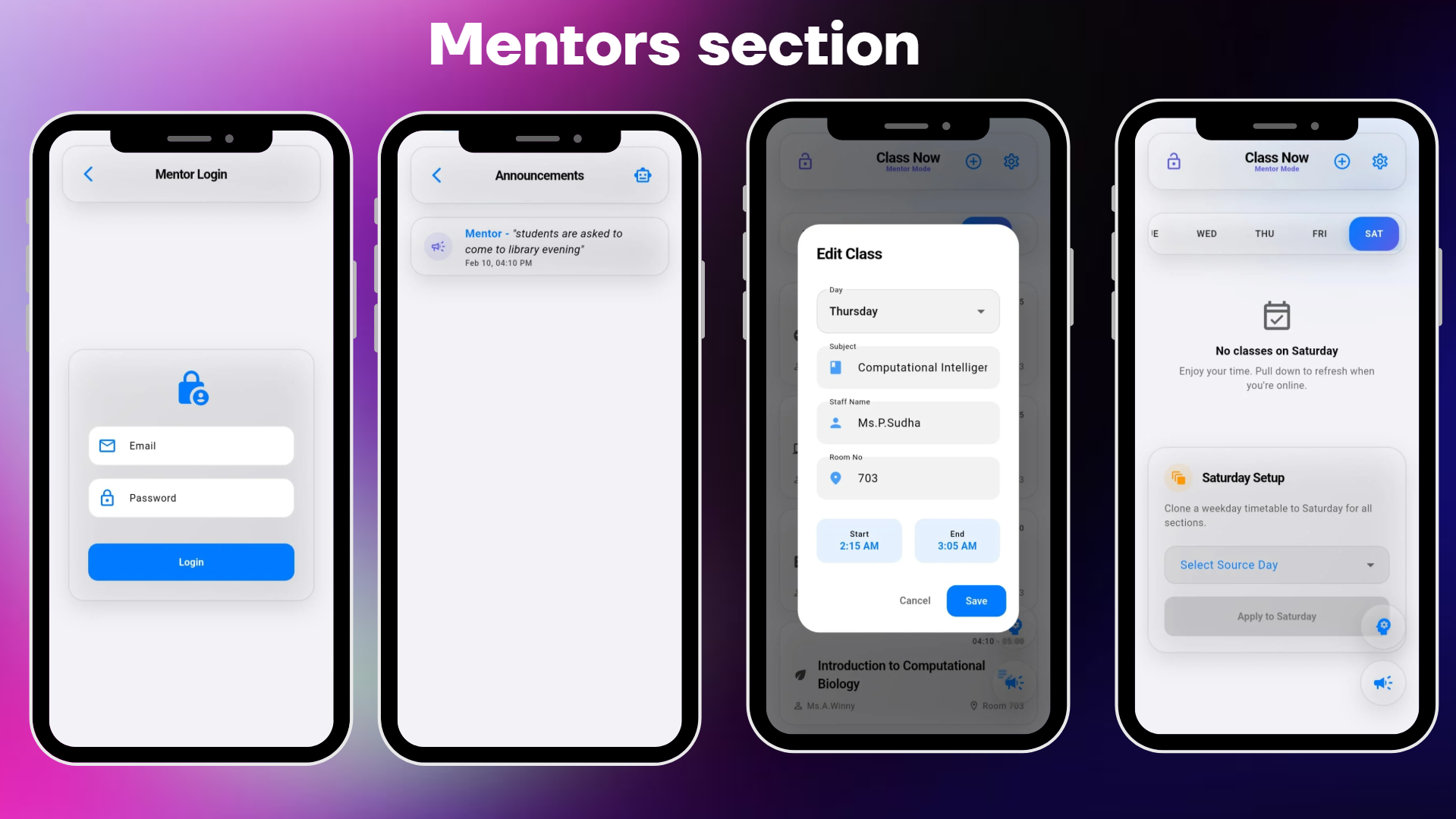
What is ClassNow?
ClassNow is a full-stack Flutter application that solves a real problem for university students — never missing a class or losing track of schedules. It combines real-time Firebase sync, a Gemini-powered AI chatbot, home screen widgets, and a mentor portal into one polished app.
Built and actively used at Dhanalakshmi Srinivasan University, Trichy with real student timetable data for 500+ students.
Features
| Feature | Description |
|---|---|
| Smart Dashboard | Auto-highlights your current and next class in real time |
| AI Chatbot | Ask "Where is my next class?" and get an instant, section-aware answer powered by Gemini API |
| Home Screen Widgets | Native Android widgets to check your schedule without opening the app |
| Intelligent Notifications | Customizable class reminders with background scheduling via WorkManager |
| Offline-First | Full Firestore offline persistence — works without internet after initial sync |
| Mentor Portal | Separate login for mentors to manage and broadcast timetable updates |
| MyCamu Sync | One-tap onboarding that syncs student section and year data |
| OLED Dark Mode | True black UI for battery efficiency on AMOLED displays |
Tech Stack
| Layer | Technology |
|---|---|
| Framework | Flutter (Dart) |
| Backend | Firebase (Firestore, Auth, Cloud Functions) |
| AI/ML | Google Gemini API via google_generative_ai |
| State Management | Provider |
| Notifications | flutter_local_notifications + android_alarm_manager_plus + workmanager |
| Widgets | home_widget (native Android home screen widgets) |
| Networking | connectivity_plus for online/offline detection |
| CI/CD | GitHub Actions (build, test, lint, format) |
Architecture
lib/
├── main.dart                  # App entry point, Firebase init, theme setup
├── screens/                   # UI screens (onboarding, sync, privacy, etc.)
├── services/
│   ├── gemini_service.dart        # Gemini API integration
│   ├── chatbot_context_builder.dart # Dynamic prompt engineering with live timetable data
│   ├── seed_data.dart             # Firestore data seeding
│   └── diagnose_firestore.dart    # Debug utility for Firestore state
├── providers/                 # State management (user selection, preferences)
├── widgets/
│   ├── chatbot_interface.dart     # Full chat UI with markdown rendering
│   ├── glass_widgets.dart         # Glassmorphism UI components
│   ├── skeleton_loader.dart       # Shimmer loading states
│   └── class_selection_widget.dart
├── notification_service.dart  # Local notification scheduling engine
├── widget_service.dart        # Home screen widget data bridge
└── theme_provider.dart        # Dynamic theming (light/dark/OLED)
How the AI Chatbot Works
The chatbot is the most technically complex feature. Here's the pipeline:
- Context Building (
chatbot_context_builder.dart) — Dynamically constructs a prompt that includes the student's section, current day/time, full timetable, and campus knowledge base. - Gemini Integration (
gemini_service.dart) — Sends the assembled context + user query to Google's Gemini API. - Response Rendering (
chatbot_interface.dart) — Displays AI responses with full Markdown support (bold, lists, code blocks).
The chatbot is section-aware (A1–A5 & B1–B5), time-aware (knows what "next class" means relative to now), and includes campus-specific knowledge (hostel locations, cafes, blocks).
Getting Started
Prerequisites
- Flutter SDK
>=3.10.7 - Firebase project with Firestore and Auth enabled
- Google Gemini API key
Setup
git clone https://github.com/shantoshdurai/Timewise-app.git
cd flutter_firebase_test
flutter pub get
- Place your
google-services.jsoninandroid/app/ - Create a
.envfile in the project root with your Gemini API key:GEMINI_API_KEY=your_key_here - Run:
flutter run
CI/CD
The project includes automated GitHub Actions workflows:
- Flutter CI — Builds the APK, runs tests, checks formatting and static analysis on every push/PR
- Code Quality — Runs
dart analyzewith strict rules - Stale Bot — Automatically manages stale issues and PRs
Database Schema
Firestore is structured for multi-year, multi-section scalability:
timetable/
└── {year}/
    └── {section}/
        └── {day}/
            └── periods: [{ subject, time, room, faculty }]
Troubleshooting
| Problem | Solution |
|---|---|
| Widgets not updating | Enable Autostart and disable Battery Optimization for the app |
| Crash on launch | Verify google-services.json is in android/app/ |
| Chatbot not responding | Check that your Gemini API key is valid in .env |
Scan to Download

Contributing
Contributions are welcome. See CONTRIBUTING.md for guidelines.
Built By
Santosh Durai — CS Student at DSU, Tamil Nadu GitHub · LinkedIn
License
MIT License — free to use and contribute.

Santosh Durai ↗
分类
使用的依赖
依赖清单 30 项
- flutter
{"sdk":"flutter"} - cupertino_icons
^1.0.8 - firebase_core
^3.15.1 - cloud_firestore
^5.6.10 - intl
^0.20.2 - home_widget
^0.9.3 - flutter_local_notifications
^17.1.0 - shared_preferences
^2.3.2 - timezone
^0.9.3 - provider
^6.1.5+1 - firebase_auth
^5.6.1 - shimmer
^3.0.0 - cloud_functions
^5.6.0 - google_fonts
^8.1.0 - connectivity_plus
^6.1.0 - workmanager
^0.9.0+3 - android_alarm_manager_plus
^5.1.0 - flutter_animate
^4.5.2 - image_picker
^1.0.7 - google_generative_ai
^0.4.0 - flutter_markdown
^0.7.3 - http
^1.2.0 - url_launcher
^6.3.1 - webview_flutter
^4.10.0 - flutter_dotenv
^6.0.0 - flutter_test开发依赖
{"sdk":"flutter"} - flutter_lints开发依赖
^4.0.0 - mockito开发依赖
5.4.4 - firebase_auth_mocks开发依赖
^0.14.0 - flutter_launcher_icons开发依赖
^0.14.4
如何选择适合项目的代码仓?
先按使用场景筛选,再比较项目活跃情况,最后到原始仓库核对使用要求。
- 通过仓库名、作者或描述搜索,再按技术分类缩小范围。
- 结合星标、复刻与最近推送比较项目;星标反映社区关注,不代表质量保证。
- 使用前在 GitHub 核对 README、许可证与 Issues。
来源与维护
“A repository is the most basic element of GitHub.”
GitHub Docs — About repositories ↗