
 v2.2.0
tap_debouncer
点击去抖动简化小部件。将您的按钮小部件包裹在 TapDebounce 小部件中,当点击回调正在进行时,任何点击都将被禁用。
120喜欢 1.4万近 30 天下载160Pub 分数
AndroidiOSWebmacOSWindowsLinux
点击去抖简化小部件和工具

以下为英文项目原文快照,最新内容请访问 GitHub。
Tap debounce simplifying widget. Wrap your button widget in TapDebounce widget and any taps will be disabled while tap callback is in progress.
Assume your code with some button look like this:
//...
child: RaisedButton(
  color: Colors.blue,
  disabledColor: Colors.grey,
  onPressed: () async => await someLongOperation(), // your tap handler
  child: const Text('Short'),
  );
//...
and you do not want user to be able to press the button again several times and start other someLongOperation functions. Example is a Navigator pop function - it can take a few hundred of millis to navigate and user can press the button several times, and that will lead to undesired pop several screens back instead of one.
Wrap this code to Debouncer and move RaisedButton onPressed contents to Debouncer onTap:
//...
child: TapDebouncer(
  onTap: () async => await someLongOperation(), // your tap handler moved here
  builder: (BuildContext context, TapDebouncerFunc? onTap) {
    return RaisedButton(
      color: Colors.blue,
      disabledColor: Colors.grey,
      onPressed: onTap,  // It is just onTap from builder callback
      child: const Text('Short'),
    );
  },
),
//...
Debouncer will disable the RaisedButton by setting onPressed to null while onTap is being executed.
You can add optional delay to be sure that the button is disabled some time after someOperation is called.
//...
onTap: () async {
    await someOperation();

    await Future<void>.delayed(const Duration(milliseconds: 1000));
},
//...
You can fill optional cooldown field with some Duration and avoid adding of Future.delayed at the end of onTap callback, this will be done automatically:
//...
child: TapDebouncer(
  cooldown: const Duration(milliseconds: 1000),
  onTap: () async => await someLongOperation(), // your tap handler moved here
  builder: (BuildContext context, TapDebouncerFunc? onTap) {
    return RaisedButton(
      color: Colors.blue,
      disabledColor: Colors.grey,
      onPressed: onTap,  // It is just onTap from builder callback
      child: const Text('Short'),
    );
  },
),
//...
Then your onTap could be changed to this:
//...
onTap: () async => await someOperation(),
//...
If someOperation will raise exception cooldown delay will also work, after exception.
You can inspect value of onTap and change look of your widget:
//...
builder: (BuildContext context, TapDebouncerFunc? onTap) {
  return RaisedButton(
    color: Colors.blue,
    onPressed: onTap,
    // variant with manual test onTap for null in builder
    child: onTap == null
        ? const Text('Wait...')
        : const Text('Short'),
  );
},
//...
Also you can use waitBuilder method to build new busy widget:
//...
builder: (BuildContext context, TapDebouncerFunc? onTap) {
//...
},
// variant with using waitBuilder instead of test onTap for null
waitBuilder: (BuildContext context, Widget child) {
  return Stack(
    children: <Widget>[
      child,
      const Center(child: CircularProgressIndicator()),
    ],
  );
},
//...
waitBuilder will return original widget (built with onTap == null) as child
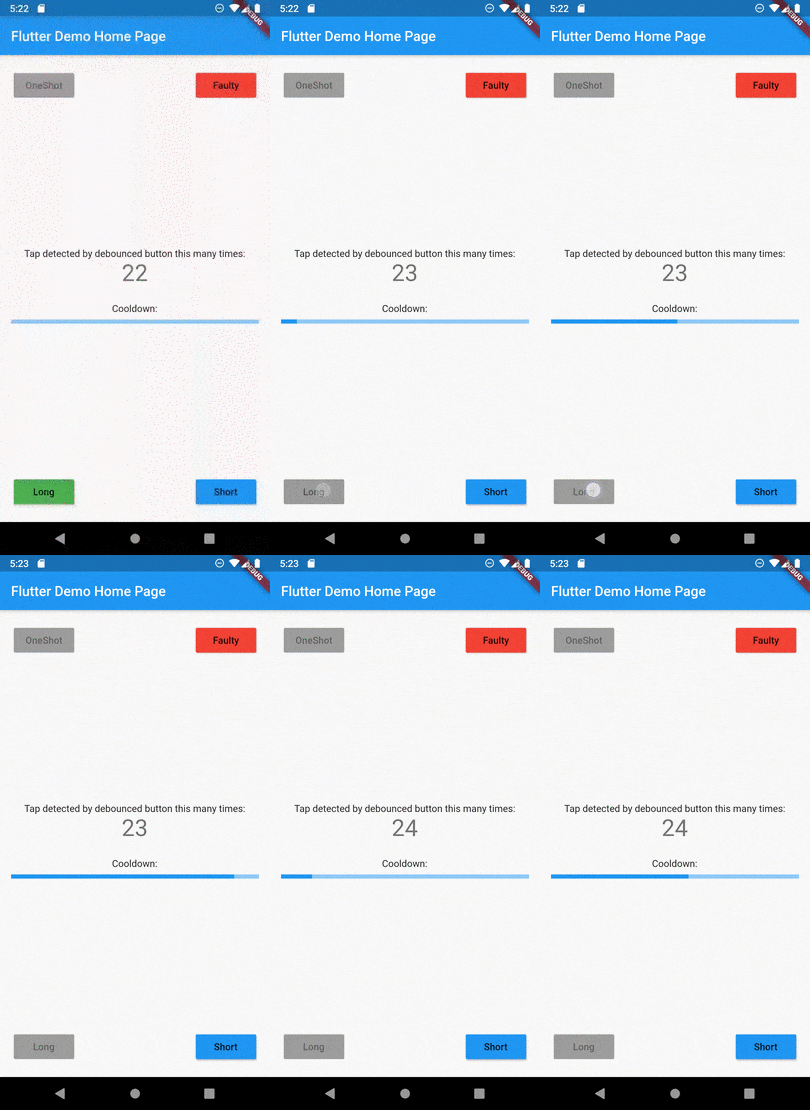
See example application for details:
Example of button disabled after tap