
 v1.1.4
flutter_acrylic
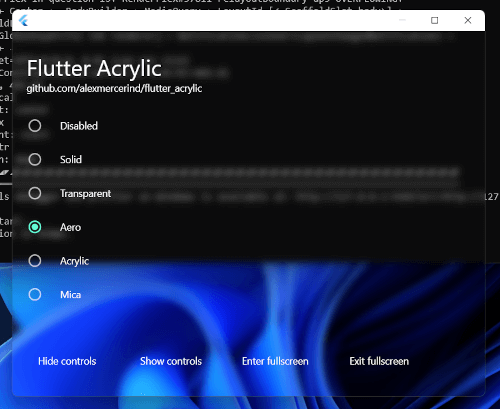
适用于 Flutter 的 Windows、macOS 和 Linux 窗口磨砂玻璃、Mica 及透明效果。
600喜欢 2万近 30 天下载150Pub 分数
macOSWindowsLinux
Keyviz 是一款免费开源软件,可实时可视化您的 ⌨️ 键盘输入!在屏幕录制、演示、协作或任何需要时,让您的观众知道您正在按哪些快捷键/按键。
 v1.1.4
适用于 Flutter 的 Windows、macOS 和 Linux 窗口磨砂玻璃、Mica 及透明效果。
此插件允许 Flutter 桌面应用程序定义系统托盘。
此插件允许Flutter桌面应用程序获取有关屏幕尺寸、显示器、光标位置等信息。
 v0.3.4
适用于 Flutter 桌面端(Windows)的键盘事件插件
{"sdk":"flutter"}{"git":{"url":"https://github.com/Krysl/keyboard_event.git","ref":"main"}}^6.0.3^1.1.0^0.1.8^6.1.5^0.2.5^1.0.0^0.1.2^2.0.15{"sdk":"flutter"}^2.0.0^3.6.2以下为英文项目原文快照,最新内容请访问 GitHub。
Keyviz - Visualize your keystrokes in real-time | Product Hunt downloads
Keyviz is a free and open-source software to visualize your ⌨️ keystrokes in realtime! Let your audience know what handy shortcuts/keys you're pressing during screencasts, presentations, collaborations, or whenever you need it.
keyviz-preview
multiple-styles
Don't restrain yourself to just black & white! Change the visualization's style, size, color (modifier and normal keys), border, icon, and symbols.
keyviz-settings
Powerful and easy to use configuration options.
You can download the latest version of keyviz from the Github Releases page. Unzip the downloaded file, run the installer and follow the familiar steps to install keyviz.
You can check out this video tutorial as well.
To get started, follow the above installation process. You can start visualizing your keystrokes by just running the application.
To open the settings window, find the keyviz icon on the right side of the Taskbar or Taskbar > Hidden Icons ^. Then click on the icon and select Settings. The settings window will appear from which, you customize the style, appearance, and other general settings of the visualization.
If you want to request any features, join our discord community and let us know about your suggestions. You can also vote for the requested features by others and see the future development plans.