
v3.1.1
image_picker_for_web
image_picker 的 Web 平台实现
176喜欢 447万近 30 天下载150Pub 分数
Web
一个使用 Flutter 编写的移动 POS 应用,兼容 Sunmi 设备

image_picker 的 Web 平台实现
 v35.1.37
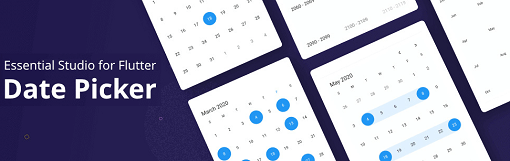
Flutter 日期范围选择器小部件允许用户轻松选择日期或日期范围。它具有四个内置视图,可快速导航到所需日期。
用于 2D 和 3D 应用的向量数学库。
适用于 Flutter 的本地存储。React Native AsyncStorage 的替代方案。
一个用于通过蓝牙连接热敏打印机的Flutter插件
{"sdk":"flutter"}{"sdk":"flutter"}—>=0.17.0 <1.0.0^2.0.0^6.0.0———^4.0.0+1^0.8.4^2.0.0{"git":{"url":"https://github.com/tcd93/blue_thermal_printer","ref":"master"}}^4.0.4^22.1.39^0.55.0^0.18.0^2.1.2{"sdk":"flutter"}—^0.11.0^2.3.3以下为英文项目原文快照,最新内容请访问 GitHub。
A mobile POS written in Flutter, suitable for small cafe/restaurant, fully offline.
Tested & printable on Sunmi V1S device.
sunmi_v1s
Support:
Get flutter IMPORTANT: this project works only with Flutter >= 3.10
flutter pub get
flutter run
Or
docker-compose -f .\compose-dev.yaml up -d --builddocker exec -it flutter_dev bashflutter doctor --android-licensesflutter cleanflutter run -d web-server (Visual studio code should forward the port automatically if you use Remote window)flutter test