
v1.5.0
floor
आपके Flutter एप्लिकेशन के लिए प्रकार सुरक्षित, प्रतिक्रियाशील और हल्का SQLite अबस्ट्रैक्शन। यह लाइब्रेरी रनटाइम डिपेंडेंसी है।
1 हज़ारलाइक 32.8 हज़ार30-दिन डाउनलोड110Pub अंक
प्लेटफ़ॉर्म डेटा नहीं
OSC (ओपन साउंड कंट्रोल) कमांड्स का उपयोग करके Beyond सॉफ्टवेयर के साथ बिना किसी रुकावट के एकीकरण करें

आपके Flutter एप्लिकेशन के लिए प्रकार सुरक्षित, प्रतिक्रियाशील और हल्का SQLite अबस्ट्रैक्शन। यह लाइब्रेरी रनटाइम डिपेंडेंसी है।
 v2.1.0
Flutter के लिए एक सरल एनिमेटेड लोडिंग बटन विजेट का कार्यान्वयन
 v3.2.0
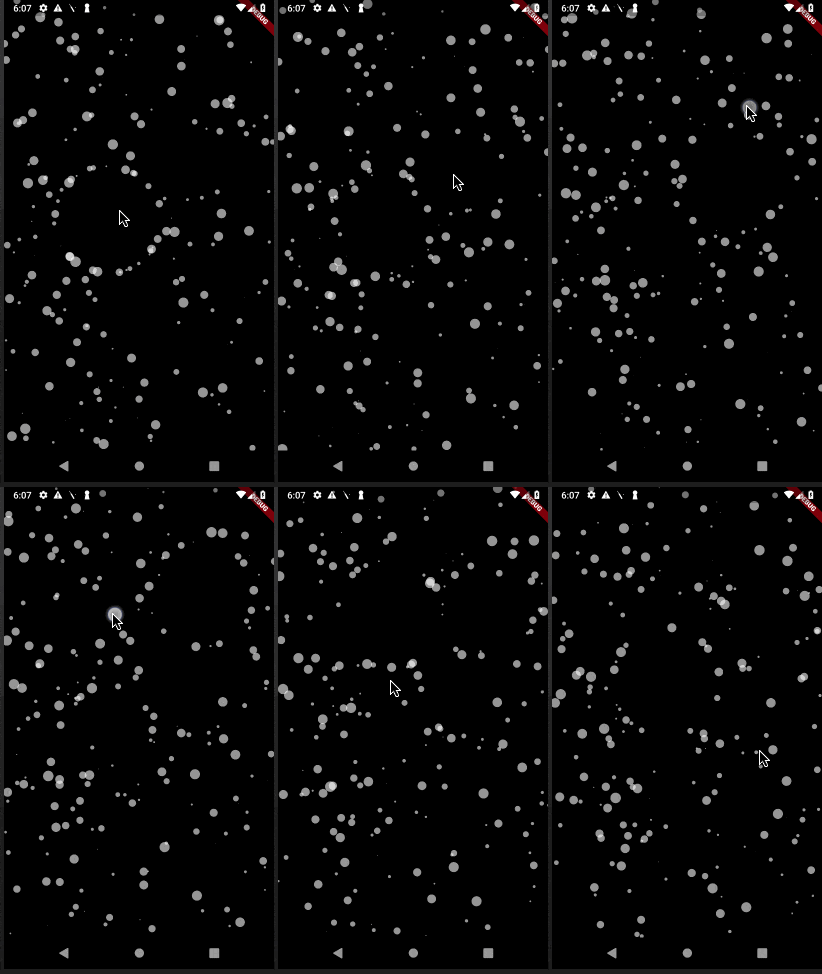
कण एनीमेशन के लिए एक फ्लटर पैकेज। आप एनीमेशन गति, स्क्रीन पर कणों की संख्या, कण के आयाम और आकार, लाइनों के माध्यम से जुड़े हुए आकार आदि को नियंत्रित कर सकते हैं।
 v2.0.3
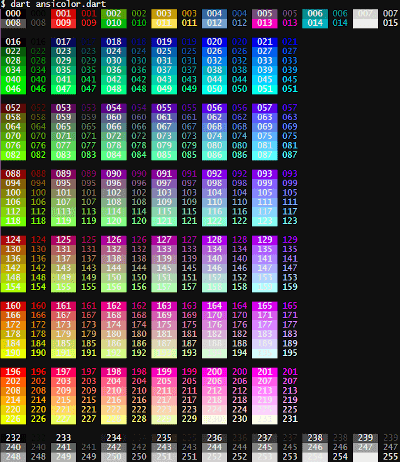
अपने टर्मिनल लॉग में कुछ रंग जोड़ना चाहते हैं? `ansicolor` एक xterm-256 रंग समर्थन लाइब्रेरी है जो आपके टेक्स्ट के फॉरग्राउंड और बैकग्राउंड रंग को बदलने की अनुमति देती है।
 v2.0.4
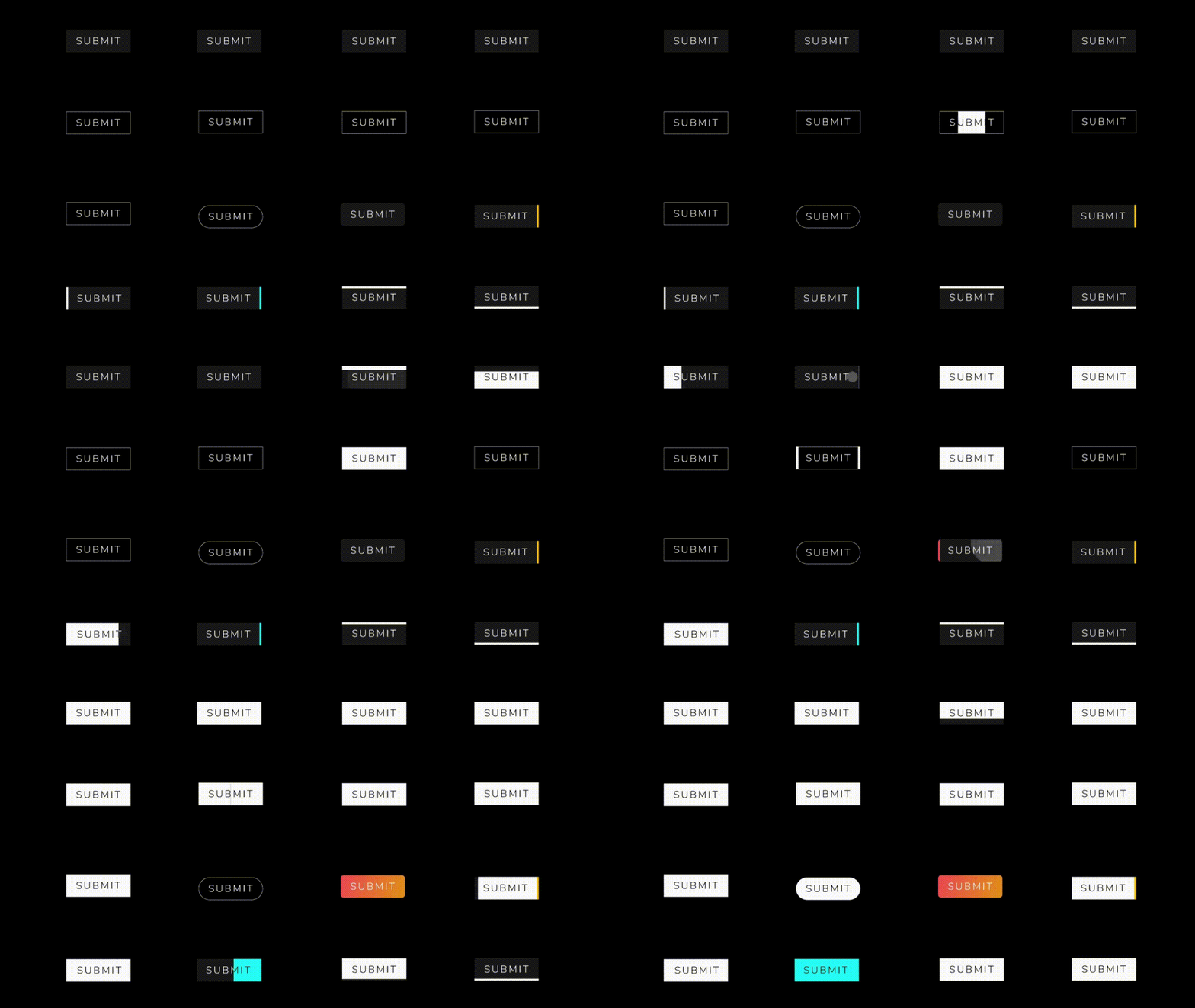
एक फ्लटर पैकेज प्रोजेक्ट जिसमें कुछ मनोरंजक और सुंदर बटन एनीमेशन हैं।
{"sdk":"flutter"}^1.0.2^7.2.0^1.0.0^3.0.0^6.1.0^0.1.4^2.0.2^2.0.3^2.1.0^2.0.5^1.4.2—^2.0.0{"sdk":"flutter"}^2.1.5^1.4.2^2.0.0यह अंग्रेज़ी मूल स्नैपशॉट है। नवीनतम सामग्री GitHub पर देखें।
Introduction:
This Flutter project is designed to seamlessly integrate with Beyond software using OSC (Open Sound Control) commands. OSC is a protocol for communication among computers, sound synthesizers, and other multimedia devices. The primary goal of this project is to leverage OSC commands to establish reliable and efficient communication with Beyond software, enhancing the capabilities of the Flutter application.
Key Features:
OSC Integration with Beyond Software:
BLoC Architecture:
Floor for Local Database:
GetIt for Service Location:
Tech Stack:
OSC (Open Sound Control) Working:
OSC is a protocol that enables communication between devices by sending messages in a simple, human-readable format. In the context of this Flutter project:
Sending OSC Messages:
/color 255 0 0 (sets color to red).Receiving OSC Messages:
/coordinates 100 50 (updates the application's display).How to Run:
flutter pub get to fetch the project dependencies.flutter run to launch the application on an emulator or connected device.Screens:
https://github.com/Saumya-28/Laser_Slides_Flutter/assets/98171392/e21e0cde-853b-4e32-8358-84b61b7c9727 https://github.com/Saumya-28/Laser_Slides_Flutter/assets/98171392/dd1798a4-4cdb-41d5-8962-bbc3efe327f6 https://github.com/Saumya-28/Laser_Slides_Flutter/assets/98171392/15f82f6d-8b4b-4a18-80db-c7979c260f6f https://github.com/Saumya-28/Laser_Slides_Flutter/assets/98171392/8582942d-e7fa-464a-a609-6992cee166b0
https://github.com/Saumya-28/Laser_Slides_Flutter/assets/98171392/fe2f8b34-8c3c-40c2-bab3-a0eaa113a1e8 https://github.com/Saumya-28/Laser_Slides_Flutter/assets/98171392/61c9002b-2864-46a1-abd0-ffc5f1937a8c https://github.com/Saumya-28/Laser_Slides_Flutter/assets/98171392/a7e7dc9b-a5c3-4134-be8a-aed62deb1c87 https://github.com/Saumya-28/Laser_Slides_Flutter/assets/98171392/c42d2b1c-da6a-42ad-b3ab-a5280c6e1752