
 v1.0.0
particle_field
अपने UI में उच्च प्रदर्शन वाले कस्टम कण प्रभाव जोड़ने के लिए एक Flutter विजेट।
143लाइक 1.1 हज़ार30-दिन डाउनलोड150Pub अंक
AndroidiOSWebmacOSWindowsLinux
अपने UI में उच्च प्रदर्शन वाले कस्टम कण प्रभाव जोड़ने के लिए एक Flutter विजेट।

{"sdk":"flutter"}{"sdk":"flutter"}^2.0.0यह अंग्रेज़ी मूल स्नैपशॉट है। नवीनतम सामग्री GitHub पर देखें।
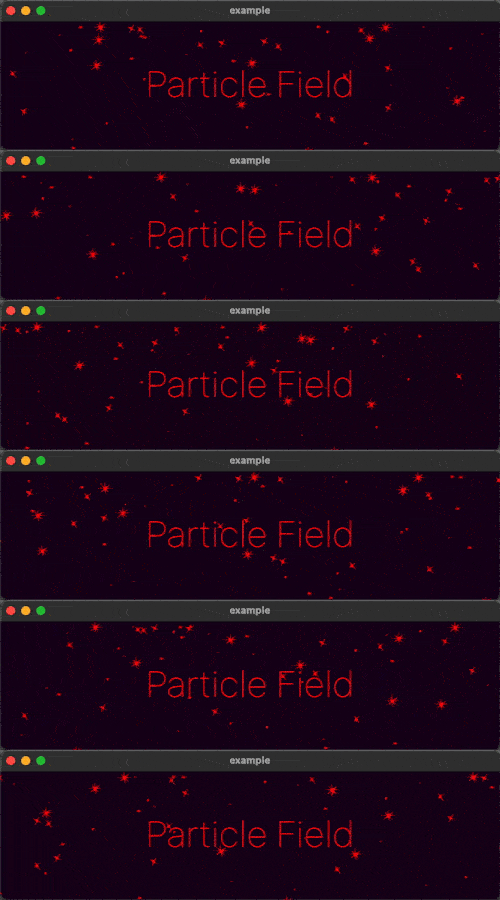
A Flutter Widget for adding high performance custom particle effects to your UI.
Simple Example
Easy to use: just write a simple onTick handler to manage a list of particles.
Architected to be highly extensible. Utilizes CustomPainter and drawAtlas to
offer exceptional performance.
// NOTE: this example uses `rnd` (see "Complimentary Libraries" below)
ParticleField field = ParticleField(
  spriteSheet: sparkleSpriteSheet,
  // top left will be 0,0:
  origin: Alignment.topLeft,
  // onTick is where all the magic happens:
  onTick: (controller, elapsed, size) {
    List<Particle> particles = controller.particles;
    // add a new particle each frame:
    particles.add(Particle(x: rnd(size.width), vx: rnd(-1, 1)));
    // update existing particles:
    for (int i = particles.length - 1; i >= 0; i--) {
      Particle particle = particles[i];
      // call update, which automatically adds vx/vy to x/y
      // add some gravity (ie. increase vertical velocity)
      // and increment the frame
      particle.update(vy: particle.vy + 0.1, frame: particle.frame + 1);
      // remove particle if it's out of bounds:
      if (!size.contains(particle.toOffset())) particles.removeAt(i);
    }
  },
)
See the API Reference for more information.
The rnd package makes working with random values in your particle systems much simpler. For example, if you wanted 20% of your particles to move left, and 80% right at a velocity of between 2 and 5:
particle.vx = rnd(2, 5) * rnd.getSign(0.8)
If you're looking to add animated effects to your UI in addition to particles, check out the Flutter Animate library for pre-made effects, custom effects, and simplified animated builders.
Text("Hello").animate().fadeIn().slide()