 v4.3.0
animated_text_kit
एक फ्लटर पैकेज प्रोजेक्ट जिसमें सुंदर और शानदार टेक्स्ट एनीमेशन का संग्रह है।
5.7 हज़ारलाइक 1.6 लाख30-दिन डाउनलोड160Pub अंक
AndroidiOSWebmacOSWindowsLinux
कोडिंग क्विज़ आपके सीखने को बहुत मजेदार बना देंगे। आप यहाँ सिर्फ सीखने के लिए नहीं, बल्कि खेलें और सीखें। हमारे क्विज़ मजेदार हैं। वे आपके ज्ञान को तुरंत चौंका देते हैं।

यह अंग्रेज़ी मूल स्नैपशॉट है। नवीनतम सामग्री GitHub पर देखें।


Besides the Flutter development setup on your computer, this project needs a
quizapi.io API key. The key is not stored in the repo — it is passed
in at build time and read via String.fromEnvironment:
flutter run   --dart-define=QUIZ_API_KEY=qa_sk_your_api_key
flutter build --dart-define=QUIZ_API_KEY=qa_sk_your_api_key
In VS Code, add it to .vscode/launch.json instead so you don't have to pass it every time:
{
  "configurations": [
    {
      "name": "code_quizzy",
      "request": "launch",
      "type": "dart",
      "toolArgs": ["--dart-define=QUIZ_API_KEY=qa_sk_your_api_key"]
    }
  ]
}
Without the key the app shows a "Missing API Key" screen rather than failing silently.
The app talks to the v1 API, which authenticates with an Authorization: Bearer <key> header
and returns its payloads inside a {success, data, meta} envelope. Topics are loaded at
runtime from GET /api/v1/categories, so the topic list never goes stale.
You've done entire steps correctly and I make sure that this project will have paramount effect on your progress learning Flutter
एक फ्लटर पैकेज प्रोजेक्ट जिसमें सुंदर और शानदार टेक्स्ट एनीमेशन का संग्रह है।
एनिमेट सीएसएस से प्रेरित सुंदर एनिमेशन, कस्टमाइज़ेबल विजेट-आधारित एनिमेशन प्रदान करते हैं और कोई बाहरी निर्भरता नहीं है।
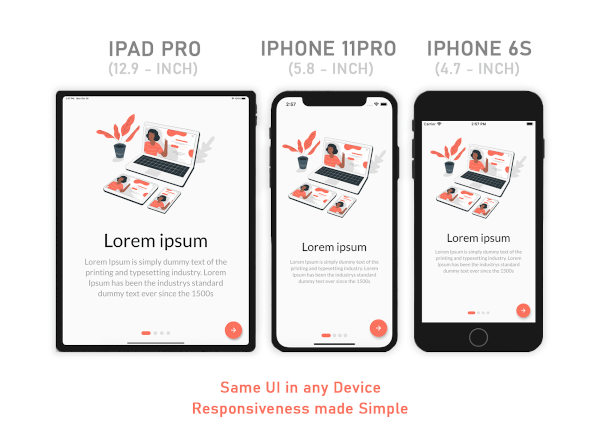
मोबाइल, वेब और डेस्कटॉप के लिए रिस्पॉन्सिव UI समाधान — अनुकूलन को आसान बनाते हैं।
Flutter में स्वाइप ऊपर, नीचे, बाएं और दाएं का पता लगाने का आसान तरीका।
निर्भरता सूची 16 आइटम
{"sdk":"flutter"}^1.0.2^2.0.15^6.0.2^8.0.1^7.2.0^2.0.12^0.13.4^1.0.1^2.1.0^0.0.1^4.2.1^4.0.0^0.9.2^1.0.4{"sdk":"flutter"}उपयोग के अनुसार छाँटें, गतिविधि की तुलना करें और अपनाने से पहले मूल प्रोजेक्ट की आवश्यकताएँ जाँचें।
“A repository is the most basic element of GitHub.”
GitHub Docs — About repositories ↗