सार्वजनिक जानकारी से बना चयन मार्गदर्शन। केवल संदर्भ हेतु।
Animated Text Kit एक Flutter पैकेज है जो दिखावटी और कस्टमाइज़ करने योग्य टेक्स्ट एनिमेशन का संग्रह प्रदान करता है। यह डेवलपर्स को उनके ऐप में टाइपिंग, फेडिंग और स्क्रॉलिंग जैसे डायनामिक टेक्स्ट इफेक्ट आसानी से जोड़ने की अनुमति देता है। स्प्लैश स्क्रीन, वेलकम मैसेज या आकर्षक UI तत्वों के लिए आदर्श, यह Android, iOS, Web, macOS, Windows और Linux जैसे कई प्लेटफॉर्म का समर्थन करता है। पैकेज हल्का है और Flutter के विजेट सिस्टम के साथ बिना किसी दिक्कत के एकीकृत होता है, न्यूनतम सेटअप के साथ स्मूथ एनिमेशन प्रदान करता है।
उपयोग
स्प्लैश स्क्रीन
स्वागत संदेश
इंटरैक्टिव यूआई तत्व
लोडिंग संकेतक
डायनामिक हेडलाइंस
ऑनबोर्डिंग अनुक्रम
मुख्य विशेषताएँ
पूर्व-निर्मित पाठ प्रतिक्रियाएँ
कस्टमाइज़ की गई गति और देरी
बहुपлатफॉर्म समर्थन
Flutter के साथ आसान एकीकरण
स्मूथ ट्रांजिशन
टेक्स्ट स्टाइलिंग विकल्प
इनके लिए उपयुक्त
एप्प ओनबोर्डिंग प्रवाह
उपयोगकर्ता के लिए आकर्षक इंटरफेस
ऐप्स में सरल एनिमेशन
शैक्षिक या प्रस्तुति एप्लिकेशन
रचनात्मक डिजिटल प्रदर्शन
हल्के एनीमेशन की आवश्यकता
विचार योग्य बातें
केवल पाठ एनिमेशन तक सीमित
बहुत सारे उदाहरणों के साथ प्रदर्शन प्रभावित हो सकता है
जटिल एनीमेशन के लिए अनुपयुक्त
उत्तम उपयोगकर्ता अनुभव के लिए सावधानीपूर्वक ट्यूनिंग की आवश्यकता होती है
लघु अवधि के प्रभावों के लिए सर्वोत्तम
Flutter के रेंडरिंग प्रदर्शन पर निर्भर करता है
मूल README
संबंधित सोर्स रिपॉज़िटरी के मूल README का स्नैपशॉट। नवीनतम सामग्री के लिए रिपॉज़िटरी देखें।
Animated Text Kit
A flutter package which contains a collection of some cool and awesome text animations. Recommended package for text animations in Codemagic's Ebook, "Flutter libraries we love". Try out our live example app.
pause – the time of the pause between animation texts
displayFullTextOnTap – tapping the animation will rush it to completion
isRepeatingAnimation – controls whether the animation repeats
repeatForever – controls whether the animation repeats forever
totalRepeatCount – number of times the animation should repeat (when repeatForever is false)
controller - It allows for control over the animation by providing methods to play, pause and reset the text animations programmatically
There are also custom callbacks:
onTap – This is called when a user taps the animated text
onNext(int index, bool isLast) – This is called before the next text animation, after the previous one's pause
onNextBeforePause(int index, bool isLast) – This is called before the next text animation, before the previous one's pause
onFinished - This is called at the end, when the parameter isRepeatingAnimation is set to false
Note: You might come up with an issue that the text does not get updated with setState as shown here. The solution to this, is a key that changes based on the text. For reference, watch this video.
New with Version 3
Version 3 refactored the code so that common animation controls were moved to
AnimatedTextKit and all animations, except for TextLiquidFill, extend from
AnimatedText. This saved hundreds of lines of duplicate code, increased
consistency across animations, and makes it easier to create new animations.
It also makes the animations more flexible because multiple animations may now
be easily combined. For example:
Using the legacy FadeAnimatedTextKit is equivalent to using AnimatedTextKit with FadeAnimatedText.
An advantage of AnimatedTextKit is that the animatedTexts may be any subclass of AnimatedText, while using FadeAnimatedTextKit essentially restricts you to using just FadeAnimatedText.
Legacy AnimatedTextKit classes
Have you noticed that animation classes come in pairs?
For example, there is FadeAnimatedText and FadeAnimatedTextKit.
The significant refactoring with Version 3 split the original FadeAnimatedTextKit into FadeAnimatedText and a re-usable AnimatedTextKit, then FadeAnimatedTextKit was adjusted for backwards compatibility.
When introducing a new AnimationText subclass, you may wonder if you also need to also introduce an additional Kit class. The answer is NO. :tada:
Going forward, we are championing the adoption of the Version 3 approach, and have deprecated the legacy Kit classes.
This will make creating new animations easier.
We know it makes some legacy code more verbose, but the flexibility and simplicity is a conscious trade-off.
returnSizedBox(
width: 250.0,
child: DefaultTextStyle(
style: constTextStyle(
fontSize: 30.0,
fontFamily: 'Bobbers',
),
child: AnimatedTextKit(
animatedTexts: [
TyperAnimatedText('It is not enough to do your best,'),
TyperAnimatedText('you must know what to do,'),
TyperAnimatedText('and then do your best'),
TyperAnimatedText('- W.Edwards Deming'),
],
onTap: () {
print("Tap Event");
},
),
),
);
Typewriter
returnSizedBox(
width: 250.0,
child: DefaultTextStyle(
style: constTextStyle(
fontSize: 30.0,
fontFamily: 'Agne',
),
child: AnimatedTextKit(
animatedTexts: [
TypewriterAnimatedText('Discipline is the best tool'),
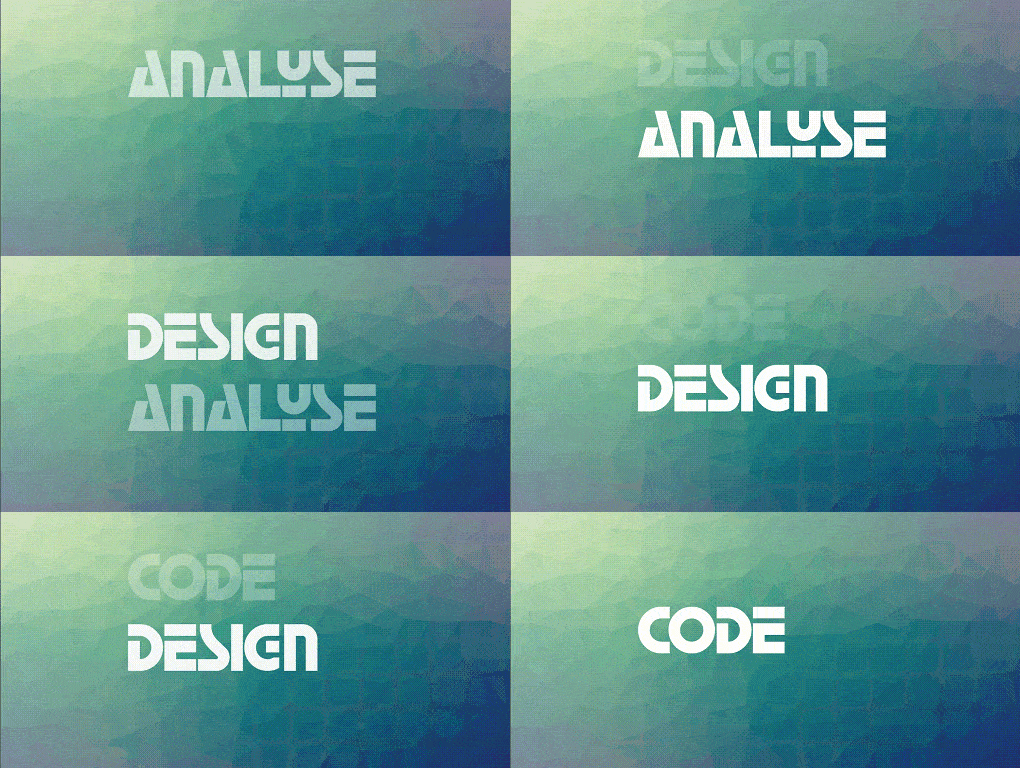
TypewriterAnimatedText('Design first, then code'),
TypewriterAnimatedText('Do not patch bugs out, rewrite them'),
TypewriterAnimatedText('Do not test bugs out, design them out'),
],
onTap: () {
print("Tap Event");
},
),
),
);
You can easily create your own animations by creating new classes that extend
AnimatedText, just like most animations in this package. You will need to
implement:
Class constructor – Initializes animation parameters.
initAnimation – Initializes Animation instances and binds them to the given AnimationController.
animatedBuilder – Builder method to return a Widget based on Animation values.
completeText – Returns the Widget to display once the animation is complete. (The default implementation returns a styled Text widget.)
Then use AnimatedTextKit to display the custom animated text class like:
If you encounter any problems feel free to open an issue. If you feel the library is missing a feature, please raise a ticket on GitHub and I'll look into it. Pull request are also welcome.