

 v2.1.3
flutter_swipe_button
SwipeButton का उपयोग करके अनचाहे क्लिक या डायलॉग को रोकें।
68लाइक 7 हज़ार30-दिन डाउनलोड140Pub अंक
AndroidiOSWebmacOSWindowsLinux
SwipeButton का उपयोग करके अनचाहे क्लिक या डायलॉग को रोकें।

यह अंग्रेज़ी मूल स्नैपशॉट है। नवीनतम सामग्री GitHub पर देखें।


Avoid accidental clicks or dialogs to prevent them using SwipeButton.
| Example 1 | Example 2 | Example 3 |
|---|---|---|
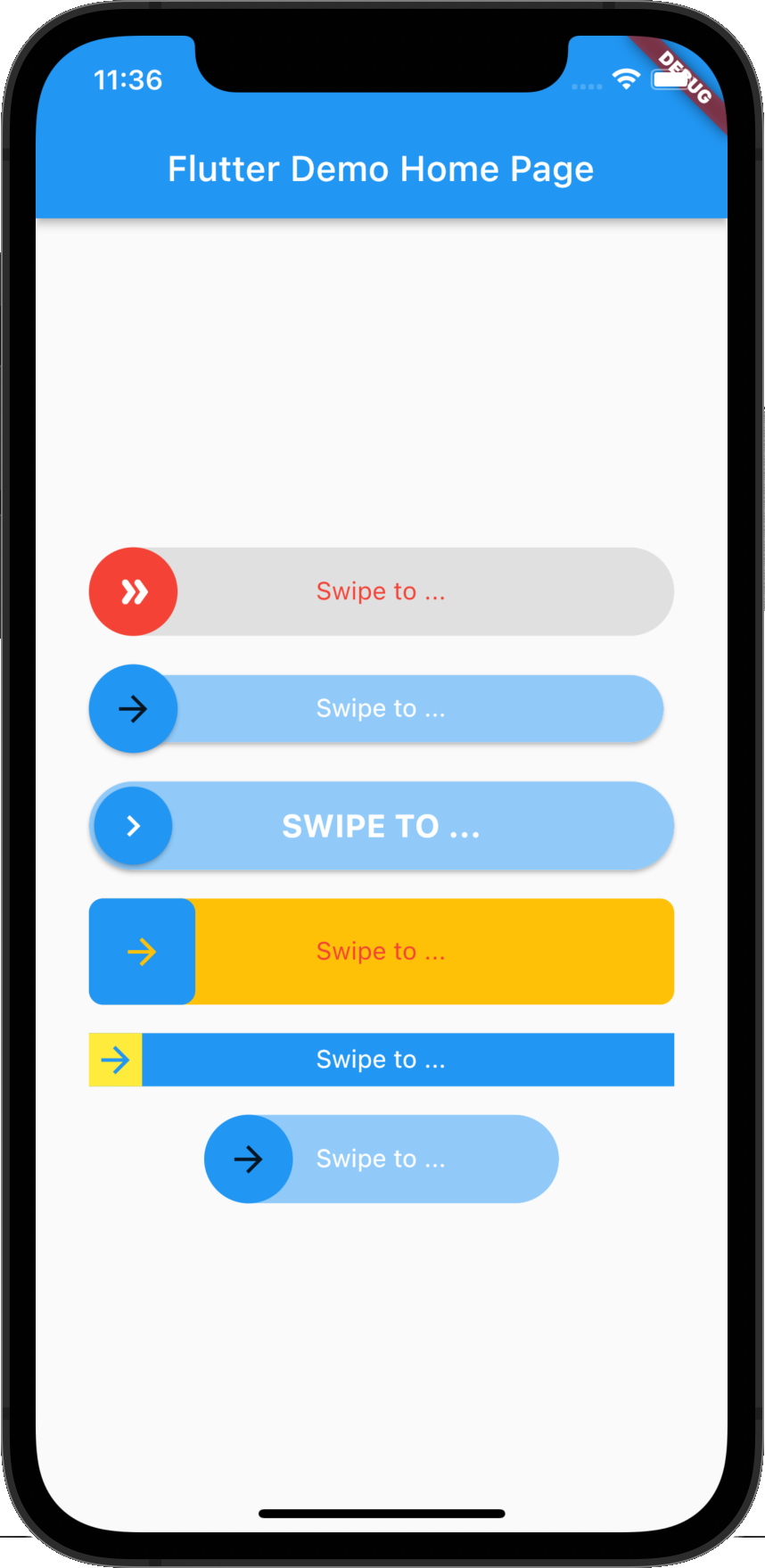 |
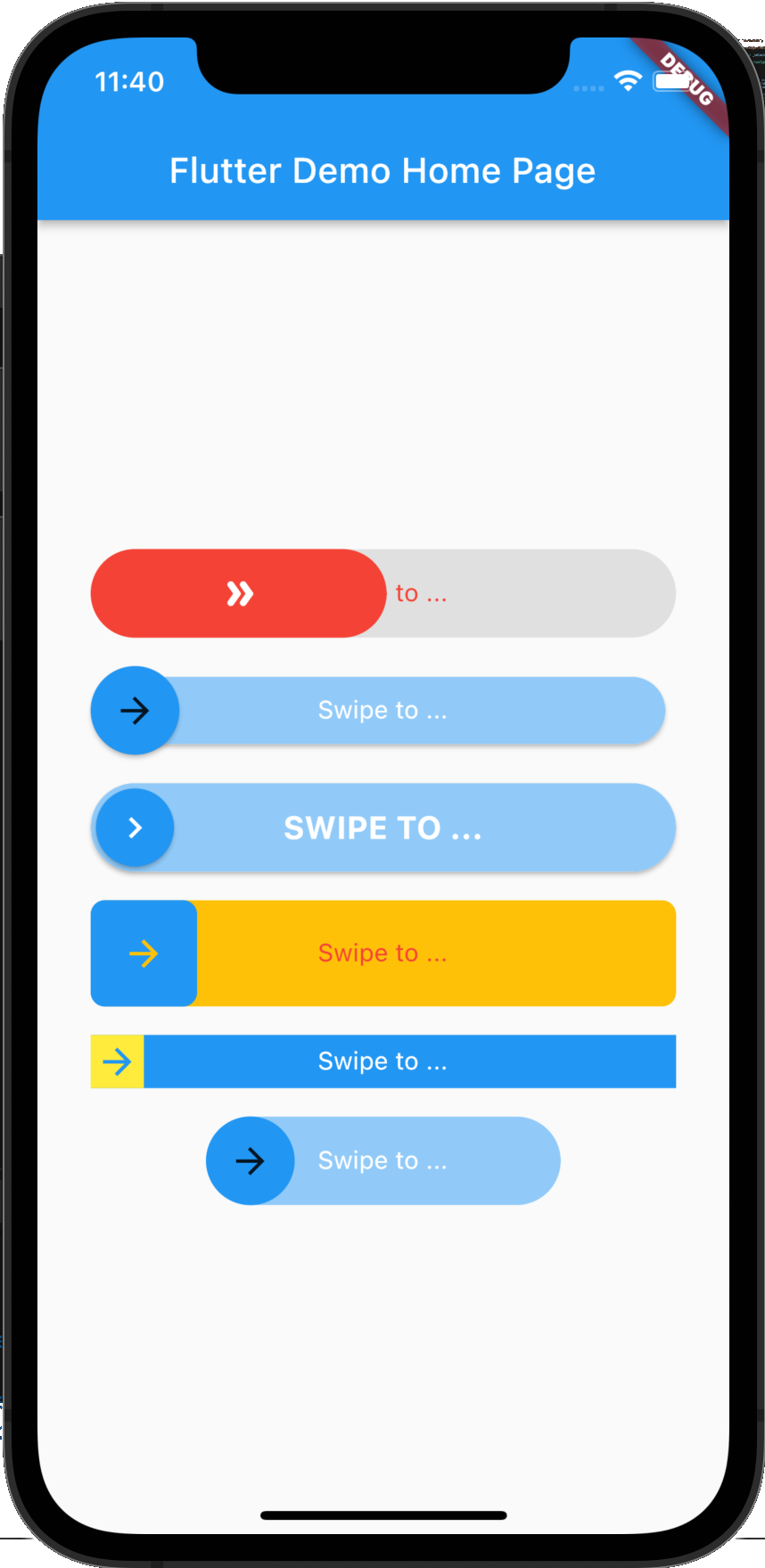 |
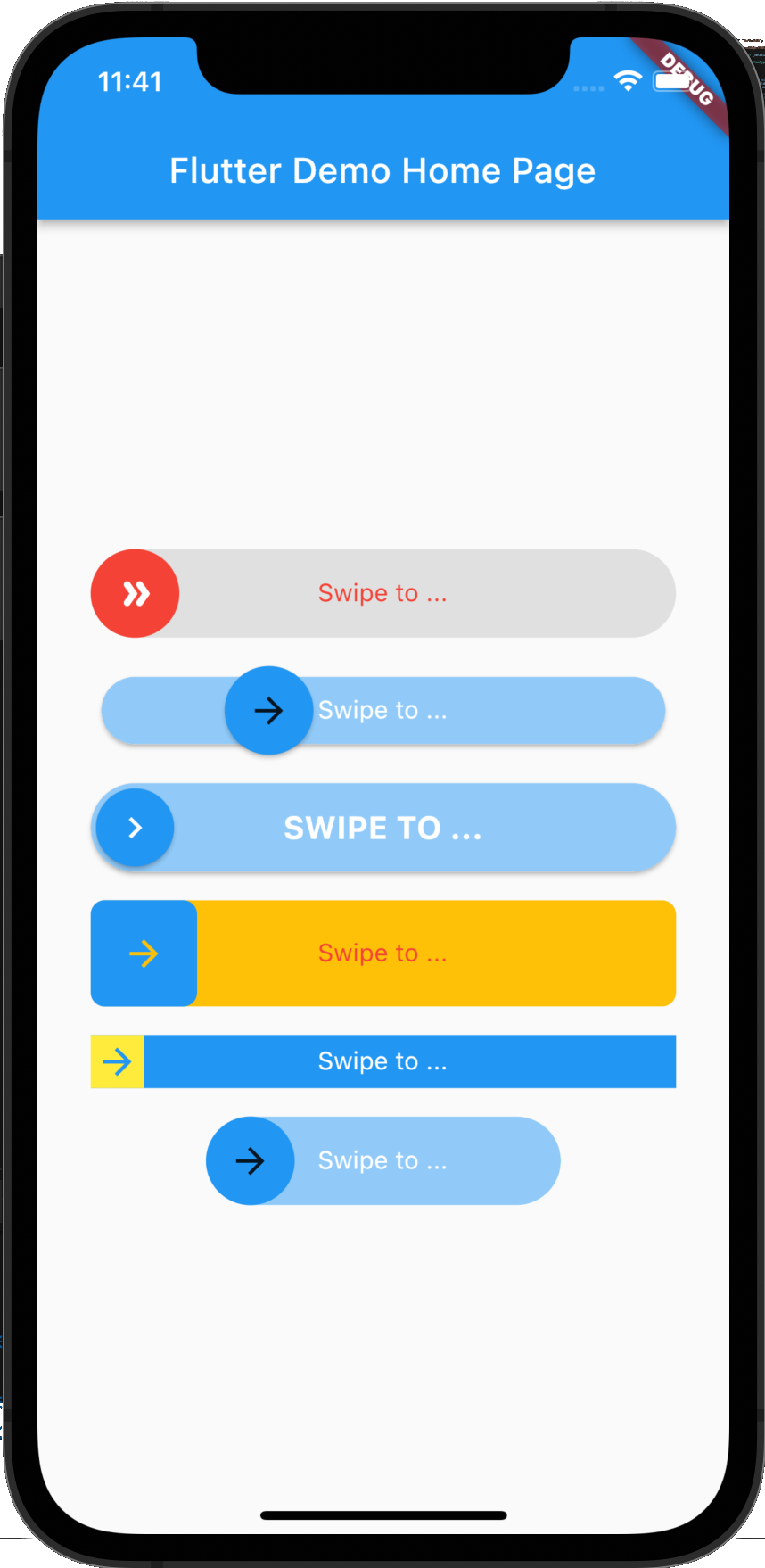 |
flutter_swipe_button: ^2.1.1+1
import 'package:flutter_swipe_button/flutter_swipe_button.dart';
SwipeButton.expand(
  thumb: Icon(
    Icons.double_arrow_rounded,
    color: Colors.white,
  ),
  child: Text(
    "Swipe to ...",
    style: TextStyle(
      color: Colors.red,
    ),
  ),
  activeThumbColor: Colors.red,
  activeTrackColor: Colors.grey.shade300,
  onSwipe: () {
    ScaffoldMessenger.of(context).showSnackBar(
      SnackBar(
        content: Text("Swipped"),
        backgroundColor: Colors.green,
      ),
    );
  },
)
SwipeButton(
  trackPadding: EdgeInsets.all(6),
  elevationThumb: 2,
  child: Text(
    "Swipe to ...",
    style: TextStyle(
      color: Colors.white,
    ),
  ),
  onSwipe: () {
    ScaffoldMessenger.of(context).showSnackBar(
      SnackBar(
        content: Text("Swipped"),
        backgroundColor: Colors.green,
      ),
    );
  },
)
SwipeButton(
  thumbPadding: EdgeInsets.all(3),
  thumb: Icon(
    Icons.chevron_right,
    color: Colors.white,
  ),
  elevationThumb: 2,
  elevationTrack: 2,
  child: Text(
    "Swipe to ...".toUpperCase(),
    style: TextStyle(
      color: Colors.white,
      fontSize: 18,
      fontWeight: FontWeight.bold,
    ),
  ),
  onSwipe: () {
    ScaffoldMessenger.of(context).showSnackBar(
      SnackBar(
        content: Text("Swipped"),
        backgroundColor: Colors.green,
      ),
    );
  },
)
SwipeButton(
  borderRadius: BorderRadius.circular(8),
  activeTrackColor: Colors.amber,
  height: 60,
  child: Text(
    "Swipe to ...",
    style: TextStyle(
      color: Colors.red,
    ),
  ),
  onSwipe: () {
    ScaffoldMessenger.of(context).showSnackBar(
      SnackBar(
        content: Text("Swipped"),
        backgroundColor: Colors.green,
      ),
    );
  },
)
SwipeButton(
  activeTrackColor: Colors.blue,
  activeThumbColor: Colors.yellow,
  borderRadius: BorderRadius.zero,
  height: 30,
  child: Text(
    "Swipe to ...",
    style: TextStyle(
      color: Colors.white,
    ),
  ),
  onSwipe: () {
    ScaffoldMessenger.of(context).showSnackBar(
      SnackBar(
        content: Text("Swipped"),
        backgroundColor: Colors.green,
      ),
    );
  },
)
SwipeButton(
  width: 200,
  child: Text(
    "Swipe to ...",
    style: TextStyle(
      color: Colors.white,
    ),
  ),
  onSwipe: () {
    ScaffoldMessenger.of(context).showSnackBar(
      SnackBar(
        content: Text("Swipped"),
        backgroundColor: Colors.green,
      ),
    );
  },
)
MIT License
निर्भरता सूची 3 आइटम
{"sdk":"flutter"}{"sdk":"flutter"}^4.0.0उपयोग के अनुसार छाँटें, गतिविधि की तुलना करें और अपनाने से पहले मूल प्रोजेक्ट की आवश्यकताएँ जाँचें।
“A repository is the most basic element of GitHub.”
GitHub Docs — About repositories ↗