पैकेज, रिपॉज़िटरी और ऐप श्रेणियाँ खोजें

flutter_swipe_button कवर
पैकेज विवरणv2.1.3

flutter_swipe_button

SwipeButton का उपयोग करके अनचाहे क्लिक या डायलॉग को रोकें।

AndroidiOSWebmacOSWindowsLinux
30-दिन डाउनलोड
7 हज़ार
लाइक
68
Pub अंक
140

पैकेज इंस्टॉल करें

flutter pub add flutter_swipe_button

पैकेज अवलोकन

सार्वजनिक जानकारी से बना चयन मार्गदर्शन। केवल संदर्भ हेतु।

flutter_swipe_button पैकेज एक स्वाइप-टू-पुष्टि इंटरफ़ेस प्रदान करता है जो Flutter ऐप में अनचाहे कार्रवाई को रोकने में मदद करता है। एक कार्रवाई पूरी करने के लिए उपयोगकर्ता को बटन को स्वाइप करने के लिए मजबूर करके, यह इरादतन इंटरैक्शन की परत जोड़ता है, जो डेटा को हटाने या खरीदारी की पुष्टि जैसे महत्वपूर्ण कार्रवाई के लिए आदर्श है। घटक कस्टमाइज़ किया जा सकता है, बहुत से प्लेटफ़ॉर्मों का समर्थन करता है, और मौजूदा UI में आसानी से एकीकृत होता है। यह अनचाहे इंटरैक्शन को कम करते हुए आधुनिक, स्पष्ट डिज़ाइन के साथ उपयोगकर्ता अनुभव को बढ़ाता है।

उपयोग

  • अनचाहे डिलीटिंग से बचें
  • संवेदनशील कार्राइयों की पुष्टि करें
  • फॉर्म में गलत सकारात्मक कम करना
  • महत्वपूर्ण संचालन के लिए सुरक्षा में वृद्धि
  • पुष्टि डायलॉग के उपयोगकर्ता अनुभव में सुधार करना

मुख्य विशेषताएँ

  • स्वाइप-टू-कन्फर्म गेस्चर
  • कस्टमाइज़ेबल दिखावट
  • क्रॉस-प्लेटफ़ॉर्म समर्थन
  • सरल एकीकरण
  • निर्धारित एनीमेशन
  • एक्सेसिबिलिटी-अनुकूल डिज़ाइन

इनके लिए उपयुक्त

  • उच्च जोखिम वाले कार्य वाले ऐप्स
  • पुष्टि चरण की आवश्यकता वाले उपयोगकर्ता इंटरफेस
  • मोबाइल-प्रथम एप्लिकेशन
  • यूजर अनुभव सुरक्षा को प्राथमिकता देने वाले डेवलपर
  • न्यूनतम कोड परिवर्तन आवश्यक परियोजनाएं

विचार योग्य बातें

  • अतिरिक्त पहुँचयोग्यता परीक्षण की आवश्यकता हो सकती है
  • त्वरित आगमन बातचीत के लिए उपयुक्त नहीं
  • एक दिशा के स्वाइप तक सीमित
  • प्लेटफॉर्म के बीच डिज़ाइन सामंजस्य
  • नए उपयोगकर्ताओं के लिए संभावित सीखने का ढलान
  • हस्तगत निर्धारण की सटीकता पर निर्भर है

मूल README

संबंधित सोर्स रिपॉज़िटरी के मूल README का स्नैपशॉट। नवीनतम सामग्री के लिए रिपॉज़िटरी देखें।

flutter_swipe_button

pub package License: MIT

Avoid accidental clicks or dialogs to prevent them using SwipeButton.

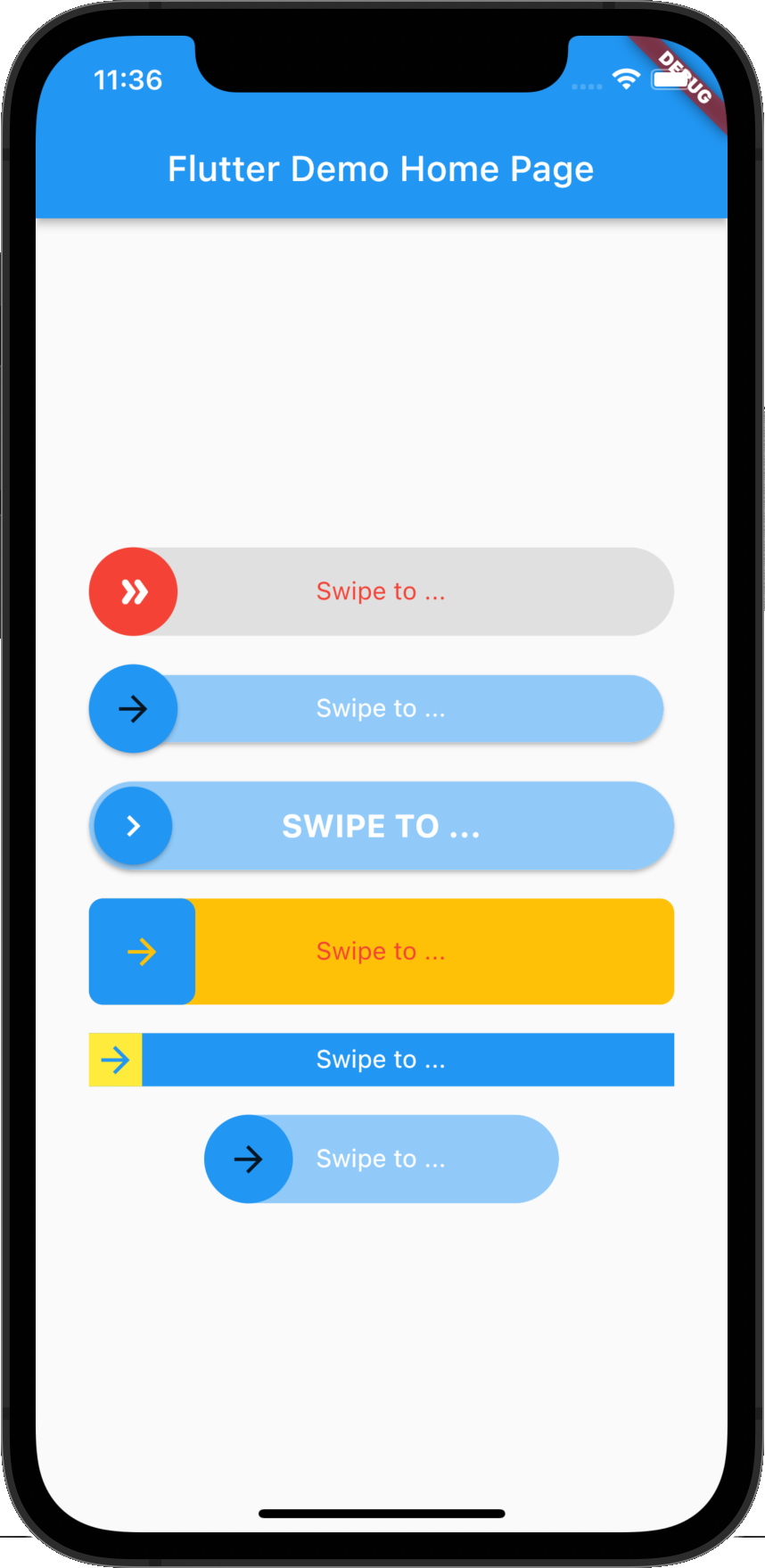
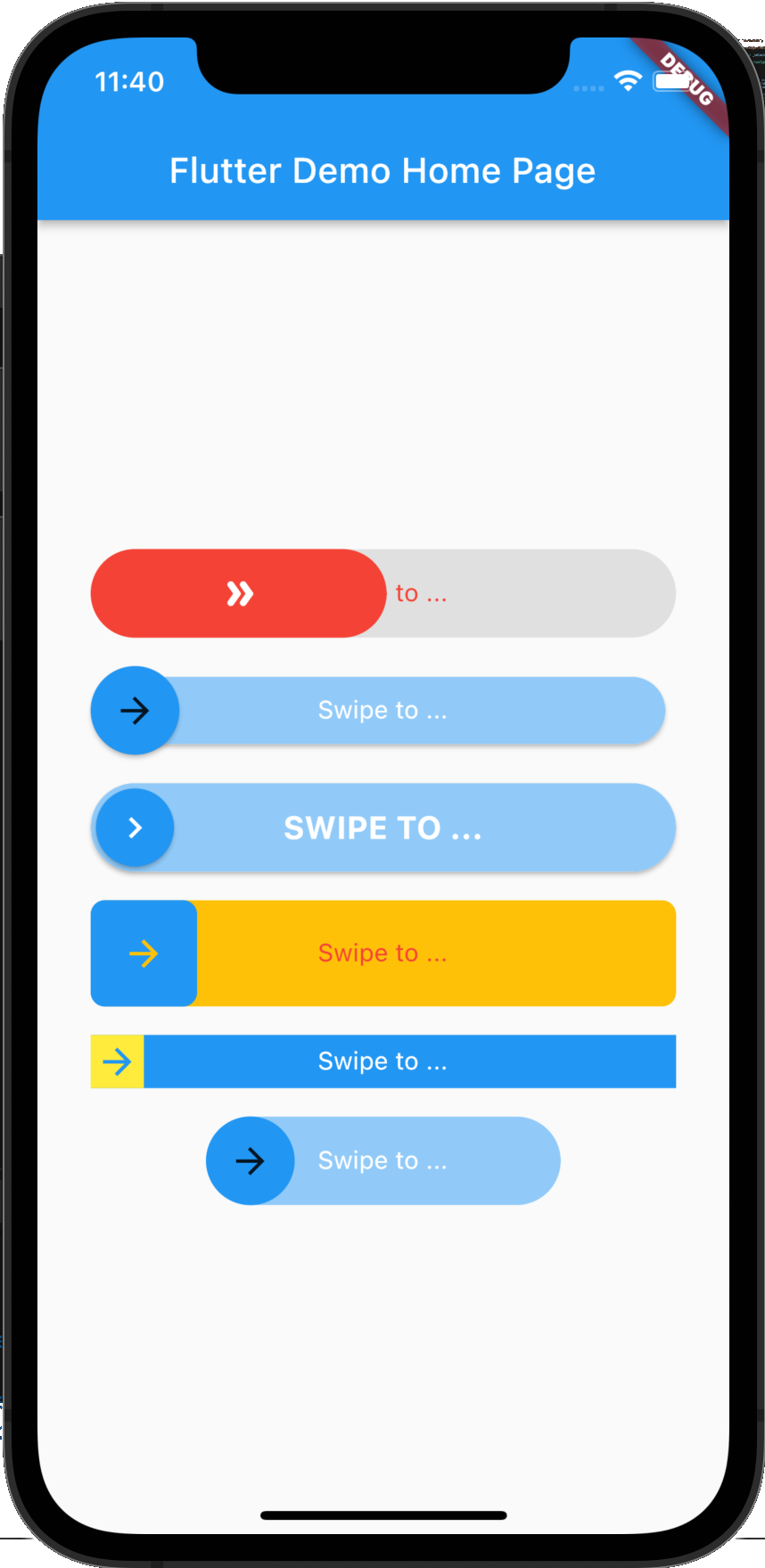
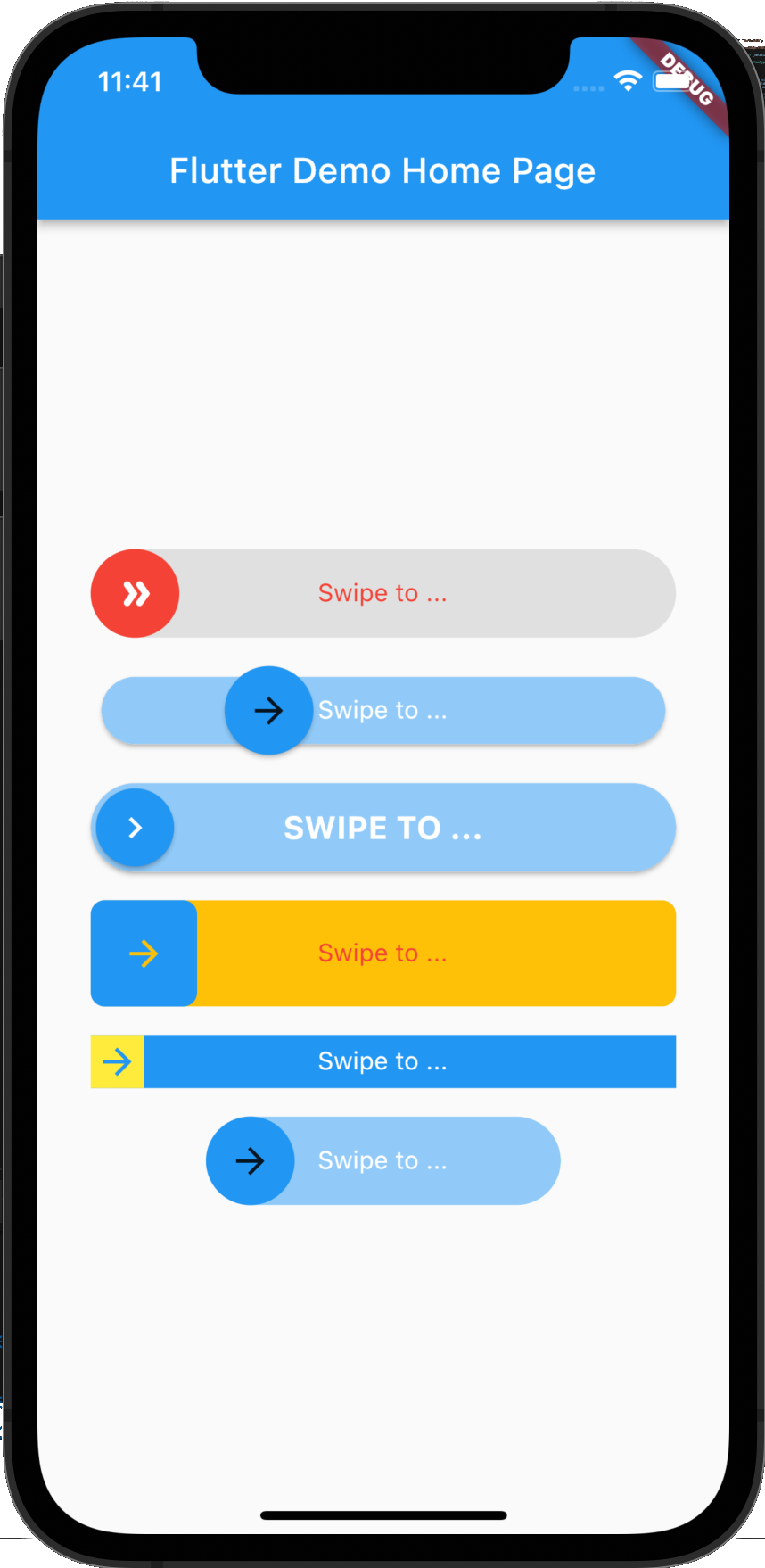
Screenshot

Example 1 Example 2 Example 3

Getting Started

Adding package
flutter_swipe_button: ^2.1.1+1
Importing package
import 'package:flutter_swipe_button/flutter_swipe_button.dart';

How to use

SwipeButton.expand(
  thumb: Icon(
    Icons.double_arrow_rounded,
    color: Colors.white,
  ),
  child: Text(
    "Swipe to ...",
    style: TextStyle(
      color: Colors.red,
    ),
  ),
  activeThumbColor: Colors.red,
  activeTrackColor: Colors.grey.shade300,
  onSwipe: () {
    ScaffoldMessenger.of(context).showSnackBar(
      SnackBar(
        content: Text("Swipped"),
        backgroundColor: Colors.green,
      ),
    );
  },
)

SwipeButton(
  trackPadding: EdgeInsets.all(6),
  elevationThumb: 2,
  child: Text(
    "Swipe to ...",
    style: TextStyle(
      color: Colors.white,
    ),
  ),
  onSwipe: () {
    ScaffoldMessenger.of(context).showSnackBar(
      SnackBar(
        content: Text("Swipped"),
        backgroundColor: Colors.green,
      ),
    );
  },
)

SwipeButton(
  thumbPadding: EdgeInsets.all(3),
  thumb: Icon(
    Icons.chevron_right,
    color: Colors.white,
  ),
  elevationThumb: 2,
  elevationTrack: 2,
  child: Text(
    "Swipe to ...".toUpperCase(),
    style: TextStyle(
      color: Colors.white,
      fontSize: 18,
      fontWeight: FontWeight.bold,
    ),
  ),
  onSwipe: () {
    ScaffoldMessenger.of(context).showSnackBar(
      SnackBar(
        content: Text("Swipped"),
        backgroundColor: Colors.green,
      ),
    );
  },
)

SwipeButton(
  borderRadius: BorderRadius.circular(8),
  activeTrackColor: Colors.amber,
  height: 60,
  child: Text(
    "Swipe to ...",
    style: TextStyle(
      color: Colors.red,
    ),
  ),
  onSwipe: () {
    ScaffoldMessenger.of(context).showSnackBar(
      SnackBar(
        content: Text("Swipped"),
        backgroundColor: Colors.green,
      ),
    );
  },
)

SwipeButton(
  activeTrackColor: Colors.blue,
  activeThumbColor: Colors.yellow,
  borderRadius: BorderRadius.zero,
  height: 30,
  child: Text(
    "Swipe to ...",
    style: TextStyle(
      color: Colors.white,
    ),
  ),
  onSwipe: () {
    ScaffoldMessenger.of(context).showSnackBar(
      SnackBar(
        content: Text("Swipped"),
        backgroundColor: Colors.green,
      ),
    );
  },
)

SwipeButton(
  width: 200,
  child: Text(
    "Swipe to ...",
    style: TextStyle(
      color: Colors.white,
    ),
  ),
  onSwipe: () {
    ScaffoldMessenger.of(context).showSnackBar(
      SnackBar(
        content: Text("Swipped"),
        backgroundColor: Colors.green,
      ),
    );
  },
)

License

MIT License

श्रेणियाँ

सोर्स रिपॉज़िटरी

इस पैकेज का उपयोग करने वाले प्रोजेक्ट

अभी कोई डेटा उपलब्ध नहीं है।